From the free course AP Computer Science A on Lykke
4.6 Using Text Files
Key concepts: Reading text files with Scanner · Using the File(String) constructor · Closing a Scanner after file input · Handling whitespace when mixing nextLine() with other Scanner methods · Splitting strings with String.split · Regular-expression restrictions for split delimiters · Understanding method specifications and preconditions · Using custom Location objects with 2D arrays · Navigating an int[][] grid with GridPath.getNextLoc · Checking adjacent strings with indexOf and returning boolean results
A text file is persistent data: unlike keyboard input, its contents remain available after the program stops. Java reads that stored data through a Scanner whose input source is a File object rather than System.in.
4.6 Using Text Files
A text file is persistent data: unlike keyboard input, its contents remain available after the program stops. Java reads that stored data through a Scanner whose input source is a File object rather than System.in.
Learning Objective 4.6.A: Read and process data from text files using Java library classes and methods.
The file-input pipeline
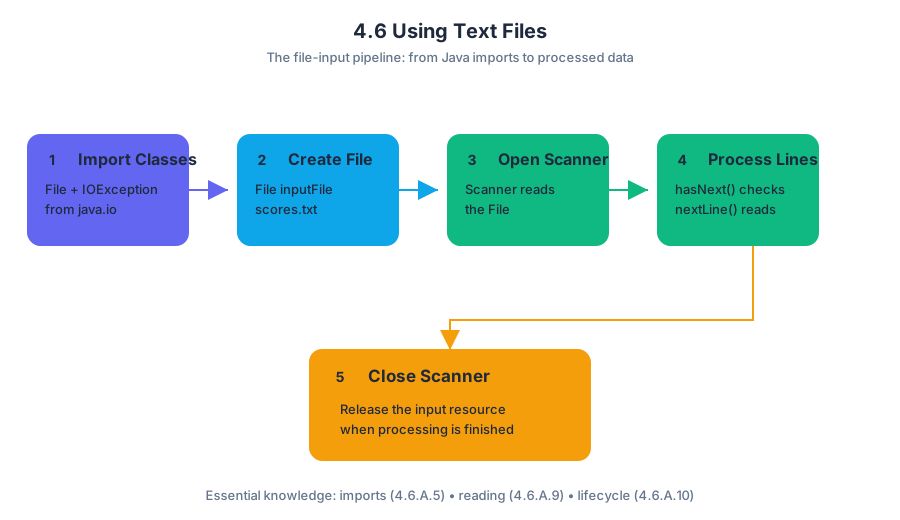
The standard pipeline is:
First, import File and IOException from java.io (Essential Knowledge 4.6.A.5). Then construct a File, pass it to Scanner, process the contents, and close the scanner when finished (Essential Knowledge 4.6.A.10).
import java.io.File;
import java.io.IOException;
import java.util.Scanner;

public class FileReaderDemo {
    public static void main(String[] args) throws IOException {
        File inputFile = new File("scores.txt");
        Scanner input = new Scanner(inputFile);

        while (input.hasNext()) {              // Essential Knowledge 4.6.A.9
            String line = input.nextLine();
            System.out.println(line);
        }

        input.close();
    }
}
new File("scores.txt") describes the file; it does not itself read the contents. The Scanner performs the reading. If the named file cannot be opened, the method may declare throws IOException; with an invalid file name, the program terminates rather than silently producing valid data.
Tokens, lines, and whitespace
Scanner methods do not all treat whitespace alike. Methods such as nextInt(), nextDouble(), next(), and hasNext() work with tokens separated by whitespace. nextLine() consumes the remainder of the current line, including the line-ending boundary.
A common trap appears when both styles read from the same source:
int quantity = input.nextInt();
String description = input.nextLine();
After nextInt() reads the number, the newline typed or stored after that number is still waiting. The following nextLine() may therefore return an empty string instead of the description.
int quantity = input.nextInt();
input.nextLine();              // consume the leftover newline
String description = input.nextLine();
The extra nextLine() is needed when a token-based method is immediately followed by a line-based method on the same input source. The same issue can follow nextDouble() or next(). Essential Knowledge 4.6.A.7 identifies this whitespace adjustment, although writing or analyzing mixed nextLine() and token-based input is explicitly outside the AP Computer Science A exam scope. For course-level file reading, choosing one consistent strategy—token-based or line-based—usually makes the code clearer.
Splitting a line into fields
String.split(String del) returns a String[]: each element is a substring formed by splitting the original string around matches of the delimiter del (Essential Knowledge 4.6.A.8).
String record = "Mina,82,Blue";
String[] fields = record.split(",");

String name = fields[0];       // "Mina"
int score = Integer.parseInt(fields[1]);
String team = fields[2];       // "Blue"
For AP Computer Science A, use ordinary delimiters such as "," or " ". Although the parameter is technically formatted as a regular expression, writing or analyzing special regular-expression properties—such as those involving \* or \.—is outside the required scope.
Misconception check: splitting is not trimming
If a line begins with a required signature, remove exactly that prefix—not an arbitrary character from the beginning or end.
String signature = "DATA:";
String line = "DATA:17,24";

if (line.indexOf(signature) == 0) {
    String body = line.substring(signature.length());
    String[] values = body.split(",");
}
The correct boundary is signature.length(). Do not accidentally remove the signature from the beginning, the end, or both ends unless the specification explicitly requires that behavior.
File input inside larger algorithms
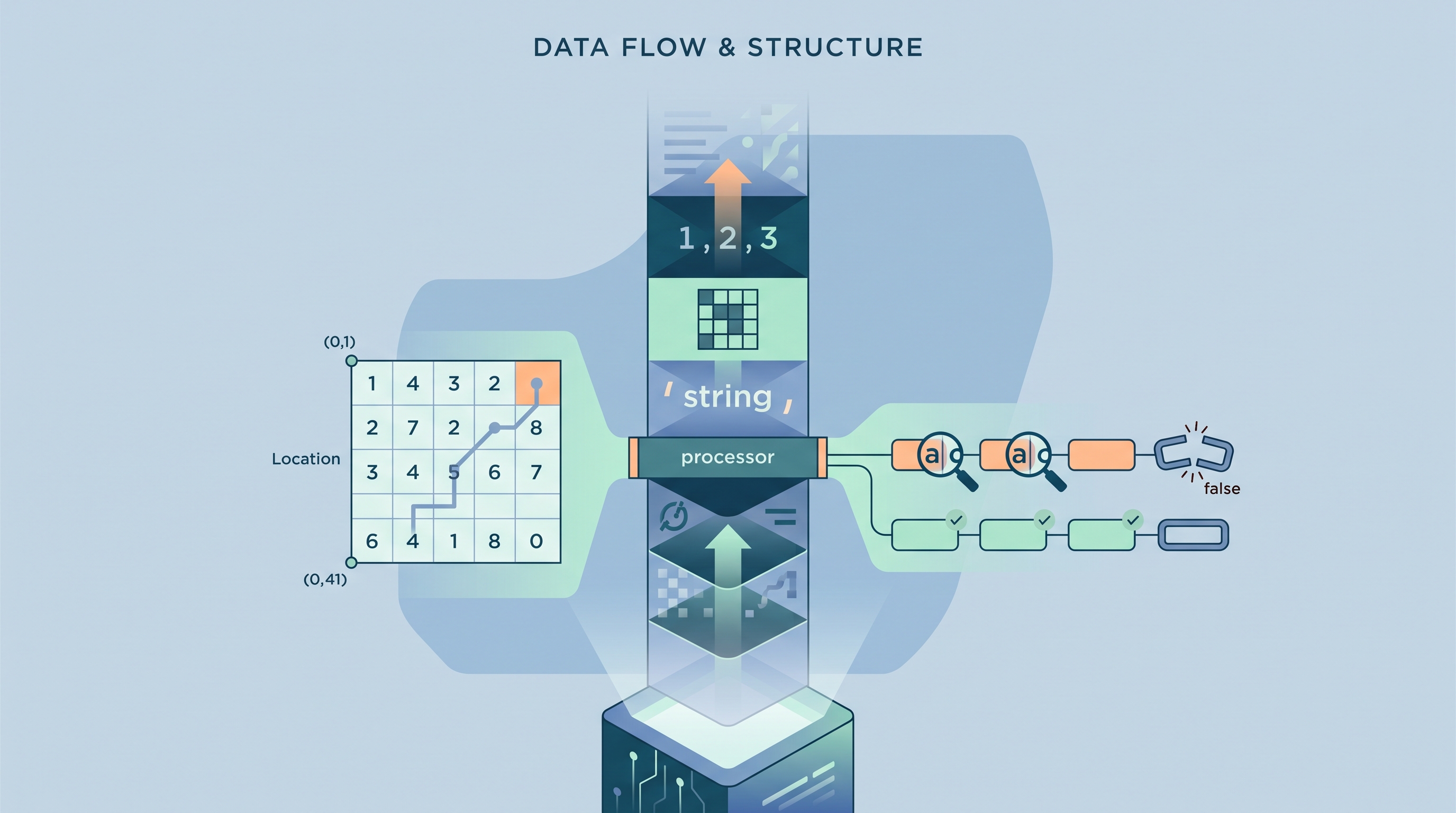
File reading often supplies data to an object-based algorithm. For example, a Location object can represent a grid coordinate, while a GridPath object can use its int[][] grid field to navigate a two-dimensional structure in getNextLoc. The file-reading code supplies the values; the method’s precondition determines whether those values are legal.
Another common pattern checks adjacent text elements with String.indexOf:
boolean hasRequiredLinks(String[] names, String sig) {
    for (int i = 0; i < names.length - 1; i++) {
        if (names[i].indexOf(names[i + 1]) == -1) {
            return false;
        }
    }
    return true;
}
The method returns false immediately when one pair fails, and returns true only after every adjacent pair passes. This topic therefore exercises 2.C — Develop Code, especially writing code that uses library classes; 3.C — Analyze Code, by tracing scanner position and loop behavior; and 4.B — Document Code and Computing Systems, including interpreting method specifications and preconditions.
Retrieval check: If input.nextInt() reads 42 and the next operation must read the rest of that same line, what call usually belongs between them, and why?
Source Materials
- AP Computer Science A Course and Exam Description
- AP Computer Science A Course and Exam Description Clarifications and Corrections
- AP Computer Science A Course Overview
- AP Computer Science A Course at a Glance
- AP Computer Science A Course at a Glance Poster
- Adopt AP Computer Science A
- AP Computer Science A
- AP Computer Science A