From the free course AP Computer Science A on Lykke
1.7 Application Program Interface and Libraries
Key concepts: Application Program Interface (API) and libraries · Classes defined by an API · Reference types · Attributes and behaviors of API classes · Method signatures · Calling instance methods · String literals · Determining the result or output of code · Identifying why a code segment will not compile or work as intended · Describing the behavior of a code segment or program
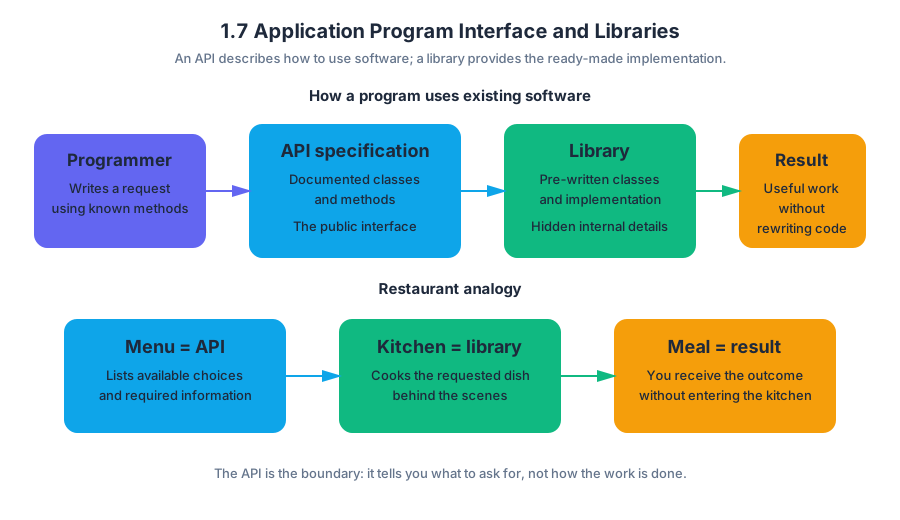
An application programming interface (API) is a documented set of classes and methods that lets a programmer use existing software without knowing how that software was implemented.
1.7 Application Program Interface and Libraries
An application programming interface (API) is a documented set of classes and methods that lets a programmer use existing software without knowing how that software was implemented.
Imagine ordering from a restaurant: the menu tells you what dishes exist, what information you must provide, and what result you will receive. You do not enter the kitchen or rewrite the recipe. In Java, an API specification plays the role of the menu, while a library is the collection of already-written classes behind it.
Required Course Content
Learning Objective 1.7.A: Identify the attributes and behaviors of a class found in the libraries contained in an API.
Essential Knowledge 1.7.A.1: Libraries are collections of classes. An application programming interface (API) specification informs the programmer how to use those classes. Documentation found in API specifications and libraries is essential to understanding the attributes and behaviors of a class defined by the API. A class defines a specific reference type. Classes in APIs and libraries are grouped into packages.
Essential Knowledge 1.7.A.2: Attributes refer to data related to a class and are stored in variables. Behaviors refer to what instances of the class can do, usually through methods.
Classes, Attributes, and Behaviors
A class supplied by an API defines the kind of object a variable can refer to. For example, String defines objects that represent sequences of characters. The variable does not contain the entire object directly; it contains a reference to an object stored elsewhere.
An attribute describes an object’s data. A String object’s character sequence is its important data. A behavior describes an operation the object can perform, such as finding its length, extracting part of its sequence, or comparing it with another string.
| API idea | Meaning | String example |
|---|---|---|
| Class | A definition of a reference type | String |
| Attribute | Data associated with an object | A sequence of characters |
| Behavior | An operation performed by an object | length() or substring() |
| Instance | One object created from a class | "planet" |
A string literal is a sequence of characters enclosed in double quotation marks. Thus, "planet" is a string literal, while planet without quotation marks is interpreted as an identifier, such as a variable name.
Reading an API Specification
API documentation tells you the method’s signature—the information needed to call it correctly. A method signature includes the method name, parameter types, and return type. The parameter types describe the inputs; the return type describes the result produced by the method.
For example, the Java Quick Reference describes the following String behaviors:
int length()
String substring(int from, int to)
boolean equals(String other)
int indexOf(String str)
The call length() requires no argument and returns an int. The call substring(int from, int to) requires two integer arguments and returns a new String. The call equals(String other) receives a String and returns true or false.
A method that belongs to an object is an instance method. To call one, write a reference, a dot, the method name, and parentheses containing any required arguments:
String label = "planet";
int count = label.length();
String part = label.substring(1, 4);
boolean same = label.equals("planet");
Worked Example: Predicting Behavior
Suppose a program labels a package using a string and wants to display a shortened label:
String label = "archive";
int first = label.indexOf("ch");
String shortLabel = label.substring(first, label.length());

System.out.println(first);
System.out.println(shortLabel);
Trace the calls in order:
label.indexOf("ch")searches"archive"and returns2, because thecbegins at index2.label.length()returns7, the number of characters.label.substring(2, 7)includes index2but stops before index7, producing"chive".- The output is therefore:
2
chive
This is the suggested AP skill 4.A: Describe the behavior of a code segment or program. The key is to use the API specification to determine each method’s input, return value, and indexing rule rather than guessing from the method name.
When Code Fails
A call will not compile when its syntax or types do not match the method signature. A call can also compile but fail during execution—for example, an invalid substring range can cause a runtime error.
String word = "galaxy";
int size = word.length();

System.out.println(word.length);       // Does not compile
System.out.println(word.substring(1)); // Works: "alaxy"
System.out.println(word.substring(1, 8)); // Runtime error
The first call treats length as a variable, but length is a method and needs parentheses. The final call asks for an ending index beyond the string’s valid boundary. The corrected version is:
System.out.println(word.length());
System.out.println(word.substring(1, word.length()));
Misconception Check
Misconception: “A reference variable is the object.” A reference variable points to an object; it is not the object’s complete data. This distinction matters when multiple variables refer to the same object and when instance methods are called through a particular reference.
Misconception: “Every API method changes the object.” Many String methods return a new string instead of changing the original. For example, word.substring(1) produces a result, but word remains unchanged unless that result is assigned back to a variable.
Retrieval Check
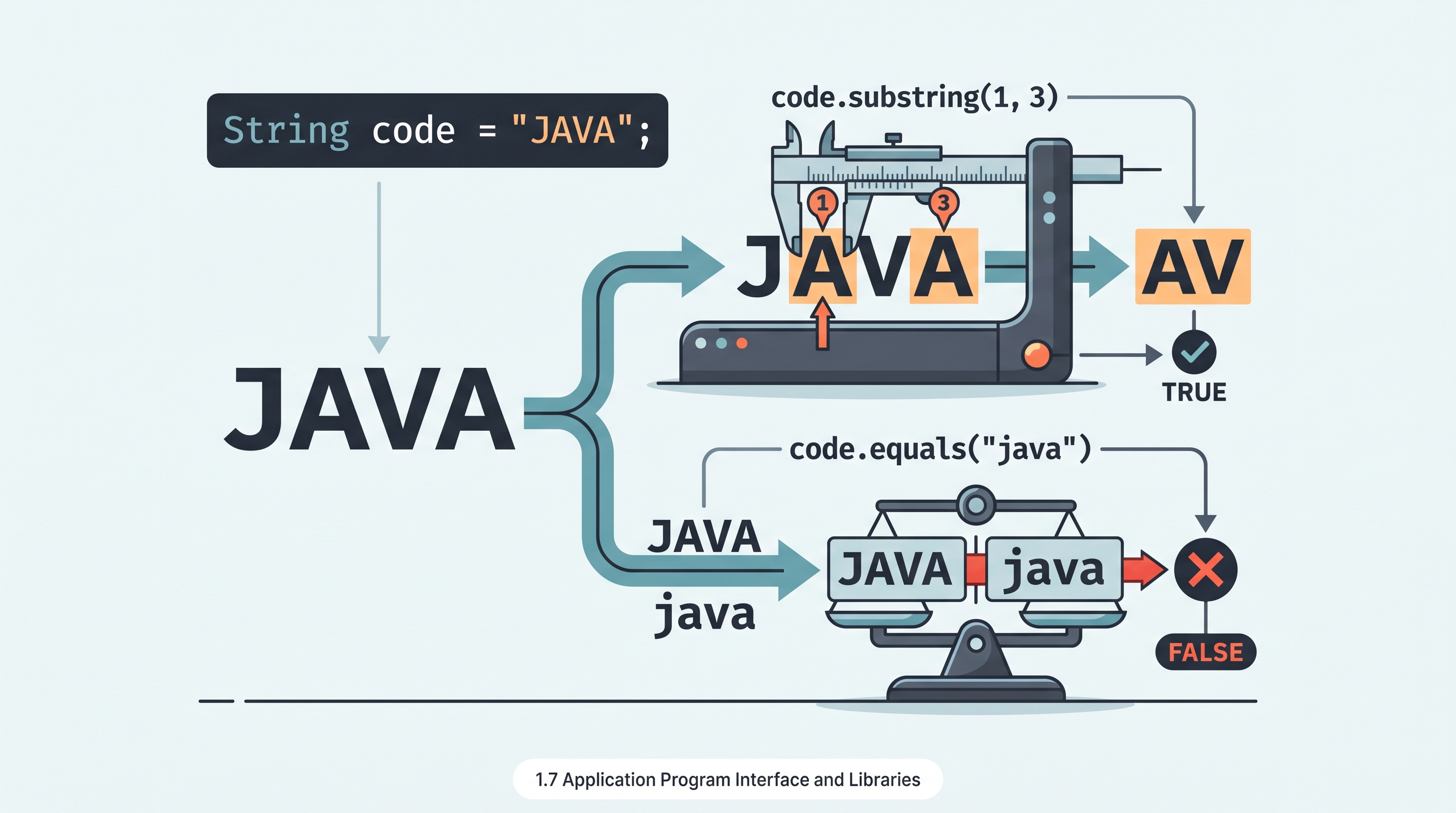
What does this print?
String code = "JAVA";
System.out.println(code.substring(1, 3));
System.out.println(code.equals("java"));
The output is AV followed by false: the first endpoint is exclusive, and equals compares character sequences exactly, including capitalization.

Source Materials
- AP Computer Science A Course and Exam Description
- AP Computer Science A Course and Exam Description Clarifications and Corrections
- AP Computer Science A Course Overview
- AP Computer Science A Course at a Glance
- AP Computer Science A Course at a Glance Poster
- Adopt AP Computer Science A
- AP Computer Science A
- AP Computer Science A
- The Bureau of Labor Statistics estimates there will be
- Complete the moveCandyToFirstRow method.