From the free course AP Computer Science A on Lykke
2.10 Implementing String Algorithms
Key concepts: Procedural abstractions and method implementation · Conditional statements using if-else · Boolean comparisons such as whosActive == true · String concatenation with the + operator · Producing output with System.out.print · Processing ArrayList<String> data · Accessing adjacent list elements with get(i) and get(i + 1) · Determining program output from code · Identifying and correcting compilation or logic errors
A string algorithm treats text as data: it can inspect characters, compare words, join pieces, search for a substring, or produce a new text value.
2.10 Implementing String Algorithms
A string algorithm treats text as data: it can inspect characters, compare words, join pieces, search for a substring, or produce a new text value. In Java, even a short expression such as tOne + "-" + tTwo is an algorithmic step because it constructs a new String from smaller values.
Learning Objective 2.10.A: Develop code for standard and original algorithms that involve strings and determine the result of these algorithms.
Essential Knowledge 2.10.A.1: Standard string algorithms include finding whether one or more substrings have a particular property, processing strings to produce new strings, and examining or comparing string values.
A method can choose and construct different strings
A procedural abstraction is a named method that packages steps behind a method call. To determine its result, trace both the method’s inputs and the values already stored in the object.
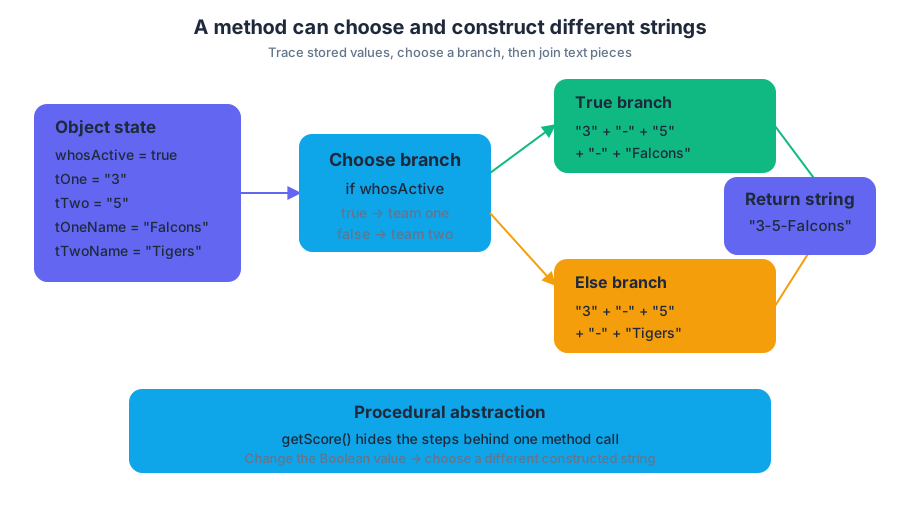
Consider a scoreboard method. The Boolean variable whosActive identifies which team is currently active, while tOne, tTwo, tOneName, and tTwoName hold scores and team names.
public String getScore() {
    if (whosActive == true) {
        return tOne + "-" + tTwo + "-" + tOneName;
    }
    else {
        return tOne + "-" + tTwo + "-" + tTwoName;
    }
}
Suppose whosActive is true, tOne is "3", tTwo is "5", tOneName is "Falcons", and tTwoName is "Tigers". The if condition is true, so Java evaluates:
$$ \texttt{"3"} + \texttt{"-"} + \texttt{"5"} + \texttt{"-"} + \texttt{"Falcons"} $$
The result is the single string "3-5-Falcons". If whosActive is false, the else branch constructs "3-5-Tigers" instead.
Printing is not returning
System.out.print displays a constructed string on the output screen; it does not provide the value required by a method declared with return type String. Therefore, this version does not compile successfully:
public String getScore() {
    if (whosActive == true) {
        System.out.print(tOne + "-" + tTwo + "-" + tOneName);
    }
    else {
        System.out.print(tOne + "-" + tTwo + "-" + tTwoName);
    }
}
The method promises to return a String, but neither path contains a return statement. Replace System.out.print with return when the caller needs the value. Use System.out.print only when the method’s purpose is to display output and its return type is void.
Misconception check — “The screen shows the answer, so the method returned it.”
False. Displaying "3-5-Falcons" and returning "3-5-Falcons" are different operations. A caller can store or further process a returned string; printed output is merely sent to the console.
String construction and malformed literals
The + operator concatenates strings from left to right. If every operand is a String, Java joins their character sequences rather than performing arithmetic. Thus, "3" + "-" + "5" becomes "3-5".
A quoted string must have a matching closing quotation mark. This statement is malformed and will not compile:
System.out.print("Score: 3-5);
The corrected statement closes the string literal:
Misconception check — “Quotes are optional around text.”
No. Java requires quotation marks around a string literal. Without them, Java tries to interpret the text as identifiers or encounters an unterminated literal.
Processing neighboring strings in an ArrayList
String algorithms can process collections of text. In an ArrayList<String>, wordList.get(i) retrieves the element at index i, while wordList.get(i + 1) retrieves the immediately following element. Comparing these neighboring values is useful when a method must detect adjacent matching words, combine them, or create a filtered result.
public ArrayList<String> createList(String target,
                                    ArrayList<String> wordList) {
    ArrayList<String> list = new ArrayList<String>();

    for (int i = 0; i < wordList.size() - 1; i++) {
        String first = wordList.get(i);
        String second = wordList.get(i + 1);

        if (first.equals(target) && second.equals(target)) {
            list.add(first + " " + second);
        }
    }

    return list;
}
The loop stops at wordList.size() - 2 because the final valid neighboring pair is (size - 2, size - 1). If the loop allowed i to equal wordList.size() - 1, wordList.get(i + 1) would access an index outside the list.
AP skills in action
- 2.C — Write program code involving procedural abstractions: implement methods such as
getScoreandcreateList. - 3.C — Determine the result or output based on code that contains procedural abstractions: trace the selected branch, concatenation order, and printed or returned value.
- 3.D — Explain why a code segment will not compile or work as intended and modify the code to correct the error: identify missing returns, malformed quoted strings, and unsafe neighboring-index access.
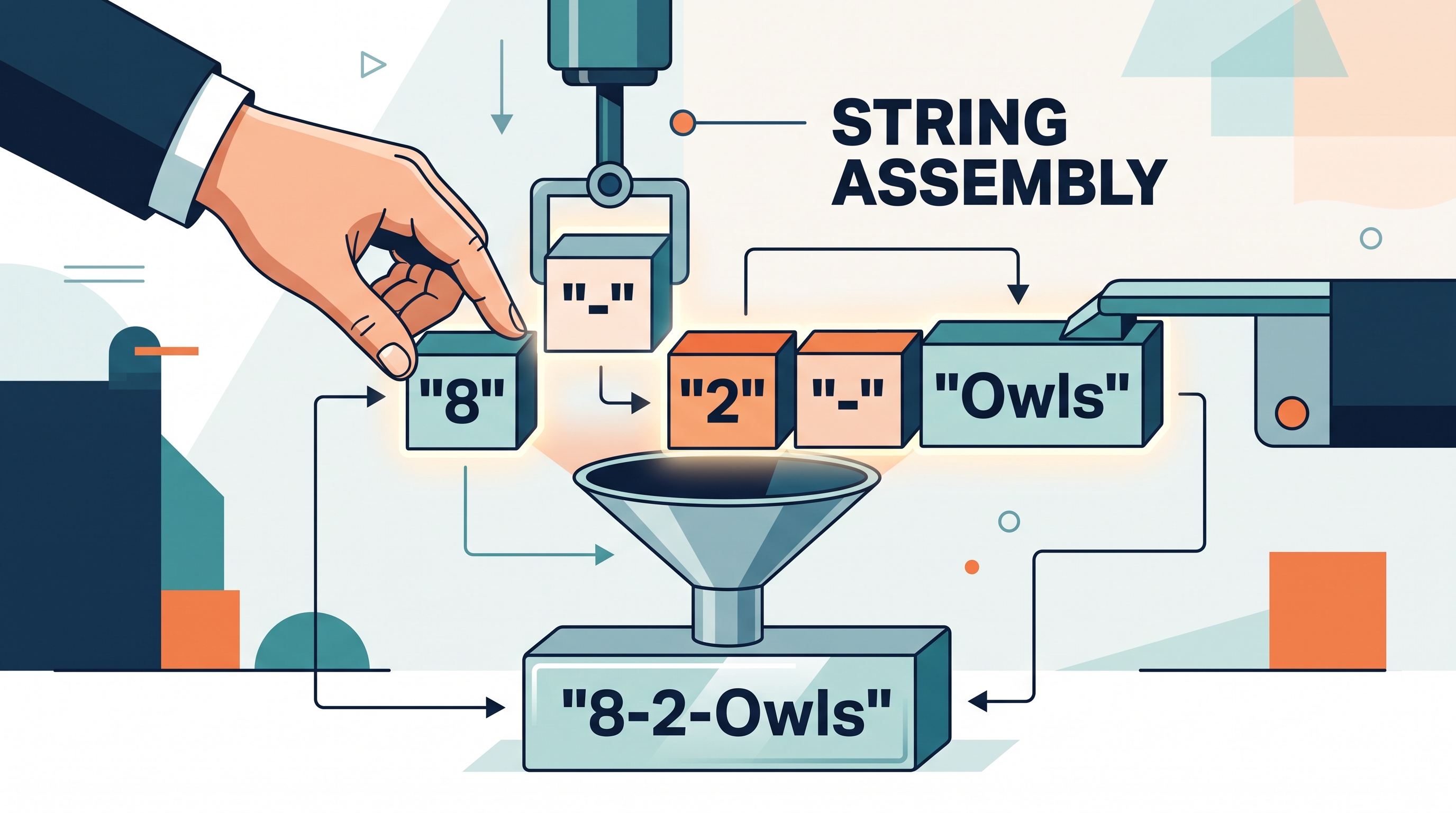
Retrieval check: If whosActive is false, tOne is "8", tTwo is "2", and tTwoName is "Owls", what string does the corrected getScore return? What would change if the method used System.out.print instead of return?
Answer: It returns "8-2-Owls". With System.out.print, the text would appear on the screen, but a method declared as String would still need a returned value.
Source Materials
- AP Computer Science A Course and Exam Description
- AP Computer Science A Course and Exam Description Clarifications and Corrections
- AP Computer Science A Course Overview
- AP Computer Science A Course at a Glance
- AP Computer Science A Course at a Glance Poster
- Adopt AP Computer Science A
- AP Computer Science A
- AP Computer Science A