From the free course AP Computer Science A on Lykke
4.17 Recursive Searching and Sorting
Key concepts: Recursive searching · Recursive sorting · Searching algorithms · Sorting algorithms · Recursion · Structural requirements of recursion · Memory and variable behavior during recursive calls · Tracing recursive calls · Recursion compared with iteration · Practice 4 computational thinking
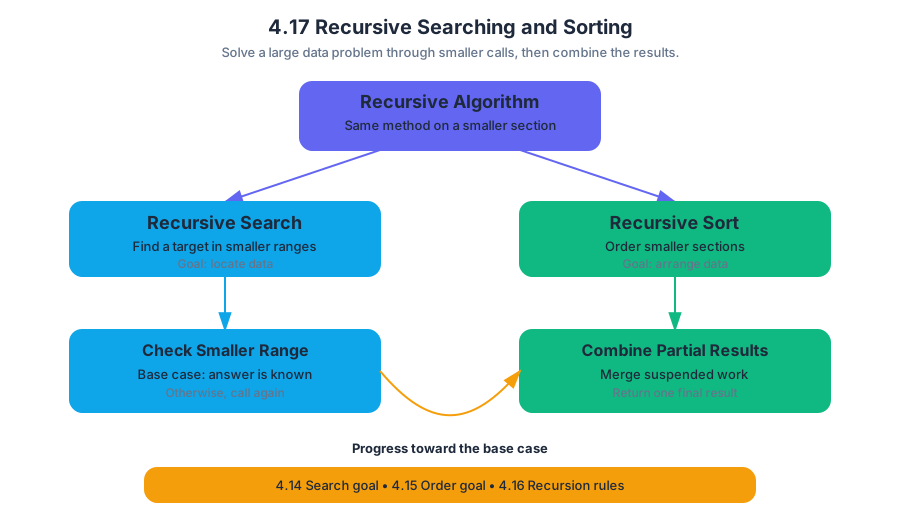
A recursive search or sort solves a large data problem by applying the same algorithm to a smaller portion of the data, then combining the result with the suspended work of the earlier calls.
4.17 Recursive Searching and Sorting
A recursive search or sort solves a large data problem by applying the same algorithm to a smaller portion of the data, then combining the result with the suspended work of the earlier calls.
4.17.A — Recursive searching and sorting algorithms use repeated calls on smaller sections of an array or
ArrayList; students analyze and trace provided code rather than write original recursive code.
The key connection is structural: 4.14 Searching Algorithms supplies the search goal, 4.15 Sorting Algorithms supplies the ordering goal, and 4.16 Recursion supplies the rules that make repeated smaller calls safe. A recursive algorithm must still have a base case, a recursive case, and progress toward the base case.
Recursive binary search
Binary search works only when the data is sorted. Instead of checking every item, it examines the middle item and discards the half that cannot contain the target. A recursive version repeats that decision on a smaller interval.
Suppose the sorted array is:
$$ [4,\ 9,\ 15,\ 22,\ 31,\ 38,\ 47] $$
To search for $31$, the algorithm first examines index $3$, containing $22$. Because $31 > 22$, only indexes $4$ through $6$ remain. The next midpoint is index $5$, containing $38$. Because $31 < 38$, the search continues with indexes $4$ through $4$, where it finds $31$.
The following is provided code to analyze, not a prompt to write recursive code:
public static int binarySearch(int[] values, int target,
                               int low, int high) {
    if (low > high) {
        return -1;
    }

    int middle = (low + high) / 2;

    if (values[middle] == target) {
        return middle;
    } else if (target < values[middle]) {
        return binarySearch(values, target, low, middle - 1);
    } else {
        return binarySearch(values, target, middle + 1, high);
    }
}
What memory does during the calls
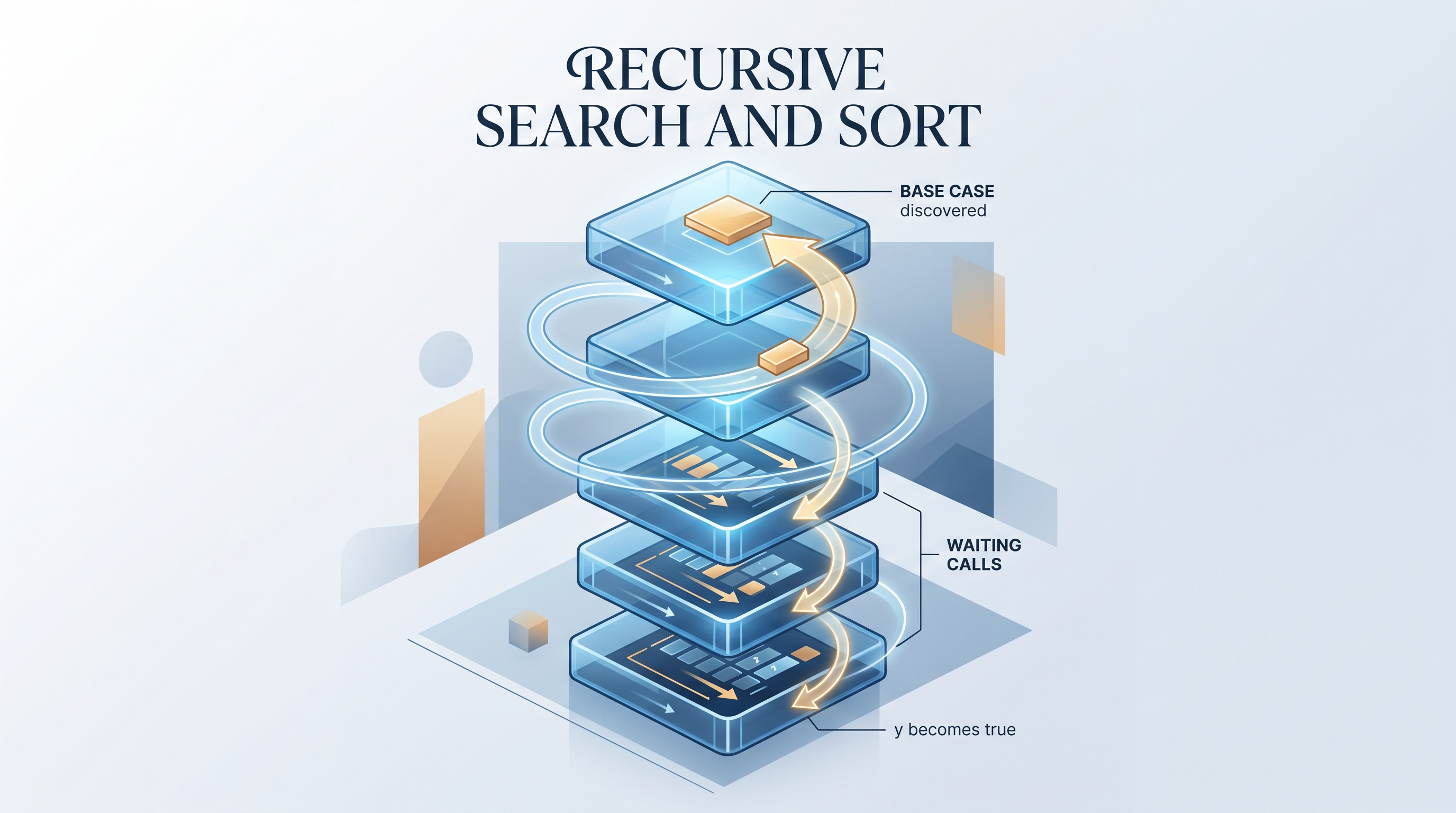
Each invocation receives its own stack frame, a reserved memory area containing that call’s parameter values, local variables, and the location to which it must return. A caller does not disappear when it makes a recursive call: it pauses, preserving its state while it waits for the smaller problem to finish.
For binarySearch(values, 31, 0, 6), the call stack develops like this:
| Frame | Parameters | Local middle |
Decision | Status |
|---|---|---|---|---|
| 1 | low = 0, high = 6 |
$3$ | $31 > 22$ | waiting for indexes $4$–$6$ |
| 2 | low = 4, high = 6 |
$5$ | $31 < 38$ | waiting for index $4$ |
| 3 | low = 4, high = 4 |
$4$ | found $31$ | returns $4$ |
The return path is just as important as the descent. Frame 3 returns $4$ to frame 2; frame 2 returns that same value to frame 1; frame 1 finally returns $4$ to the original caller.
Notice the separate variables: frame 1 keeps low = 0, high = 6, and middle = 3; frame 2 has a different set of variables; frame 3 has another. The name middle is reused, but the variables are not shared.
Recursive sorting
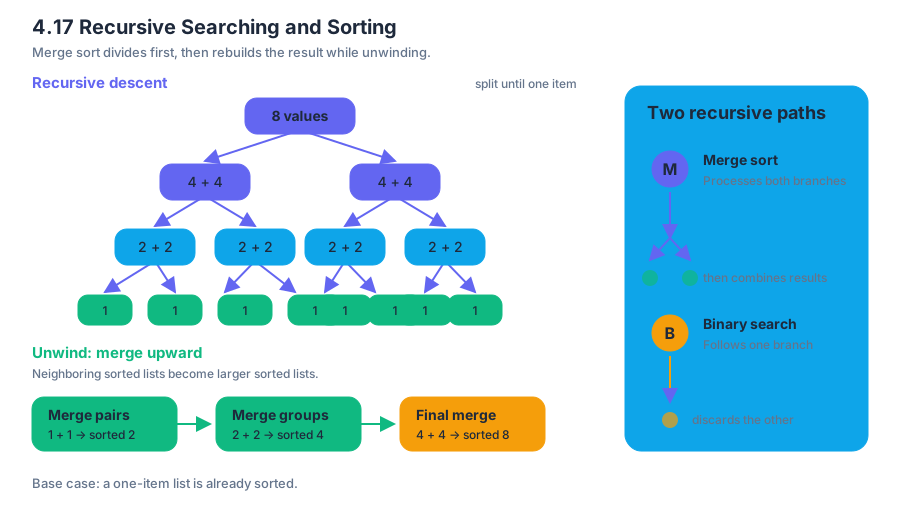
Recursive sorting algorithms repeatedly divide an unordered collection into smaller collections. Merge sort, for example, divides a list until each sublist has one item, then merges neighboring sorted sublists into larger sorted lists. A one-item list is already sorted, so it is a natural base case.
For eight values, the structure resembles a tree:
$$ 8 \rightarrow 4+4 \rightarrow 2+2+2+2 \rightarrow 1+1+1+1+1+1+1+1 $$
The recursive descent creates the small pieces. During unwinding, the merge operations rebuild the result in sorted order. This differs from binary search: binary search follows one branch, while merge sort eventually processes both branches.
Recursion versus iteration
An iterative algorithm repeats with a loop and updates variables in one active method call. A recursive algorithm repeats by creating new method calls, so its suspended states occupy additional stack frames. Both can express the same logical process, but their tracing evidence differs.
| Feature | Iteration | Recursion |
|---|---|---|
| Repetition mechanism | Loop | Method calls |
| Active local state | Usually one set of locals | One set per active frame |
| Termination evidence | Loop condition eventually changes | Base case eventually becomes true |
| Main tracing risk | Infinite loop | Missing progress or too many frames |
Misconception check — “A recursive call replaces the old call.” It does not. The old call waits. If the recursive call returns a value, that value travels back to the waiting caller, which may return it again or use it in further computation.
Structural requirements check: For a recursive search, identify the base case, show that low and high move toward it, and trace each frame’s parameters. For recursive sorting, identify how the data becomes smaller and how sorted results are combined.
Retrieval check: In the binary-search trace above, what value does the original call return, and why does frame 1 still remember its original middle after frame 2 finishes? The answer is $4$ because frame 3 finds the target at index $4$; frame 1’s separate stack frame preserved its own parameters and local variables while frame 2 ran.
Topic 4.17 is associated with Practice 4 — Analyze Code, especially tracing recursive calls, determining returned values, and comparing recursive behavior with iterative alternatives. Practice 4 applies these same tracing habits in the broader Unit 4 formative multiple-choice and free-response assessments.
Source Materials
- AP Computer Science A Course and Exam Description
- AP Computer Science A Course and Exam Description Clarifications and Corrections
- AP Computer Science A Course Overview
- AP Computer Science A Course at a Glance
- AP Computer Science A Course at a Glance Poster
- Adopt AP Computer Science A
- AP Computer Science A
- AP Computer Science A