AP Computer Science A
Institution: MIT
58 study materials · 60 sections
AP Computer Science A students working the current College Board Course and Exam Description, including first-time students with no prior background, plus teachers reviewing the page for CED alignment.; Teach every official CED unit and every numbered topic at topic granularity.; Develop every AP skill / science-practice code explicitly and by name.; Replace description with teaching: worked contextual examples, named misconceptions, and in-flow retrieval checks.; Build an exam-practice unit covering every task type on the current exam.
Course Sections
Course Framework, Skills and Reasoning Processes
Key concepts: AP course alignment with college-level curricula · Course Framework organization of content and skills into units · Formative assessment through AP Classroom Progress Checks · AP Course Audit requirements · Use of AP Classroom reports and Question Bank · Access to computers and the internet for AP Computer Science A · Independent time for students to develop solutions · AP Computer Science A exam weighting by unit · Code-based reasoning and debugging procedural errors · Connecting programming assignments to student interests
AP Computer Science A is an introductory college-level study of Java programming, object-oriented design, algorithms, data structures, testing, and responsible computing. AP courses are intended for willing, academically prepared students who may earn college credit, advanced placement, or both by demonstrating…
Course Framework, Skills and Reasoning Processes
AP Computer Science A is an introductory college-level study of Java programming, object-oriented design, algorithms, data structures, testing, and responsible computing. AP courses are intended for willing, academically prepared students who may earn college credit, advanced placement, or both by demonstrating college-level achievement.
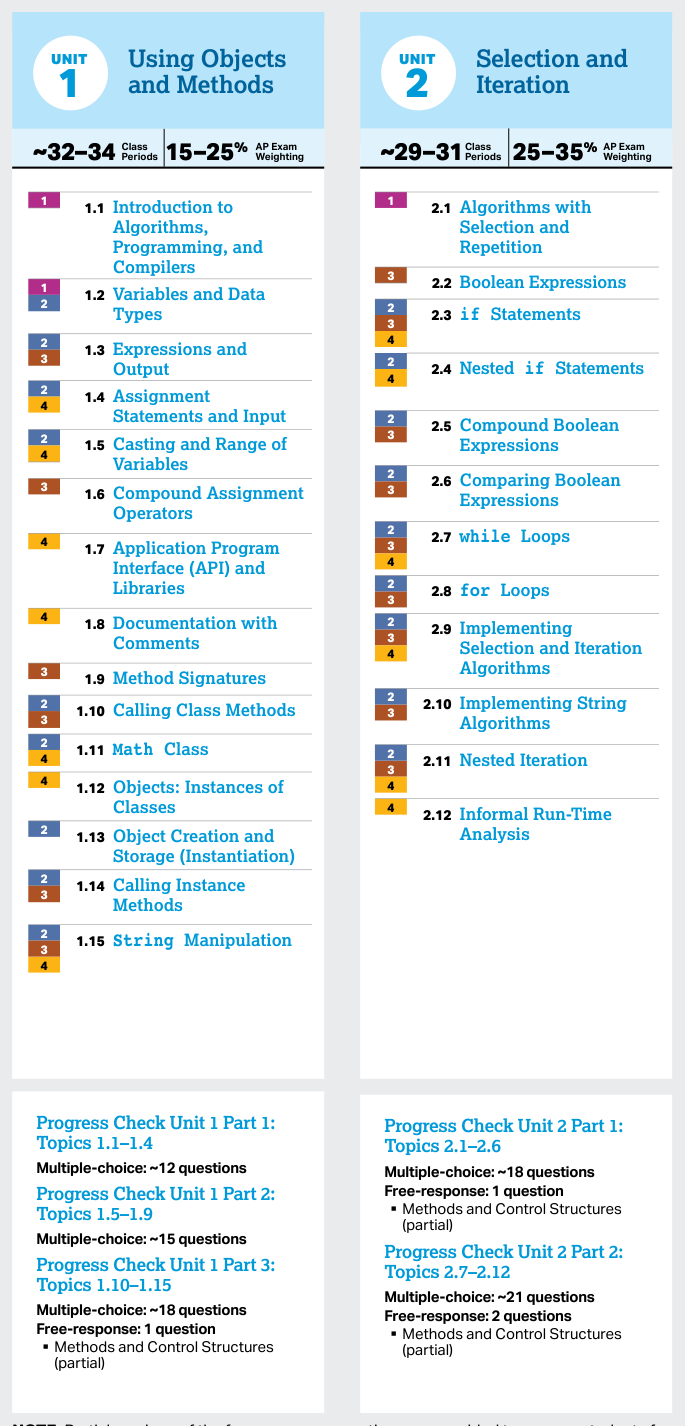
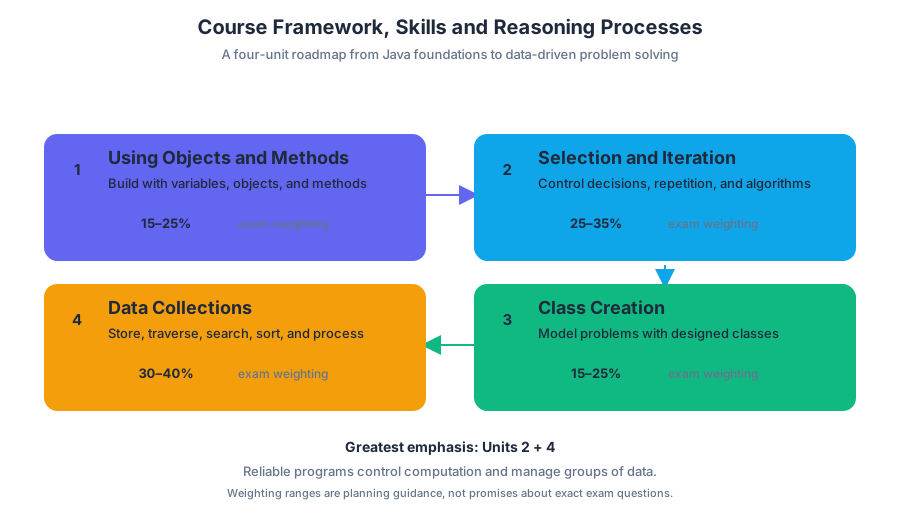
The Course and Exam Description (CED) is the central map: it identifies the content and skills aligned with the corresponding college course, while still allowing teachers to adapt sequencing, examples, projects, and pacing to local priorities. Its four-unit structure moves from using existing objects and methods to control structures, class design, and collections of data.
A four-unit roadmap
| Unit | Official title | Main intellectual move | AP Exam weighting |
|---|---|---|---|
| Unit 1 | Using Objects and Methods | Use variables, objects, methods, and basic Java expressions | 15–25% |
| Unit 2 | Selection and Iteration | Make decisions, repeat actions, and analyze algorithms | 25–35% |
| Unit 3 | Class Creation | Design and implement classes that model problems | 15–25% |
| Unit 4 | Data Collections | Store, traverse, search, sort, and process collections | 30–40% |
The weighting ranges are planning guidance, not promises about the exact number of questions on a particular exam. Unit 2 and Unit 4 together receive the greatest emphasis because reliable programs must both control computation and manage groups of data.
Five computational practices
The framework treats programming as more than typing syntactically correct Java. Students repeatedly cycle through five named practices:
- Computational Thinking Practice 1: Design Code — plan an algorithm or program before implementation, including the data and steps needed to solve the problem.
- Computational Thinking Practice 2: Develop Code — translate a design into working code, then test and refine it.
- Computational Thinking Practice 3: Analyze Code — trace execution, predict output, test behavior, locate procedural errors, debug, and evaluate whether a solution works as intended.
- Computational Thinking Practice 4: Document Code and Computing Systems — explain code, its purpose, its assumptions, and relevant features of the computing system.
- Computational Thinking Practice 5: Use Computers Responsibly — consider ethical, social, privacy, security, and contextual effects when creating or using computing systems.
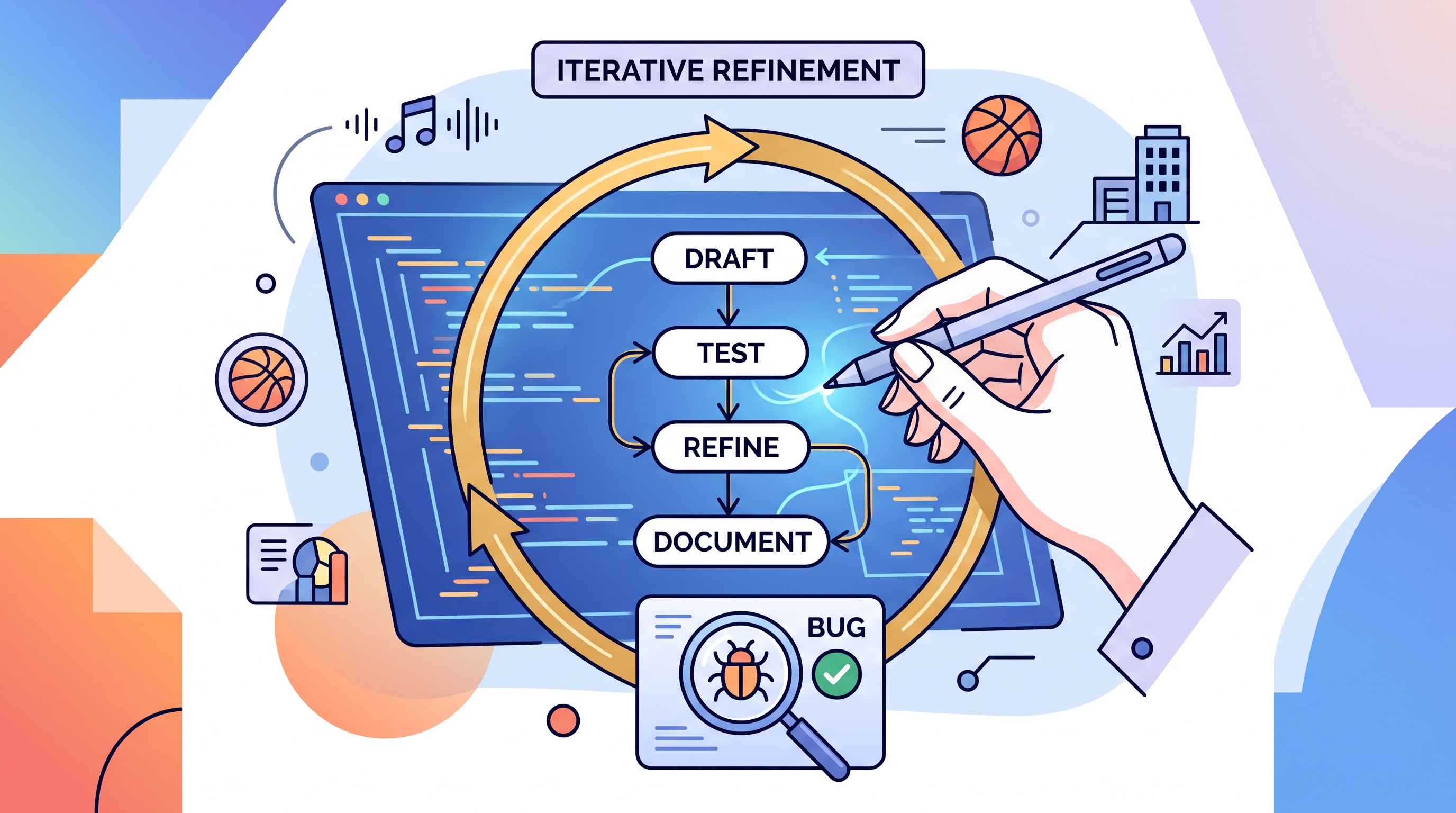
A useful classroom loop is design → develop → analyze → document → reconsider consequences. For example, a student might design a program that summarizes community survey data, implement it with arrays or ArrayList objects, inspect unexpected output, correct the procedural error, document the method, and ask whether the collected data were used fairly.
Plan, teach, assess
The instructional model connects preparation, implementation, and evidence. Unit Guides organize required topics and skills; instruction supplies explanations, labs, and programming tasks; assessment then reveals which ideas and practices students can use independently.
AP Classroom Progress Checks provide formative assessment during the year. A teacher can assign them as homework or complete them in class, then use the immediate feedback to identify misunderstandings in particular topics and skills. Unit checks may combine multiple-choice questions with partial free-response tasks, such as tracing a method, analyzing control structures, or explaining a correction.
AP Classroom reports turn those results into actionable information at the unit and skill levels. If reports show that students can write a loop but cannot establish its initial conditions correctly, instruction can return to initialization, tracing, and boundary testing rather than repeating an entire unit.
The Question Bank extends this cycle by allowing teachers to create additional practice targeted to those needs. Planning therefore becomes responsive: assign a check, inspect the evidence, select focused practice, and reassess the specific weakness.
What AP authorization requires
Before a school labels a course “Advanced Placement” or “AP,” it must participate in the AP Course Audit. The audit verifies that the proposed course meets curricular and resource expectations; once parents enroll a student, the school and teacher should be able to stand behind the claim that the course embodies the stated AP classroom principles.
Required support includes a college-level computer science textbook or equivalent resource for each student, teacher access to appropriate current materials, and access to the AP Computer Science A labs. The course must also provide hands-on opportunities to design and implement computer-based solutions, not merely read or discuss programs.
Access is part of the learning environment
Students need dependable access to a computer and the internet during instruction, plus additional time outside class to develop individual solutions. That extra time matters because programming involves drafting, testing, discovering flaws, and revising—not simply producing a first attempt during a class period.
Programming tasks can connect with students’ interests: a music playlist analyzer, a sports-statistics tool, an animation controller, or a community-data project can exercise the same required practices while making the problem worth solving. The essential test is whether students design, develop, analyze, document, and use computing responsibly.
Key insight: A strong AP CSA course is not defined only by its list of Java topics. It is defined by repeated opportunities to build solutions, inspect what those solutions actually do, explain the results, and improve them responsibly.
Retrieval check: A program produces the wrong output even though it compiles. Which practice most directly asks students to trace the behavior, identify the procedural error, and correct the code? The answer is Computational Thinking Practice 3: Analyze Code; documenting the correction afterward invokes Computational Thinking Practice 4: Document Code and Computing Systems.





1.1 Introduction to Algorithms, Programming, and Compilers
Key concepts: Algorithms as step-by-step procedures for solving problems · Program design and expressing solutions precisely in Java · Testing programs and identifying and correcting errors · Comparing alternative solutions to the same problem · Compilers and the translation of Java source code · Sorting algorithms · Kinesthetic learning through physically arranging students in sorted order · Collaborative and individual problem-solving in laboratory activities
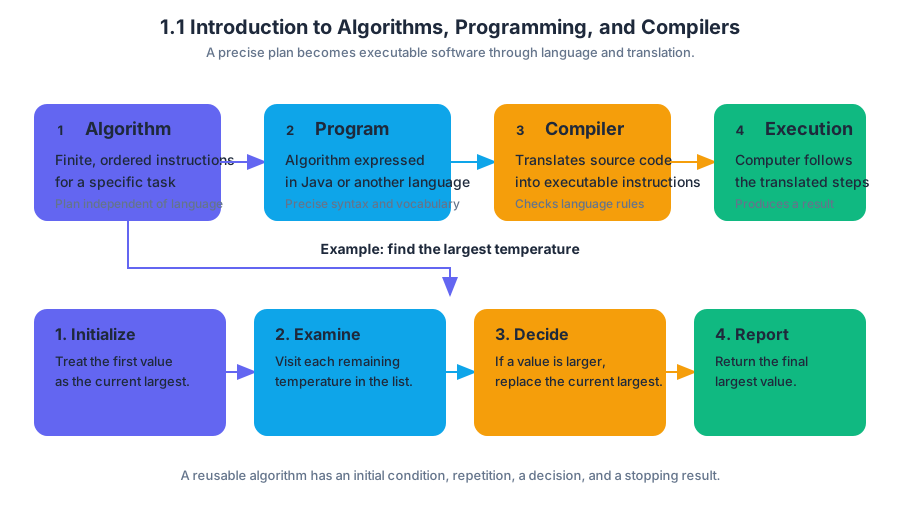
An algorithm is a finite, ordered set of instructions that accomplishes a specific task. A recipe, a route-finding procedure, and a Java program can all be algorithms when their steps are precise enough to follow and eventually stop.
1.1 Introduction to Algorithms, Programming, and Compilers
An algorithm is a finite, ordered set of instructions that accomplishes a specific task. A recipe, a route-finding procedure, and a Java program can all be algorithms when their steps are precise enough to follow and eventually stop.
1.1.A.1 — An algorithm is a finite set of instructions that accomplishes a specific task.
Suppose a school needs to identify the largest value in a list of temperatures. One reliable procedure is:
- Treat the first temperature as the current largest.
- Examine each remaining temperature.
- If a temperature is larger than the current largest, replace the current largest.
- Report the final largest value.
The procedure works because it gives an initial condition, a repeated action, a decision, and a final result. Its instructions are not tied to one particular list; the same algorithm can process any list that meets its assumptions.
A program is an algorithm expressed in a programming language so that a computer can execute it. Java provides precise syntax and vocabulary for expressing instructions, while the algorithm supplies the underlying plan.
1.1.A.2 — Algorithms are implemented using programming languages.
For example, the largest-value procedure can be written as a Java method:
public static int largest(int[] values) {
    int largest = values[0];

    for (int index = 1; index < values.length; index++) {
        if (values[index] > largest) {
            largest = values[index];
        }
    }

    return largest;
}
The code is precise: it specifies where to begin, which elements to examine, what comparison to perform, and what value to return. A vague instruction such as “look for the biggest temperature” may communicate an intention to a person, but it does not contain enough operational detail for a computer.
From Java source code to execution
The Java statements that a programmer writes are called source code. A compiler translates source code written in a high-level programming language into a lower-level form that the computer’s execution environment can use.
1.1.A.3 — A compiler translates source code written in a high-level programming language into machine code.
The translation pipeline can be pictured as:
Java source code
      |
      v
compiler checks syntax and translates
      |
      v
translated program representation
      |
      v
execution by the computer
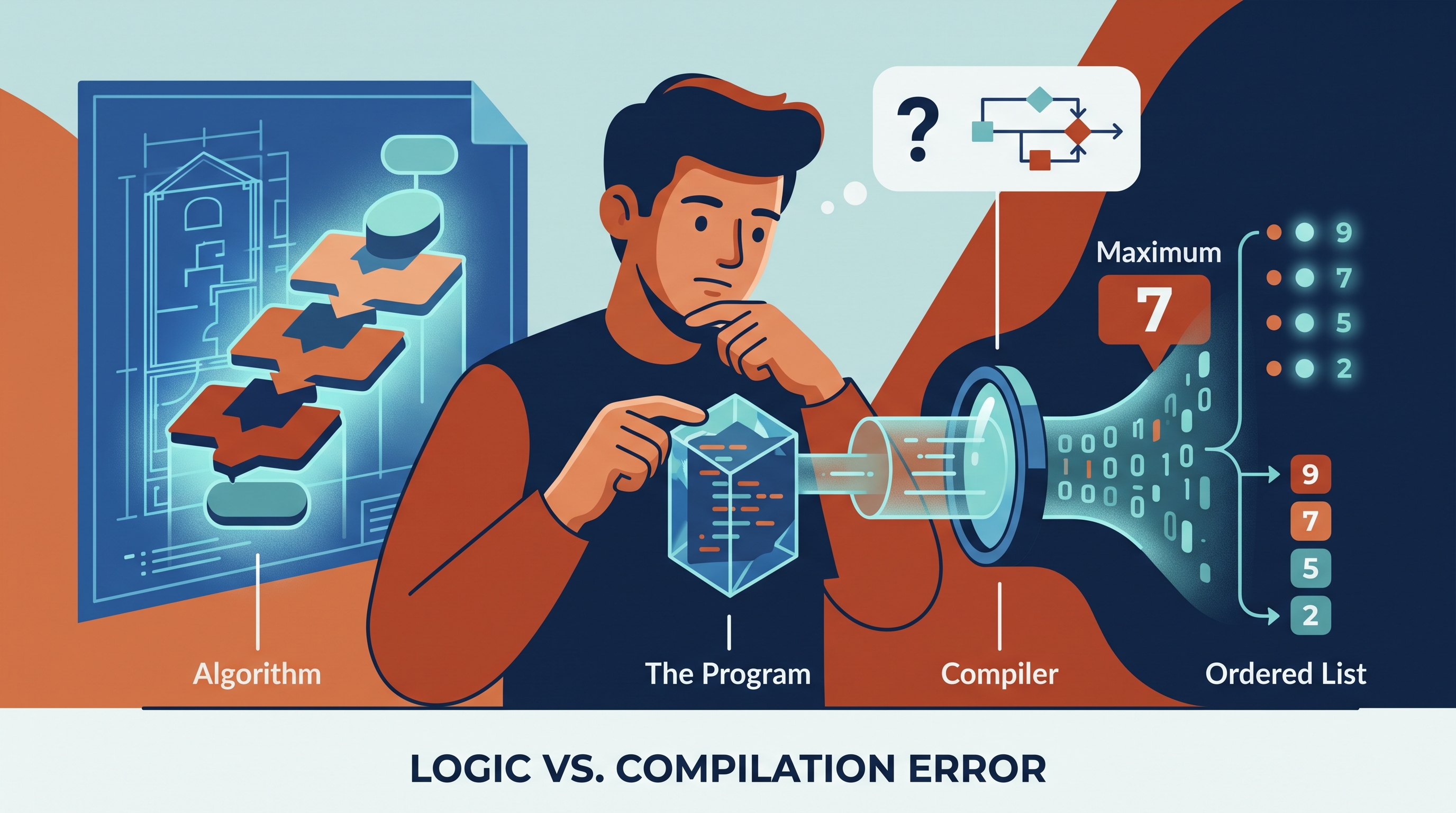
A compiler can detect syntax errors, such as a missing parenthesis or semicolon. Compilation, however, does not prove that the algorithm is correct. A program may compile successfully and still produce the wrong result because its instructions implement a flawed plan.
Testing, debugging, and comparing solutions
Testing means running a program with selected inputs and checking whether the outputs match what should happen. Debugging means locating and correcting errors. Strong testing includes ordinary cases, boundary cases, and cases designed to expose a mistaken assumption.
For largest, useful tests include:
| Test input | Expected result | What it checks |
|---|---|---|
{4, 9, 2} |
$9$ | A typical case |
{-8, -3, -12} |
$-3$ | Whether negative values are handled |
{7} |
$7$ | The smallest permitted input |
{5, 5, 5} |
$5$ | Ties and repeated values |
Named misconception — “If it compiles, it works.” Compilation checks whether the source code follows the language’s rules; testing checks whether the running program behaves as intended. These are different questions.
Two algorithms can solve the same problem while differing in clarity, number of steps, or behavior on special inputs. For example, a group might compare a procedure that repeatedly selects the next largest value with a procedure that scans once while maintaining a current maximum. The second procedure avoids unnecessary rearrangement and is often easier to justify for finding only one largest value.
Laboratory investigation: people as a sorting algorithm
A physical activity makes sorting visible. Gather 10–15 students and give each student a card containing a distinct height, number, or fictional identification value.
First, ask the group to arrange themselves from smallest value to largest value without prescribing a method. Then run the activity again using a stated procedure—for example, repeatedly find the shortest remaining person and move that person to the next open position. Count comparisons, note movements, and record moments when two people are unsure what “next” means.
Next, have teams invent and explain a different sorting procedure. Teams should test their procedures on an already sorted arrangement, a reverse-sorted arrangement, and an arrangement with repeated values. When an arrangement is wrong, identify the exact decision or step that caused the error rather than merely restarting.
After the collaborative investigation, each student should individually design a procedure for a related task, such as finding the two largest values or inserting one new value into an ordered line. Each student must write the steps precisely, trace them on a small example, and justify why the procedure terminates with the required result.
This laboratory cycle develops Skill 1.A: Determine an appropriate program design to solve a problem or accomplish a task. It also makes the central workflow concrete: design a solution, express it precisely in Java, test it, correct errors, and compare it with alternatives.
Retrieval check
A program compiles and produces the wrong maximum only when the input is in reverse order. Is the primary problem a compilation error or a logic error? What additional test would help locate it?
Answer: It is a logic error because the program executes but violates the intended behavior. Test a typical unordered list, a one-element list, and an all-negative list; tracing the current-largest value after each comparison can reveal where the algorithm’s assumption fails.

1.2 Variables and Data Types
Key concepts: Java programming language · Variables · Classes · Data types · Primitive types · int values · double values · Sequential flow · Data abstractions · Compilation and code errors
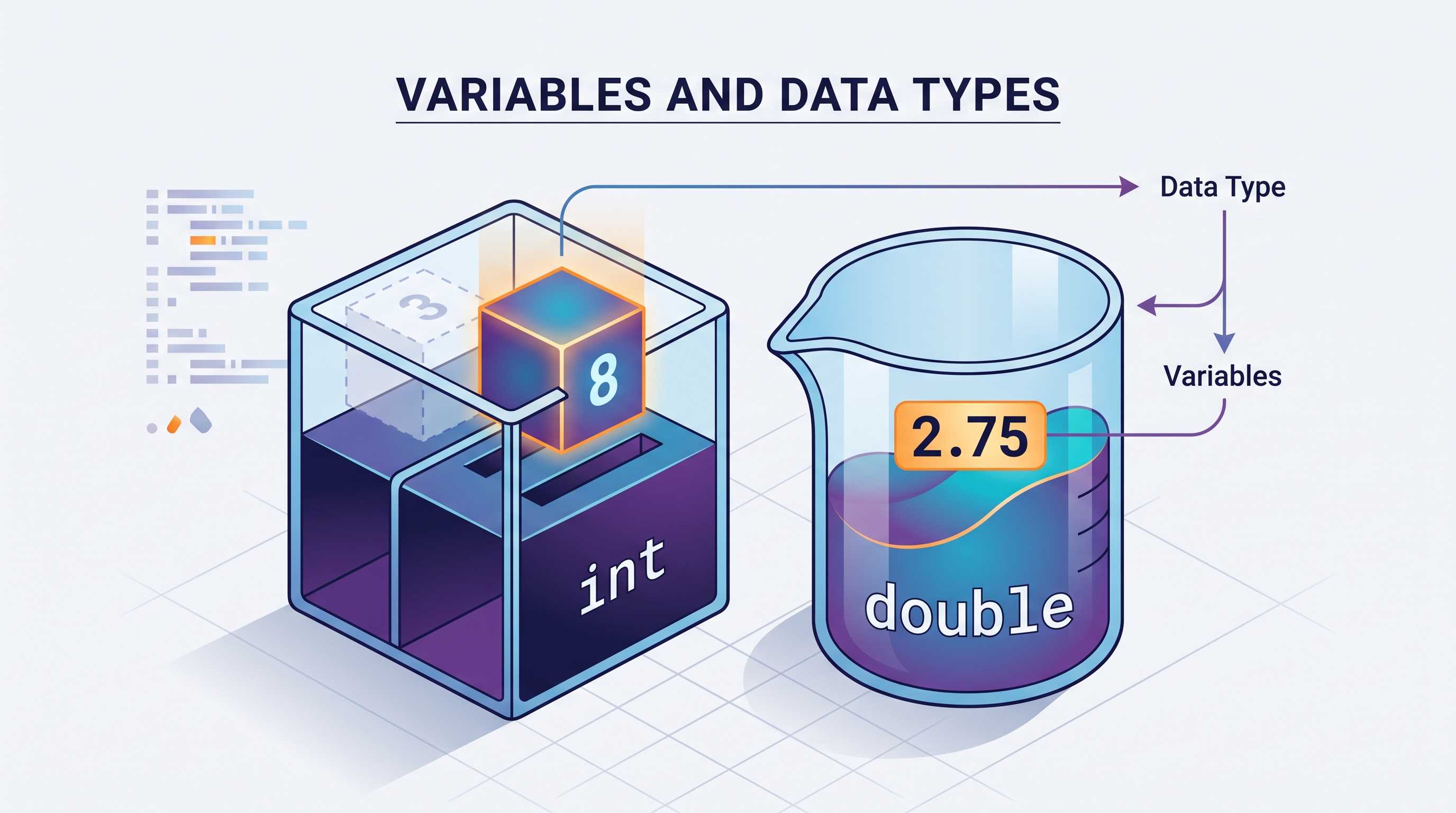
A Java program becomes useful when it can remember information: a score, a temperature, a button’s state, or the name of a player. A variable is a named storage location whose value can be used while a program executes.
1.2 Variables and Data Types
A Java program becomes useful when it can remember information: a score, a temperature, a button’s state, or the name of a player. A variable is a named storage location whose value can be used while a program executes.
Essential question: How can a program represent changing real-world information, such as the buttons on a remote control?
The program’s labeled storage boxes
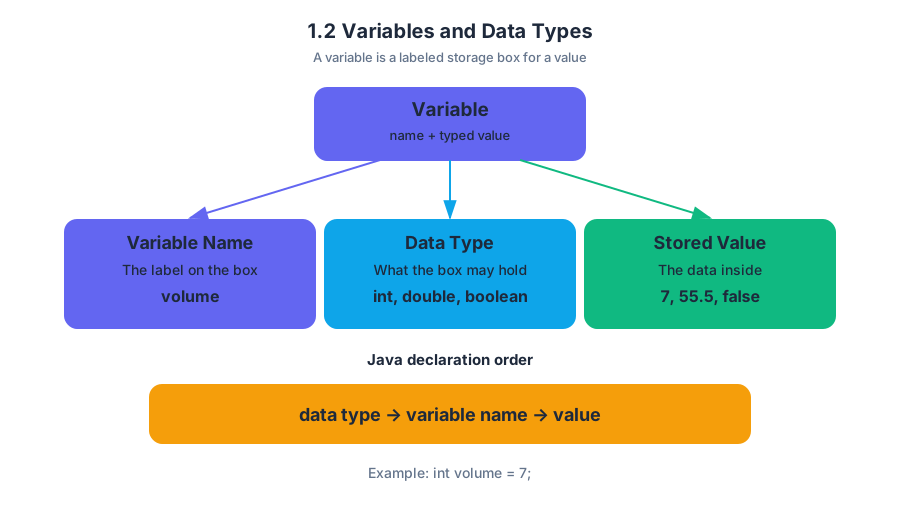
Imagine a row of labeled containers. One container is labeled volume and holds the integer 7; another is labeled muted and holds either true or false. The label is the variable’s name, and the kind of value the container is allowed to hold is its data type.
In Java, a variable declaration gives the data type first and the variable name second:
int volume = 7;
double screenSize = 55.5;
boolean muted = false;
An int value is an integer: a whole-number value without a fractional part, such as -3, 0, or 42. A double is a Java numeric data type used for values that may contain a decimal part, such as 55.5 or 0.25. A boolean stores one of two logical values: true or false.
| Data type | Kind of value | Example |
|---|---|---|
int |
Integer, or whole number | 7 |
double |
Number that can represent a fractional part | 55.5 |
boolean |
Logical value | false |
Primitive types and classes
These three types are primitive types, meaning Java directly supports their values as basic building blocks. A class is a programmer-defined description of objects and their behavior. Variables and classes work together: a variable can store a primitive value directly, or it can refer to an object created from a class.
For example, a remote-control program might use primitive variables for simple facts:
int channel = 12;
double batteryVoltage = 1.5;
boolean powerOn = true;
A class can organize more complex information and actions. A RemoteControl class might describe what a remote control knows—such as its current channel—and what it can do—such as changing channels. This combination of data and behavior is why variables and classes provide foundational concepts for programming solutions.
Key distinction: A variable is a named place for a value or reference. A class is a description used to create and organize objects. They are related, but they are not interchangeable.
Variables during sequential execution
Java normally executes statements in sequence, from top to bottom. When a later statement uses a variable, it observes the value most recently assigned to that variable.
int channel = 12;
channel = 4;
System.out.println(channel);
The output is:
4
The first assignment stores 12, but the second assignment replaces it with 4 before the output statement runs. This is a simple example of a data abstraction: the name channel lets the program work with the idea of a channel without needing to track the storage mechanism itself.
When the type and value disagree
Java is statically typed, so each variable has a declared type that constrains the values assigned to it. Code will not compile when an incompatible value is assigned.
int channel = 12.5;       // Does not compile
double corrected = 12.5;  // Correct
The value 12.5 is not an integer, so it cannot be assigned to an int variable. Correct the error by choosing double, or by using a genuinely whole-number value:
int channel = 12;
Named misconception — “int means any number.” It does not. int represents whole numbers; double represents numeric values that may include fractional parts. A decimal value is not automatically converted to an int merely because the variable was declared as one.
AP skill connection
This topic develops Computational Thinking Practice 1—Design Code: choosing variables and data types that represent the problem accurately. It also develops Computational Thinking Practice 2—Develop Code: writing declarations, assignments, and corrections that compile and behave as intended.
Retrieval check: What is printed?
int volume = 3;
volume = 8;
System.out.println(volume);
The answer is 8, because sequential execution reaches the second assignment before the output statement. Which declaration would correctly store 2.75: int measurement or double measurement? The correct choice is double measurement.

1.3 Expressions and Output
Key concepts: Expressions and output · System.out.println and println · String concatenation in output · Method specifications · Conditional statements · Iterative statements · String substring bounds · Self-pairing guards · Array or grid row-and-column indexing · List size and object equality checks
An expression produces a value, and an output statement displays that value so a person can observe what the program calculated. In Java, System.out.println displays information and then moves the cursor to a new line; System.out.print displays information but leaves the cursor on the same line.
1.3 Expressions and Output
An expression produces a value, and an output statement displays that value so a person can observe what the program calculated. In Java, System.out.println displays information and then moves the cursor to a new line; System.out.print displays information but leaves the cursor on the same line.
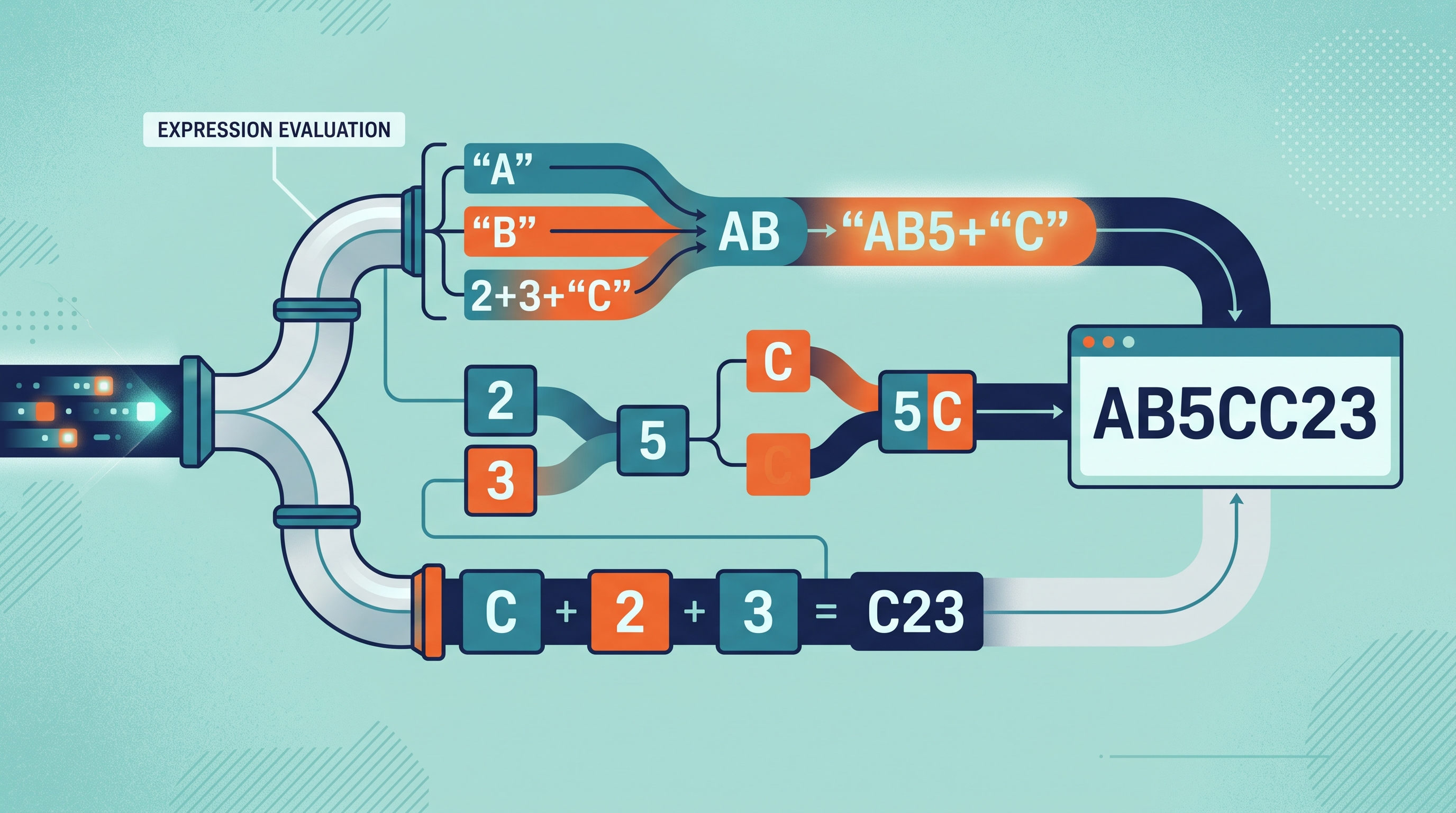
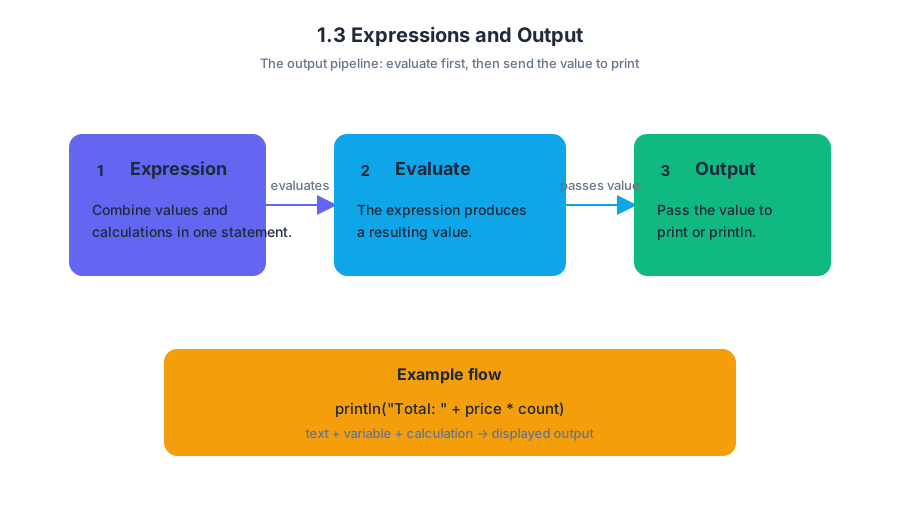
The output pipeline
A useful mental model is a small conveyor belt:
The expression is evaluated first. Its resulting value is then passed to print or println. This means that output can combine string literals, variables, and calculations in one statement.
Worked example: constructing a scoreboard
String activeTeamName = "Falcons";
int t1Score = 8;
int t2Score = 11;

System.out.println(activeTeamName + ": " + t2Score + "-" + t1Score);
System.out.print("Next play");
System.out.println(" begins now.");
The first statement concatenates several pieces of text and data. Its output is:
Falcons: 11-8
The second and third statements work together: print leaves the cursor after play, while println adds begins now. and then moves to the next line.
Key distinction:
printlnis not merely “print with extra spaces.” It appends a line break after displaying its argument.
A literal is the code representation of a fixed value. A string literal is a sequence of characters enclosed in quotation marks, such as "Falcons: " or "Next play". The + operator concatenates strings; when one part is a string, the other parts are converted into text for the output.
Expressions inside method specifications
The learning objective 1.3.A — Develop code to generate output and determine the result that would be displayed connects directly to 1.3.A.1, which requires understanding how System.out.print and System.out.println display information. It also supports 1.3.B — Develop code to utilize string literals and determine the result of using string literals, including 1.3.B.1 and 1.3.B.2.
A method specification states what a method must accomplish. To satisfy it, code may combine expressions with conditional statements and iterative statements. For example, a method that removes temperatures outside an allowed range must calculate the current list size, inspect each element, and decide whether removal is needed.
int size = temperatures.size();
int i = 0;

while (i < size) {
    double t = temperatures.get(i);
    if (t < lower || t > upper) {
        temperatures.remove(i);
        size--;
    } else {
        i++;
    }
}
Here, temperatures.size() supplies the number of elements, get(i) retrieves the current element, the Boolean expression chooses whether to remove it, and the loop repeats the process. Because removal shifts later elements left, the index must not advance immediately after a removal.
Indexes, bounds, and locations
Expressions often calculate locations in strings, arrays, collections, and grids. A substring call must stay within the string’s bounds: the starting index is inclusive, and the ending index is exclusive.
int len = target.length();

if (cur.length() >= len) {
    String prefix = cur.substring(0, len);
    String remainder = cur.substring(len);

    if (prefix.equals(target)) {
        // process the matching prefix
    }
}
The length check prevents an invalid substring request. In a grid traversal, use the correct location expression—such as getNextLoc(r, c) or grid.getNextLoc(r, c)—rather than accidentally reusing the current row or column. Always account for index or location shifts after an insertion, removal, or movement.
Comparing values safely
String and object properties should be compared with appropriate methods. For example:
if (box[r][c] != null &&
    box[r][c].getFlavor().equals(flavor)) {
    // the box contains a candy with the requested flavor
}
The null check must come first. Otherwise, calling getFlavor() on null causes an error. For object references, compare against null with == or !=; do not compare an object with the string literal "null".
Common misconception check
Misconception: “A self-pairing guard should skip the whole row or column.” If a program compares every grid element with one selected element, the guard should exclude only the single self element. Skipping an entire row or column discards valid pairs.
Misconception: “String values can be compared with ==.” Use .equals for string contents, as in box[r][c].getFlavor().equals(flavor). The operators == and != are appropriate here for checking whether an object reference is null.
AP skills in action
This topic primarily assesses Computational Thinking Practice 2 — Develop Code: write code that fulfills a method specification using expressions, selection, and iteration. It also assesses Computational Thinking Practice 3 — Analyze Code: trace output, detect out-of-bounds access, identify indexing shifts, and explain why a program does or does not work. Computational Thinking Practice 1 — Design Code appears when choosing a correct traversal or algorithm before implementation.
Retrieval check
What does this display?
System.out.print("A");
System.out.println("B");
System.out.println(2 + 3 + "C");
System.out.println("C" + 2 + 3);
The output is:
AB
5C
C23
The first numeric expression is evaluated arithmetically before encountering a string. In the last expression, concatenation begins immediately because "C" is already a string.
1.4 Assignment Statements and Input
Key concepts: Assignment operators and assignment statements · Expressions and typed values · Input and developing code to receive input · String manipulation and searching with indexOf() · Helper method calls for modular code · Conditional if-else if-else statements · Boolean expressions and comparisons · Incrementing variables in iterative logic · 2D arrays and grid-based movement · Toggling between two states
A program changes the world it models by assigning new values to variables and receiving values from outside the program. A temperature-monitoring program, for example, must read each temperature, store it, test it, and update a count when a heat wave continues.
1.4 Assignment Statements and Input
A program changes the world it models by assigning new values to variables and receiving values from outside the program. A temperature-monitoring program, for example, must read each temperature, store it, test it, and update a count when a heat wave continues.
Assignment: storing a new value
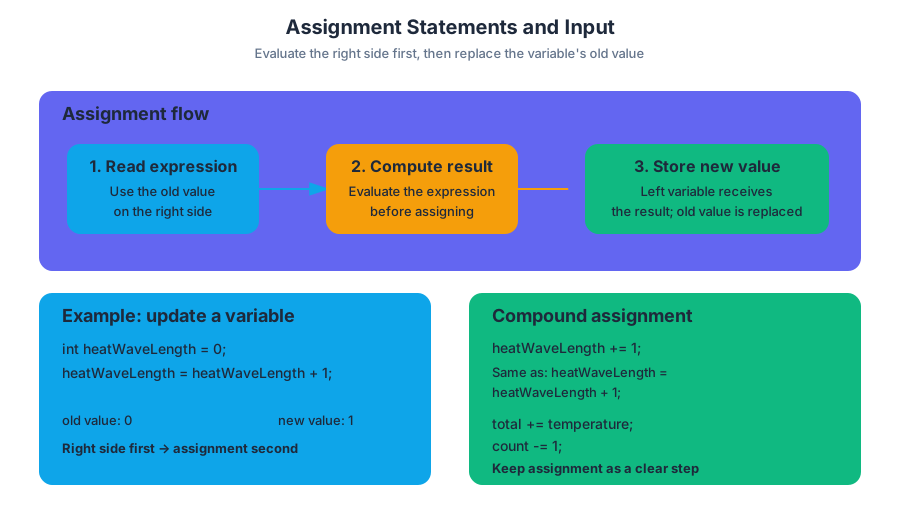
An assignment statement evaluates the expression on the right side of = and stores the resulting value in the variable on the left side. The old value is replaced.
int heatWaveLength = 0;
heatWaveLength = heatWaveLength + 1;
After the first statement, heatWaveLength is 0. The second statement evaluates heatWaveLength + 1 using the old value, produces 1, and then assigns 1 back to heatWaveLength.
Key rule: The right side is evaluated first; assignment happens afterward.
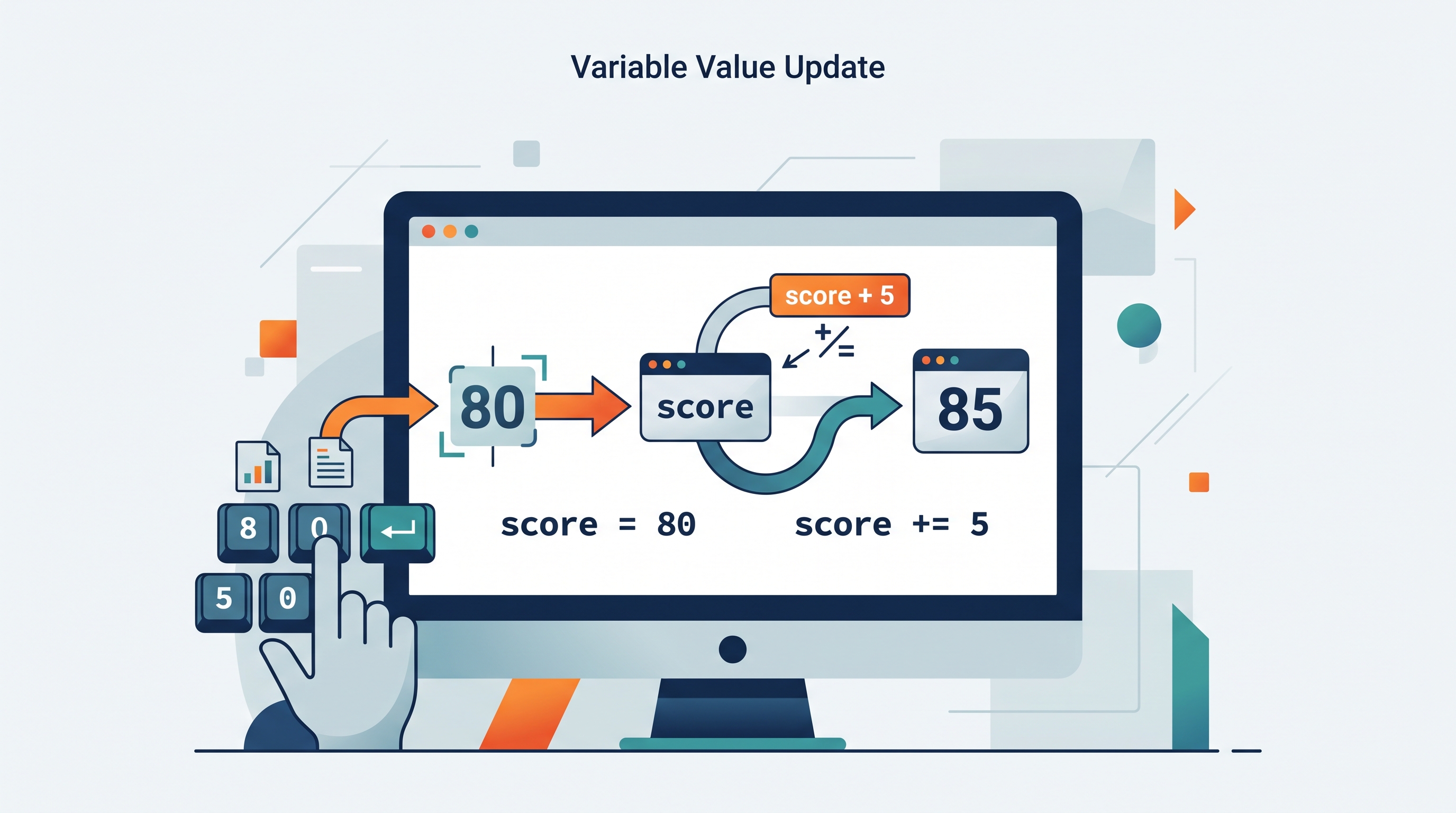
Compound assignment operators provide a shorter form for updating a variable:
heatWaveLength += 1;   // equivalent to heatWaveLength = heatWaveLength + 1
total += temperature;  // add temperature to total
count -= 1;
The AP course and exam do not require assignment operators to be embedded inside other expressions. Code such as a = b = 4; and a[i += 5] is outside the scope of AP Computer Science A. Keep assignment as its own clear step.
Expressions have typed results
An expression is code that is evaluated to produce one value with a specific type. For example, temperature > 90 produces a boolean, while temperature + 2 produces an int when temperature is an int. The resulting type must be compatible with the variable receiving it.
int temperature = 94;
boolean isHot = temperature > 90;
This connection between expressions and assignment is the core of Essential Knowledge 1.4.A.3: expressions are evaluated to produce a single value with a specific type. The assignment statement does not store the expression itself; it stores the value produced by evaluation.
Receiving input with Scanner
Learning Objective 1.4.B is to develop code to read input. Essential Knowledge 1.4.B.1 identifies the Scanner class as the primary AP method for obtaining text input from the keyboard.
import java.util.Scanner;

Scanner input = new Scanner(System.in);

System.out.print("Enter today's temperature: ");
int temperature = input.nextInt();

System.out.print("Enter a city: ");
input.nextLine();             // consume the remaining end-of-line
String city = input.nextLine();
nextInt() reads an integer token. nextLine() reads the remainder of the current line, so a nextLine() after nextInt() may first consume the leftover newline. Specific user-interface input, such as graphical buttons or menus, is outside the course and exam scope; console input through Scanner is the relevant model.
Strings, helper methods, and indexOf()
A helper method is a method called to perform a focused task for another method. In addSignature(String textStr), the call to getSignature() avoids duplicating the logic for obtaining the signature and keeps the method modular.
public String addSignature(String textStr)
{
    String signature = getSignature();
    int index = textStr.indexOf(signature);

    if (index == -1)
    {
        return textStr + signature;
    }
    else if (index == 0)
    {
        return textStr;
    }
    else
    {
        return textStr.substring(0, index)
             + textStr.substring(index);
    }
}
String.indexOf() returns the starting index of an existing sequence, or -1 when the sequence is absent. The if-else if-else structure handles three distinct cases: the signature is missing, it begins the text, or it occurs later. The final branch above preserves the text while making the three-case structure explicit; a real method specification may require a different transformation in that branch.
Conditions must compare complete values
A boolean expression must contain valid comparisons. This is invalid Java:
if (temperature >= 90 && < 100)
The second comparison must name both operands:
if (temperature >= 90 && temperature < 100)
{
    System.out.println("Hot day");
}
When a heat-wave algorithm processes temperatures, assignment updates the measured state while conditionals decide what that state means:
if (temperature >= 90)
{
    heatWaveLength++;
}
else
{
    heatWaveLength = 0;
}
The variable measuring the current heat wave must be incremented during the wave and reset when the wave ends. If a longer wave is found, a separate variable must be updated to remember its length.
Misconception check
Misconception: two sequential if statements always behave like if-else. They do not. If the first statement changes the value tested by the second, both tests can succeed in one call. Use else when exactly one branch should execute.
if (active == 0)
{
    active = 1;
}
else
{
    active = 0;
}
Retrieval check
Suppose temperature is 95 and heatWaveLength is 2. After heatWaveLength += 1, what value is stored? Which value does indexOf() return when a signature is absent? Why is temperature >= 90 && < 100 invalid? The answers are `$3$, $-1$, and “the second comparison is incomplete.”
1.5 Casting and Range of Variables
Key concepts: Casting double values to int in Java · Generating random integers with Math.random() · Converting a random decimal to a bounded integer range · Inclusive integer ranges · Uniform random-number generation · Calculating 5% and 95% probabilities · Using conditional logic for probabilistic outcomes · Guarding against negative variable values
Java’s Math.random() produces a decimal, but many programs need a whole-number outcome—such as a die roll, a temperature category, or a bird’s daily food consumption.
1.5 Casting and Range of Variables
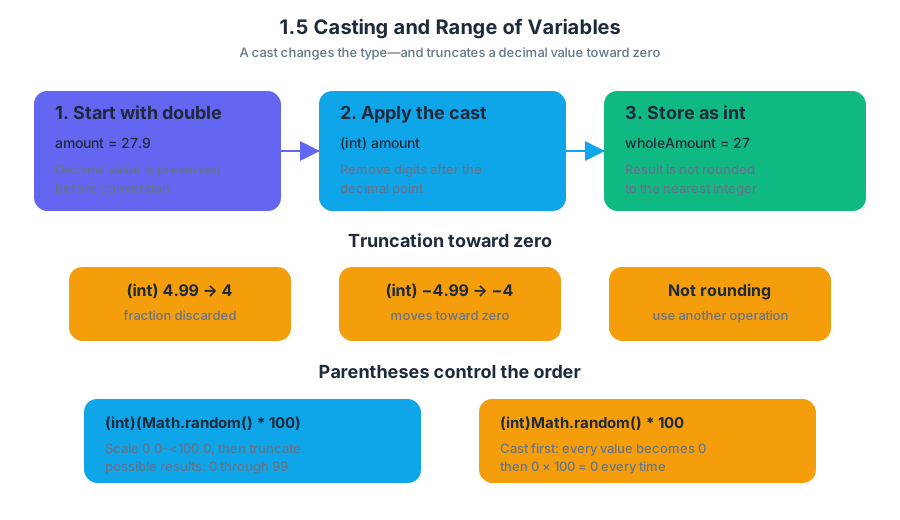
Java’s Math.random() produces a decimal, but many programs need a whole-number outcome—such as a die roll, a temperature category, or a bird’s daily food consumption. Casting converts a value from one data type to another; when a double is cast to an int, Java truncates the decimal portion rather than rounding it.
CED traceability: Learning Objective 1.5.A; Essential Knowledge 1.5.A.1, 1.5.A.2. This topic develops Design Code, Develop Code, and Analyze Code, especially reasoning about ranges, conversions, and probabilistic branches.
Casting a double to an int
Suppose amount stores the value $27.9$:
double amount = 27.9;
int wholeAmount = (int) amount;
After the cast, wholeAmount is $27$. The cast removes everything after the decimal point; it does not choose the nearest integer. Thus, (int) 4.99 becomes $4$, and (int) -4.99 becomes $-4$.
The parentheses matter because Java’s cast operator applies only to the expression immediately following it. Compare these expressions:
(int)(Math.random() * 100)
(int)Math.random() * 100
The first expression scales the random decimal to a value from $0.0$ up to, but not including, $100.0$, then truncates it. The second casts Math.random() first; since every value is between $0.0$ and $1.0$, the cast becomes $0$, and the multiplication produces $0$ every time.
Named misconception — “Casting rounds.” Casting a
doubleto aninttruncates toward zero. If a program needs rounding, a different operation is required; casting alone never rounds $27.9$ to $28$.
Turning random decimals into integer ranges
Math.random() returns a double in the interval $[0.0, 1.0)`: $0.0$ is possible, but $1.0$ is not. Multiplying by a positive integer changes the interval’s upper boundary without including it.
| Expression | Possible integer results after casting |
|---|---|
(int)(Math.random() * 100) |
$0$ through $99$ |
(int)(Math.random() * 101) |
$0$ through $100$ |
The multiplier determines how many consecutive integer outcomes are available. A multiplier of $100$ creates $100$ possibilities—$0$ through $99$—while a multiplier of $101$ creates $101$ possibilities—$0$ through $100$.
Inclusive ranges: the upper-bound formula
To generate a uniform random integer in an inclusive range from low through high, use:
$$ (\text{int})(\text{Math.random()} \times (\text{high} - \text{low} + 1)) + \text{low} $$
The expression contains three deliberate steps:
high - low + 1counts the number of possible integers.- Multiplication creates a decimal from $0.0$ up to that count, excluding the count.
- Casting produces an integer offset, and the lower bound shifts the result.
For the inclusive range $[10,50]$, there are $50-10+1=41$ possible values:
int foodEaten = (int)(Math.random() * 41) + 10;
The cast produces $0$ through $40$; adding 10 shifts those outcomes to $10$ through $50$. Each integer receives an equal-sized slice of the random interval, so the generation is uniform.
Range check: When the desired range is 10–50, multiplying by 50 incorrectly generates 0–49; adding 10 to a 0–50 result incorrectly generates 10–60.
Modeling a 5% event
A random decimal can also choose between events. Because Math.random() is uniformly distributed over $[0.0,1.0)$, the test below is true approximately $5%$ of the time:
double chance = Math.random();

if (chance < 0.05)
{
    currentFood = 0;
}
else
{
    currentFood = (int)(Math.random() * 41) + 10;
}
The interval $[0.0,0.05)$ occupies $5%$ of the total interval. Its complement occupies $95%$, so the else branch occurs approximately $95%$ of the time. The random value used for the probability decision should remain a double; casting it before the comparison would turn it into $0$ almost every time.
The bird-food guard
In a daily bird-food simulation, the birds either consume all remaining food in the $5%$ case or eat a random amount from $10$ through $50$ grams in the remaining $95%$ of cases. Subtracting without protection can make currentFood negative, which violates the simulation’s meaning: food cannot drop below zero.
if (Math.random() < 0.05)
{
    currentFood = 0;
}
else
{
    int eaten = (int)(Math.random() * 41) + 10;
    currentFood -= eaten;

    if (currentFood < 0)
    {
        currentFood = 0;
    }
}
The guard corrects the state after subtraction. It does not change the random range; it ensures that the stored food amount remains physically valid.
Retrieval check: What are the possible results of
(int)(Math.random() * 6) + 2? Why does(int)(Math.random() * 50) + 10fail to generate every value from $10$ through $50$?
Answer: The first expression produces $2$ through $7$: the cast gives $0$ through $5$, then the offset shifts the range. The second produces $10$ through $59$, because multiplying by $50$ creates $50$ possible offsets, not the $41$ offsets required for $10$ through $50$.

1.6 Compound Assignment Operators
Key concepts: Compound assignment operators · Assignment statements · Determining the value stored in a variable · Step-by-step changes to variable values · Operator precedence · Multiplication, division, and remainder precedence over addition and subtraction
A statement such as score += 10; does two jobs at once: it calculates a new value from the current score, then stores that result back in score.
1.6 Compound Assignment Operators
A statement such as score += 10; does two jobs at once: it calculates a new value from the current score, then stores that result back in score. Compound assignment operators make repeated updates compact without hiding the underlying arithmetic.
Learning Objective 1.6.A: Develop code for assignment statements with compound assignment operators and determine the value that is stored in the variable as a result.
An assignment statement evaluates the expression on its right-hand side first, then stores the resulting value in the variable on its left-hand side. The left side identifies where the value goes; the right side determines what value is stored.
int points = 24;
points += 6;
The second statement uses +=. Java reads the current value of points, adds 6, and assigns the result back to points:
$$ \texttt{points += 6} \quad\text{means conceptually}\quad \texttt{points = points + 6} $$
After the statement, points stores $30$.
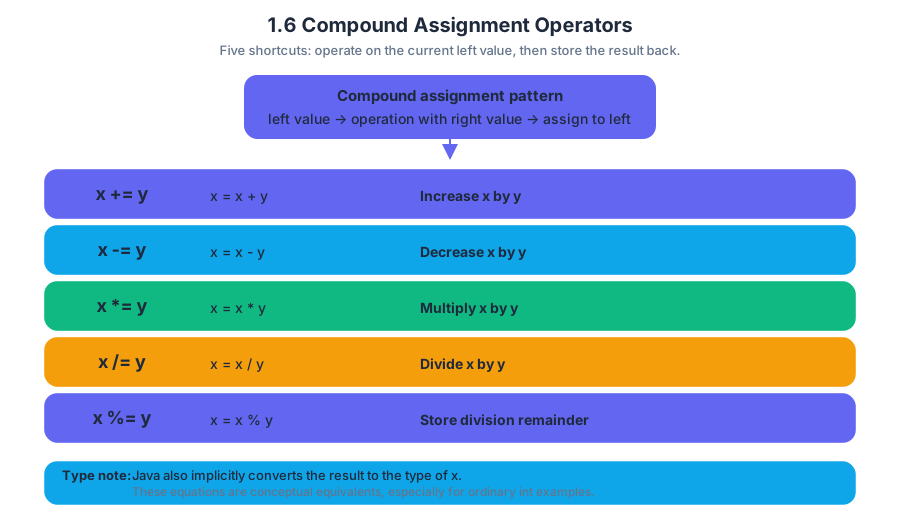
The five compound assignment operators
Essential Knowledge 1.6.A.1 identifies five compound assignment operators. Each performs an arithmetic operation between the value currently stored on the left and the value on the right, then assigns the result to the variable on the left.
| Compound form | Conceptual operation | Meaning |
|---|---|---|
x += y |
x = x + y |
increase x by y |
x -= y |
x = x - y |
decrease x by y |
x *= y |
x = x * y |
multiply x by y |
x /= y |
x = x / y |
divide x by y |
x %= y |
x = x % y |
store the remainder after division |
These are conceptual equivalents for understanding the operation, especially in ordinary int examples. Java compound assignment also applies an implicit conversion to the type of the variable on the left. Therefore, x += y is not always exactly interchangeable with writing x = x + y directly when different numeric types are involved.
Worked example: updating a travel budget
Suppose a travel program begins with a budget of $120. It pays a $35 fee, doubles the remaining amount through a matching grant, and then divides the result among four travelers.
int budget = 120;
budget -= 35;
budget *= 2;
budget /= 4;
Trace the variable after each statement:
budget = 120budget -= 35gives $120 - 35 = 85$budget *= 2gives $85 \times 2 = 170$budget /= 4gives $170 / 4 = 42$
The final stored value is 42. Because both operands in the division are integers, Java performs integer division: it discards the fractional part rather than storing $42.5$.
A shorter example makes the same rule visible:
int minutes = 17;
minutes /= 4;
After the compound assignment, minutes stores $4$, not $4.25$.
Remainder updates and changing values
The %= operator is useful when a program needs the remainder left after division. For example:
int items = 29;
items %= 6;
The expression items % 6 has value $5$, because $29$ divided by $6$ leaves remainder $5$. The assignment then replaces the old value, so items stores $5$.
Misconception check — “The operator changes only the right side.”
In count += 3, the 3 does not get changed. The variable count is updated. Compound assignment always stores the newly calculated result back into the variable on the left.
Precedence inside compound assignments
The right side of an assignment may be a larger expression. Multiplication, division, and remainder have precedence over addition and subtraction. Operators with the same precedence are evaluated from left to right.
int value = 8;
value += 3 + 4 * 2;
First evaluate the right-hand expression. The multiplication occurs before the addition:
$$ 3 + 4 \times 2 = 3 + 8 = 11 $$
Then apply the compound assignment:
$$ 8 + 11 = 19 $$
Therefore, value stores $19$.
For operators of equal precedence, move from left to right:
int result = 20 / 5 * 2;
The division occurs first because it appears first:
$$ 20 / 5 \times 2 = 4 \times 2 = 8 $$
Parentheses can make a different grouping explicit, such as 20 / (5 * 2), which produces $2$.
Retrieval check
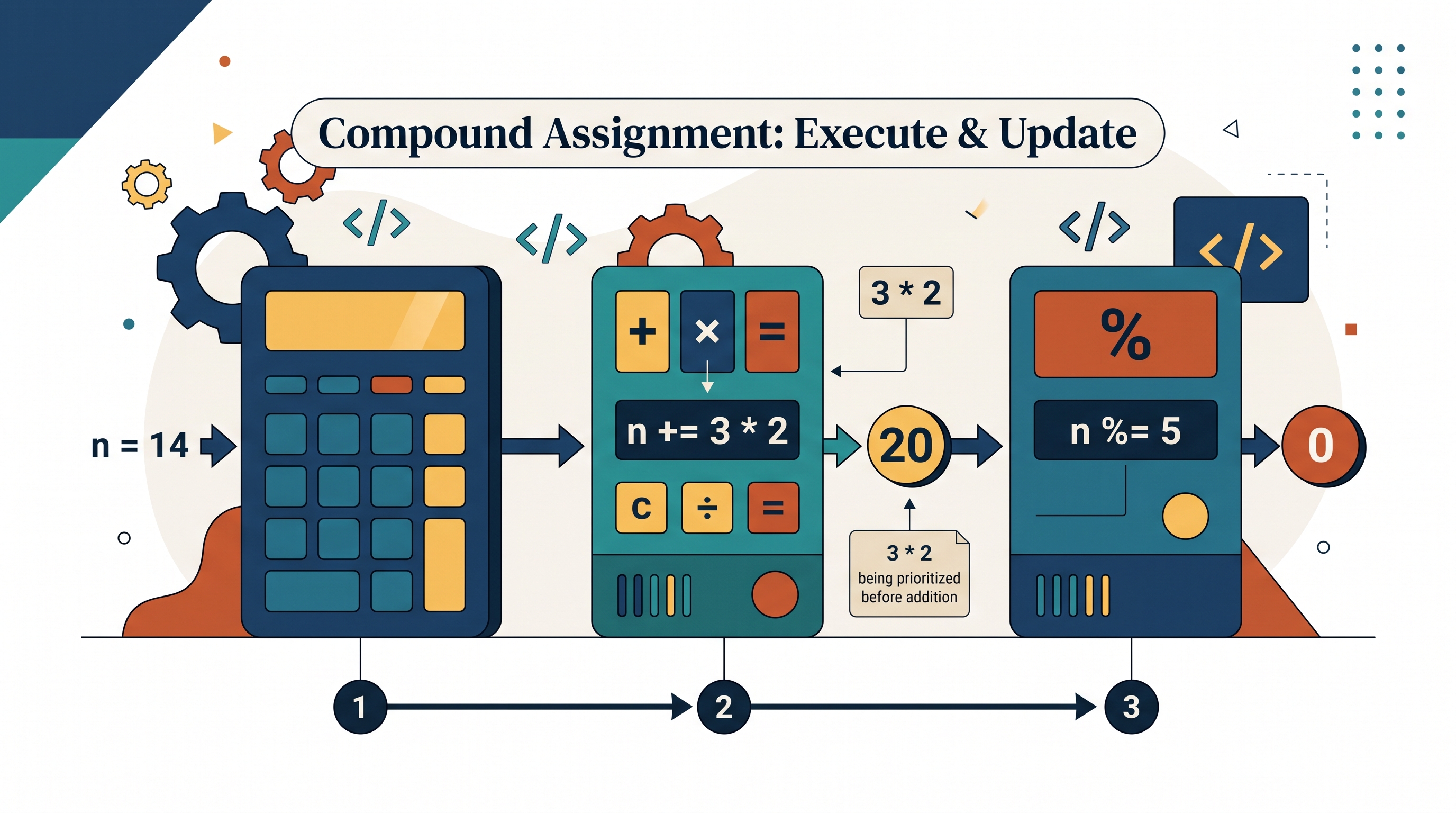
What value is stored in n after this code?
int n = 14;
n += 3 * 2;
n %= 5;
First, $3 \times 2 = 6$, so n becomes $20$. Then $20 \mathbin{%} 5 = 0$. The final value is $0$.
Skill 3.A — Determine the result or output based on statement execution order in an algorithm. Compound assignment questions assess this skill directly: evaluate the right-hand expression using precedence rules, perform the indicated operation, store the new value, and use that updated value in the next statement. An attempt to divide an integer by the integer zero results in an ArithmeticException, so a trace involving /= must also check that its divisor is not zero.
1.7 Application Program Interface and Libraries
Key concepts: Application Program Interface (API) and libraries · Classes defined by an API · Reference types · Attributes and behaviors of API classes · Method signatures · Calling instance methods · String literals · Determining the result or output of code · Identifying why a code segment will not compile or work as intended · Describing the behavior of a code segment or program
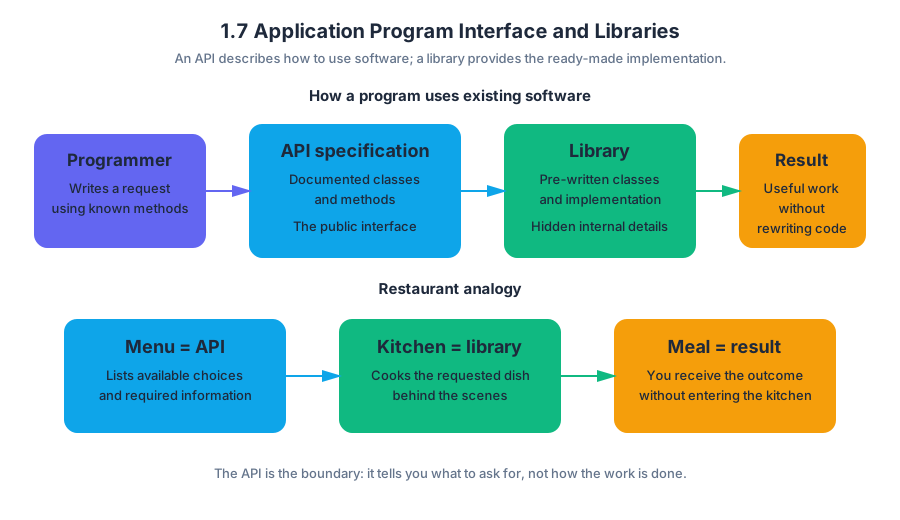
An application programming interface (API) is a documented set of classes and methods that lets a programmer use existing software without knowing how that software was implemented.
1.7 Application Program Interface and Libraries
An application programming interface (API) is a documented set of classes and methods that lets a programmer use existing software without knowing how that software was implemented.
Imagine ordering from a restaurant: the menu tells you what dishes exist, what information you must provide, and what result you will receive. You do not enter the kitchen or rewrite the recipe. In Java, an API specification plays the role of the menu, while a library is the collection of already-written classes behind it.
Required Course Content
Learning Objective 1.7.A: Identify the attributes and behaviors of a class found in the libraries contained in an API.
Essential Knowledge 1.7.A.1: Libraries are collections of classes. An application programming interface (API) specification informs the programmer how to use those classes. Documentation found in API specifications and libraries is essential to understanding the attributes and behaviors of a class defined by the API. A class defines a specific reference type. Classes in APIs and libraries are grouped into packages.
Essential Knowledge 1.7.A.2: Attributes refer to data related to a class and are stored in variables. Behaviors refer to what instances of the class can do, usually through methods.
Classes, Attributes, and Behaviors
A class supplied by an API defines the kind of object a variable can refer to. For example, String defines objects that represent sequences of characters. The variable does not contain the entire object directly; it contains a reference to an object stored elsewhere.
An attribute describes an object’s data. A String object’s character sequence is its important data. A behavior describes an operation the object can perform, such as finding its length, extracting part of its sequence, or comparing it with another string.
| API idea | Meaning | String example |
|---|---|---|
| Class | A definition of a reference type | String |
| Attribute | Data associated with an object | A sequence of characters |
| Behavior | An operation performed by an object | length() or substring() |
| Instance | One object created from a class | "planet" |
A string literal is a sequence of characters enclosed in double quotation marks. Thus, "planet" is a string literal, while planet without quotation marks is interpreted as an identifier, such as a variable name.
Reading an API Specification
API documentation tells you the method’s signature—the information needed to call it correctly. A method signature includes the method name, parameter types, and return type. The parameter types describe the inputs; the return type describes the result produced by the method.
For example, the Java Quick Reference describes the following String behaviors:
int length()
String substring(int from, int to)
boolean equals(String other)
int indexOf(String str)
The call length() requires no argument and returns an int. The call substring(int from, int to) requires two integer arguments and returns a new String. The call equals(String other) receives a String and returns true or false.
A method that belongs to an object is an instance method. To call one, write a reference, a dot, the method name, and parentheses containing any required arguments:
String label = "planet";
int count = label.length();
String part = label.substring(1, 4);
boolean same = label.equals("planet");
Worked Example: Predicting Behavior
Suppose a program labels a package using a string and wants to display a shortened label:
String label = "archive";
int first = label.indexOf("ch");
String shortLabel = label.substring(first, label.length());

System.out.println(first);
System.out.println(shortLabel);
Trace the calls in order:
label.indexOf("ch")searches"archive"and returns2, because thecbegins at index2.label.length()returns7, the number of characters.label.substring(2, 7)includes index2but stops before index7, producing"chive".- The output is therefore:
2
chive
This is the suggested AP skill 4.A: Describe the behavior of a code segment or program. The key is to use the API specification to determine each method’s input, return value, and indexing rule rather than guessing from the method name.
When Code Fails
A call will not compile when its syntax or types do not match the method signature. A call can also compile but fail during execution—for example, an invalid substring range can cause a runtime error.
String word = "galaxy";
int size = word.length();

System.out.println(word.length);       // Does not compile
System.out.println(word.substring(1)); // Works: "alaxy"
System.out.println(word.substring(1, 8)); // Runtime error
The first call treats length as a variable, but length is a method and needs parentheses. The final call asks for an ending index beyond the string’s valid boundary. The corrected version is:
System.out.println(word.length());
System.out.println(word.substring(1, word.length()));
Misconception Check
Misconception: “A reference variable is the object.” A reference variable points to an object; it is not the object’s complete data. This distinction matters when multiple variables refer to the same object and when instance methods are called through a particular reference.
Misconception: “Every API method changes the object.” Many String methods return a new string instead of changing the original. For example, word.substring(1) produces a result, but word remains unchanged unless that result is assigned back to a variable.
Retrieval Check
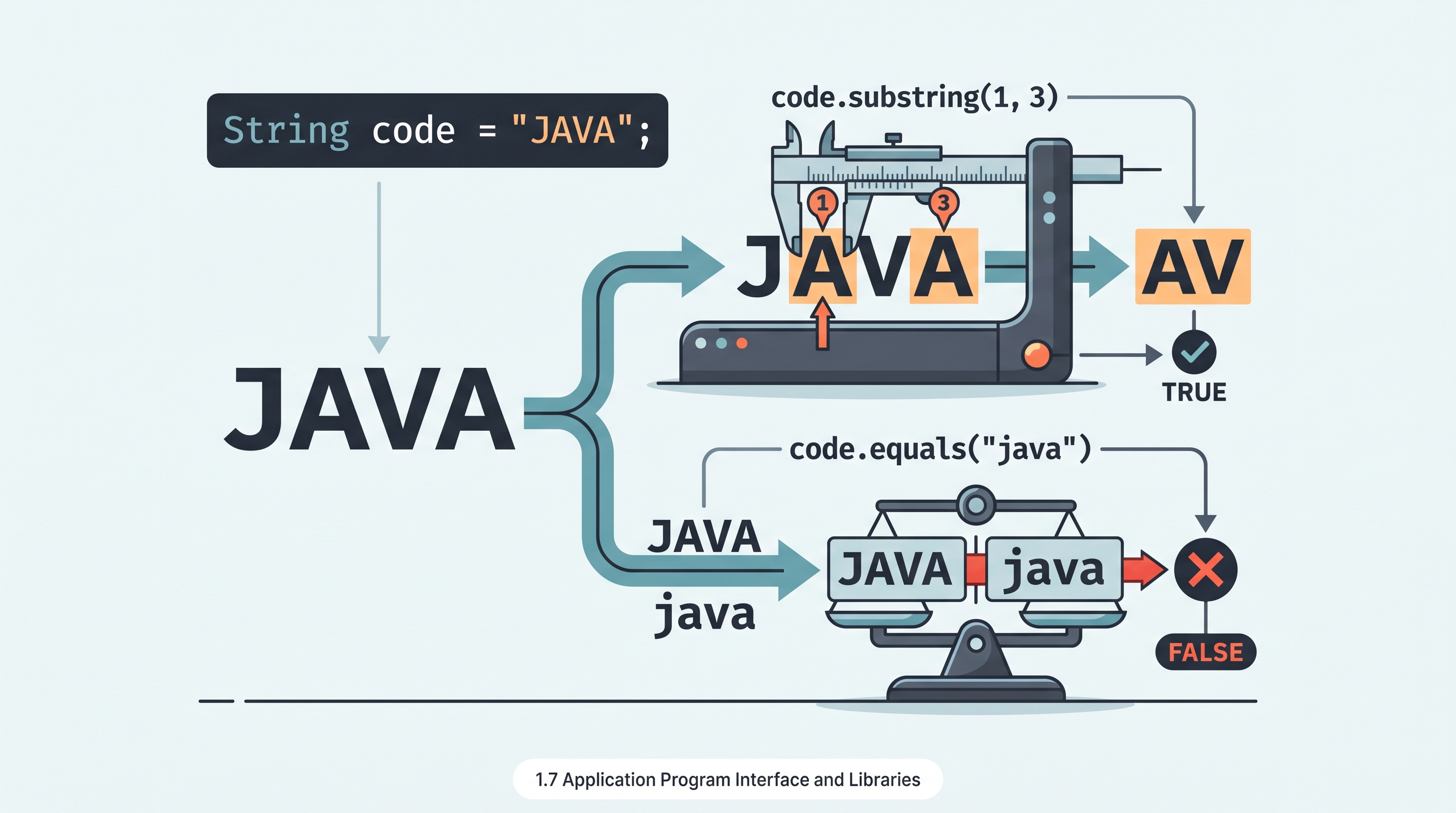
What does this print?
String code = "JAVA";
System.out.println(code.substring(1, 3));
System.out.println(code.equals("java"));
The output is AV followed by false: the first endpoint is exclusive, and equals compares character sequences exactly, including capitalization.

1.8 Documentation with Comments
Key concepts: Documentation comments in Java · Javadoc-style method and constructor specifications · Preconditions · Postconditions · Method contracts · Documenting parameters and return values
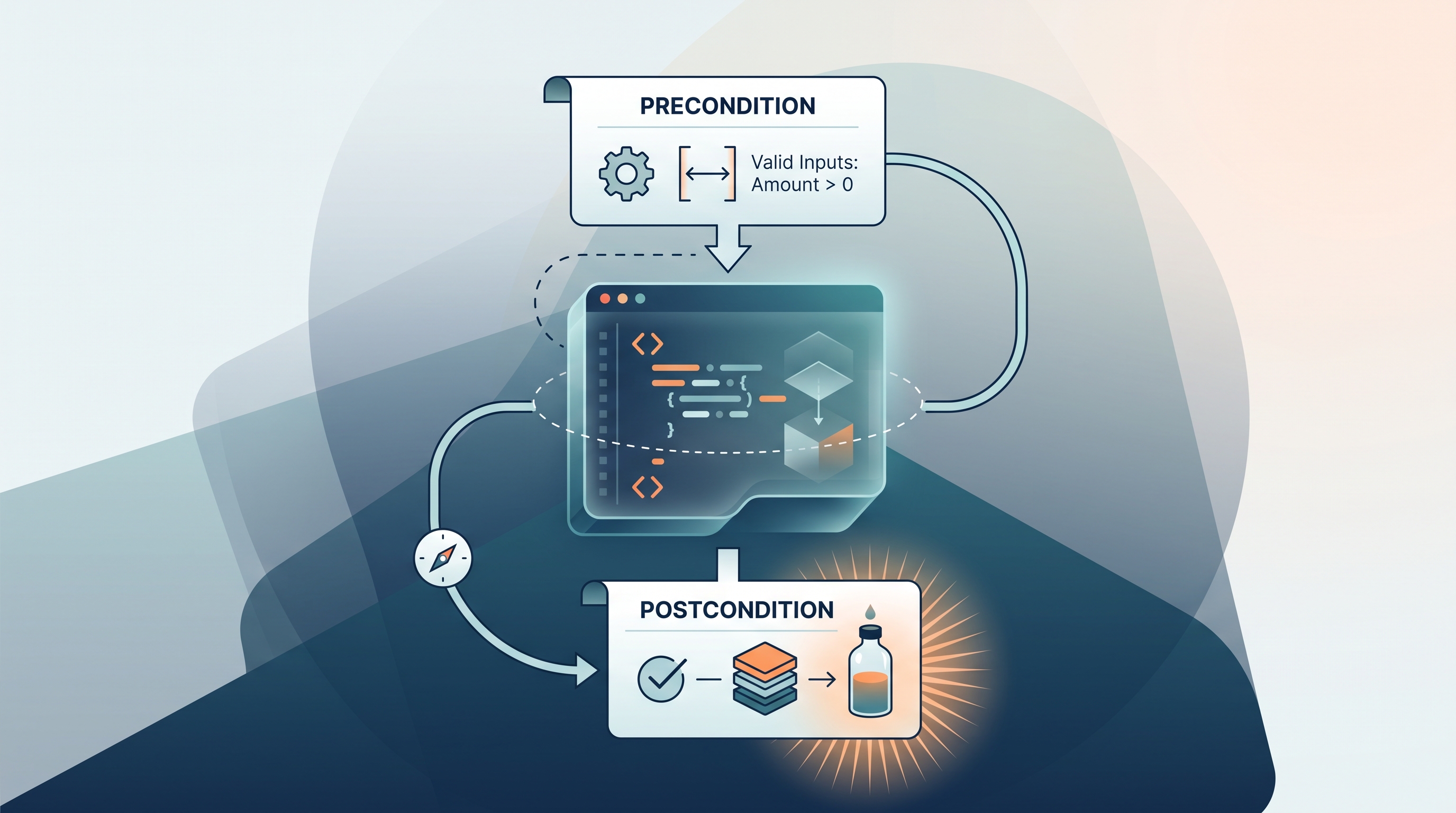
A Java comment can explain what a method expects and guarantees without changing a single step of program execution. Good documentation acts like a contract between a method and its caller: before calling, the caller must satisfy certain conditions; after the method finishes, the method promises certain results.
1.8 Documentation with Comments
A Java comment can explain what a method expects and guarantees without changing a single step of program execution. Good documentation acts like a contract between a method and its caller: before calling, the caller must satisfy certain conditions; after the method finishes, the method promises certain results.
Documentation comments describe a method’s purpose, parameters, required conditions, and results for the humans who use or maintain the code.
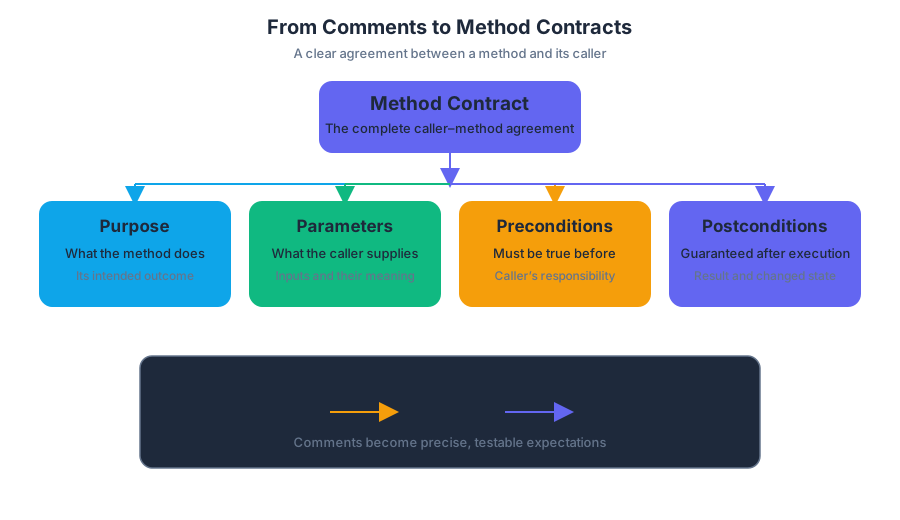
From comments to method contracts
A method contract is the complete agreement between a method and its caller. It usually contains four parts:
- Purpose: What the method does.
- Parameters: What information the caller supplies.
- Preconditions: What must already be true before the call.
- Postconditions: What the method guarantees after execution.
A precondition is an assumption that must be true before a method is called. A postcondition is a guarantee about the program state or return value after the method executes.
A documentation comment’s information flow
Caller checks preconditions
          |
          v
     method call
          |
          v
Method performs its behavior
          |
          v
Caller relies on postconditions
For example, imagine a Bottle object that removes liquid. The caller may request a removal only when the amount is greater than zero and no greater than the amount currently remaining. Those are preconditions because they must be true before the method begins.
The method also has a postcondition involving the bottle’s capacity: if removing the requested amount would leave less than $25%$ of the bottle’s capacity, the bottle is refilled. The postcondition describes what the method guarantees after execution, not merely what it usually attempts to do.
/**
 * Removes liquid from the bottle.
 *
 * Precondition: amount > 0 and amount <= current liquid amount
 * Postcondition: if the removal would leave less than 25 percent
 * of the bottle's capacity, the bottle is refilled
 *
 * @param amount the quantity of liquid to remove
 */
public void removeLiquid(double amount) {
    // method implementation
}
Javadoc-style specifications
A documentation comment placed immediately before a method or constructor commonly uses Javadoc-style notation. It begins with /** and ends with */. Tags such as @param identify parameters, while @return describes a value produced by a non-void method.
The comment should make the method understandable without forcing a reader to inspect every implementation statement. For a username method, documentation might state constraints such as username.length() >= 2 and no consecutive hyphens.
/**
 * Determines whether a username follows the required format.
 *
 * Precondition: username is not null
 * Postcondition: returns true exactly when the username has at least
 * 2 characters and contains no consecutive hyphens
 *
 * @param username the username to check
 * @return whether the username satisfies the required constraints
 */
public boolean isValidUsername(String username) {
    return username.length() >= 2
        && !username.contains("--");
}
The expressions username.length() >= 2 and “no consecutive hyphens” are not implementation details; they tell callers what input is acceptable and what result to expect. A caller can therefore decide whether a proposed username is valid before relying on the method’s return value.
Constructors need documentation too
A constructor’s documentation describes the object being created and the information required to initialize it. For a name-based object, the specification can state that the constructor receives a first name and a last name, with the last name having a length of at least $1$.
/**
 * Constructs a name using the given first and last names.
 *
 * Precondition: lastName.length() >= 1
 *
 * @param firstName the person's first name
 * @param lastName the person's last name
 */
public Name(String firstName, String lastName) {
    this.firstName = firstName;
    this.lastName = lastName;
}
A constructor comment should not pretend to return a value: constructors initialize a new object, so they have no @return tag. Its documentation instead explains the required arguments and the state established in the new object.
Describing a return value
The getSignature method has no parameters and returns a formatted signature string based on the first and last names. Its documentation should explicitly communicate both facts.
/**
 * Returns a formatted signature based on the first and last names.
 *
 * @return the formatted signature string
 */
public String getSignature() {
    return firstName + " " + lastName;
}
The absence of @param is meaningful here: the method takes no parameters. The @return description tells the caller what kind of result to expect and what information that result represents.
Misconception check: comments are not enforcement
Misconception: Writing “Precondition: amount > 0” causes Java to reject invalid values automatically.
Correction: A documentation comment does not affect execution. It communicates an agreement; the method or its caller must supply any actual validation or error handling. If the comment says a username must have at least $2$ characters but the code never checks that condition, the documentation and implementation disagree.
This is why documentation must match the code’s real behavior. An inaccurate postcondition is especially dangerous: callers may make decisions based on a guarantee the method never actually provides.
AP skills and reasoning processes
Topic 1.8 Documentation with Comments most directly develops Skill 1.A: Represent and describe how a program works by requiring precise explanations of a method’s purpose, inputs, assumptions, and results. It also supports Computational Thinking Practice 4—Document Code and Computing Systems, because documentation communicates behavior to people who read, test, reuse, or maintain the program.
In-flow retrieval check: A method removes liquid only when $0 < amount \leq$ the current amount, and it refills the bottle whenever the removal would leave less than $25%$ of capacity. Which statement is the precondition, and which is the postcondition?
Answer: The valid range for amount is the precondition because it must be true before the call. The refill rule is the postcondition because it describes what the method guarantees after the call.
1.9 Method Signatures
Key concepts: Class design using attributes and behaviors · Method signatures and corresponding method descriptions · File object construction with a pathname · Two-dimensional array indexing by row and column · Writing methods that process a specified row · Summing point values across a row · Constructors and object initialization · Accessor and mutator methods such as getSignature and addSignature · Using method calls to test expected behavior · Handling distinct cases in method implementations
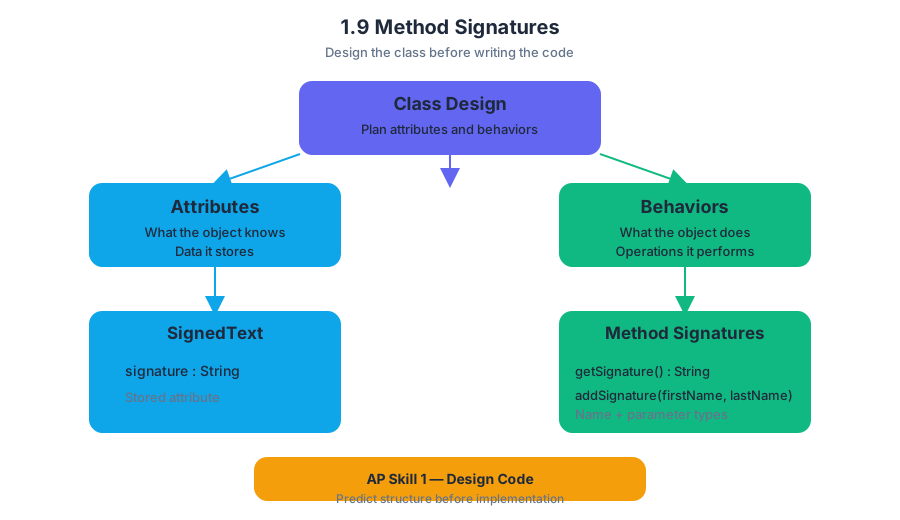
A method’s signature is its identity at the call boundary: the method name together with its parameter types. Before writing a class, design its attributes—the data it stores—and behaviors—the operations it performs—using natural language, a sketch, or a class diagram.
1.9 Method Signatures
A method’s signature is its identity at the call boundary: the method name together with its parameter types. Before writing a class, design its attributes—the data it stores—and behaviors—the operations it performs—using natural language, a sketch, or a class diagram.
CED Essential Knowledge 3.1.A.7: Prior to implementing a class, design each class’s attributes and behaviors using natural language or diagrams.
A useful design separates what an object knows from what an object does:
SignedText
--------------------------------
signature : String

getSignature() : String
addSignature(firstName, lastName) : void
The diagram is not decoration. It predicts the code: signature is an attribute, while getSignature and addSignature are behaviors. This is AP Skill 1 — Design Code, because the programmer decides the class structure and method responsibilities before implementation.
Signature versus full method declaration
In Java, do not confuse a method’s signature with its complete declaration.
| Part | Example | Role |
|---|---|---|
| Method signature | addSignature(String, String) |
Method name plus parameter types; identifies the method for calls and overloading |
| Access modifier | public |
Controls where the method can be accessed |
| Return type | void |
States what value, if any, the method produces |
| Parameter names | firstName, lastName |
Local names used inside the method body |
| Full declaration | public void addSignature(String firstName, String lastName) |
Complete instruction for declaring the method |
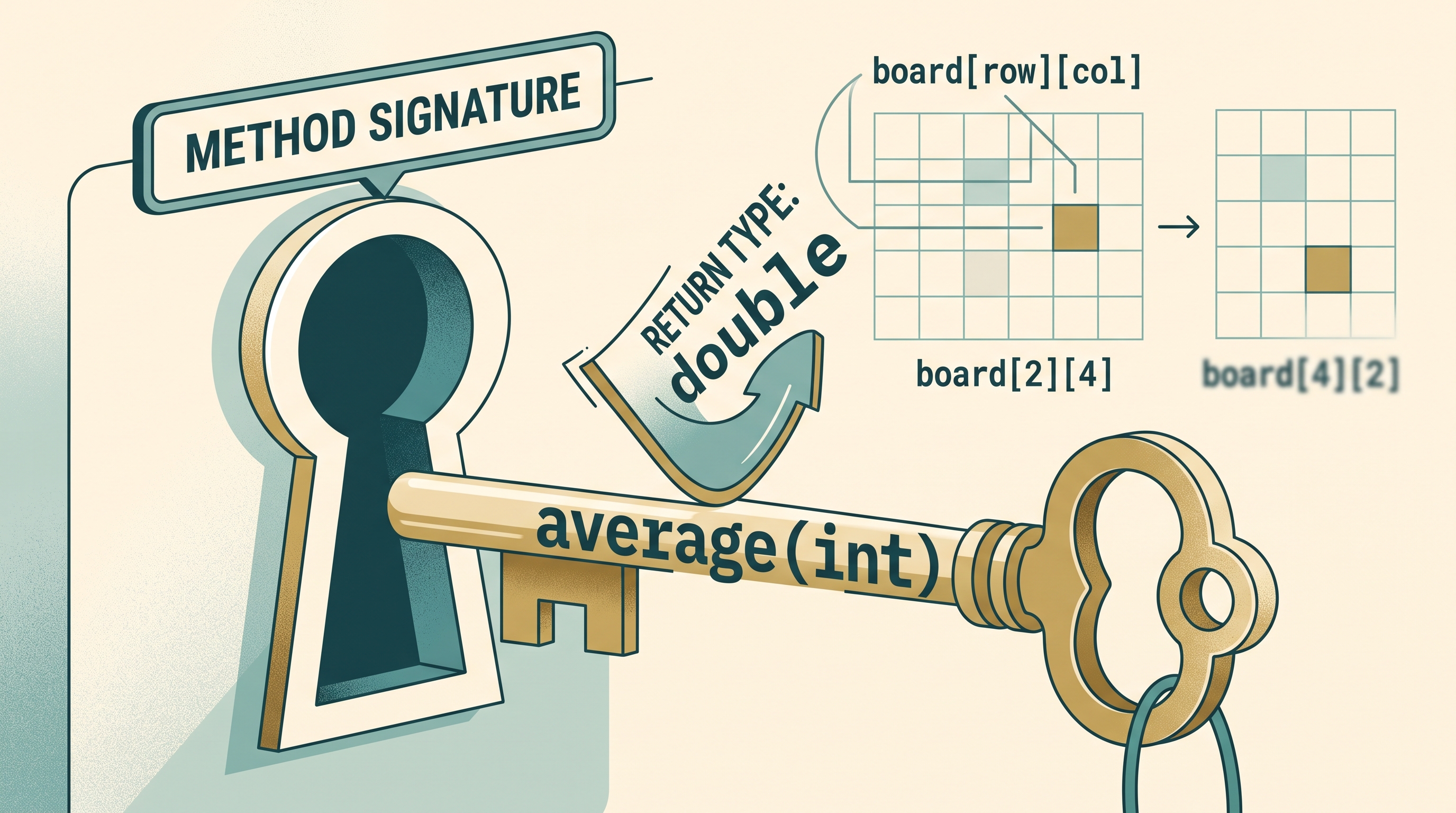
Thus, public String getSignature() has the signature getSignature(), not String getSignature(). The return type and access modifier belong to the full declaration; they are not part of the Java method signature.
A method-reference table uses the same idea in a compact form: signatures appear in one column, and their intended behavior appears beside them. The description is a contract—what the method must do, not how it must do it.
Worked example: SignedText
Suppose a SignedText object stores a signature assembled from a first name and last name. Its interface can be specified as follows:
| Method signature | Description |
|---|---|
SignedText(String, String) |
Constructs a SignedText object using a first name and last name |
getSignature() |
Returns the stored signature |
addSignature(String, String) |
Updates the stored signature using the supplied names |
A client can construct and use the object like this:
SignedText note = new SignedText("henri", "dubois");

System.out.println(note.getSignature());
note.addSignature("marie", "curie");
System.out.println(note.getSignature());
One reasonable implementation is:
public class SignedText {
    private String signature;

    public SignedText(String firstName, String lastName) {
        signature = firstName + " " + lastName;
    }

    public String getSignature() {
        return signature;
    }

    public void addSignature(String firstName, String lastName) {
        signature = firstName + " " + lastName;
    }
}
The trace is:
new SignedText("henri", "dubois")
signature = "henri dubois"

getSignature()
returns "henri dubois"

addSignature("marie", "curie")
signature becomes "marie curie"

getSignature()
returns "marie curie"
getSignature retrieves the current attribute value. addSignature changes that value. The method names must be called and implemented according to their intended functionality: a getter should return the stored signature, while the update method must assign the new signature rather than merely print it. This demonstrates AP Skill 2 — Develop Code and AP Skill 3 — Analyze Code through implementation and state tracing.
Reading signatures in Java APIs
Library references apply the same contract pattern. The File constructor has the signature File(String pathname): it creates a File object from a String representing a pathname.
File inputFile = new File("scores.txt");
A Scanner can then be constructed from that File:
Scanner input = new Scanner(inputFile);
int score = input.nextInt();
The constructor signature tells you exactly what argument type is required. Passing a File to Scanner(File f) is different from passing a String pathname directly; the compiler uses the declared parameter types to determine whether the call is valid.
Signatures and two-dimensional data
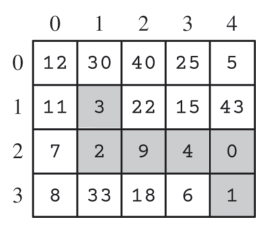
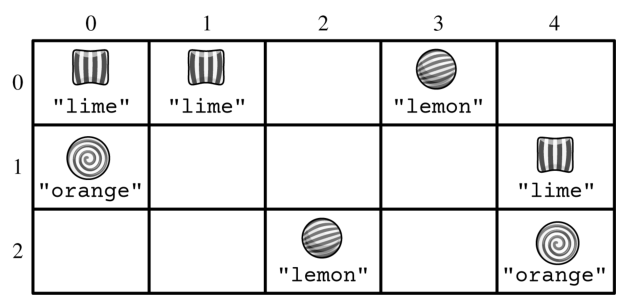
Method specifications become especially important when processing a two-dimensional array. For an array named board, the first index selects the row, and the second selects the column:
board[row][column]
Consider a GameBoard method with the intended behavior:
public int getPointsForRow(int targetRow)
Its signature is getPointsForRow(int). The method must add the point values of every space in the specified row, even when the spaces have different values.
public int getPointsForRow(int targetRow) {
    int total = 0;

    for (int col = 0; col < board[targetRow].length; col++) {
        total += board[targetRow][col].getPoints();
    }

    return total;
}
The call getPointsForRow(0) returns $1300$ for the provided board, while getPointsForRow(2) returns $2000$. The crucial indexing rule is board[targetRow][col]: changing the first index changes the row being summed; changing the second index moves across that row.
Misconception check
Misconception: “The return type is part of the method signature.” In Java, getPointsForRow(int) identifies the method, while int describes the value returned by the full declaration. Also, board[col][row] does not mean the same thing as board[row][col]; reversing the indices can sum an entirely different set of spaces.
Retrieval check: What is the signature of public double average(int count)? What does board[2][4] select? Answers: average(int); row $2$, column $4$.
1.10 Calling Class Methods
Key concepts: Calling class methods · Class methods are associated with the class rather than an individual object · Using Math class methods · Using String class methods · Creating String objects · Combining strings · Determining the result of a method call · Recognizing code that will not compile · String objects as sequences of characters · The scope limitation on overriding toString
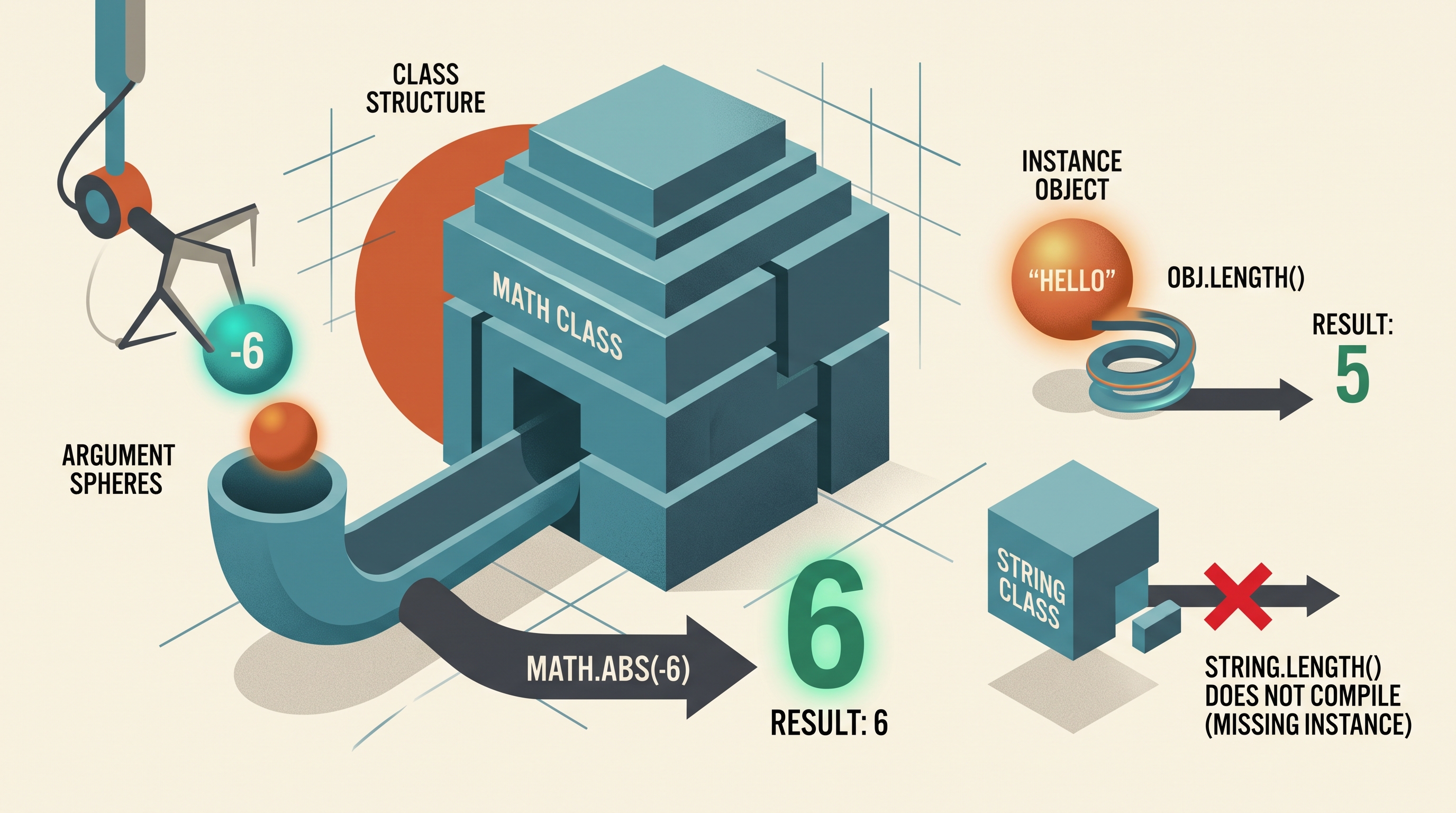
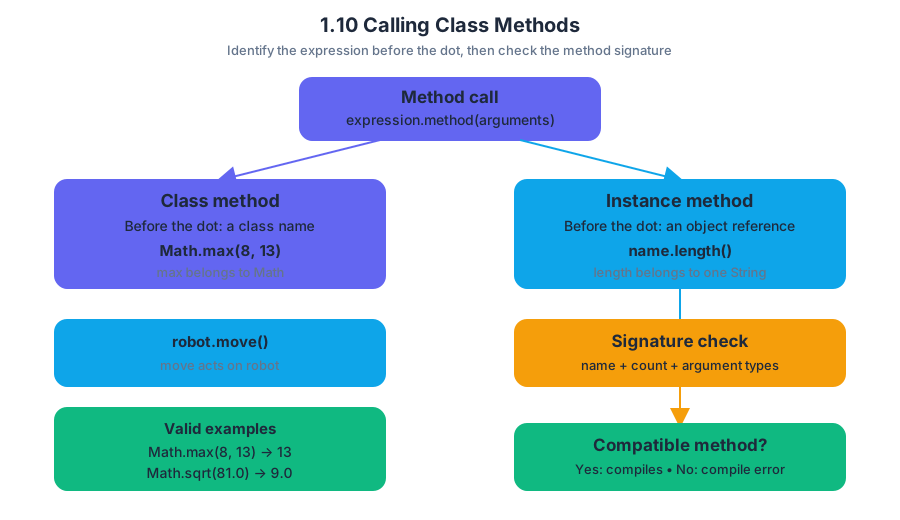
A class method is called through a class name because it belongs to the class itself, not to any particular object. In Java, the call Math.max(8, 13) asks the Math class to perform an operation; no individual Math object is needed.
1.10 Calling Class Methods
A class method is called through a class name because it belongs to the class itself, not to any particular object. In Java, the call Math.max(8, 13) asks the Math class to perform an operation; no individual Math object is needed.
Class methods versus instance methods
The dot in a method call does not by itself tell you what kind of method is being called. Identify the expression before the dot:
Math.max(8, 13)uses the class nameMath, somaxis a class method.name.length()uses the variablename, which refers to aStringobject, solengthis an instance method.robot.move()uses the variablerobot, somoveis an instance method.
Class method: A method associated with a class and called using the class name.
Instance method: A method associated with one object and called using a reference to that object.
The call must also match an available method signature: the method name, number of arguments, and argument types must be appropriate. If no matching method exists, the program does not compile.
int larger = Math.max(8, 13);       // valid: returns 13
double root = Math.sqrt(81.0);      // valid: returns 9.0
int answer = Math.max(4.2, 7.1);    // does not compile
The last statement fails because Math.max does not provide a version that accepts two double arguments and returns an int. A class method call can therefore be evaluated in two stages:
- Compile-time check: Does the class provide a compatible method?
- Execution trace: If it compiles, what value does the method return?
This directly develops 1.10.A: Develop code to call class methods and determine the result of the call.
Using the standard library
Java’s standard library supplies classes whose methods solve common problems. The Java Class Constructors and Methods Reference is not merely a list to memorize: use it to check the exact method name, parameter types, return type, and behavior.
For example, Math contains class methods for numerical operations:
int low = Math.min(14, 9);       // 9
double magnitude = Math.abs(-3.5); // 3.5
double randomValue = Math.random(); // 0.0 inclusive to 1.0 exclusive
Because these methods are associated with Math, writing new Math() is unnecessary and is outside the intended pattern. The class name acts like a shared toolbox label: choose a tool, supply its arguments, and receive the result.
String objects and String methods
A String object represents a sequence of characters. It can be created with a string literal or with the String class constructor. Since String belongs to java.lang, it is available without an import statement.
String first = "Blue";
String second = new String("Sky");
The two variables refer to String objects containing the character sequences "Blue" and "Sky". Methods such as length, substring, indexOf, equals, and compareTo operate on a String object:
String label = "BlueSky";

int count = label.length();          // 7
String part = label.substring(0, 4); // "Blue"
boolean same = label.equals("BlueSky"); // true
These are not class-method calls in the form String.length(). They are instance-method calls because label identifies the particular String object whose characters should be examined. Confusing String.length() with label.length() is a common compile-time error: the class name does not identify an individual sequence.
Combining strings
Strings can be concatenated—joined end to end—with + or +=. Concatenation creates a new String object; it does not alter an existing String object.
String city = "San";
String place = city + " " + "Jose";
city += " Diego";

System.out.println(place); // San Jose
System.out.println(city);  // San Diego
The original "San" sequence was not edited. The expression city + " Diego" produced a new String, and the assignment changed which object city refers to. A primitive value can also be concatenated with a String; Java implicitly converts the primitive to text.
int score = 27;
String message = "Score: " + score; // "Score: 27"
Skills in action
This topic exercises 2.C: Write program code involving procedural abstractions, especially when selecting and calling a library method; 3.C: Determine the result or output based on code that contains procedural abstractions, by tracing returned values; 4.A: Describe the behavior of a code segment or program; and 4.B: Describe the initial conditions that must be met for a code segment to work as intended or described.
Misconception check: “Every method after a class name is valid if the method name sounds reasonable.” Not so. Math.sqrt(25) compiles, but String.length() does not: the first is a class-method call, while the second incorrectly tries to call an instance method without an object.
Retrieval check: For each expression, identify whether it compiles and whether it calls a class or instance method: Math.abs(-6), "hello".length(), and String.length(). The first two compile; Math.abs is a class-method call, "hello".length() is an instance-method call, and String.length() does not compile.
1.11 Math Class
Key concepts: Java Math class · Absolute value with Math.abs · Integer arithmetic using Math.abs(int) · Decimal arithmetic using Math.abs(double) · Exponentiation using Math.pow · Square roots using Math.sqrt
A robot measuring a package may need the distance from a target, the area of a panel, or the square root of a sensor reading; Java’s Math class supplies these operations as ready-to-use static methods.
1.11 Math Class
A robot measuring a package may need the distance from a target, the area of a panel, or the square root of a sensor reading; Java’s Math class supplies these operations as ready-to-use static methods. The methods return numeric values, so their results can be stored, printed, compared, or combined with other expressions.
CED traceability — Topic 1.11: Learning Objective VAR-2; Essential Knowledge VAR-2.A.
Science practices: 1.A Design Code, 2.A Develop Code, and 3.A Analyze Code are applied when selecting a mathematical operation, writing the method call correctly, and tracing its returned value.
The shape of a Math method call
The Math class is used through its static methods: methods associated with the class itself rather than with a particular object. A call begins with the class name, followed by a dot and the method name:
double result = Math.sqrt(81.0);
The expression Math.sqrt(81.0) evaluates to 9.0, and that returned value is assigned to result. The method signature tells you both the required parameter type and the return type:
| Method | Meaning | Return type |
|---|---|---|
Math.abs(int x) |
Absolute value of an int |
int |
Math.abs(double x) |
Absolute value of a double |
double |
Math.pow(double base, double exponent) |
base raised to exponent |
double |
Math.sqrt(double x) |
Nonnegative square root of x |
double |
Absolute value: distance from zero
Absolute value removes a number’s sign. It can be understood as distance from zero: both $-7$ and $7$ are $7$ units from zero.
int temperatureChange = -7;
int magnitude = Math.abs(temperatureChange);   // 7

double error = -2.75;
double errorSize = Math.abs(error);             // 2.75
Math.abs(int x) returns the absolute value of an int. Because its return type is int, the result remains integer-valued. Math.abs(double x) returns the absolute value of a double, preserving decimal precision.
Worked example: checking a delivery error
A delivery system records a package’s actual position and its expected position. The sign indicates direction, but the monitoring system only needs the size of the error.
int actual = 42;
int expected = 50;
int difference = actual - expected;       // -8
int errorMagnitude = Math.abs(difference); // 8

if (errorMagnitude <= 10) {
    System.out.println("Within tolerance");
}
The subtraction produces $42 - 50 = -8$. Applying Math.abs changes that signed difference into its magnitude, $8$, so the condition is true.
Misconception check:
Math.absdoes not make every result adouble. The argument determines which overloaded method is selected: anintargument usesMath.abs(int), while adoubleargument usesMath.abs(double).
Exponentiation with Math.pow
Math.pow(double base, double exponent) returns the first parameter raised to the power of the second:
$$ \texttt{Math.pow(base, exponent)} = base^{exponent} $$
For example:
double area = Math.pow(5.0, 2.0);       // 25.0
double growth = Math.pow(1.05, 3.0);    // 1.157625...
Even when both arguments represent whole numbers, Math.pow returns a double. Thus, Math.pow(3, 2) produces the numeric value $9.0$, not an int value. It is not Java’s multiplication operator: 3 * 2 means $6$, whereas Math.pow(3, 2) means $3^2 = 9$.
Square roots with Math.sqrt
Math.sqrt(double x) returns the nonnegative square root of a double. The nonnegative qualification matters because both $4$ and $-4$ square to $16$, but Math.sqrt(16.0) returns 4.0.
double width = 6.0;
double height = 8.0;
double diagonal = Math.sqrt(Math.pow(width, 2.0)
                           + Math.pow(height, 2.0));
// 10.0
This computes the diagonal of a rectangle using the Pythagorean relationship:
$$ d = \sqrt{w^2 + h^2} $$
For $w = 6$ and $h = 8$, the calculation is $\sqrt{36 + 64} = \sqrt{100} = 10$.
Misconception check:
Math.sqrtdoes not return both possible square roots. It returns only the nonnegative result, and its return type is alwaysdouble.
Retrieval check
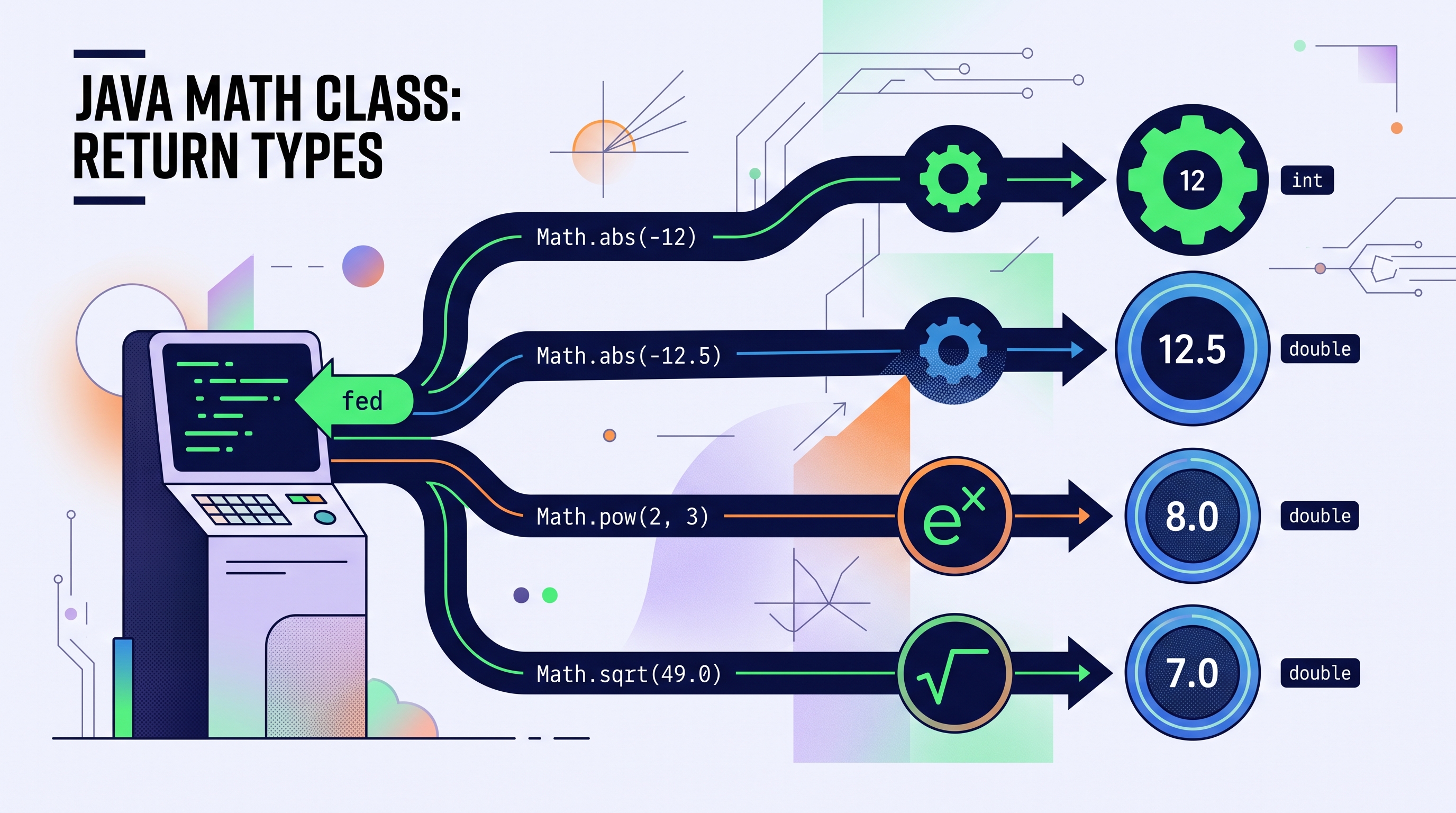
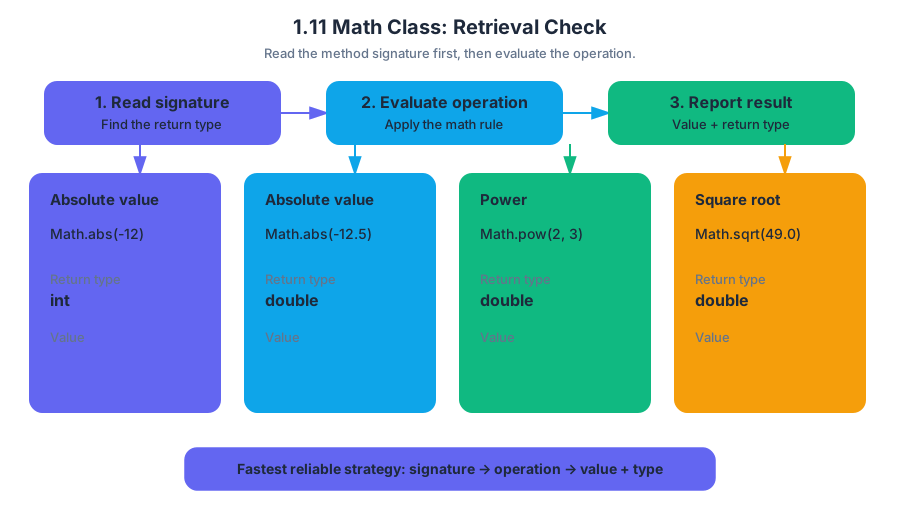
What are the return types and values of these expressions?
Math.abs(-12)       // ?
Math.abs(-12.5)     // ?
Math.pow(2, 3)      // ?
Math.sqrt(49.0)     // ?
The answers are 12 as an int, 12.5 as a double, 8.0 as a double, and 7.0 as a double. The fastest reliable strategy is to read the method signature first, then evaluate the operation.
1.12 Objects: Instances of Classes
Key concepts: Objects · Classes · Instances · Attributes · Relationship between a class and an object · Class as a blueprint for modeling
A class describes what a kind of thing is; an object is one specific thing made from that description. A Monster class might define that every monster has a color, a number of eyes, and a name, while each individual monster has its own particular values for those attributes.
1.12 Objects: Instances of Classes
A class describes what a kind of thing is; an object is one specific thing made from that description. A Monster class might define that every monster has a color, a number of eyes, and a name, while each individual monster has its own particular values for those attributes.
Learning Objective 1.12.A.1: Explain the relationship between a class and an object.
Essential Knowledge 1.12.A.1: An object is a specific instance of a class with defined attributes. A class is the formal implementation, or blueprint, of the attributes and behaviors of an object.
Class as a blueprint
A class is a formal blueprint for modeling objects. It identifies the attributes—data that describe an object—and the behaviors—operations that an object can perform—that belong to a particular category.
The blueprint is not one particular monster. It is a general model:
| Class-level idea | Monster example |
|---|---|
| Attribute | color, eyeCount, name |
| Possible value | "green", $3$, "Gloop" |
| Behavior | roar, move, or attack |
| Individual object | One particular monster with its own values |
A class lets a programmer describe a category once instead of separately describing every member of that category. If a program models a game containing hundreds of monsters, the Monster class can establish the common structure while each object represents one distinct monster.
Objects and instances
An object is a specific instance of a class. “Instance” means a particular object that belongs to the class and has defined attribute values. Two objects can come from the same class while differing in their attributes.
For example, imagine two objects modeled by the Monster class:
- Monster A: name
"Gloop", color"green", eye count `$3$ - Monster B: name
"Mira", color"purple", eye count `$1$
Both objects follow the Monster blueprint, so both have the same kinds of attributes. However, they are not the same object: their attribute values describe different individual monsters.
A Java model
In Java, a class can declare the attributes and behaviors that its objects are expected to have. The following declaration models the shared structure of monsters without yet focusing on how a particular object is created or stored:
public class Monster
{
    private String name;
    private String color;
    private int eyeCount;

    public void roar()
    {
        System.out.println(name + " roars!");
    }
}
The class defines three attributes: name, color, and eyeCount. It also defines a roar behavior. The declaration says that monsters have this structure; an individual monster supplies its own attribute values. The keyword private limits direct access to the attributes, but it does not change the central relationship: the class is the blueprint, and an object is a concrete instance of that blueprint.
One blueprint, separate identities
A useful physical analogy is a cookie cutter and the cookies it produces. The cutter establishes the shape, just as the class establishes the available structure. Each cookie is a separate object, even though all cookies share the same general shape.
The analogy has an important limit: object attributes can vary. A Monster class may require every monster to have an eye count, but one object can have $3$ eyes and another can have $1$. Shared structure does not mean shared attribute values.
Misconception check: A class is not an object, and an object is not merely a renamed class.
A class describes a category; an object is one particular member of that category.
Designing a model
When designing a class, ask two questions: What information must each object remember? and What can each object do? For Monster, useful attributes might include name, color, and eyeCount; useful behaviors might include roaring or moving. The answers define a model of the real-world idea that is precise enough for a program.
This directly exercises Computational Thinking Practice 1 — Design Code: deciding what the class should represent and which attributes belong in the model. Writing the class declaration applies Computational Thinking Practice 2 — Develop Code, while tracing two monsters with different values applies Computational Thinking Practice 3 — Analyze Code. Clear names such as eyeCount also support Computational Thinking Practice 4 — Document Code and Computing Systems because the code communicates its model to other programmers.
Class hierarchies
Essential Knowledge 1.12.A.2: A class hierarchy can be developed by putting common attributes and behaviors of related classes into a single class called a superclass. For example, several creature classes might share attributes such as name and color, while a more specific Monster class adds monster-specific features. The key idea is reuse of common structure among related classes.
Retrieval check: If Monster is the class, what makes “Gloop, a green monster with three eyes” an object? Why can another object from the same class have a different color value?
Answer: Gloop is an object because it is one specific instance of the Monster class. The class defines the attribute color, but each object has its own defined value for that attribute.
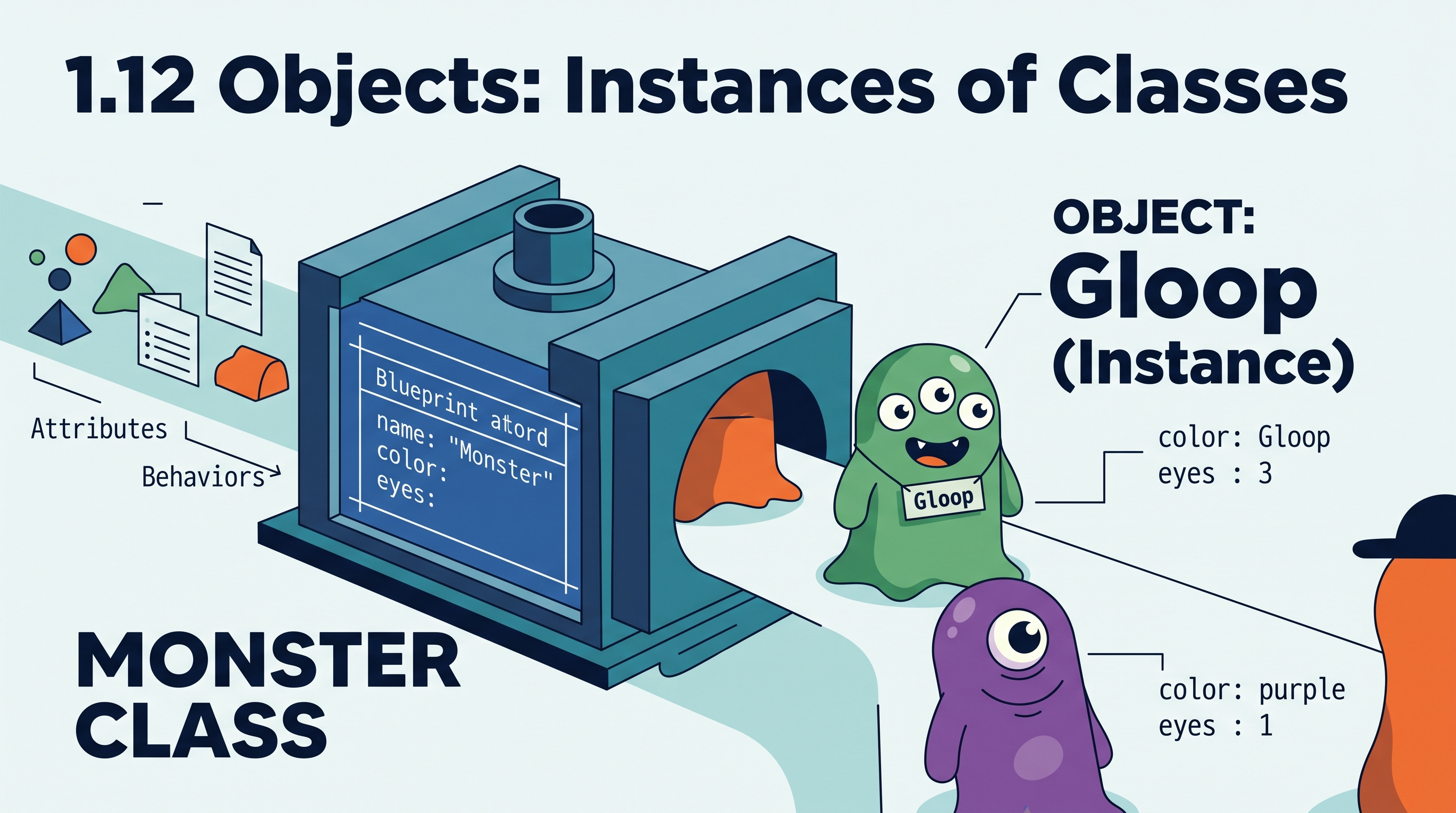
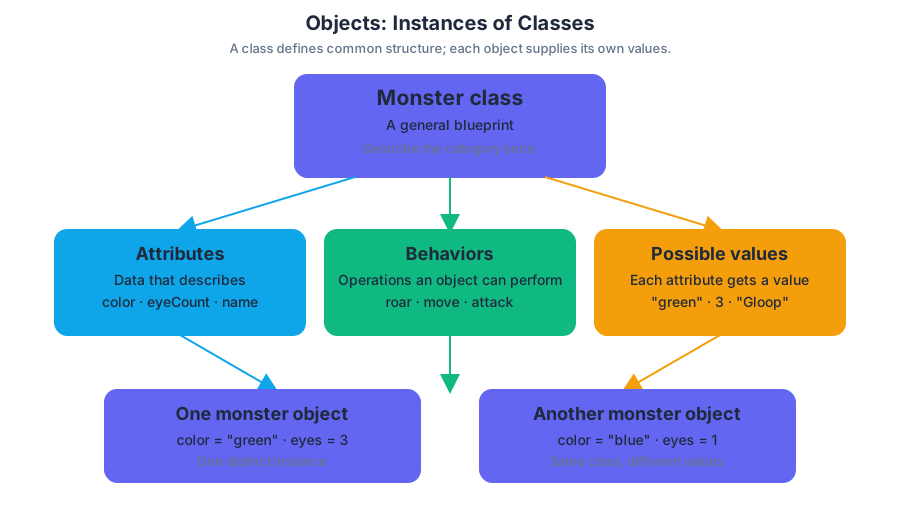
1.13 Object Creation and Storage
Key concepts: Object creation and storage (instantiation) · Constructors · Constructor names matching class names · Constructor signatures · Overloaded constructors · Reference-type variables · The new keyword · Calling a class constructor · Adding a newly created object to an ArrayList · Using the remainder operator (%)
A Java variable of a reference type does not contain an object directly; it holds a reference to an object, or the special value null when it refers to no object.
1.13 Object Creation and Storage
A Java variable of a reference type does not contain an object directly; it holds a reference to an object, or the special value null when it refers to no object. Creating the object and storing its reference are separate steps that Java combines in a familiar pattern.
Declaring a reference and creating an object
The declaration names the type of object the variable may reference. The keyword new then creates an object by calling one of the class’s constructors, and the assignment stores the resulting reference in the variable.
Essential Knowledge 1.13.B.1: A variable of a reference type holds an object reference or, if there is no object,
null.
Essential Knowledge 1.13.C.1: An object is typically created using the keyword
newfollowed by a call to one of the class’s constructors.
Competitor finalist;
finalist = new Competitor();
The first statement declares a variable. At that moment, it does not yet identify a Competitor object. The second statement constructs a new Competitor object and assigns its reference to finalist.
The shorter combined form performs both actions:
Competitor finalist = new Competitor();
A reference can later be reassigned. Reassignment changes which object the variable identifies; it does not copy one object into another.
Competitor first = new Competitor();
Competitor second = first;
first = new Competitor();
After these statements, second still refers to the original object, while first refers to the newly created object. Both variables briefly referred to the same object, but assigning a new reference to first did not change second.
Misconception check:
Competitor second = first;does not create a secondCompetitor. It copies the reference. To create another object, usenewagain.
Constructors and constructor signatures
A constructor is the special code used when an object is created. Its name must exactly match the class name, and it has no return type—not even void. Constructor parameters allow the new object to receive initial attribute values.
Essential Knowledge 1.13.C.2: Parameters allow constructors to accept values to establish the initial values of the attributes of the object.
public class Competitor {
    private String name;
    private int score;

    public Competitor() {
        name = "Unknown";
        score = 0;
    }

    public Competitor(String n, int s) {
        name = n;
        score = s;
    }
}
The constructor signature consists of the constructor name and the ordered list of parameter types. In this class, the signatures are Competitor() and Competitor(String, int). The parameter names n and s are not part of the signature.
Essential Knowledge 1.13.C.3: A constructor argument is a value passed into a constructor when the constructor is called. Arguments must be compatible, in both number and order, with the constructor’s parameter types.
Competitor a = new Competitor();
Competitor b = new Competitor("Riley", 42);
These constructors are overloaded because the class has multiple constructors with different signatures. Java selects the constructor whose parameter list matches the arguments in the call.
Misconception check: Constructors are not overloaded merely because they have different parameter names.
Competitor(String name, int score)andCompetitor(String n, int s)have the same signature.
Storing objects in collections
A reference variable can be stored in an ArrayList, allowing a collection to hold many object references. The declared element type must match the kind of reference being stored.
ArrayList<Competitor> competitorList =
    new ArrayList<Competitor>();

Competitor newcomer = new Competitor("Jordan", 18);
competitorList.add(newcomer);
competitorList.add(new Competitor("Kai", 21));
The second add call creates a new Competitor and immediately stores its reference in competitorList. This is equivalent in effect to creating the object first, assigning it to a variable, and then adding that variable.
A collection can also be declared for another reference type:
ArrayList<Match> matches = new ArrayList<Match>();
Here, matches is a local ArrayList<Match> variable. It can store references to Match objects, not arbitrary objects such as Competitor.
If a program needs to test whether a collection’s size satisfies a condition, the remainder operator % may be applied to competitorList.size(). For example, competitorList.size() % 2 == 0 tests whether the size is even; the operator does not create or store objects.
AP skills in action
Computational Thinking Practice 2 — Develop Code is demonstrated by declaring a correctly typed reference, choosing a constructor, supplying compatible arguments, and storing the resulting object in a collection. Computational Thinking Practice 3 — Analyze Code is required when tracing which object each reference identifies after assignments, constructor calls, and add operations.
Retrieval check: What does new Competitor("Ari", 10) produce, and what does competitorList.add(...) store? The expression produces a newly constructed Competitor object and add stores its reference in the list.

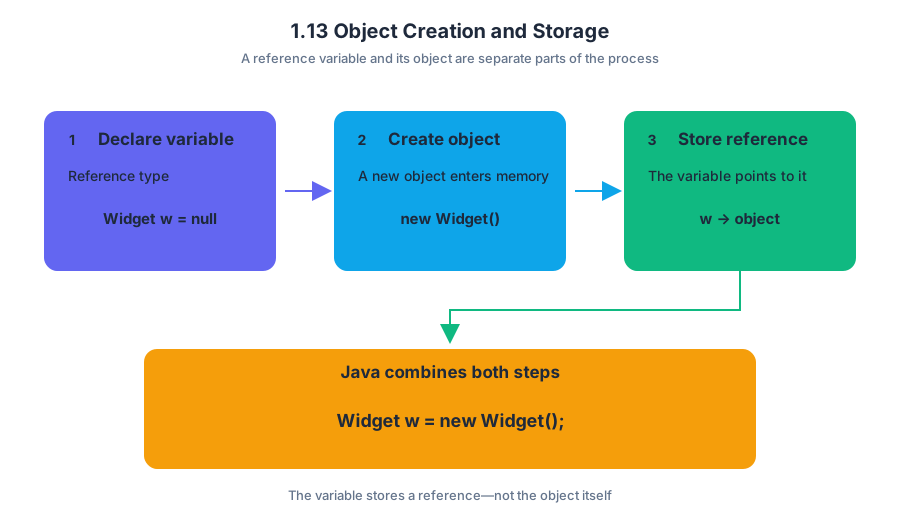
1.14 Calling Instance Methods
Key concepts: Calling instance methods on objects · Using instance variables, parameter variables, and local variables as method-call receivers · Calling methods on the current object · Calling methods on an object from a different class · Passing parameters when calling methods · Distinguishing void methods from methods that return a value · Using method calls in conditional statements and loops · Comparing values returned by method calls · Using compound conditional expressions for ranges · Accumulating values returned or calculated by method calls
An instance method is called through a particular object, because its behavior may depend on that object’s instance variables. The receiver—the object on which the method operates—can be stored in an instance variable, parameter variable, or local variable.
1.14 Calling Instance Methods
An instance method is called through a particular object, because its behavior may depend on that object’s instance variables. The receiver—the object on which the method operates—can be stored in an instance variable, parameter variable, or local variable.
For example, if company refers to a dog-walking company, then company.numAvailableDogs(hour) asks that particular company how many dogs remain available at a particular hour. The method name alone is not enough to identify the object unless the call occurs inside an instance method where the receiver is implicitly this.
Receivers: which object gets the call?
Learning Objective 1.14.A: Call instance methods on objects. This directly develops Skill 3.A: Write program code to call methods and supports Skill 3.C: Write program code to satisfy method specifications using expressions, conditional statements, and iterative statements.
| Where the object is stored | Example call | Receiver |
|---|---|---|
| Instance variable | company.numAvailableDogs(hour) |
The object referenced by company |
| Parameter variable | walker.walkDogs(dogs) |
The object referenced by walker |
| Local variable | shift.getLength() |
The object referenced by shift |
| Current object | this.updateDogs(hour) |
The object currently executing the method |
| Different class’s object | company.reserveBlock(period, start, duration) |
The company object |
Inside an instance method, writing numAvailableDogs(hour) is shorthand for this.numAvailableDogs(hour) when no other interpretation applies. The omitted receiver is therefore not automatically an error. Outside an applicable instance context—or when calling a method on a different object—a receiver such as company or walker is required.
Calling methods on the current object
The keyword this refers to the object that called the current instance method. It makes the receiver explicit:
this.walkDogs(hour);
The explicit keyword does not prevent duplicate calls. If walkDogs changes the company’s available-dog count, calling it twice in one loop iteration changes the state twice. The programmer must decide how many calls are intended and ensure that a state-changing method is called only that many times.
Parameters belong in the call, not the declaration
A method declaration states parameter types; a method call supplies argument values. Do not repeat the types in a call.
public boolean isMinuteFree(int period, int minute) {
    // method body
}

boolean free = company.isMinuteFree(period, minute);  // correct
The call must provide every required argument in the correct order. A nested call can supply one argument, but it does not erase the other arguments:
int start = findFreeBlock(period, duration);
company.reserveBlock(period, start, duration);
A common misconception is to write company.isMinuteFree(int period, int minute). That syntax belongs to a declaration, not an invocation. Another is to call an instance method with a class name, such as DogCompany.numAvailableDogs(hour); that would be appropriate only for a class method, not for an instance method.
Return values versus void
A void method performs an action but returns no value. A method with another return type produces a value that can be assigned, printed, compared, or used inside a larger expression.
company.updateDogs(hour);                 // void: action only
int available = company.numAvailableDogs(hour); // int: value returned
Because numAvailableDogs returns an int, its result can be compared with maxDogs:
if (company.numAvailableDogs(hour) == maxDogs) {
    System.out.println("No dogs have been scheduled yet.");
}
A void method cannot be used as an operand in an expression. For example, assigning company.updateDogs(hour) to an int is invalid because the call produces no value.
Worked example: calls inside selection and iteration
Suppose a method counts how many dogs can be walked during a range of hours. Each hour is examined once. If dogs are available, the method calls walkDogs once and adds the returned number to the running total.
public int dogsWalked(int startHour, int endHour) {
    int total = 0;

    for (int hour = startHour; hour <= endHour; hour++) {
        if (company.numAvailableDogs(hour) > 0) {
            total += company.walkDogs(hour);
        }
    }

    return total;
}
The algorithm has four deliberate parts: initialize the accumulation variable total, loop through the inclusive hour range, test the value returned by numAvailableDogs, and accumulate the value returned by walkDogs. The call to walkDogs appears once in the loop, so its state-changing effect is not accidentally repeated.
For a peak-hour condition from hour $9$ through hour $17$, Java requires a compound Boolean expression:
if (hour >= 9 && hour <= 17) {
    // peak-hour work
}
The expression 9 <= hour <= 17 is not valid Java syntax. Java compares two values at a time, so the two comparisons must be joined with &&.
Misconception check
Misconception: “If a method call has no receiver written before the dot, it always lacks an object.”
Correction: Within an instance method, an omitted receiver is implicitly this. The real question is whether the call should target the current object or a different object such as company.
Misconception: “A returned value and a changed object are the same thing.”
Correction: A method may return a value, change instance variables, do both, or do neither. Track both the value produced and the object state affected by every call.
Retrieval check
A method contains the parameter duration, a local variable period, and an instance variable company. Write the call that checks whether minute 30 is free in that period, then explain why company.numAvailableDogs(hour) may be compared with maxDogs but company.updateDogs(hour) cannot appear inside that comparison.
Answer: company.isMinuteFree(period, 30); numAvailableDogs returns a value, while updateDogs is void and performs an action.

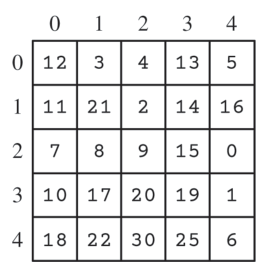
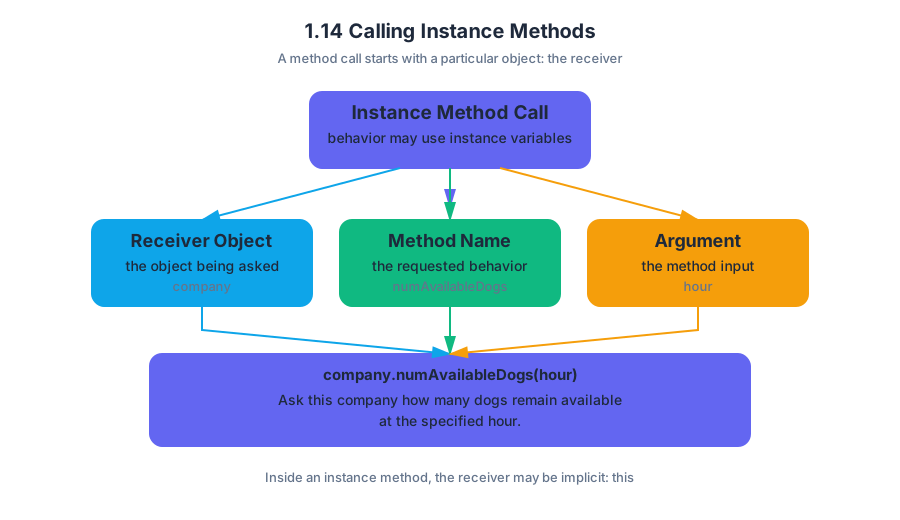
1.15 String Manipulation
Key concepts: String prefix matching · The indexOf method · The substring method · String traversal in a list · Handling no-match, match-start, and match-end cases · Building a result list without modifying the original list · Comparing current and previous strings · String algorithm implementation
A string is a sequence of characters whose positions begin at index $0$, so finding a word inside another string is an exercise in locating boundaries precisely.
1.15 String Manipulation
A string is a sequence of characters whose positions begin at index $0$, so finding a word inside another string is an exercise in locating boundaries precisely. For example, in "caterpillar", the target "cat" begins at index $0$, has length $3$, and can be removed with substring(3).
Prefix matching: finding and removing a target
The indexOf method returns the index at which a target string first appears, or $-1$ when the target does not appear. Therefore, the test
current.indexOf(target) == 0
means specifically that target occurs at the beginning of current. It does not merely mean that the target appears somewhere.
Once a prefix match is confirmed, substring(target.length()) returns everything after that prefix. The starting index is inclusive, and the ending index is implicitly the end of the string.
String current = "catapult";
String target = "cat";

if (current.indexOf(target) == 0) {
    String remainder = current.substring(target.length());
    System.out.println(remainder);   // "apult"
}
The target is not removed from the original object; Java String objects are immutable, meaning their character sequences cannot be changed in place. substring creates the desired result, which must be stored in a variable or added to another collection.
Three locations that must not be confused
A target can have a no-match, match-start, match-end, interior, or whole-string relationship with the current string. String algorithms should distinguish the required cases explicitly rather than treating every non-prefix match as equivalent.
| Case | Example: current and target |
Reliable test |
|---|---|---|
| No match | "blue", "red" |
current.indexOf(target) == -1 |
| Match-start | "catapult", "cat" |
current.indexOf(target) == 0 |
| Match-end | "tomcat", "cat" |
current.endsWith(target) |
| Interior match | "educate", "cat" |
Match exists but is neither at index $0$ nor at the ending index |
| Entire string | "cat", "cat" |
current.equals(target) |
For a nonempty target, match-end can also be expressed numerically:
current.indexOf(target) == current.length() - target.length()
For "tomcat", the first index of "cat" is $3$, while current.length() - target.length() is $6 - 3 = 3$. This differs from a match-start, whose index is $0$. When the target occupies the entire string, both boundary calculations produce $0$; equals makes that whole-string case unambiguous.
Traversing a word list without changing it
Suppose wordList contains no null elements and must remain unchanged. A traversal can inspect each current string and, when necessary, compare it with the previous string. The loop begins at index $1$ when the algorithm needs a previous element, because index $0$ has no predecessor.
public boolean isWordChain() {
    String previous = wordList.get(0);

    for (int i = 1; i < wordList.size(); i++) {
        String current = wordList.get(i);

        if (current.indexOf(previous) == -1) {
            return false;
        }

        previous = current;
    }

    return true;
}
Here, previous stores the string that the next current must contain. The algorithm returns false immediately when one link fails; if every link succeeds, it returns true. The list itself is only read through get, so its contents and order are preserved.
Building a separate result list
A transformation problem should usually create a new ArrayList<String> rather than replacing elements in wordList. The following method adds the portion remaining after a matching prefix and ignores strings with no prefix match.
public ArrayList<String> createList(String target) {
    ArrayList<String> result = new ArrayList<String>();
    int targetLength = target.length();

    for (int i = 0; i < wordList.size(); i++) {
        String current = wordList.get(i);

        if (current.indexOf(target) == 0) {
            result.add(current.substring(targetLength));
        }
    }

    return result;
}
For wordList = ["preheat", "heat", "preview"] and target = "pre", the result becomes ["heat", "view"]; the original list remains ["preheat", "heat", "preview"]. "heat" is a no-match and is handled separately by simply not being added.
Misconception check
Misconception: “If indexOf(target) is not $-1$, the target is a prefix.” False. A return value of $0$ means prefix; a positive value may indicate an interior or match-end occurrence. Also, substring(target.length()) is correct only after confirming a prefix match—otherwise it removes characters from the beginning even when the target was absent or located elsewhere.
Retrieval check
Given current = "notebook" and target = "book", identify the case and the correct condition. The target is a match-end: current.endsWith(target) is true, and current.indexOf(target) == current.length() - target.length() is also true. It is not a match-start because its index is $4$, not $0$.

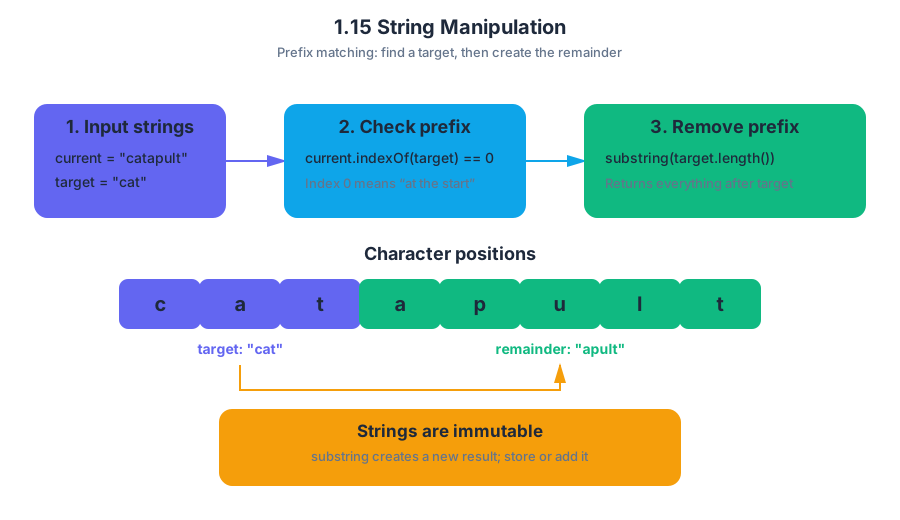
2.1 Algorithms with Selection and Repetition
Key concepts: Algorithms · Sequencing · Selection · Repetition · Iteration · Decision making · Conditional statements · while loops · for loops · Algorithm control flow
An algorithm is a precise sequence of steps for solving a problem or producing an outcome. Algorithms use sequencing, and may also use selection and repetition, depending on the problem: a recipe can be sequencing alone, while a traffic-control system may repeatedly check conditions and choose different actions.
2.1 Algorithms with Selection and Repetition
An algorithm is a precise sequence of steps for solving a problem or producing an outcome. Algorithms use sequencing, and may also use selection and repetition, depending on the problem: a recipe can be sequencing alone, while a traffic-control system may repeatedly check conditions and choose different actions.
Learning Objective 2.1.A — Represent algorithms using sequencing, selection, and iteration.
The three control structures are the building blocks for describing how execution moves:
- Sequencing performs instructions in a particular order.
- Selection makes a decision and chooses which instructions execute.
- Repetition executes one or more steps more than once, using a condition, counter, collection, or other rule to determine when repetition stops.
- Iteration is repetition that changes the flow of control by returning execution to a segment of code. In Java, iteration is represented by
whileandforloops.
Selection depends on a true-or-false condition. If the condition is true, one path executes; if it is false, another path may execute or the algorithm may continue without performing that action. The exact order of these structures contributes to the algorithm’s outcome: checking a condition before updating a value can produce a different result from updating first and checking afterward.
A worked algorithm: filling seats
Imagine a theater assigning seats to arriving guests. The algorithm should examine each guest, assign a seat if one is available, and stop when there are no guests left or no seats remaining.
Here, sequencing establishes the order of actions, selection decides whether a seat can be assigned, and repetition processes multiple guests. The stopping rule is not necessarily “until the desired outcome is reached”; it can be a counter, a condition, a collection becoming empty, or another rule.
int seatsRemaining = 3;
int guestsWaiting = 5;

while (guestsWaiting > 0 && seatsRemaining > 0) {
    if (seatsRemaining > 0) {
        seatsRemaining--;
        guestsWaiting--;
    }
}
Trace the state after each iteration:
| Iteration | seatsRemaining before |
guestsWaiting before |
seatsRemaining after |
guestsWaiting after |
|---|---|---|---|---|
| 1 | 3 | 5 | 2 | 4 |
| 2 | 2 | 4 | 1 | 3 |
| 3 | 1 | 3 | 0 | 2 |
The loop stops after the third iteration because seatsRemaining > 0 is false. Two guests remain waiting. The algorithm therefore reaches a valid stopping condition without serving every guest.
Fixed repetition and conditional repetition
A while loop is useful when the number of repetitions depends on a changing condition. A for loop is often useful when the algorithm has a clear counter or fixed range.
int total = 0;

for (int day = 1; day <= 7; day++) {
    total += day;
}
This loop repeats exactly seven times. The variable day starts at $1$, the body executes while day <= 7, and the update day++ prepares the next iteration. Repetition can therefore be controlled by a counter rather than by an unknown event.
Algorithms as diagrams and written language
An algorithm does not need to begin as Java code. A written description or flowchart can expose the logic before syntax is added:
Start
  ↓
Are guests waiting and seats available?
  ├── No → Stop
  └── Yes
          ↓
       Assign one seat
          ↓
       Update both counts
          ↺ Check the condition again
Representations are especially valuable when determining the result of an algorithm. Follow the instructions in order, record changing variables after each iteration, and identify the precise condition that causes execution to stop.
Iterative sorting algorithms
Selection sort and insertion sort are iterative sorting algorithms. Selection sort repeatedly selects the smallest remaining element and places it into the next position. Insertion sort repeatedly takes the next unsorted element and inserts it into its correct position among the elements already processed. Both algorithms use repetition to make progress through a collection, but their repeated actions organize elements differently.
Misconception check
Misconception: Every algorithm must contain all three structures. Algorithms may use sequencing alone, or sequencing combined with selection, repetition, or both.
Misconception: Repetition always means “repeat until the desired answer appears.” Repetition may stop after a fixed number of iterations, when a condition becomes false, when a collection is exhausted, or according to another explicit rule.
AP skill connection
This topic is assessed through Practice 1 — Design Code. Apply it by translating an everyday process into ordered steps, identifying decisions and repeated actions, choosing a suitable representation, and explaining why the order of operations produces the stated result.
Retrieval check: An algorithm scans five temperatures and stops early if it finds one below freezing. Which control structures are present, and what determines whether all five values are examined?
Answer: Sequencing orders the scan; selection tests each temperature; repetition processes multiple temperatures; the stopping condition determines whether the scan ends early or reaches all five values.
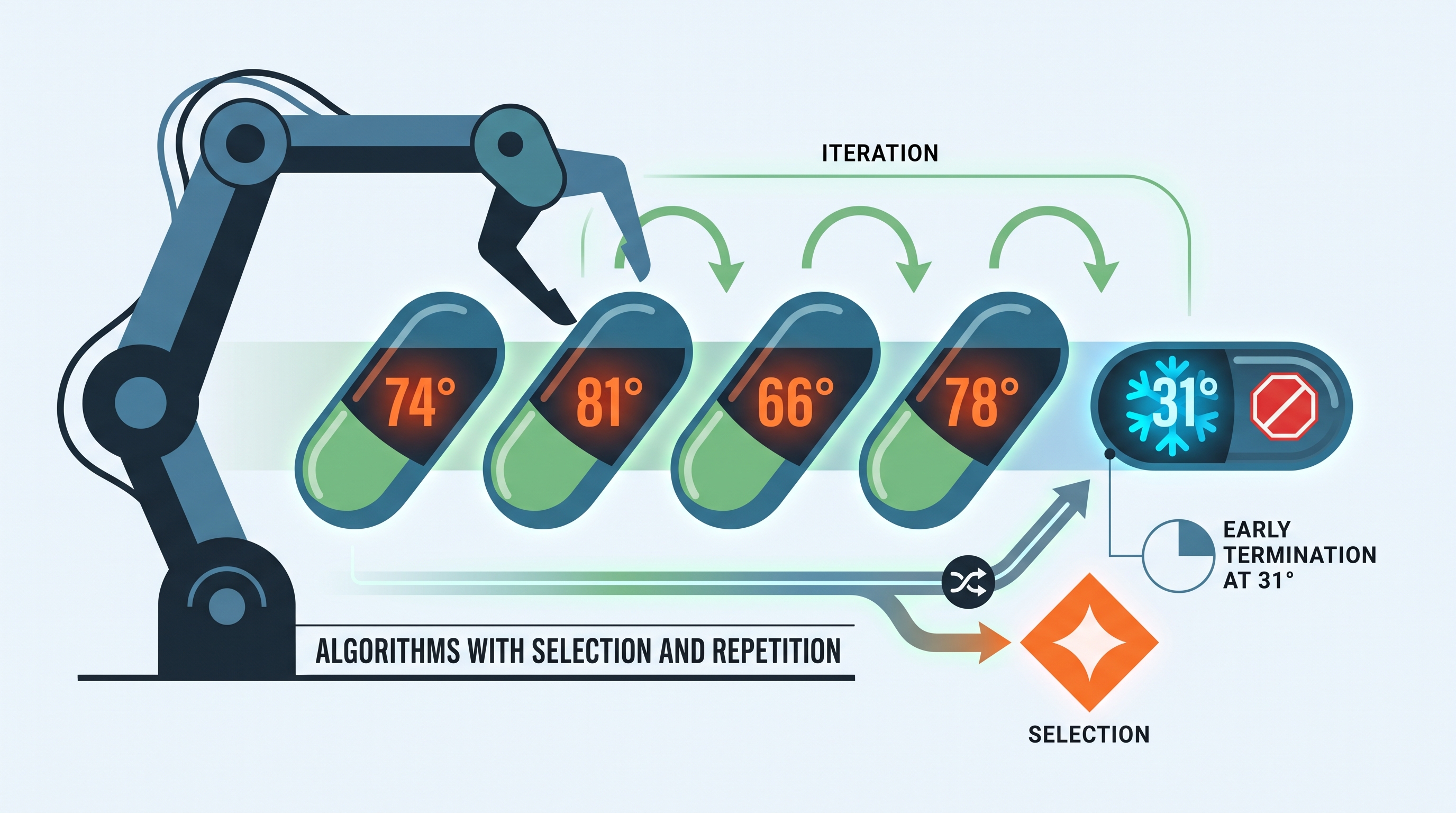
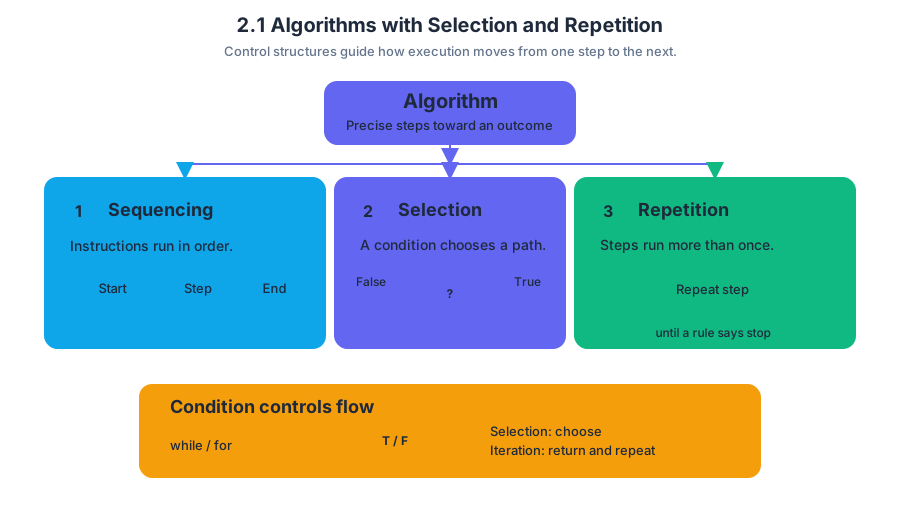
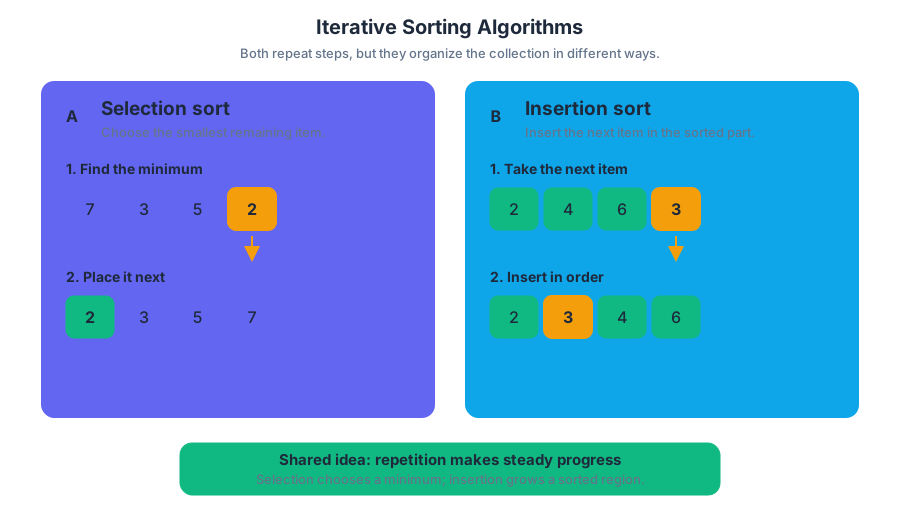
2.2 Boolean Expressions
Key concepts: Boolean literals and return values · Logical AND operator (&&) · Logical NOT operator (!) · Relational and equality comparisons · Compound Boolean expressions · Short-circuit evaluation of Boolean conditions · Finding contiguous blocks through iteration · Tracking block length with a counter · Returning a sentinel value when no block is found · Common loop-structure and variable-initialization errors
A Boolean expression evaluates to exactly one of two values: true or false. That simple choice controls whether an algorithm accepts a match, continues searching, reserves time, or reports failure.
2.2 Boolean Expressions
A Boolean expression evaluates to exactly one of two values: true or false. That simple choice controls whether an algorithm accepts a match, continues searching, reserves time, or reports failure.
Boolean values and comparisons
A Boolean literal is the value true or false written directly in a program. Methods can also return Boolean values. For example, an algorithm that searches a puzzle for two compatible entries should return true when it finds and processes a valid pair, and return false after checking every possibility without finding one.
Relational operators compare numerical values:
<,<=,>, and>=compare relative size.==tests whether two primitive values are equal.!=tests whether two values are different.
For example, duration <= 60 is true when the requested appointment lasts at most $60$ minutes. The expression i == row is true only when the two indices have the same value.
Key distinction:
=assigns a value;==compares values. A Boolean condition needs a comparison such asi == row, not an assignment such asi = row.
Java does not support mathematical chained comparisons such as 1 <= period <= 8. Write the two comparisons separately and connect them with &&:
1 <= period && period <= 8
&&: logical AND
The logical AND operator, &&, produces true only when both expressions are true.
Consider the puzzle condition:
(puzzle[i][j] + val == 10) && !(i == row && j == col)
It has two required tests:
puzzle[i][j] + val == 10checks whether the two entries add to $10$.!(i == row && j == col)checks that the candidate is not the same position as the original entry.
The inner expression i == row && j == col is true only when both the row and column match. The ! operator negates that result, so it becomes false for the same position and true for a different position.
When both requirements succeed, the algorithm performs the successful update:
puzzle[i][j] = 0;
puzzle[row][col] = 0;
return true;
If the loops finish without a valid pair, the final return false; communicates that no match exists.
!: logical NOT
The logical NOT operator, !, reverses a Boolean value:
| Expression | Result |
|---|---|
!true |
false |
!false |
true |
A common error is to read !(i == row && j == col) as “the row is different and the column is different.” That is too strong. It means “it is not true that both coordinates match,” so a candidate is allowed if either the row differs, the column differs, or both differ.
Compound conditions and short-circuit evaluation
A compound Boolean expression combines smaller Boolean expressions with operators such as &&, ||, and !. Java uses short-circuit evaluation: with A && B, Java evaluates B only if A is true, because the whole expression is already false when A is false.
This behavior is useful when the first test protects the second:
if (index >= 0 && values[index] == target)
{
    return true;
}
If index >= 0 is false, Java does not evaluate values[index], avoiding an invalid array access.
Worked example: finding a contiguous appointment
To reserve an appointment, an algorithm must find consecutive free minutes whose length equals duration. The variable blockLength counts the current uninterrupted run:
int blockLength = 0;

for (int minute = 0; minute < 60; minute++)
{
    if (isMinuteFree(period, minute))
    {
        blockLength++;
        if (blockLength == duration)
        {
            int startMin = minute - blockLength + 1;
            reserveBlock(period, startMin, duration);
            return startMin;
        }
    }
    else
    {
        blockLength = 0;
    }
}
return -1;
If a busy minute interrupts the run, blockLength resets to $0$. When it reaches duration, the starting minute is minute - blockLength + 1. If no valid block exists, -1 indicates failure.
A starting minute must leave enough room for the entire appointment. The boundary condition is:
$$ startMin < 60 - blockLength + 1 $$
Misconception check: while (i=0; i<=duration; i++) is not a counter-based Java loop. It uses assignment, includes for-loop syntax inside while, and does not examine all possible starting minutes. Initialize and update a counter in a correctly structured for or while loop.
Retrieval check
What must be true for (sum == 10) && !(sameRow && sameColumn) to be true? Why does blockLength reset when a minute is busy? Finally, identify the error in 1 <= period <= 8 and rewrite it as a valid Java Boolean expression.

2.3 if Statements
An if statement lets a Java program choose whether to execute a block of code. It is the basic mechanism behind decisions such as approving a loan, displaying a warning, or recommending a school club.
2.3 if Statements
An if statement lets a Java program choose whether to execute a block of code. It is the basic mechanism behind decisions such as approving a loan, displaying a warning, or recommending a school club.
A program reaches a fork
Imagine a museum kiosk deciding whether a visitor receives a student discount. The kiosk evaluates a condition, then follows one of two possible paths:
The condition must produce a Boolean result: true or false. If the result is true, Java executes the statement or block controlled by if; if the result is false, Java skips it and continues with the next statement.
Key definition: An if statement is a selection statement that executes a statement or block of statements only when its Boolean condition is
true.
Basic if syntax
A Java if statement has this structure:
if (condition) {
    statement;
}
The parentheses contain the condition. The braces delimit the body, the code controlled by the condition. Although braces may be omitted for a single statement, using braces consistently makes the control flow clearer and prevents accidental errors when the body later grows.
int age = 15;

if (age < 18) {
    System.out.println("Student admission price");
}

System.out.println("Enjoy the museum!");
Here, age < 18 evaluates to true, so both messages are printed:
Student admission price
Enjoy the museum!
Enjoy the museum!
If age were 22, Java would skip the first println but still execute the second one. An if statement does not stop the entire program when its condition is false; it skips only its controlled statement or block.
Worked example: a temperature warning
A greenhouse controller should display a warning whenever the temperature falls below $10$ degrees Celsius.
double temperature = 7.5;

if (temperature < 10.0) {
    System.out.println("Turn on the heater.");
}

System.out.println("Temperature recorded.");
Trace the code in execution order:
| Step | Action | Result |
|---|---|---|
| 1 | Store $7.5$ in temperature |
Variable contains $7.5$ |
| 2 | Evaluate temperature < 10.0 |
true |
| 3 | Execute the body | Prints heater message |
| 4 | Continue after the if |
Prints recording message |
The output is:
Turn on the heater.
Temperature recorded.
If the value were $12.0$, the condition would be false, the heater message would not appear, and "Temperature recorded." would still be printed. This ability to skip selected actions is what makes selection useful in larger algorithms.
if versus if-else
Use a plain if when an action is needed only in one situation. Use if-else when exactly one of two alternatives must occur.
int score = 84;

if (score >= 60) {
    System.out.println("Pass");
} else {
    System.out.println("Do not pass");
}
The two branches are mutually exclusive: Java executes the if block when the condition is true, and the else block when it is false. It never executes both branches during one pass through this statement.
Common misconception: = is not a comparison
Misconception — assignment is a condition. The operator = assigns a value; it does not ask whether two values are equal. To compare values, use == for primitive numeric or Boolean values.
int tickets = 3;

if (tickets == 0) {
    System.out.println("Sold out");
}
Another frequent error is the dangling statement:
if (tickets > 0)
    System.out.println("Tickets available.");
    System.out.println("Continue to checkout.");
Without braces, only the first println belongs to the if. The checkout message prints regardless of the ticket count. Indentation does not determine control flow; braces and Java syntax do.
AP skill connection
This topic develops Learning Objective 2.3.A and Essential Knowledge 2.3.A1–2.3.A2: selection uses a Boolean condition to determine whether a statement or block executes. It is assessed through Skill 1.B: Determine the output, value, or result of given program code, especially by tracing which branch runs, and Skill 2.A: Develop code, when writing a conditional solution to a contextual problem. Debugging an incorrect condition also exercises Skill 3.A: Identify and correct errors in a program.
Retrieval check
What does this code print?
int points = 40;

if (points >= 50) {
    System.out.println("Bonus");
} else {
    System.out.println("Keep practicing");
}

System.out.println("Score saved");
Answer: It prints "Keep practicing" and then "Score saved". Since $40 \ge 50$ is false, the else block executes; the statement after the complete if-else executes in either case.
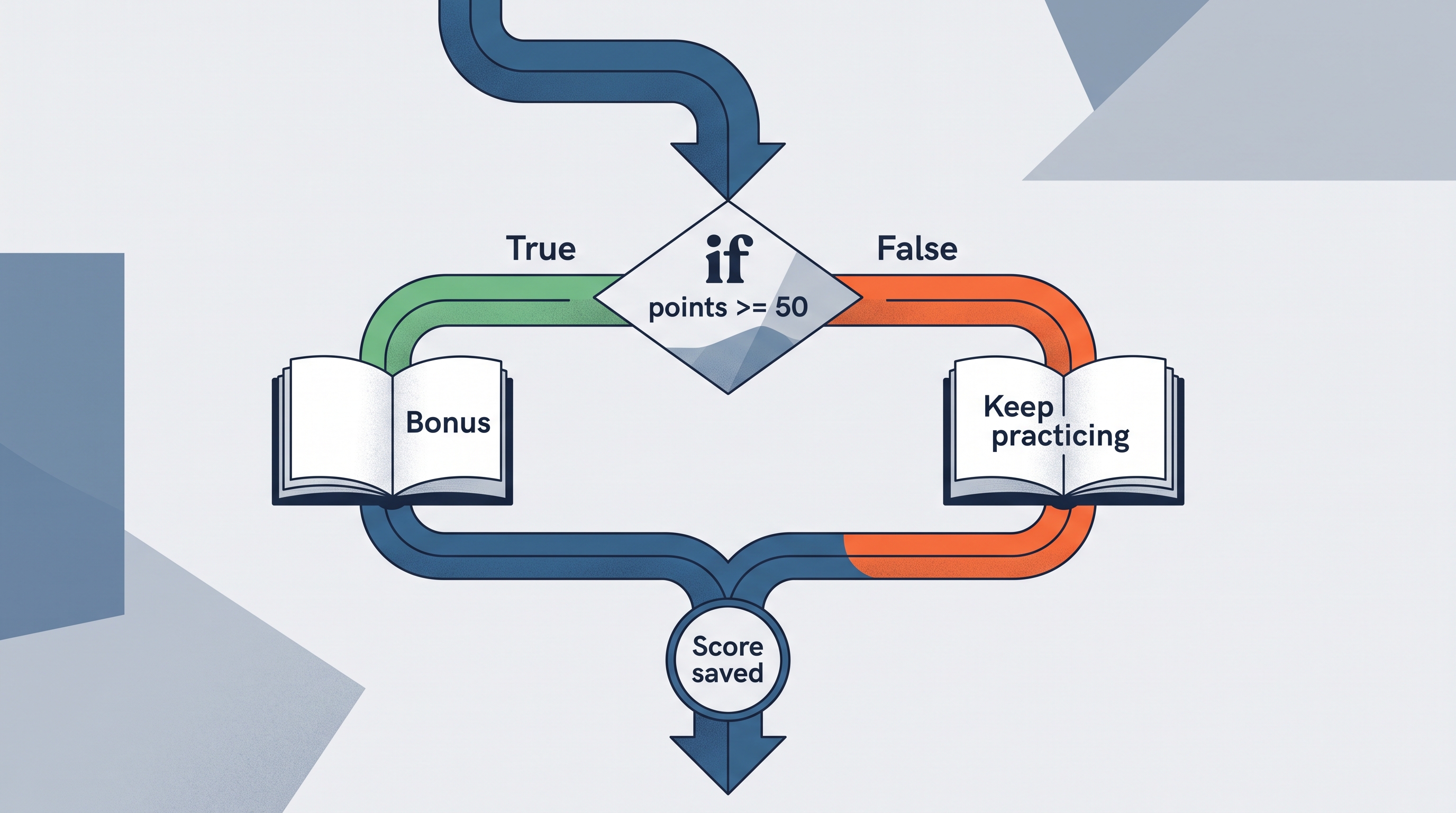
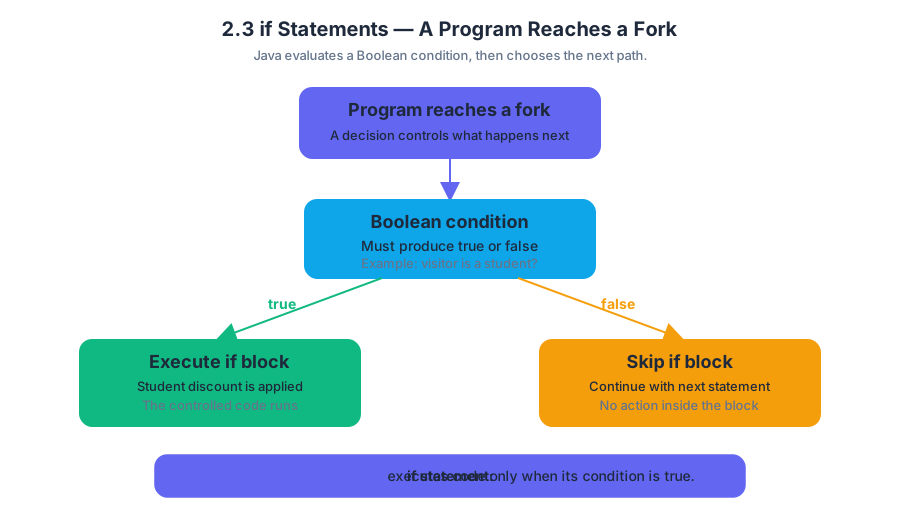
2.4 Nested if Statements
Key concepts: Nested if statements · Logical equivalence of nested conditions and the || operator · Equality comparison using == · Conditional logic · Two-dimensional array element assignment · Identifying pairs of elements · Iteration · Counting algorithms · Sequential if statements · Combining conditions with logical operators
A nested if statement places one conditional statement inside another, allowing a program to test a second condition only after a first condition succeeds. This creates a decision structure like a security checkpoint: first verify that a person has a ticket, then—only for ticket holders—check whether the ticket is…
2.4 Nested if Statements
A nested if statement places one conditional statement inside another, allowing a program to test a second condition only after a first condition succeeds. This creates a decision structure like a security checkpoint: first verify that a person has a ticket, then—only for ticket holders—check whether the ticket is for today.
Learning Objective 2.4.A — Develop code to implement nested if statements. The central knowledge statement is Essential Knowledge 2.4.A.1: nested if statements allow one condition to control whether another condition is tested.
The control-flow shape
The inner condition is unreachable when the outer condition is false. In the example below, the program prints "large and even" only when both tests succeed.
if (number > 100) {
    if (number % 2 == 0) {
        System.out.println("large and even");
    }
}
Trace the conditions in order:
- If
number > 100is false, skip the entire innerif. - If
number > 100is true, evaluatenumber % 2 == 0. - Print only if both conditions are true.
The two tests are logically equivalent to a single condition using || only when the desired outcomes are arranged appropriately. For example, two separate inner checks can represent “the elements are equal or their sum is $10$”:
if (samePair) {
    puzzle[i][j] = 0;
}
if (sumIsTen) {
    puzzle[i][j] = 0;
}
When both checks assign the same value, this can be expressed as one conditional action:
if (samePair || sumIsTen) {
    puzzle[i][j] = 0;
}
The important distinction is that nested conditions and compound conditions describe different control-flow shapes, even when they produce the same result. A nested structure is useful when the second test should occur only after the first succeeds; a combined condition is useful when several alternatives lead directly to the same action.
Worked example: identifying a matching pair
Suppose puzzle is a two-dimensional integer array. An algorithm examines candidate pairs of elements. A pair qualifies if the two elements are equal, or if their values add to $10$. When it finds the first qualifying pair, it sets the current element to $0$ and immediately returns true.
public boolean clearPair(int[][] puzzle) {
    for (int i = 0; i < puzzle.length; i++) {
        for (int j = 0; j < puzzle[i].length; j++) {
            for (int row = 0; row < puzzle.length; row++) {
                for (int col = 0; col < puzzle[row].length; col++) {
                    if (puzzle[i][j] == puzzle[row][col]) {
                        puzzle[i][j] = 0;
                        return true;
                    }

                    if (puzzle[i][j] + puzzle[row][col] == 10) {
                        puzzle[i][j] = 0;
                        return true;
                    }
                }
            }
        }
    }
    return false;
}
The first nested if uses == to test equality: it asks whether the two array elements contain the same integer value. The second nested if performs a mathematical computation and tests whether the sum equals $10$.
This exact loop structure includes self-pairs, such as comparing puzzle[i][j] with itself, and reversed duplicates, such as examining both (i, j) with (row, col) and later (row, col) with (i, j). That may cause an immediate match—for example, every element equals itself—so a production algorithm would usually need additional bounds or a condition excluding identical positions. The code above is valuable for tracing the stated nested-condition pattern, but its pair-selection policy must match the problem’s specification.
Because return true occurs inside the loops, the method does not examine every possible pair. It examines candidate pairs until the first match, clears an element of that pair, and stops. If no qualifying pair is found, execution reaches return false after all candidates have been considered.
One action can clear either element
If the algorithm’s requirement is merely to mark an identified pair as handled, assigning 0 to puzzle[i][j] may be sufficient. Assigning both puzzle[i][j] and puzzle[row][col] also clears the pair, but the scoring logic described for this pattern awards the assignment when either identified element is set correctly.
A common misconception is that = checks whether two values are equal. It does not: = assigns a value, while == compares two values. Thus puzzle[i][j] == puzzle[row][col] asks a question, whereas puzzle[i][j] = 0 changes stored data.
Two unrelated conditions
Nested or sequential if statements also handle unrelated conditions inside a larger algorithm. For example, a feeding simulation might separately determine whether birds visit and how much food is added, while another condition determines whether a bear empties the feeder. The conditions should not be accidentally nested if one event is not supposed to depend on the other.
The same reasoning appears in counting algorithms. To count the longest consecutive run of temperatures above a threshold, maintain a current count, reset it when the condition fails, and update the maximum when the current run becomes larger.
int current = 0;
int longest = 0;

for (int i = 0; i < temperatures.size(); i++) {
    if (temperatures.get(i) > threshold) {
        current++;
        if (current > longest) {
            longest = current;
        }
    } else {
        current = 0;
    }
}
This uses iteration, conditional logic, and a mathematical comparison together. The inner if can be replaced by a logical expression in an appropriate redesign, but the essential trace remains: identify the qualifying values, count consecutive successes, reset after a failure, and preserve the largest count.
Skill connection and retrieval check
This topic most directly exercises Computational Thinking Practice 2 — Develop Code when implementing nested conditions and two-dimensional assignments, and Computational Thinking Practice 3 — Analyze Code when tracing which conditions execute, which pair is found first, and when return stops iteration.
Retrieval check: If puzzle[i][j] is $6$ and puzzle[row][col] is $4$, which condition in the worked algorithm succeeds? If the values are $6$ and $6$, which condition succeeds first? Remember: the equality test is ==, the sum test is + ... == 10, and the first successful return true ends the search.
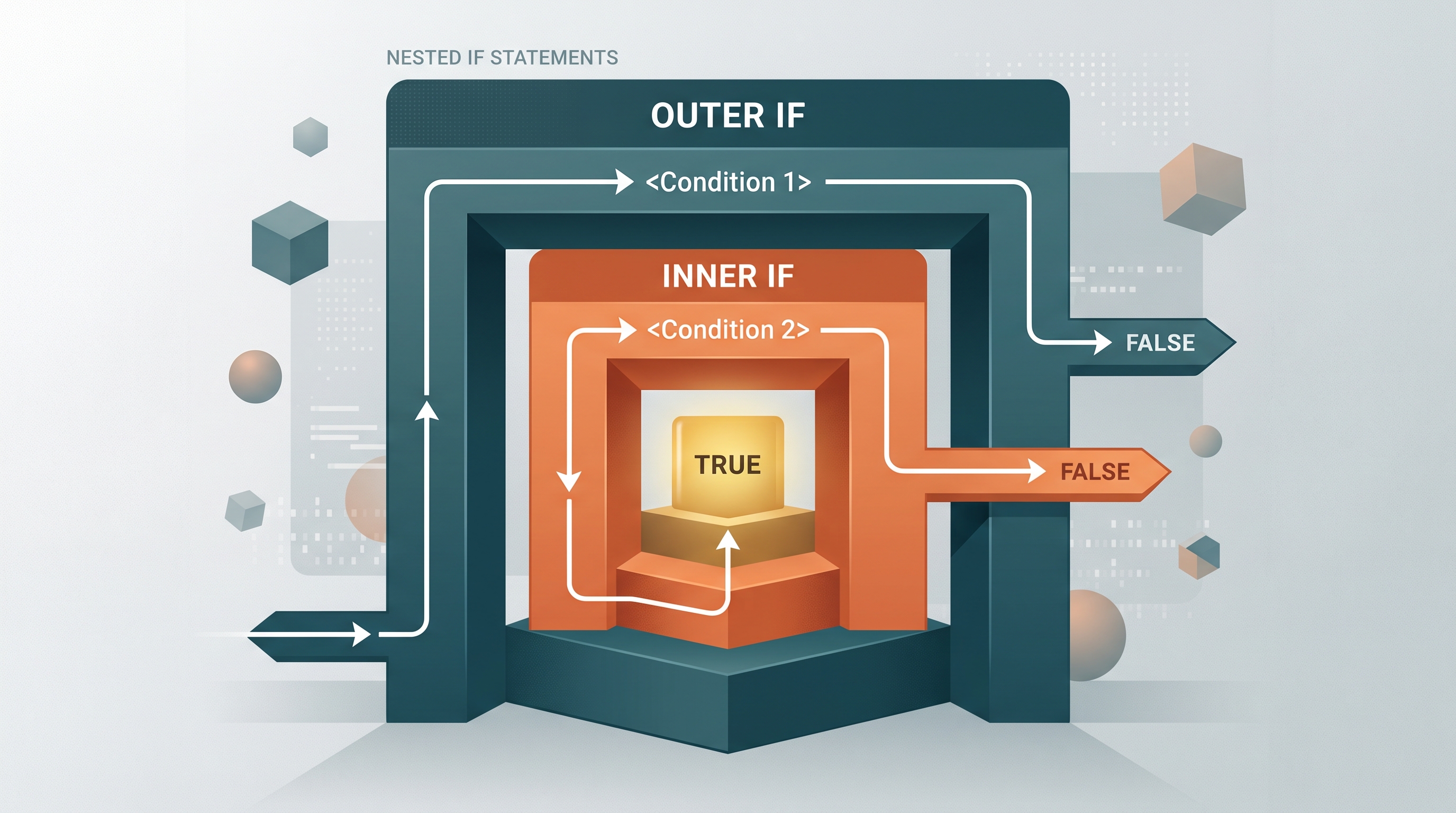
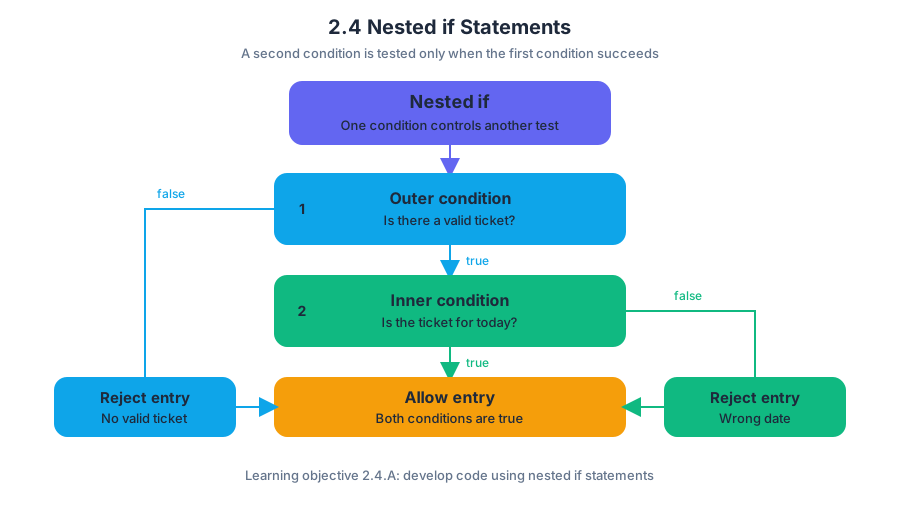
2.5 Compound Boolean Expressions
Key concepts: Compound Boolean expressions · Logical AND operator (&&) · Logical OR operator (||) · else if structures · Boolean expression evaluation · Conditional statements · Algorithm implementation · Determining program output · Guess-checker algorithms · Counting correct digits in correct locations
A compound Boolean expression combines two or more Boolean conditions into one expression that evaluates to either true or false. In Java, logical operators let one conditional statement express several acceptable or required situations at once.
2.5 Compound Boolean Expressions
A compound Boolean expression combines two or more Boolean conditions into one expression that evaluates to either true or false. In Java, logical operators let one conditional statement express several acceptable or required situations at once.
Learning Objective 2.5.A: Develop code to represent compound Boolean expressions and determine the result of these expressions.
The three logical operators are ! (not), && (and), and || (or). Each produces a Boolean result.
| Operator | Meaning | Expression is true when |
|---|---|---|
!a |
NOT | a is false |
a && b |
AND | both a and b are true |
| `a | b` |
The operators have a defined order of precedence: ! is evaluated first, then &&, then ||. Parentheses should be used when they make the intended grouping clearer, especially when && and || appear together.
Requiring several conditions with &&
The logical AND operator, &&, requires both conditions to be true. For example, the expression x >= 9 && x <= 17 is true only when x is at least $9$ and at most $17$.
if (x >= 9 && x <= 17)
{
    System.out.println("The value is in the permitted range.");
}
else
{
    System.out.println("The value is outside the permitted range.");
}
Suppose x is 12. The first condition, x >= 9, is true. The second, x <= 17, is also true, so the complete expression is true and the program prints The value is in the permitted range. If x is 20, the first condition is true but the second is false; because AND requires both conditions, the complete expression is false.
Misconception check:
x >= 9 && x <= 17does not mean “either comparison may be true.” It describes an inclusive range, so values must satisfy both boundaries.
Accepting alternatives with ||
The logical OR operator, ||, makes an expression true when the left condition, the right condition, or both conditions are true. It is useful when an algorithm allows more than one way to proceed.
Consider a program that permits access either when the number of dogs has reached its maximum or when a value lies in the range from $9$ through $17$:
if (dogs == maxDogs || (x >= 9 && x <= 17))
{
    System.out.println("Condition accepted.");
}
else
{
    System.out.println("Condition rejected.");
}
The parentheses make the intended structure visible: first evaluate the range condition with &&, then combine it with dogs == maxDogs using ||. If dogs == maxDogs is true, the entire expression is true regardless of the range. If the dog limit has not been reached, the range condition must be true.
Compound expressions and else if
An else if structure can represent alternative conditional logic. When several branches lead to the same result, the following structure expresses the same logical options as the compound expression above:
if (dogs == maxDogs)
{
    System.out.println("Condition accepted.");
}
else if (x >= 9 && x <= 17)
{
    System.out.println("Condition accepted.");
}
else
{
    System.out.println("Condition rejected.");
}
The compound version combines the alternatives into one Boolean test:
if (dogs == maxDogs || (x >= 9 && x <= 17))
{
    System.out.println("Condition accepted.");
}
These versions produce the same output because both accepted cases print the same message. They are not automatically interchangeable when the branches perform different actions: an else if structure can select a distinct action for each true condition, while a single compound condition usually treats the alternatives as one category.
Misconception check:
||does not mean “exactly one.” It is inclusive OR: the expression is also true when both conditions are true.
Tracing evaluation and execution order
Skill 3.A: Determine the result or output based on statement execution order in an algorithm. To trace a compound condition, evaluate each smaller condition, apply operator precedence, choose the branch, and then continue with the statements inside that branch.
For dogs == maxDogs || (x >= 9 && x <= 17), suppose dogs is 4, maxDogs is 6, and x is 15:
dogs == maxDogsisfalse.x >= 9istrue.x <= 17istrue.true && trueistrue.false || trueistrue.- The first branch executes, printing
Condition accepted.
Skill 2.A: Write program code to implement an algorithm. A reliable construction process is to translate the algorithm’s words directly: “both” suggests &&; “either” or “one of these options” suggests ||; “not” suggests !. Then test boundary values such as $9$, $17$, $8$, and $18$ rather than testing only an ordinary middle value.
Retrieval check
What does the following program print when dogs is 3, maxDogs is 3, and x is 2?
if (dogs == maxDogs || (x >= 9 && x <= 17))
{
    System.out.println("A");
}
else
{
    System.out.println("B");
}
Answer: It prints A. The left side of || is already true because dogs == maxDogs; therefore the complete compound expression is true, even though x is outside the range.

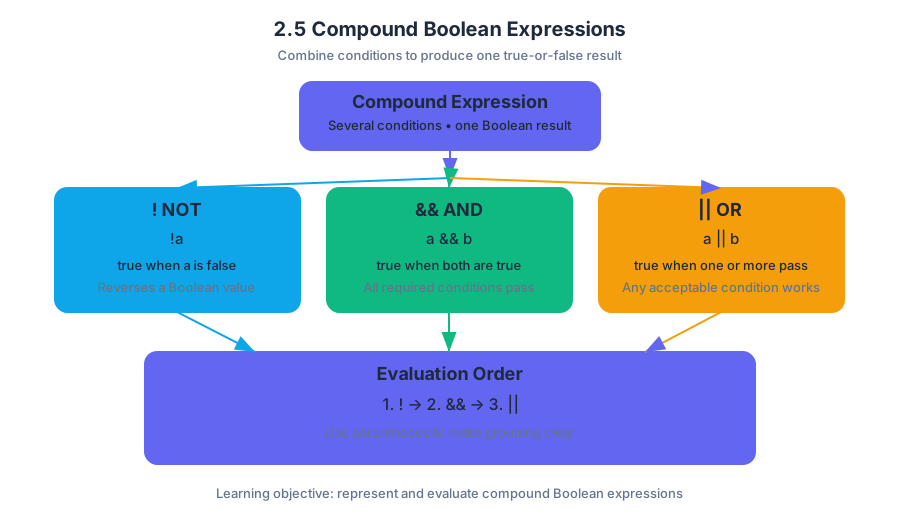
2.6 Comparing Boolean Expressions
Key concepts: Equivalent Boolean expressions · Comparing Boolean expressions · De Morgan’s laws · Logical negation with ! · Logical OR (||) · Logical AND (&&) · Comparing object references · The equals method · Boolean expressions in conditional statements · Determining results from statement execution order
Two Boolean expressions are equivalent when they produce the same Boolean result in every possible case, even if their symbols and structure look different. The practical payoff is powerful: you can replace a complicated condition with a clearer one without changing the program’s behavior.
2.6 Comparing Boolean Expressions
Two Boolean expressions are equivalent when they produce the same Boolean result in every possible case, even if their symbols and structure look different. The practical payoff is powerful: you can replace a complicated condition with a clearer one without changing the program’s behavior.
Equivalent expressions and truth tables
A truth table lists every possible combination of Boolean inputs and records the result of each expression. For two expressions to be equivalent, their result columns must match on every row—not merely on the examples you happen to test.
For example, compare !(a || b) with !a && !b. The first expression says “it is not true that at least one condition holds.” The second says “neither condition holds.” Those descriptions differ in wording but agree in every case.
| a | b | !(a || b) | !a && !b |
|---|---|---:|---:|
| false | false | true | true |
| false | true | false | false |
| true | false | false | false |
| true | true | false | false |
Because the final two columns match in all cases, the expressions are equivalent. This is the second form of De Morgan’s laws:
!(a || b)is equivalent to!a && !b.
The other De Morgan law changes a negated AND into an OR:
A reliable transformation has two steps: move the negation inward, then change the connecting operator. A negated || becomes &&; a negated && becomes ||; each individual Boolean condition is negated.
Worked example: rewriting a condition
Suppose a library allows entry only when a visitor is not a minor and does not need supervision:
!(minor || needsSupervision)
Applying De Morgan’s law gives:
The rewritten condition is often easier to read because it states the two requirements directly. It is not a new algorithm; it is an equivalent implementation of the same algorithm, satisfying Learning Objective 2.6.A: Compare equivalent Boolean expressions and Essential Knowledge 2.6.A.1, which defines equivalence through equal results in all cases. Truth tables provide the proof technique required by Essential Knowledge 2.6.A.2.
Misconception check — “matching on my test cases proves equivalence.” Testing a few inputs can suggest equivalence, but it cannot prove it for every possible input. For two variables, a complete truth table has four rows; for more variables, systematic reasoning or algebraic transformations are needed.
Comparing object references
Boolean expressions can also compare variables that hold object references. A reference is a value that identifies an object; it is not the object’s internal data. Two variables may hold references to the same object, even though the variables have different names.
String first = new String("maple");
String second = first;
String third = new String("maple");

System.out.println(first == second);  // true
System.out.println(first == third);   // false
System.out.println(first.equals(third)); // true
Here, first and second refer to one object, so first == second is true. third contains the same character sequence but refers to a separately created object, so first == third is false. The class-defined equals method compares objects according to their meaningful contents, making first.equals(third) true.
This distinction expresses Essential Knowledge 2.6.B.1 and 2.6.B.3:
==and!=compare object references—whether two variables identify the same object..equals()can compare object equivalence according to attributes defined by the class.- A class may define its own meaning of equality.
An object reference may also be compared with null, a special value meaning that the reference identifies no object:
if (ticket == null) {
    System.out.println("No ticket selected.");
}
This applies Essential Knowledge 2.6.B.2. Calling an instance method through a null reference causes an error, so checking reference != null can be necessary before using the object.
Misconception check — “== always compares object contents.” For primitive values, == compares values. For object references, it compares identity. Use the class’s .equals() method when the question is whether two objects represent equivalent data.
The topic develops Learning Objective 2.6.B: Develop code to compare object references using Boolean expressions and determine the result of these expressions. It also exercises 2.A: Write program code to implement an algorithm when a comparison controls a condition, and 3.A: Determine the result or output based on statement execution order in an algorithm when tracing the resulting Boolean values and output.
Retrieval check:
- Which expression is equivalent to
!(p && q)? - If
String x = new String("red"); String y = new String("red");, isx == ytrue or false? Isx.equals(y)true or false? - What does
nullindicate when stored in an object-reference variable?
Answers:
!p || !q.x == yisfalsebecause the objects are distinct;x.equals(y)is ordinarilytruebecause their character data matches.- The variable does not currently refer to an object. Overriding
equalsto create a new equality definition is outside the required scope; using an existing.equals()method is the essential skill.
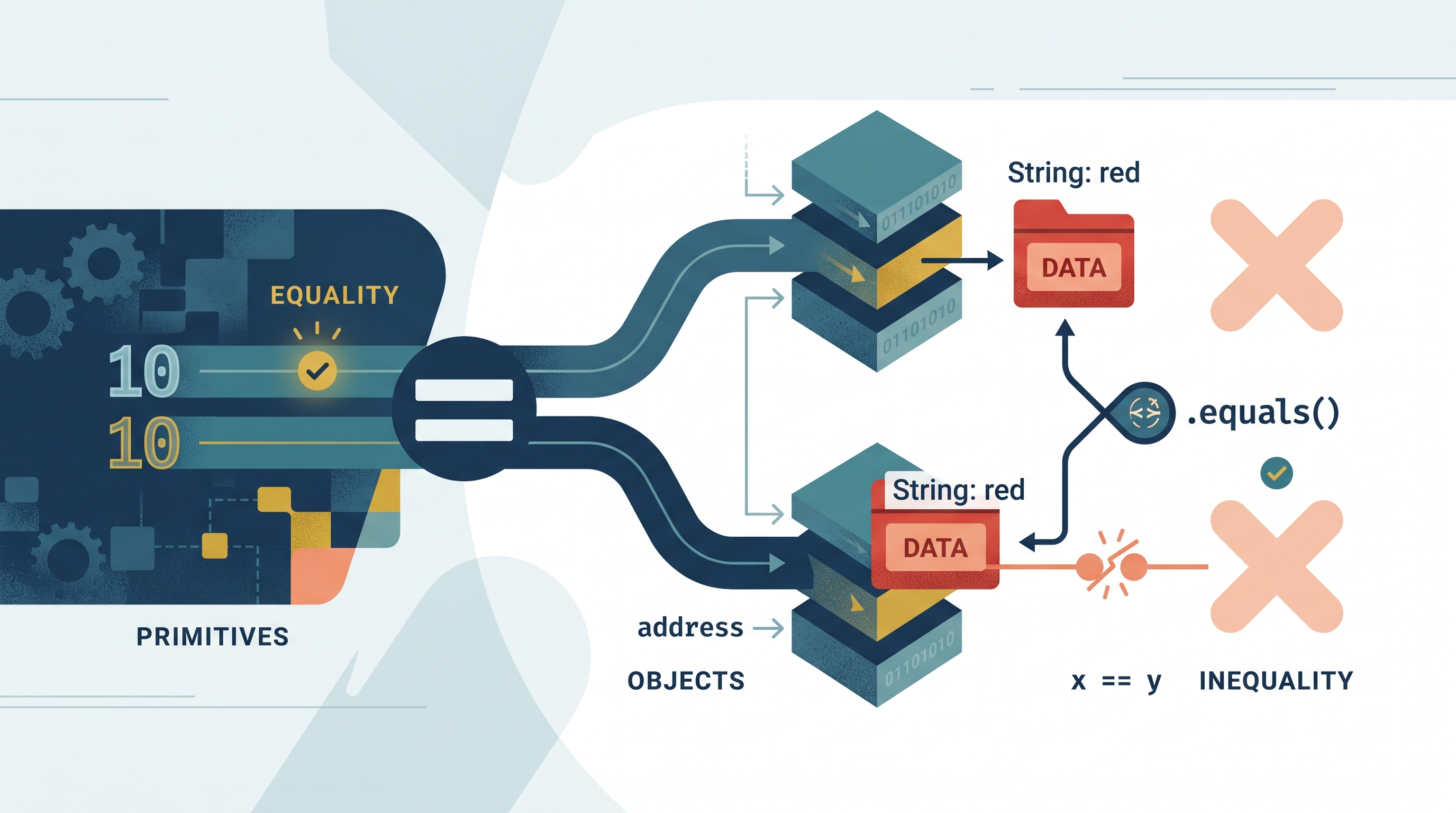
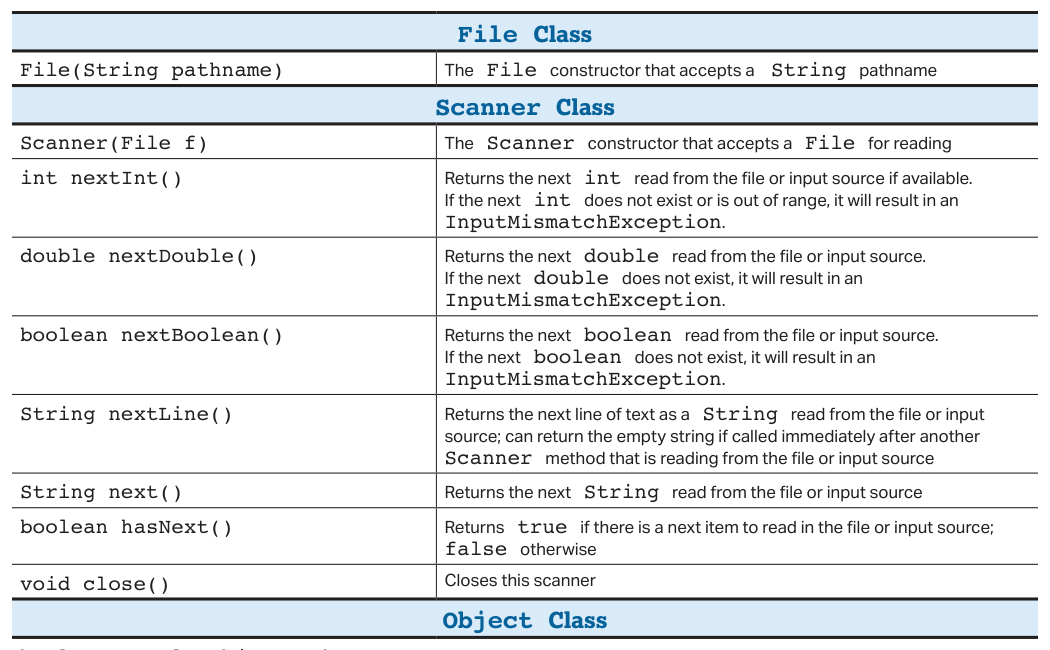
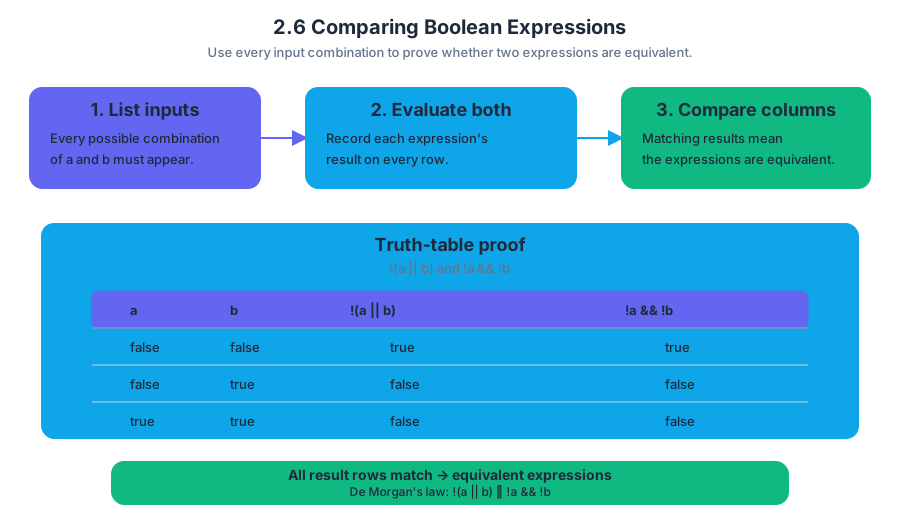
2.7 while Loops
Key concepts: while-loop syntax and condition evaluation · compound loop conditions using && and || · counter-controlled loops · sentinel conditions and loop termination · updating loop-control variables · simulating repeated days with a while loop · returning the number of completed iterations · accumulating values while traversing a 2D array · updating row and column positions from a Location · avoiding skipped elements when shifting items during traversal
A Java while loop repeats a block of code as long as its Boolean condition remains true. Unlike a for loop, which places initialization, continuation, and update expressions together, a while loop makes the stopping logic explicit—useful when repetition depends on a changing resource, a sentinel value, or a…
2.7 while Loops
A Java while loop repeats a block of code as long as its Boolean condition remains true. Unlike a for loop, which places initialization, continuation, and update expressions together, a while loop makes the stopping logic explicit—useful when repetition depends on a changing resource, a sentinel value, or a location moving through a structure.
Topic 2.7 — while Loops: A
whileloop evaluates its condition before every iteration. If the condition isfalseinitially, the body executes zero times.
The loop’s control pattern
A reliable while loop has four visible parts:
initialize loop-control variables;

while (condition) {
    perform one repetition;
    update loop-control variables;
}
The loop-control variable is the value that eventually changes the condition from true to false. If no control value changes, the loop may never terminate.
Worked example: simulating feeding days
Suppose currentFood stores the amount of food left, numDays is the maximum number of days to simulate, and simulateOneDay(numBirds) removes one day’s food. The simulation should stop either when the feeder is empty or when the requested number of days has been completed.
public int simulateManyDays(int numBirds, int numDays) {
    int daysSoFar = 0;

    while (currentFood > 0 && daysSoFar < numDays) {
        simulateOneDay(numBirds);
        daysSoFar++;
    }

    return daysSoFar;
}
The loop continues only while both facts are true:
currentFood > 0: food remains.daysSoFar < numDays: the day limit has not been reached.
The variable daysSoFar starts at $0$, the method simulates one day inside the loop, increments the counter, and returns the number of completed days after termination.
Key distinction: A loop can terminate because a counter reaches a limit, because a resource condition becomes false, or because either event occurs first.
Compound conditions: && versus ||
The operator in a compound condition determines the stopping rule. With &&, every required condition must remain true. With ||, the loop continues if at least one condition remains true.
while (currentFood > 0 && daysSoFar < numDays) {
    // Stop as soon as either condition becomes false
}
For a grid path, the loop should continue until both the final row and final column have been reached. Therefore, the continuation condition uses ||:
while (row < grid.length - 1 || col < grid[0].length - 1) {
    sum += grid[row][col];

    Location loc = getNextLoc(row, col);
    row = loc.getRow();
    col = loc.getCol();
}

return sum + grid[row][col];
Here, the body processes every position before the final position. After the loop, grid[row][col] is added separately because the loop condition is now false only when neither coordinate can advance.
Misconception check: choosing the wrong operator
Replacing || with && in the grid loop would stop too early: the loop would end as soon as either coordinate reached its final index, even if the other coordinate still needed to change. Conversely, using || when both conditions must be true can allow the loop to continue after one required condition has failed.
Sentinel-controlled loops
A sentinel is a special value that signals “stop.” It is not ordinary data and should not be processed as part of the input.
int value = input.nextInt();

while (value != -1) {
    process(value);
    value = input.nextInt();
}
The first value is tested before processing. Each iteration obtains a new value, so the loop eventually encounters $-1$ and terminates. Forgetting the update repeatedly tests the same value and creates an infinite loop; processing -1 inside the body incorrectly treats the sentinel as real data.
Traversal, searching, and safe updates
A search loop must examine the entire relevant range. It should return true immediately when a match is found, but return false only after the loop finishes without finding one.
int index = 0;

while (index < values.length) {
    if (values[index] == target) {
        return true;
    }
    index++;
}

return false;
When a loop changes the structure it traverses, its update must account for that change. For example, removing an element shifts later elements left; advancing immediately afterward can skip the element that moved into the current position. The general rule is to trace both the data movement and the loop-control update.
Retrieval check
A loop uses while (value != -1) to process input. If the first value is -1, how many times does the body execute, and why? In the feeding simulation, what two events can make while (currentFood > 0 && daysSoFar < numDays) stop? Finally, why does the grid-path loop use || rather than &&?
Answers: The sentinel loop executes zero times because its condition is false before the first iteration. The feeding loop stops when food reaches zero or the day limit is reached. The grid loop uses || so it continues while either the row or column still has not reached its final position.
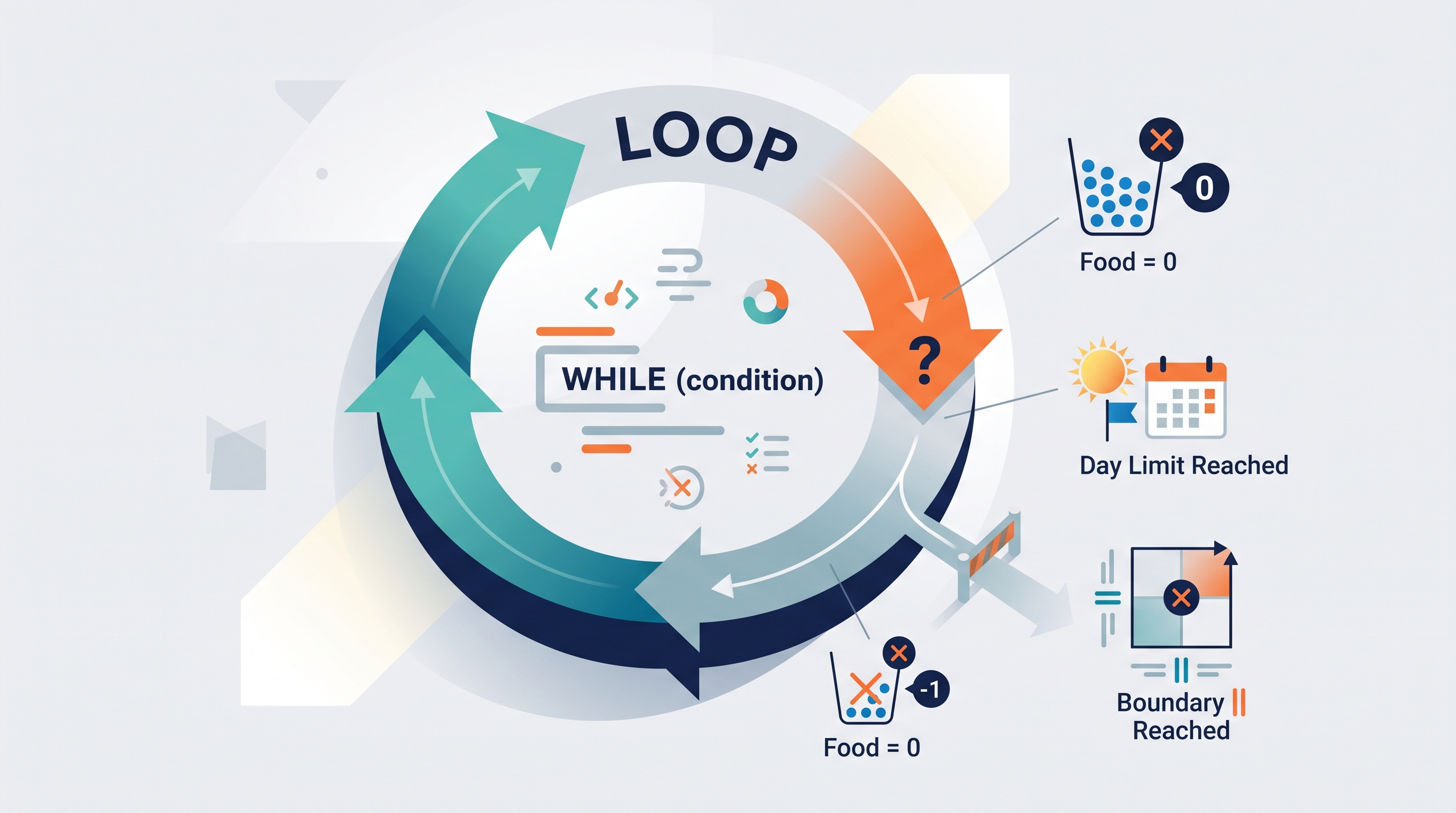
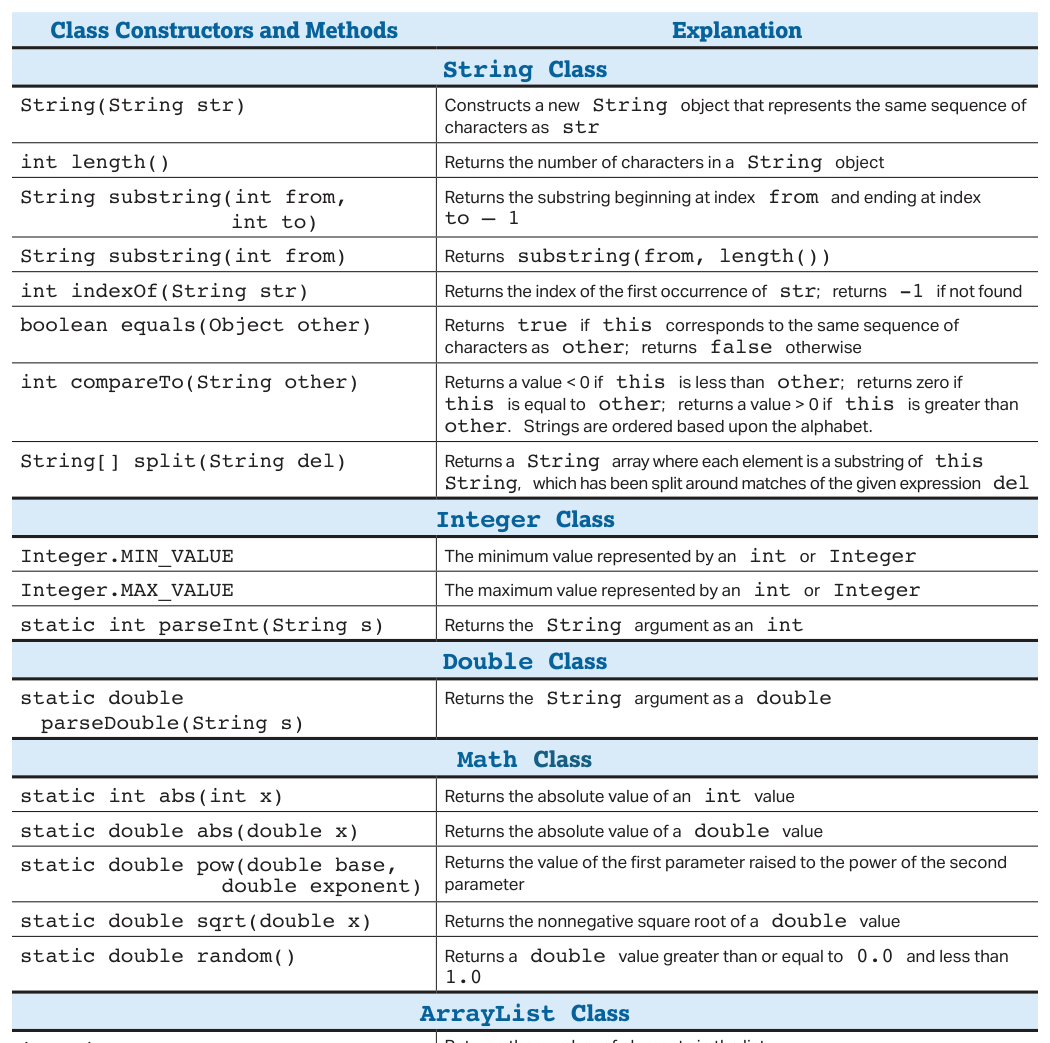
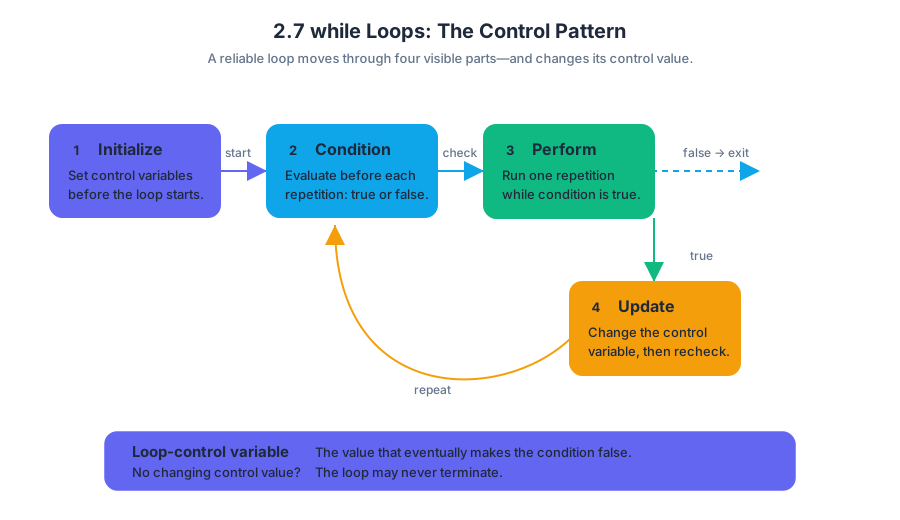
2.8 for Loops
Key concepts: for-loop syntax and iteration · nested for loops · row-major and column-major traversal of 2D arrays · enhanced for loops · array modification limitations with enhanced for loops · loop counters and accumulator variables · variable scope within curly-brace blocks · loop initialization and termination conditions · traversing ArrayLists with for loops · using loops to search and update array elements
A for loop is a compact way to repeat an action while a counter moves through a predictable range. Its three-part header answers three questions in order: Where does the counter start?
2.8 for Loops
A for loop is a compact way to repeat an action while a counter moves through a predictable range. Its three-part header answers three questions in order: Where does the counter start? When should repetition continue? How does the counter change?
for (int i = 0; i < 5; i++)
{
    System.out.println(i);
}
The execution pattern is:
initialize i = 0
        ↓
test i < 5 ── false ──→ stop
        │ true
        ↓
run loop body
        ↓
update i++
        └──────────────→ test again
The output is 0, 1, 2, 3, and 4. The counter reaches 5, but the body does not run for i = 5 because the condition is tested before each iteration. A common misconception is that the upper bound is included; in i < 5, it is not.
Counters, accumulators, and scope
A counter tracks position or repetition count. An accumulator preserves a growing result, such as a total or rank. Any variable whose value must survive from one iteration to the next must be declared before the loop.
int rank = 1;

for (int i = 0; i < competitorList.size() / 2 + 1; i++)
{
    System.out.println("Rank " + rank);
    rank++;
}
Here, rank is initialized once, used during each iteration, and increased with rank++. If rank were declared inside the loop, it would be recreated on every pass and would repeatedly return to its initial value. The bound competitorList.size() / 2 + 1 is recalculated from the number of elements in the ArrayList; because valid indexes stop at size() - 1, the loop must be checked carefully for the intended number of elements.
Java also restricts a variable to the scope—the region of code where that name is accessible—of the block in which it is declared.
int start = useLater ? 2 : 0;

if (useLater)
{
    start = 2;
}

for (int i = start; i < 6; i++)
{
    System.out.println(i);
}
The first declaration guarantees that start receives a value on every path. Java’s definite-assignment rule requires a local variable to be assigned before it is used. Declaring start only inside if (useLater) and then using it afterward causes a compile-time error when useLater is false. Another valid design is to place the for loop inside the if block.
Nested loops and 2D arrays
A 2D array is naturally traversed with nested loops: the outer loop chooses a row, and the inner loop visits positions within that row.
Row-major order completes one row before moving to the next row.
for (int row = 0; row < numRows; row++)
{
    for (int col = 0; col < numCols; col++)
    {
        process(puzzle[row][col]);
    }
}
For a $3 \times 4$ array, the access order begins
(0,0) → (0,1) → (0,2) → (0,3)
                 ↓
(1,0) → (1,1) → (1,2) → (1,3)
                 ↓
(2,0) → (2,1) → (2,2) → (2,3)
Column-major order reverses the roles: the outer loop chooses a column, and the inner loop moves down that column.
for (int col = 0; col < numCols; col++)
{
    for (int row = 0; row < numRows; row++)
    {
        process(puzzle[row][col]);
    }
}
Row-major traversal visits (0,0), (0,1), (1,0). Column-major traversal visits (0,0), (1,0), (0,1). The same elements are visited, but the order can change the result whenever the operation depends on sequence.
Updating every cell
Standard loops provide indexes, so they can both read and modify array elements. For example, each cell of puzzle can receive a random integer from $1$ through $9$:
for (int row = 0; row < numRows; row++)
{
    for (int col = 0; col < numCols; col++)
    {
        puzzle[row][col] = (int) (Math.random() * 9) + 1;
    }
}
Math.random() * 9 produces a value from $0$ up to, but not including, $9$. Casting to int discards the fractional part, producing an integer from $0$ through $8; adding 1` shifts the range to $1$ through $9$.
Enhanced for loops
An enhanced for loop visits each element without exposing an index:
String[] names = {"Ari", "Bo", "Cy"};

for (String name : names)
{
    System.out.println(name);
}
This is excellent when the task is simply “process every element.” However, name is not an index and assigning a new value to it does not replace the corresponding array element:
for (String name : names)
{
    name = "Guest";       // changes only the local loop variable
}
To modify the original array, use a standard loop:
for (int i = 0; i < names.length; i++)
{
    names[i] = "Guest";
}
Nested enhanced loops can traverse a 2D array because the outer variable represents a row and the inner variable represents an element in that row. They remain less suitable when indexes are needed for assignment, position reporting, or controlled traversal. Also remember that return exits the entire method immediately, not merely the current loop.
Retrieval check
For the code below, identify the traversal order and the final value of count.
int count = 0;

for (int col = 0; col < 3; col++)
{
    for (int row = 0; row < 2; row++)
    {
        count++;
    }
}
Answer: column-major order, because the column loop is outermost; count finishes at $6$, because the body runs for $3 \times 2$ cells. If you need to change the cells themselves, use indexed loops rather than an enhanced loop.
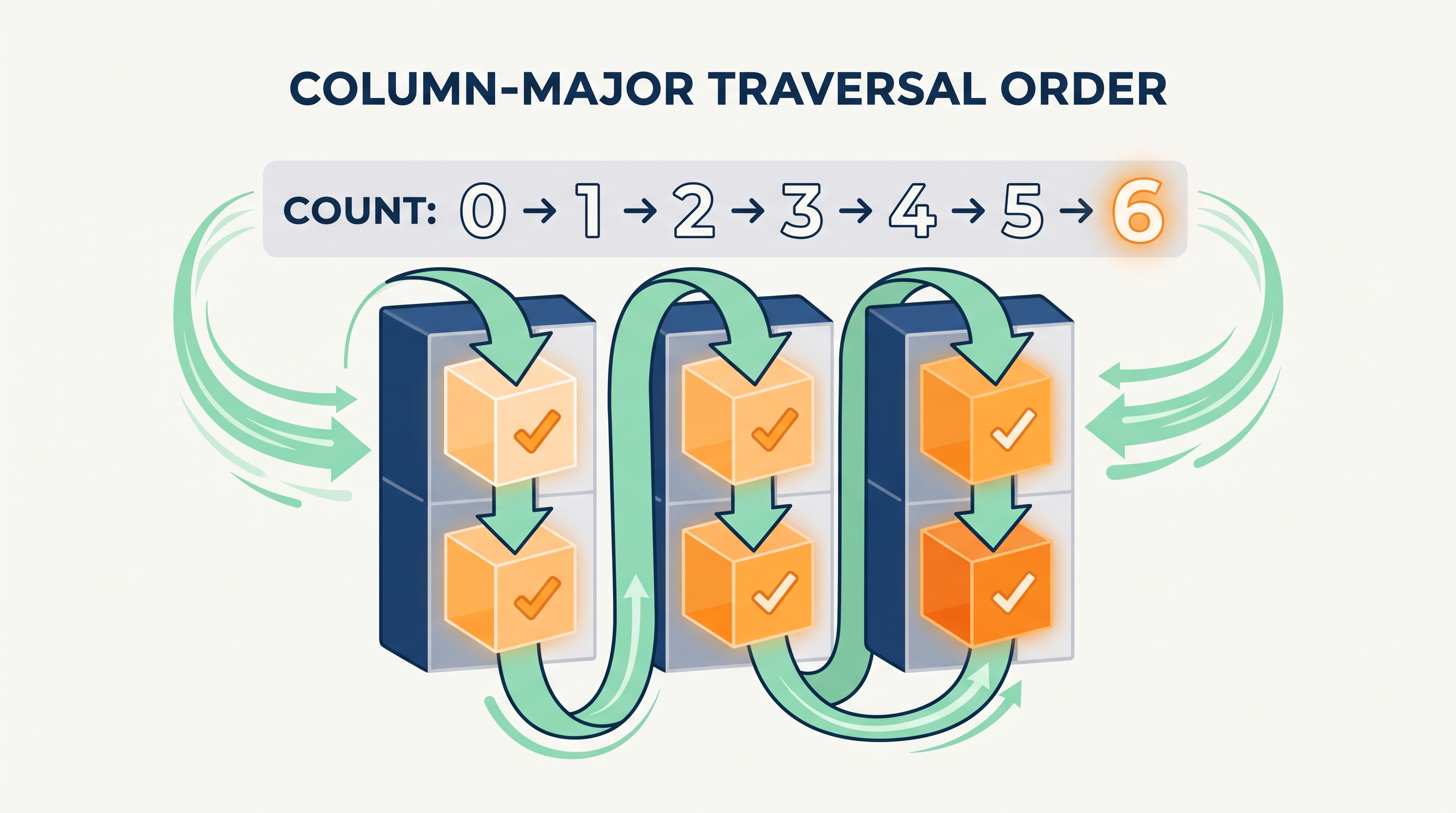
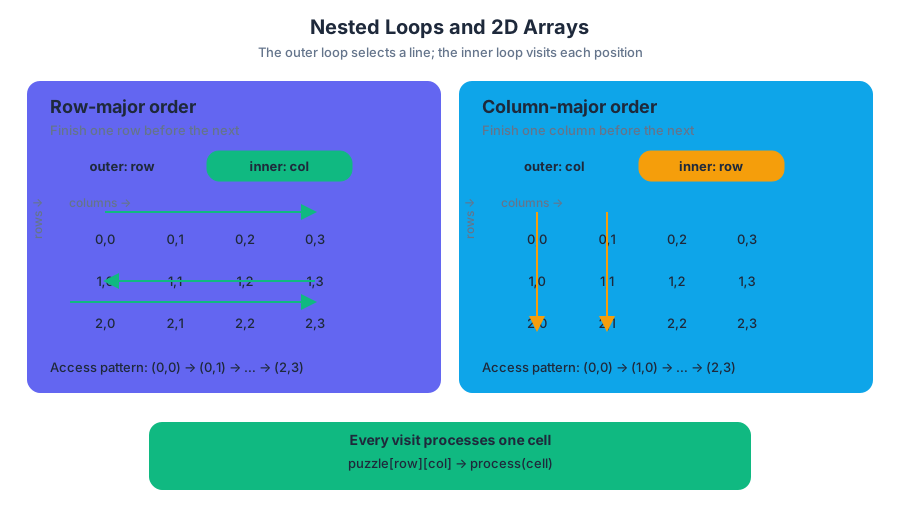
2.9 Implementing Selection and Iteration Algorithms
Key concepts: Selection algorithms · Iteration algorithms · Implementing algorithms in program code · for loops · while loops · Equivalence between for loops and while loops · AP Computer Science A Unit 2: Selection and Iteration · Suggested Skill 2.A · Suggested Skill 3.A · Suggested Skill 4.A
A useful algorithm is more than a clever idea: it is a sequence of instructions that makes a decision, repeats a process, or both. In Java, selection chooses among paths of execution, while iteration repeats a block of code until a condition or counting rule says to stop.
2.9 Implementing Selection and Iteration Algorithms
A useful algorithm is more than a clever idea: it is a sequence of instructions that makes a decision, repeats a process, or both. In Java, selection chooses among paths of execution, while iteration repeats a block of code until a condition or counting rule says to stop.
Learning Objective 2.9.A: Develop code for standard and original algorithms, without data structures, and determine the result of these algorithms.
The topic is associated with Practices 2, 3, and 4: Develop Code, Analyze Code, and Document Code and Computing Systems. Its suggested skills are 2.A: Write program code to implement an algorithm, 3.A: Determine the result or output based on statement execution order in an algorithm, and 4.A: Describe the behavior of a code segment or program.
The algorithmic toolkit
Selection and iteration work together like a sorting station. A conveyor belt repeatedly presents items; a decision gate examines each item and sends it down a particular path.
| Structure | Question it answers | Typical Java form |
|---|---|---|
| Selection | “Which action should happen?” | if, else if, else |
| Iteration | “How many times should this action happen?” | for or while |
| Combined algorithm | “Repeat a process, making decisions along the way” | loop containing if |
Essential Knowledge 2.9.A.1 identifies standard algorithms that can be implemented with these structures:
- determine whether one integer is evenly divisible by another;
- identify the individual digits in an integer;
- determine how frequently a criterion is met;
- determine a minimum or maximum value; and
- compute a sum or average.
Worked example: analyzing a rainfall record
Suppose a weather station receives one rainfall measurement at a time. Without using an array or other data structure, the program should count how many measurements are at least $10$ millimeters and calculate the total rainfall.
The algorithm needs three variables: total stores the running sum, heavyDays stores the frequency of measurements meeting the criterion, and measurement stores the current input.
int total = 0;
int heavyDays = 0;

for (int day = 1; day <= 5; day++) {
    int measurement = /* next rainfall measurement */;
    total += measurement;

    if (measurement >= 10) {
        heavyDays++;
    }
}

double average = total / 5.0;
The loop performs the same sequence for each of the five days. On every iteration, the assignment updates total; the selection updates heavyDays only when the current measurement satisfies measurement >= 10. After the loop, average is computed from the completed sum.
A useful invariant—a condition that remains true at a particular point in every repetition—is: before the next day begins, total equals the sum of all measurements already processed, and heavyDays equals the number of processed measurements that are at least $10$. This makes the algorithm easier to trace and debug.
Standard integer algorithms
Selection can test a remainder, while iteration can process digits or count events. For example, n % d == 0 is true exactly when integer n is evenly divisible by integer d, provided d is not zero.
To inspect the digits of a positive integer from right to left, repeatedly use number % 10 to obtain the last digit, then use integer division by $10$ to remove it:
int number = 4826;

while (number > 0) {
    int digit = number % 10;
    System.out.println(digit);
    number /= 10;
}
The output is 6, 2, 8, 4. The algorithm reverses the visual order because it removes the rightmost digit first. A selection statement can be added inside the loop to count even digits, test for a particular digit, or track a maximum.
Translating a for loop into a while loop
A for loop is not a fundamentally different kind of repetition. Its three control actions can be written explicitly in a while loop:
for (int count = 1; count <= 4; count++) {
    System.out.println(count);
}
int count = 1;              // initialization

while (count <= 4) {        // condition test
    System.out.println(count);
    count++;                // update
}
The equivalence depends on preserving the order: initialize once, test before each execution, run the body, then update. Moving the update before the body or forgetting it can change the result or create an infinite loop.
Misconception check: “The loop does the algorithm by itself”
Misconception: Any loop automatically computes the desired result. Correction: A loop only supplies repetition. The algorithm also needs correctly initialized variables, a meaningful condition, an update that makes progress, and selection logic that changes the result when a criterion is met.
Another frequent error is using total / 5 when both operands are integers. Java performs integer division first, potentially discarding the fractional part; total / 5.0 produces a double result.
Retrieval check
What must be added when converting for (int i = 0; i < 6; i++) to a while loop? State the three parts and identify where each appears.
Answer: Initialize i to $0$ before the loop, test i < 6 in the while condition, and update i—usually with i++—inside the loop body after the repeated work. If the update is missing, the condition remains true and the loop may never terminate.
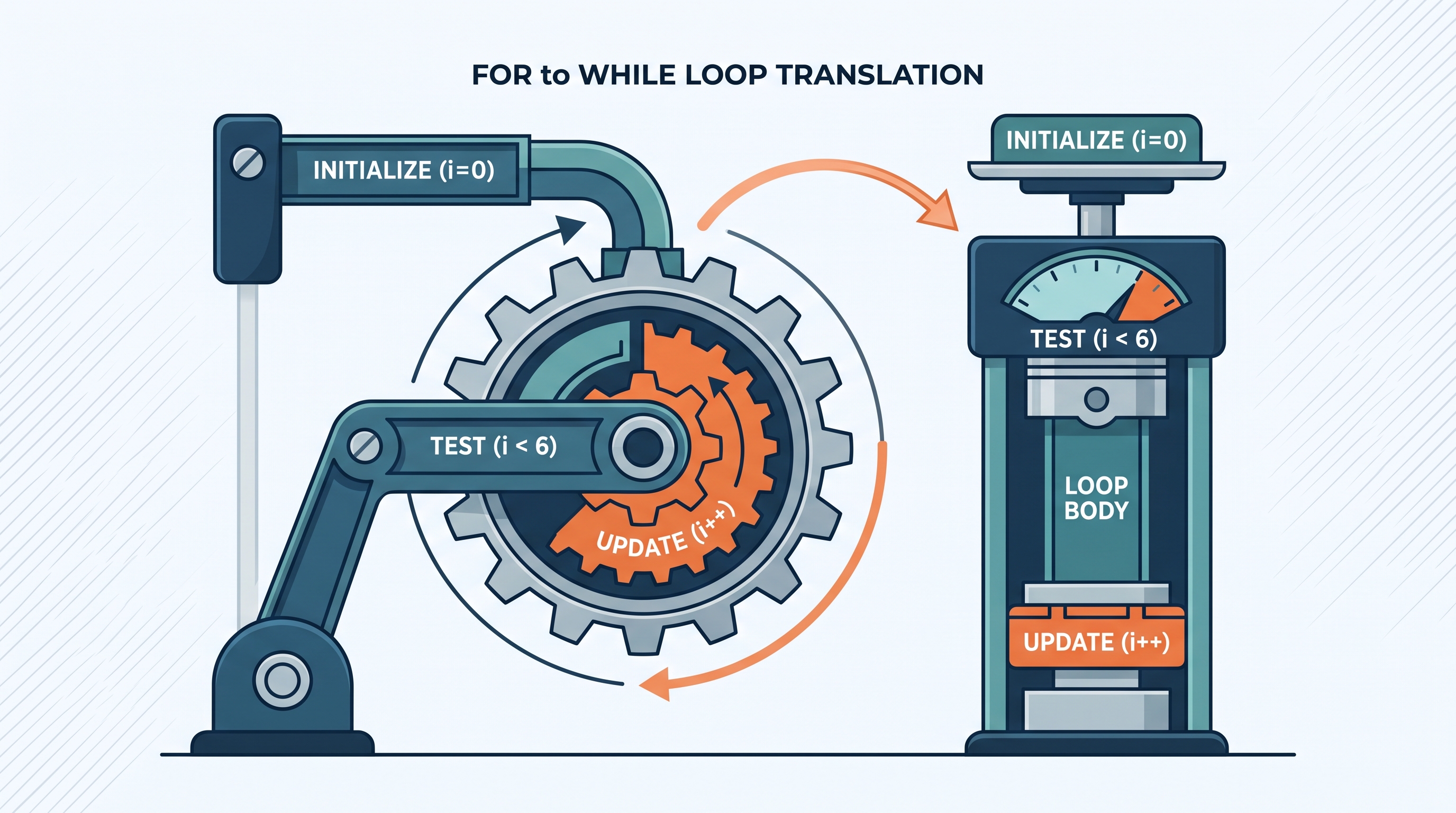
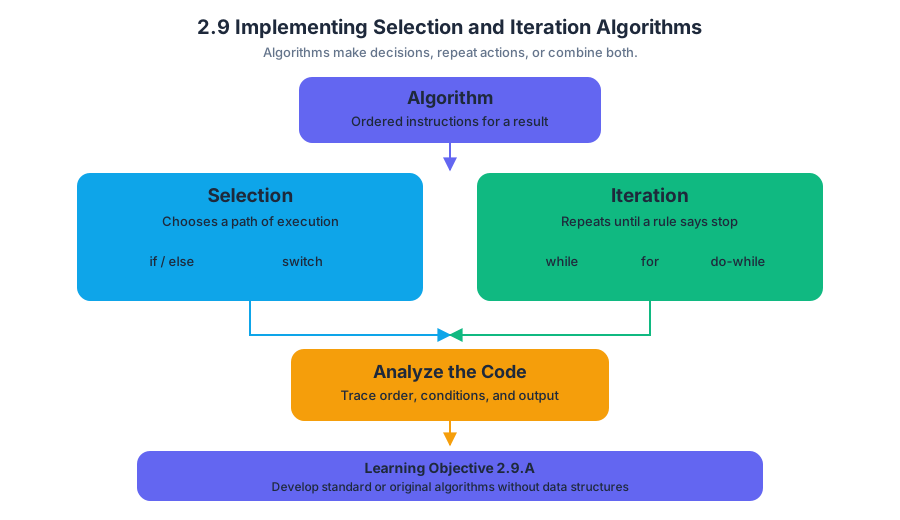
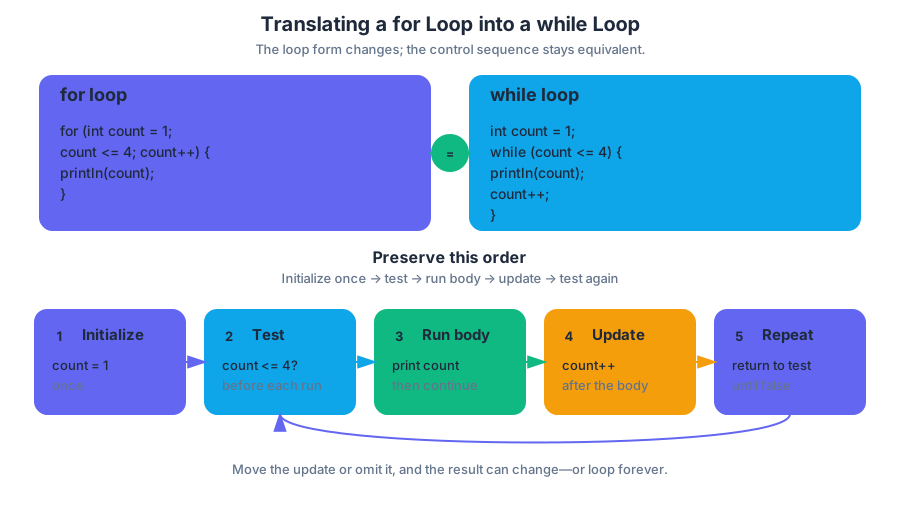
2.10 Implementing String Algorithms
Key concepts: Procedural abstractions and method implementation · Conditional statements using if-else · Boolean comparisons such as whosActive == true · String concatenation with the + operator · Producing output with System.out.print · Processing ArrayList<String> data · Accessing adjacent list elements with get(i) and get(i + 1) · Determining program output from code · Identifying and correcting compilation or logic errors
A string algorithm treats text as data: it can inspect characters, compare words, join pieces, search for a substring, or produce a new text value.
2.10 Implementing String Algorithms
A string algorithm treats text as data: it can inspect characters, compare words, join pieces, search for a substring, or produce a new text value. In Java, even a short expression such as tOne + "-" + tTwo is an algorithmic step because it constructs a new String from smaller values.
Learning Objective 2.10.A: Develop code for standard and original algorithms that involve strings and determine the result of these algorithms.
Essential Knowledge 2.10.A.1: Standard string algorithms include finding whether one or more substrings have a particular property, processing strings to produce new strings, and examining or comparing string values.
A method can choose and construct different strings
A procedural abstraction is a named method that packages steps behind a method call. To determine its result, trace both the method’s inputs and the values already stored in the object.
Consider a scoreboard method. The Boolean variable whosActive identifies which team is currently active, while tOne, tTwo, tOneName, and tTwoName hold scores and team names.
public String getScore() {
    if (whosActive == true) {
        return tOne + "-" + tTwo + "-" + tOneName;
    }
    else {
        return tOne + "-" + tTwo + "-" + tTwoName;
    }
}
Suppose whosActive is true, tOne is "3", tTwo is "5", tOneName is "Falcons", and tTwoName is "Tigers". The if condition is true, so Java evaluates:
$$ \texttt{"3"} + \texttt{"-"} + \texttt{"5"} + \texttt{"-"} + \texttt{"Falcons"} $$
The result is the single string "3-5-Falcons". If whosActive is false, the else branch constructs "3-5-Tigers" instead.
Printing is not returning
System.out.print displays a constructed string on the output screen; it does not provide the value required by a method declared with return type String. Therefore, this version does not compile successfully:
public String getScore() {
    if (whosActive == true) {
        System.out.print(tOne + "-" + tTwo + "-" + tOneName);
    }
    else {
        System.out.print(tOne + "-" + tTwo + "-" + tTwoName);
    }
}
The method promises to return a String, but neither path contains a return statement. Replace System.out.print with return when the caller needs the value. Use System.out.print only when the method’s purpose is to display output and its return type is void.
Misconception check — “The screen shows the answer, so the method returned it.”
False. Displaying "3-5-Falcons" and returning "3-5-Falcons" are different operations. A caller can store or further process a returned string; printed output is merely sent to the console.
String construction and malformed literals
The + operator concatenates strings from left to right. If every operand is a String, Java joins their character sequences rather than performing arithmetic. Thus, "3" + "-" + "5" becomes "3-5".
A quoted string must have a matching closing quotation mark. This statement is malformed and will not compile:
System.out.print("Score: 3-5);
The corrected statement closes the string literal:
Misconception check — “Quotes are optional around text.”
No. Java requires quotation marks around a string literal. Without them, Java tries to interpret the text as identifiers or encounters an unterminated literal.
Processing neighboring strings in an ArrayList
String algorithms can process collections of text. In an ArrayList<String>, wordList.get(i) retrieves the element at index i, while wordList.get(i + 1) retrieves the immediately following element. Comparing these neighboring values is useful when a method must detect adjacent matching words, combine them, or create a filtered result.
public ArrayList<String> createList(String target,
                                    ArrayList<String> wordList) {
    ArrayList<String> list = new ArrayList<String>();

    for (int i = 0; i < wordList.size() - 1; i++) {
        String first = wordList.get(i);
        String second = wordList.get(i + 1);

        if (first.equals(target) && second.equals(target)) {
            list.add(first + " " + second);
        }
    }

    return list;
}
The loop stops at wordList.size() - 2 because the final valid neighboring pair is (size - 2, size - 1). If the loop allowed i to equal wordList.size() - 1, wordList.get(i + 1) would access an index outside the list.
AP skills in action
- 2.C — Write program code involving procedural abstractions: implement methods such as
getScoreandcreateList. - 3.C — Determine the result or output based on code that contains procedural abstractions: trace the selected branch, concatenation order, and printed or returned value.
- 3.D — Explain why a code segment will not compile or work as intended and modify the code to correct the error: identify missing returns, malformed quoted strings, and unsafe neighboring-index access.
Retrieval check: If whosActive is false, tOne is "8", tTwo is "2", and tTwoName is "Owls", what string does the corrected getScore return? What would change if the method used System.out.print instead of return?
Answer: It returns "8-2-Owls". With System.out.print, the text would appear on the screen, but a method declared as String would still need a returned value.
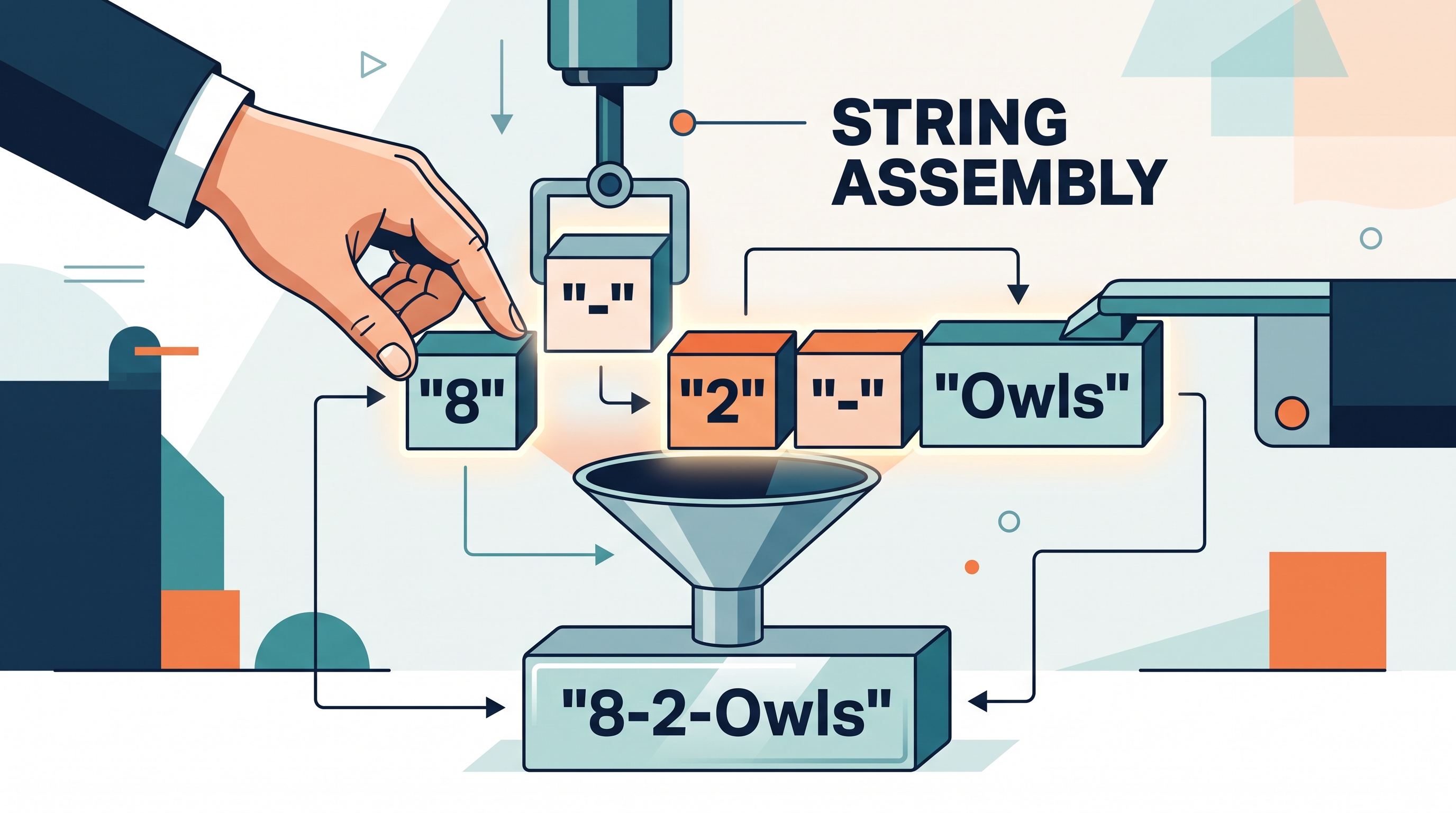
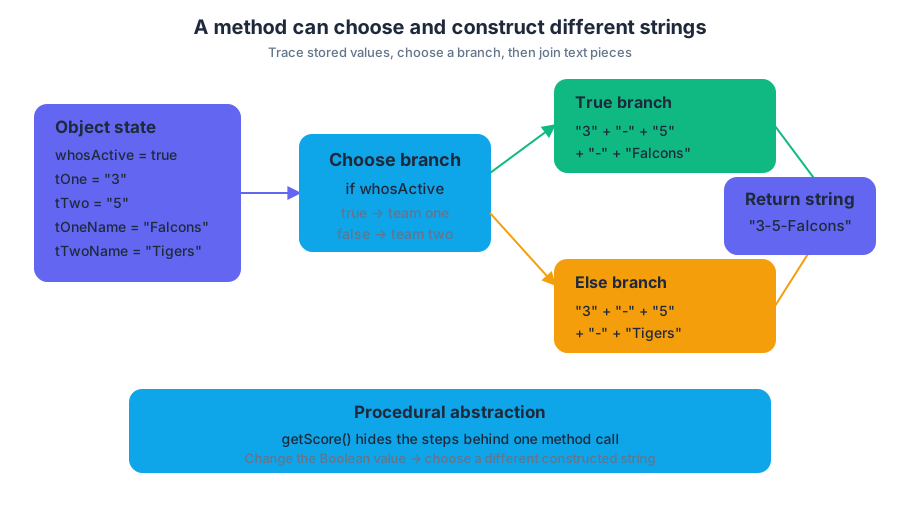
2.11 Nested Iteration
Nested iteration places one loop inside another, allowing a program to repeat an entire sequence of actions for every pass of an outer loop. It is the natural tool for processing grids, tables, schedules, and every pair of items in a collection.
2.11 Nested Iteration
Nested iteration places one loop inside another, allowing a program to repeat an entire sequence of actions for every pass of an outer loop. It is the natural tool for processing grids, tables, schedules, and every pair of items in a collection.
The two-loop mental model
Imagine a hotel with several floors, each containing several rooms. The outer loop visits one floor at a time; the inner loop visits every room on the current floor. Only after the inner loop finishes does the outer loop move to the next floor.
for (int floor = 1; floor <= 3; floor++) {
    for (int room = 1; room <= 4; room++) {
        System.out.println("Floor " + floor + ", room " + room);
    }
}
The execution order is:
floorbecomes1.- The inner loop prints rooms
1through4. floorbecomes2.- The inner loop starts over at room
1and prints rooms1through4. - The same process occurs for floor
3.
The output contains $3 \times 4 = 12$ lines. The inner loop executes $4$ times for each of the $3$ outer-loop iterations.
A nested loop as a grid traversal
A two-dimensional array is organized by rows and columns. A standard traversal uses the outer loop for rows and the inner loop for columns:
int[][] temperatures = {
    {72, 75, 71},
    {68, 70, 69},
    {80, 78, 81}
};

for (int row = 0; row < temperatures.length; row++) {
    for (int col = 0; col < temperatures[row].length; col++) {
        System.out.print(temperatures[row][col] + " ");
    }
    System.out.println();
}
The outer loop selects a row. The inner loop uses temperatures[row].length, so it visits exactly the valid columns in that row. This matters because Java two-dimensional arrays may be ragged: different rows can have different lengths.
Worked example: finding the hottest reading
Suppose each row represents one day and each column represents a measurement taken that day. To find the largest reading, initialize a variable before either loop, then compare every element with it:
int[][] readings = {
    {14, 18, 13},
    {21, 19, 17},
    {16, 24, 20}
};

int maximum = readings[0][0];

for (int row = 0; row < readings.length; row++) {
    for (int col = 0; col < readings[row].length; col++) {
        if (readings[row][col] > maximum) {
            maximum = readings[row][col];
        }
    }
}

System.out.println(maximum);  // 24
Trace the key moment: when row is 2 and col is 1, the program examines 24, finds that it exceeds the current maximum, and updates maximum. Every other value is also examined, so no candidate is skipped.
Nested while loops
Nested iteration is not limited to for loops. The same structure can use while loops, but each loop needs its own initialization, condition, and update:
int row = 0;

while (row < readings.length) {
    int col = 0;

    while (col < readings[row].length) {
        System.out.print(readings[row][col] + " ");
        col++;
    }

    System.out.println();
    row++;
}
The inner variable col must be reset to 0 each time the outer loop advances to a new row. If it is initialized only once before the outer loop, the inner loop will work for the first row but may never run again.
Common misconception: “The inner loop runs only once”
Misconception: The inner loop runs once for the entire program. Correction: It runs once per outer-loop iteration. If the outer loop executes $r$ times and the inner loop executes $c$ times per outer iteration, the body executes $r \times c$ times.
Misconception: The inner loop must use a different kind of loop. Correction: Any valid combination works: for inside for, while inside for, or for inside while.
Misconception: array.length is always the number of columns. Correction: For a two-dimensional array, array.length gives the number of rows. array[row].length gives the number of columns in that particular row.
AP skill connection
Nested iteration especially develops Computational Thinking Practice 2: Develop Code, when you implement a systematic grid algorithm, and Computational Thinking Practice 3: Analyze Code, when you trace changing loop variables, count executions, test boundary conditions, and debug an incorrect traversal. It also supports Computational Thinking Practice 1: Design Code, because the row-column responsibility must be planned before implementation.
Retrieval check
For the following structure, how many times does System.out.println("*"); execute?
for (int a = 0; a < 4; a++) {
    for (int b = 1; b <= 3; b++) {
        System.out.println("*");
    }
}
The answer is $4 \times 3 = 12$. The outer loop selects four values of a; for each one, the inner loop prints three stars.
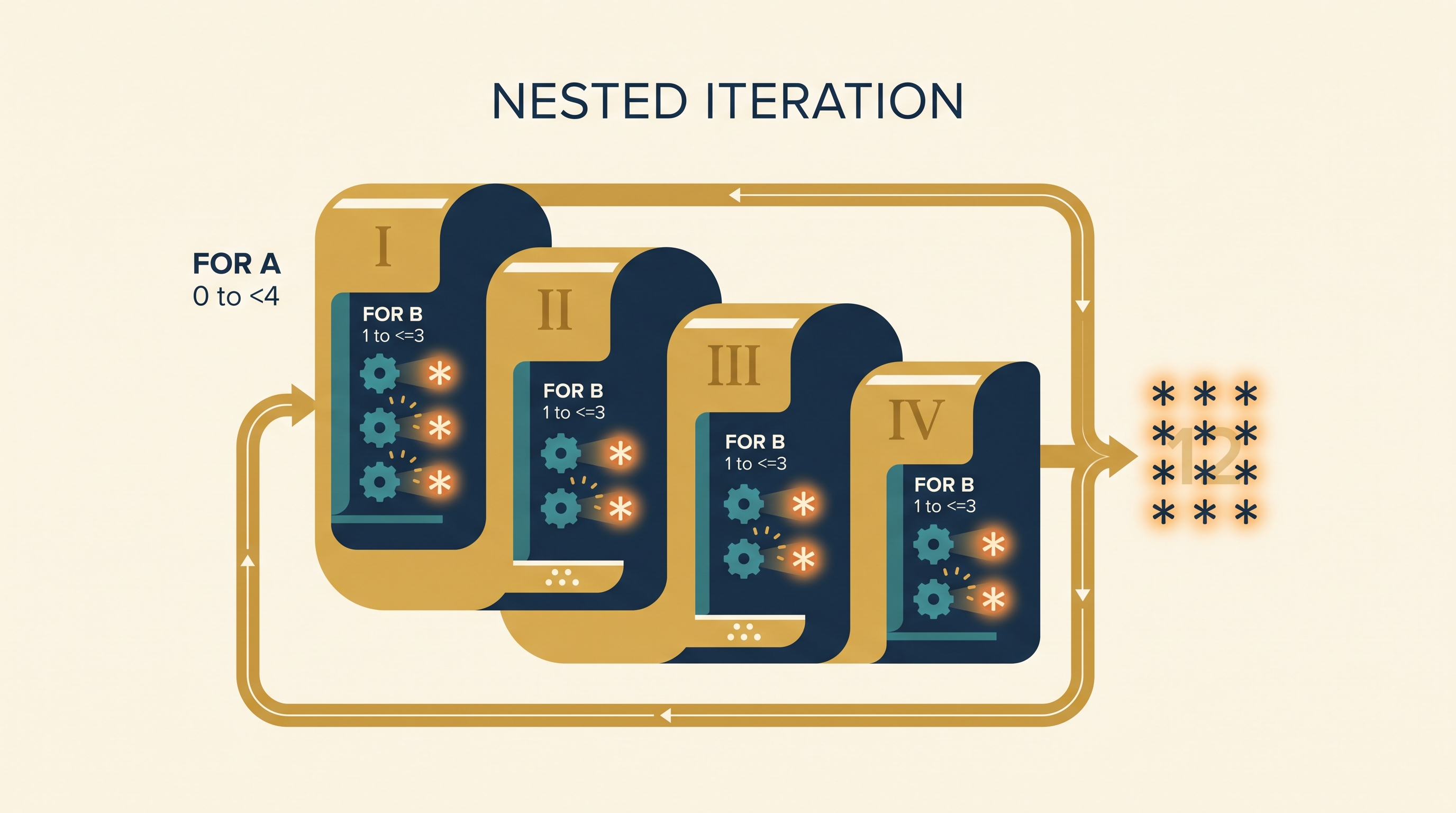
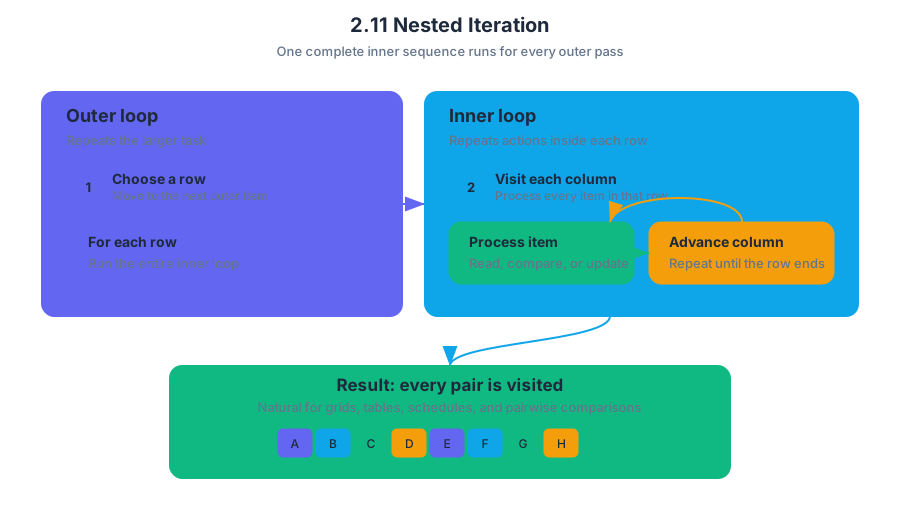
2.12 Informal Run-Time Analysis
Key concepts: Statement execution count · Informal run-time analysis · Tracing code · Analysis of iterative statements · Selection and iteration · Describing the behavior of a code segment or program · Unit 2 concepts
A statement execution count is the number of times a particular statement runs while a program executes. Counting executions gives us a practical way to estimate how much work a program performs without measuring seconds on a specific computer.
2.12 Informal Run-Time Analysis
A statement execution count is the number of times a particular statement runs while a program executes. Counting executions gives us a practical way to estimate how much work a program performs without measuring seconds on a specific computer.
Learning Objective 2.12.A: Calculate statement execution counts and informal run-time comparison of iterative statements.
Essential Knowledge 2.12.A.1: A statement execution count indicates the number of times a statement is executed by the program. Statement execution counts are often calculated informally through tracing and analysis of the iterative statements.
The suggested skill is 4.A — Describe the behavior of a code segment or program. In this topic, describing behavior means more than predicting the final value of a variable: you explain how many times important statements execute and how the structure of selection and iteration controls that work.
Counting work by tracing
Tracing means following a program step by step, recording changing variable values and noting when statements execute. For an iterative statement, inspect its starting condition, repetition condition, update operation, and body. The loop’s execution pattern—not the number of lines visible on the screen—determines the count.
Consider a program that processes five temperature readings:
int total = 0;

for (int reading = 1; reading <= 5; reading++) {
    total += reading;
}

System.out.println(total);
The body statement total += reading; executes once for each value of reading: $1$, $2$, $3$, $4$, and $5$. Its statement execution count is therefore $5$. The println statement executes once, after the loop, and the final value printed is $15$.
A useful trace is:
| Pass | reading at start |
Body executes? | total after body |
|---|---|---|---|
| 1 | $1$ | Yes | $1$ |
| 2 | $2$ | Yes | $3$ |
| 3 | $3$ | Yes | $6$ |
| 4 | $4$ | Yes | $10$ |
| 5 | $5$ | Yes | $15$ |
| 6 | $6$ | No | $15$ |
The condition is checked again when reading becomes $6$, but the body does not execute then. This distinction matters: checking a loop condition is not the same as executing the loop body. If a question asks for the count of the body statement, count only the successful passes.
Selection changes the count
A selection statement can cause a statement inside a loop to execute fewer times than the loop itself:
int positiveCount = 0;

for (int value = 1; value <= 6; value++) {
    if (value % 2 == 0) {
        positiveCount++;
    }
}
The for loop body is reached $6$ times. The condition value % 2 == 0 is evaluated $6$ times, but positiveCount++ executes only for the even values $2$, $4$, and $6$, so its execution count is $3$. Informal run-time analysis must identify which statement is being counted.
Misconception check — “The loop runs six times, so every statement inside it runs six times.”
False. A statement inside anifblock runs only when the condition is true. A statement inside anelseblock has a different count, and a statement outside the loop may execute just once.
Comparing iterative behavior
Informal run-time analysis becomes especially useful when comparing iterative statements. Suppose one loop increases its control variable by $1$, while another increases it by $2$:
for (int index = 0; index < 10; index++) {
    System.out.println(index);
}

for (int index = 0; index < 10; index += 2) {
    System.out.println(index);
}
The first output statement executes $10$ times, for indices $0$ through $9$. The second executes $5$ times, for indices $0$, $2$, $4$, $6$, and $8$. Both loops have the same stopping boundary, but the update operation changes their execution counts.
For larger inputs, this difference affects informal run-time comparison. If an input size is represented by $n$, a loop that advances through every item performs roughly $n$ body executions. A loop that examines every other item performs roughly $n/2$ body executions. These are informal comparisons: they describe relative work without requiring a precise timing experiment.
A reliable tracing procedure
When describing a code segment or program, use this sequence:
- Identify the exact statement whose execution count is requested.
- Record the loop variable’s initial value.
- List the values that satisfy the loop condition.
- Account for any
ifcondition that can skip the statement. - Count successful executions, not merely condition checks.
- State the resulting behavior, including important output or variable changes.
This process connects informal run-time analysis directly to the Unit 2 thematic area, Selection and Iteration. Selection determines which statements execute; iteration determines how many opportunities those statements receive.
Retrieval check: In the following loop, how many times does count++ execute?
int count = 0;

for (int number = 3; number <= 12; number += 3) {
    if (number > 6) {
        count++;
    }
}
The loop visits $3$, $6$, $9$, and $12$. The condition is true for $9$ and $12$, so count++ executes $2$ times and count ends with the value $2$. That is 4.A — Describe the behavior of a code segment or program through a statement execution count.

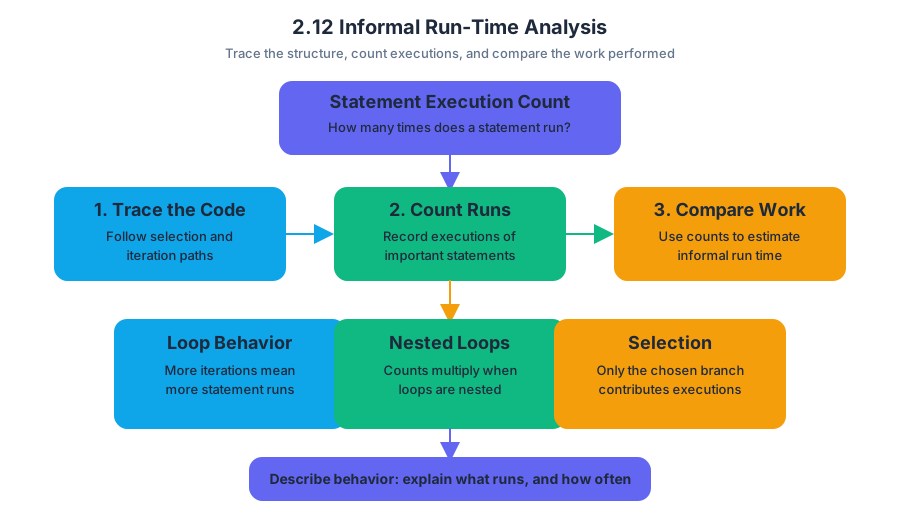
3.1 Abstraction and Program Design
Key concepts: Abstraction · Data abstraction · Attributes · Program design · Design Code phase · Develop Code phase · Analyze Code phase · Document Code phase · Parameters and parameterization · Iterative program development
A well-designed program does not expose every detail at once: it presents the important idea and hides the machinery that makes it work. Abstraction is this reduction of complexity by focusing on the main idea while leaving irrelevant details out of view.
3.1 Abstraction and Program Design
A well-designed program does not expose every detail at once: it presents the important idea and hides the machinery that makes it work. Abstraction is this reduction of complexity by focusing on the main idea while leaving irrelevant details out of view.
A restaurant customer uses a menu item such as “vegetable soup” without needing to know how the kitchen stores vegetables, heats the broth, or sequences the cooking steps. In a program, a method, class, or object can provide the same kind of usable surface: other code interacts with what it does, not necessarily with how it does it.
Data abstraction: what something is versus how it is stored
Data abstraction separates an abstraction’s meaningful properties from its concrete representation. An attribute is data defined in an abstraction, such as a class or object property. For a Playlist, attributes might include its title and number of songs; users of the class should not need to know whether those values are stored in separate variables, an array, or another structure.
The learning objective 3.1.A requires representing a program’s design with diagrams that show its classes and the data and procedural abstractions in each class, including attributes and behaviors. A useful design diagram therefore answers two questions: What information does each class own? and What actions can each class perform?
Worked design: a reusable temperature converter
Suppose a weather application must convert temperatures from Celsius to Fahrenheit. A first design identifies one responsibility: a TemperatureConverter class provides a conversion behavior. The formula is $F = \frac{9}{5}C + 32$, but the program’s users only need the conversion operation and its result.
public class TemperatureConverter {
    public static double toFahrenheit(double celsius) {
        return (9.0 / 5.0) * celsius + 32;
    }
}
Calling TemperatureConverter.toFahrenheit(20.0) produces $68.0$. The parameter celsius makes the procedure general: it can accept $0.0$, $20.0$, or any other input value rather than being permanently tied to one temperature. Parameters allow procedures to be generalized and reused with a range of input values or arguments, which is identified by 3.1.A.5.
This design also demonstrates procedural abstraction: code that calls the method depends on its purpose and signature, not on the internal formula. Under 3.1.A.6, programmers can change a method’s internals—for example, to make it faster or more efficient—without requiring every caller to change, provided the method’s externally usable behavior remains appropriate.
Key insight: A parameter turns a one-time action into a reusable operation; an abstraction turns implementation details into a replaceable interior.
The four development phases
Program design connects four computational thinking practices. Design Code (1) means determining an appropriate program design and developing algorithms. This is where a programmer identifies classes, attributes, behaviors, responsibilities, and relationships before—or while—writing implementation code.
Develop Code (2) means writing and implementing the program. In the converter example, the design becomes a Java class and method. Analyze Code (3) means determining the output or result produced by given code, or explaining why the code does not work as intended; tracing toFahrenheit(20.0) gives $68.0$.
Document Code and Computing Systems (4) means describing what the program does and how it was constructed. Comments, design diagrams, and a development journal can record decisions and rationales, helping a future programmer understand and modify the program later.
These phases are not a one-way staircase. Development is iterative, meaning a programmer may return to an earlier phase: analysis may reveal a faulty design, implementation may expose a missing attribute, or documentation may reveal that a method’s purpose is unclear. Diagramming and physical manipulatives—such as cards representing classes, attributes, and methods—can make relationships visible and build confidence while a solution is being designed.
Misconception check
Misconception: “Abstraction means hiding all information.” Correction: abstraction hides irrelevant implementation details while exposing the information and behaviors needed to use the abstraction. A TemperatureConverter still exposes its method and parameter; it simply does not force callers to manage the arithmetic themselves.
Misconception: “Design must be finished before code begins.” Correction: a design is a working model, not an unchangeable contract. The programmer can develop code, analyze its behavior, revise the design, and document the improved solution.
Retrieval check
A Circle class has an attribute radius and a method area(). Which is the abstraction’s data, which is its behavior, and why would an area(double radius) method be more reusable than a method containing one fixed radius? The expected reasoning is: radius is an attribute, area() is a behavior, and a parameter allows the procedure to work with a range of input values.

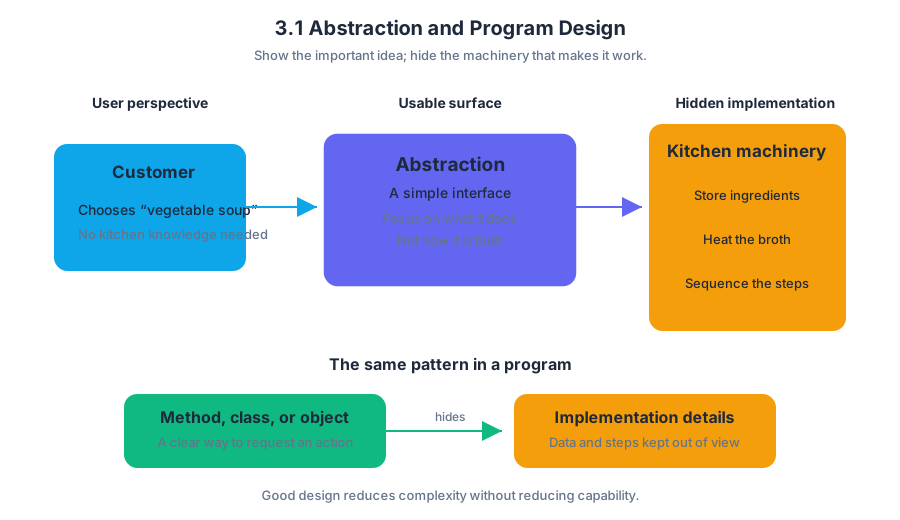
3.2 Impact of Program Design
Key concepts: Impact of program design · Computing’s impact on society, economy, and culture · Ethical programming and AI use · Programming failures and their consequences · Positive and negative effects of code on communities · AP Computer Science A Unit 3: Class Creation · Skill 5.A · Requirement tag CR7 · Designing, writing, and testing Java programs · Intergalactic Calculations lab
A program is never only code: once people use it, its design can change decisions, opportunities, costs, and culture. 3.2 Impact of Program Design asks the central question: What happens to people and communities when a computing system works—or fails—in the real world?
3.2 Impact of Program Design
A program is never only code: once people use it, its design can change decisions, opportunities, costs, and culture. 3.2 Impact of Program Design asks the central question: What happens to people and communities when a computing system works—or fails—in the real world?
The required learning objective is 3.2.A: Explain the social and ethical implications of computing systems. The associated skill is 5.A: Explain how computing impacts society, economy, and culture. Together, they require more than making a program produce the correct output; they require examining who benefits, who may be harmed, and what responsibilities belong to the programmers who build it.
From Java design to community consequences
A design decision travels through a chain:
- Program design: A programmer chooses data, rules, inputs, and outputs.
- System behavior: The program classifies, calculates, recommends, or controls something.
- Human use: People rely on the result to make choices.
- Community impact: The system changes access, behavior, money, safety, or culture.
- Ethical responsibility: Developers evaluate foreseeable benefits and harms.
For example, a calculator that converts a person’s weight between planets may appear harmless. Yet even this small program requires decisions about units, assumptions, input validation, and how results are communicated. A larger system—such as software used to rank applicants or distribute public resources—can magnify similar design choices across an entire community.
Worked example: Intergalactic Calculations
In the Intergalactic Calculations lab, a student creates a calculator that determines a user’s weight on different planets. The program may begin with a simple relationship: if a planet’s gravitational multiplier is stored as $g_p$, then a user’s planetary weight can be calculated as
$$ w_p = w_E \times g_p $$
where $w_E$ is the user’s weight on Earth.
A straightforward Java implementation might look like this:
double earthWeight = 150.0;
double marsMultiplier = 0.38;
double marsWeight = earthWeight * marsMultiplier;

System.out.println("Your weight on Mars: " + marsWeight);
The arithmetic is simple, but responsible programming requires further questions:
- Does the program clearly state whether the input is measured in pounds or kilograms?
- Does it reject impossible input, such as a negative weight?
- Does it explain that “weight” depends on gravity while mass does not?
- Does it label the output so users do not mistake $57.0$ for an Earth measurement?
- Can another programmer update the planetary multiplier without breaking the rest of the program?
A technically correct result can still create confusion if the interface hides assumptions. This illustrates an important principle: correctness is necessary, but it is not the whole ethical standard for a computing system.
Ethical programming means anticipating how a system may affect people, communicating limitations honestly, protecting users from avoidable harm, and taking responsibility for foreseeable consequences.
Computing’s broader impact
Computing affects three connected areas:
| Area | Possible positive effect | Possible negative effect |
|---|---|---|
| Society | Faster access to services, communication, and medical information | Privacy loss, unequal access, or harmful automated decisions |
| Economy | New businesses, productivity, and career opportunities | Job displacement, market concentration, or hidden labor |
| Culture | New forms of music, art, collaboration, and expression | Misinformation, reduced privacy, or changes in how communities interact |
The same technology can produce different outcomes for different groups. A translation system may expand access for many users while performing poorly for a less-represented language community. A recommendation system may help users discover useful information while also reinforcing narrow viewpoints. Evaluating impact therefore means asking not only “Does it work?” but also “For whom, under what conditions, and with what trade-offs?”
Ethical programming and AI use
A practical guide for ethical programming and AI use begins with five checks:
- Purpose: What problem is the system solving, and is that purpose beneficial?
- Data: What information is collected, and was it obtained and used appropriately?
- Fairness: Could the system systematically disadvantage a person or group?
- Transparency: Can users understand important assumptions and limitations?
- Accountability: Who investigates errors and repairs harm?
AI tools add special responsibilities. A programmer should not treat generated code as automatically correct, original, secure, or fair. AI-generated code must be read, tested, documented, and checked for inappropriate use of proprietary code or personal information.
Programming failures and their consequences
A programming failure may be a syntax error, a logic error, an incorrect assumption, or a mismatch between the system and its users. In a small classroom calculator, failure may produce a misleading number; in a widely deployed system, failure can affect safety, finances, access to services, or public trust.
The responsible response is not merely to say that “the computer made a mistake.” Programmers designed the rules, selected the data, and decided how the output would be used. Testing, clear documentation, input validation, and careful review reduce risk, while monitoring after release helps reveal harms that were not visible during development.
Named misconception — “If the output is mathematically correct, the program is ethical.”
A program can calculate accurately and still use unfair data, expose private information, conceal uncertainty, or encourage harmful decisions. Technical accuracy and ethical responsibility must be evaluated separately.
AP alignment and retrieval check
This topic develops Skill 5.A: Explain how computing impacts society, economy, and culture, and it directly supports CR7, the requirement concerning the impact of computing on society and culture. It also develops Computational Thinking Practice 5: Use Computers Responsibly by connecting hands-on Java design, writing, and testing to the consequences experienced by real users.
Retrieval check: A planet-weight calculator produces the correct numerical conversion but accepts negative input and never identifies its units. Name one technical weakness and one social or ethical consequence. A strong response identifies the input or communication failure and explains how it could mislead users or cause them to make an incorrect decision.

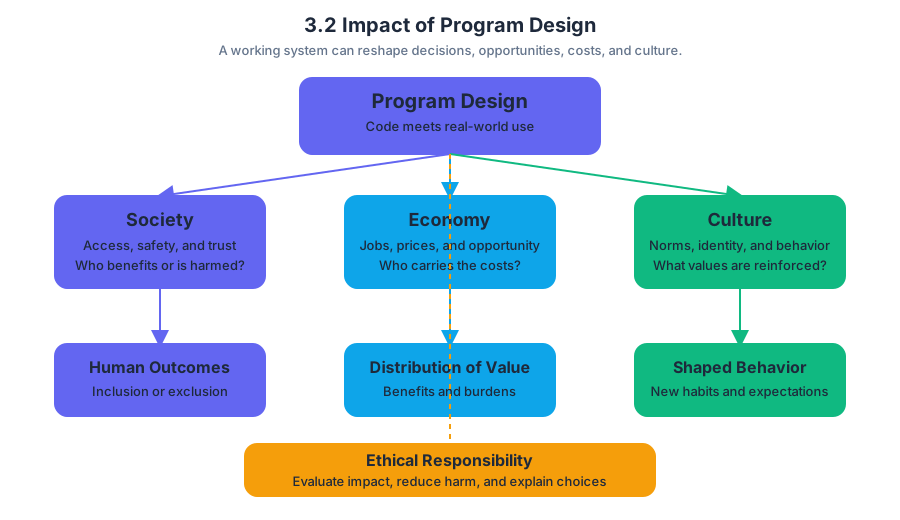
3.3 Anatomy of a Class
Key concepts: Visual relationship between the Learning Objective and Essential Knowledge points · Learning Objective 3.2.A · Explaining social and ethical implications · Essential Knowledge points 3.2.A.1, 3.2.A.2, and 3.2.A.3 · System reliability · Societal impacts · Intended impacts · Unintended impacts
A reliable computing system can affect people far beyond the code that runs it, so evaluating a program requires more than asking whether it produces the intended output.
3.3 Anatomy of a Class
A reliable computing system can affect people far beyond the code that runs it, so evaluating a program requires more than asking whether it produces the intended output.
The central relationship is:
Learning Objective 3.2.A: Explain social and ethical implications of computing systems.
To satisfy Learning Objective 3.2.A, it is not enough to identify that a program has an effect. A strong explanation connects that effect to the system’s reliability, its intended and unintended societal impacts, and the legal or intellectual-property responsibilities involved in creating the program.
The three essential-knowledge lenses
The objective is supported by three connected Essential Knowledge points: 3.2.A.1, 3.2.A.2, and 3.2.A.3. Each lens asks a different question about the same computing system.
| Essential Knowledge | Question it helps answer | What to examine |
|---|---|---|
| 3.2.A.1 | Can the system be trusted to behave correctly? | Reliability, testing, failures, and edge cases |
| 3.2.A.2 | How does the system affect people and society? | Intended benefits and unintended consequences |
| 3.2.A.3 | May the program legally use the materials it contains? | Open-source code, permission, licensing, and intellectual property |
3.2.A.1 — System reliability
System reliability is the likelihood that a computing system performs its required function consistently and correctly. Reliability matters ethically because people may make decisions, spend money, travel, receive medical care, or access services based on a system’s output.
For example, imagine a program that schedules emergency vehicles. Its intended impact is faster response time. If the program fails when two emergencies occur simultaneously, ignores an unusual address format, or assigns the same vehicle twice, the failure is not merely a technical inconvenience: it can create real risks for people.
A useful reliability investigation asks:
- What is the system supposed to do?
- What inputs or situations could cause it to fail?
- How serious would each failure be?
- What testing or safeguards could reduce the risk?
Misconception check — “It worked once, so it is reliable.” A single successful test demonstrates only one successful case. Reliability requires testing representative inputs, boundary conditions, invalid inputs, and situations where several events interact.
3.2.A.2 — Societal impacts
Societal impacts are the effects a computing system has on individuals, groups, institutions, the economy, or culture. These impacts include both intended impacts—the benefits or outcomes designers planned—and unintended impacts, which may appear after people use the system in ways designers did not anticipate.
Consider an automated application-screening system. Its intended impact may be to process many applications efficiently. An unintended impact could be that biased historical data causes qualified applicants from a particular group to be ranked lower. Explaining the ethical implication means identifying the affected groups, describing the mechanism producing the effect, and evaluating why the consequence matters.
A complete explanation should therefore move beyond “the program is helpful” or “the program is unfair.” It should name the stakeholders, distinguish intended from unintended effects, and connect those effects to reliability, access, privacy, fairness, safety, or other relevant concerns.
3.2.A.3 — Legal issues and intellectual property
Intellectual property is creative work that receives legal protection, including software code. Programmers often reuse code published as open source and made available under stated conditions. Code that is not published as open source generally requires the programmer to obtain permission and often purchase the right to use it before incorporating it into a program.
“Available online” does not mean “free to copy.” A responsible programmer checks the code’s license, follows its conditions, preserves required notices, and obtains permission when the code is proprietary. Ignoring those responsibilities can create legal, financial, and ethical consequences for both the programmer and the organization using the program.
Misconception check — “Open source means no rules.” Open-source software may be free to inspect or use, but its license can still require attribution, disclosure of modifications, or other conditions. The permission comes from the license, not from the mere fact that the code can be found online.
Explaining, not merely identifying
The suggested skill is 5.A: Explain how computing impacts society, economy, and culture. The verb explain requires a causal connection. A response should show how a system’s design or operation leads to a particular consequence and why that consequence has social or ethical significance.
Worked reasoning: A public-transit app is designed to predict arrival times. If its prediction system is unreliable in neighborhoods with sparse data, riders there may receive less accurate information. The intended impact is convenient travel planning; the unintended societal impact is unequal service quality. A strong evaluation would also ask whether the data collection and software components were obtained and used legally.
Retrieval check: A program uses legally licensed code and achieves its intended result, but its training data causes consistently poorer results for one community. Which Essential Knowledge point is most directly involved, and is the effect intended or unintended? Explain the causal link in one sentence.
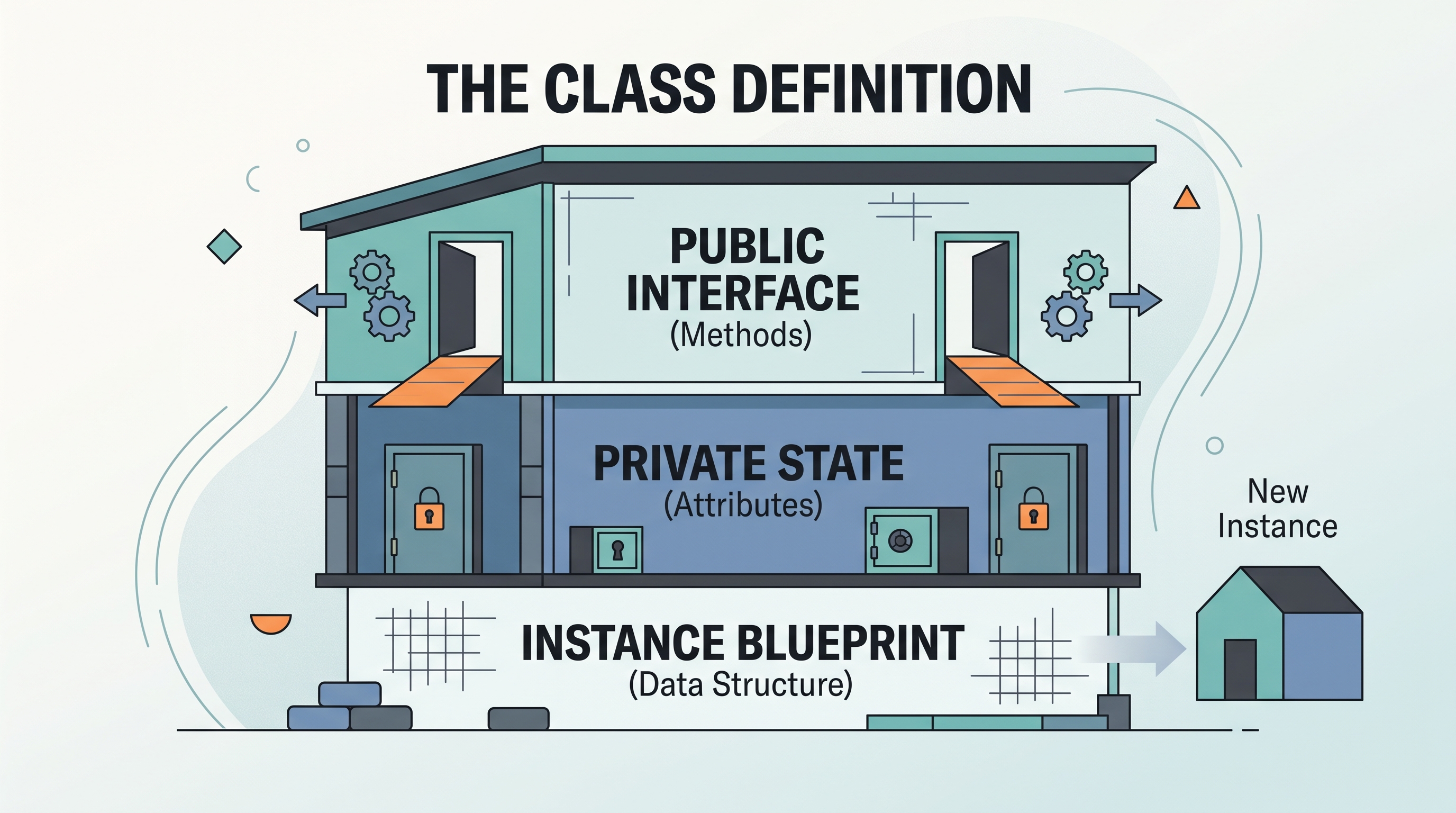
3.4 Constructors
A constructor is the code that gives a newly created object its initial state. When a program creates a Book, the constructor can ensure that the book begins with a title, an author, and a valid page count instead of existing as an uninitialized bundle of data.
3.4 Constructors
A constructor is the code that gives a newly created object its initial state. When a program creates a Book, the constructor can ensure that the book begins with a title, an author, and a valid page count instead of existing as an uninitialized bundle of data.
Learning Objective 3.4.A: Create objects by calling constructors.
Essential Knowledge 3.4.A.1: Constructors are used to initialize the instance variables of a class.
From class blueprint to initialized object
A class describes what an object should contain; a constructor performs the setup required when that object comes into existence. The new operator creates the object, and the constructor call supplies the initial information.
Consider a library system that creates books from a title and page count:
public class Book {
    private String title;
    private int pages;

    public Book(String bookTitle, int pageCount) {
        title = bookTitle;
        pages = pageCount;
    }
}
The constructor is Book(String bookTitle, int pageCount). Its name is exactly the class name, Book, and it has two parameters: a String followed by an int. Inside the constructor, the assignments initialize the new object’s instance variables.
A client can call that constructor like this:
Book favorite = new Book("The Hobbit", 310);
The execution sequence is:
new Book(...)requests a newBookobject.- Java selects the constructor whose parameter list matches
String, int. "The Hobbit"is assigned tobookTitle.310is assigned topageCount.- The constructor assigns those values to
titleandpages. - The reference
favoritestores the location of the initialized object.
Declaration versus signature
A frequent source of lost points is treating the entire constructor declaration as its signature. These are related but not identical:
| Term | Example | What it includes |
|---|---|---|
| Constructor declaration | public Book(String, int) |
Access modifier, constructor name, and parameter types |
| Constructor signature | Book(String, int) |
Constructor name and parameter types |
| Constructor call | new Book("The Hobbit", 310) |
Class name followed by argument values |
Essential Knowledge 3.4.A.2: A constructor signature consists of the constructor name and its parameter types. In
public Book(String, int), the signature isBook(String, int);publicis an access modifier in the declaration, not part of the signature.
The parameter types matter for identifying the constructor, not the parameter names. Therefore, these declarations have the same signature and cannot both appear in one class:
public Book(String bookTitle, int pageCount) { /* ... */ }
// Book(String, int)

public Book(String name, int numberOfPages) { /* ... */ }
// Also Book(String, int)
Rules that make a constructor a constructor
A constructor has the same name as its class and does not declare a return type—not even void. A method named Book with a return type would not be a constructor; it would be an invalid method declaration because Java method names may not normally match the class name in that form.
A constructor may have no parameters or may accept parameters. A no-argument constructor initializes an object using fixed or default values:
public class Counter {
    private int count;

    public Counter() {
        count = 0;
    }
}
A parameterized constructor receives values from the object-creation statement, allowing each object to begin differently:
Counter first = new Counter();
Counter second = new Counter();
Both Counter objects begin with count equal to 0, but they are still separate objects. The constructor initializes each object when that object is created; it does not create one shared instance.
Default constructors and explicit constructors
If a class contains no constructor declaration, Java provides a default no-argument constructor. Once the programmer writes any constructor, Java no longer automatically supplies that default constructor.
This change can cause an unexpected error:
public class Book {
    private String title;

    public Book(String bookTitle) {
        title = bookTitle;
    }
}

Book b = new Book();   // Error: no matching no-argument constructor
The class has only the signature Book(String). If both forms are needed, the programmer must declare both constructors explicitly.
Misconception check
Misconception: “A constructor returns the new object, so it needs a return type.” The new expression produces the reference to the object. The constructor’s job is to initialize that object, and its declaration has no return type.
Misconception: “Changing parameter names creates a different constructor.” It does not. Book(String title, int pages) and Book(String name, int count) have the same signature because their parameter-type sequence is identical.
AP computational thinking practices
Constructors connect directly to the official computational thinking practices:
- Computational Thinking Practice 1: Design Code — choose which information an object must receive at creation time and design a constructor signature that supports that design.
- Computational Thinking Practice 2: Develop Code — write the constructor declaration and assignments that initialize instance variables.
- Computational Thinking Practice 3: Analyze Code — trace a
newexpression, match its arguments to a constructor signature, and determine the resulting object state. - Computational Thinking Practice 4: Document Code and Computing Systems — describe what a constructor initializes and what arguments a caller must provide.
Retrieval check: What is the signature of private Ticket(String code, int zone)? Why would new Ticket() fail if that is the only constructor declaration?
Answer: The signature is Ticket(String, int). The declaration is private Ticket(String, int), but private is not part of the signature. new Ticket() fails because no no-argument constructor matches the empty parameter list.

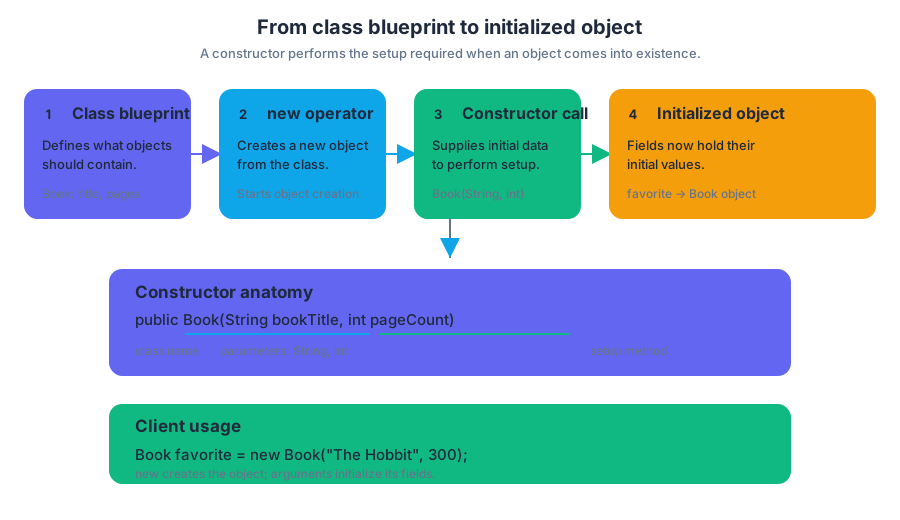
3.5 Methods: How to Write Them
Key concepts: Method signatures and parameters · Return statements and flow of control · Writing program code to call methods · Writing methods to satisfy specifications · Using expressions and conditional statements in methods · Predicting and comparing method output · Explaining and correcting compilation or logic errors · Creating classes with constructors and instance variables · Maintaining object state across method calls · String manipulation and substring operations
A method is a named block of Java code that performs a task and optionally sends a value back to the statement that called it.
3.5 Methods: How to Write Them
A method is a named block of Java code that performs a task and optionally sends a value back to the statement that called it. Good method design begins before typing: identify the task, determine the required inputs, predict the result, and implement the method exactly according to its specification.
Learning Objective 3.5.A: Create and call methods that satisfy given specifications.
Essential Knowledge 3.5.A.1: A method’s signature identifies its name, return type, and parameter list.
Essential Knowledge 3.5.A.2: Parameters allow a method to receive information from its caller.
Essential Knowledge 3.5.A.3: A return statement sends control back to the point where the method was called.
Read the signature before writing the body
A method signature is the method’s “contract label.” It tells you the method’s name, the type of value it returns, and the number, order, and types of its parameters.
For example:
public int numberOfLines(String message, int width)
This signature requires a method named numberOfLines that receives a String and an int, then returns an int. The caller must supply both arguments in that order; a method with the same name but a different parameter list is a different method.
When designing a method, ask three questions:
- What information must the method receive?
- What type of result must it produce?
- What must be true before and after it runs?
The first question identifies the parameters. The third connects directly to the method’s precondition, a requirement that must be true before the call, and postcondition, the result guaranteed after successful completion.
Return statements control the caller’s execution
A return statement does two things at once: it provides the method’s result and immediately transfers control back to the statement that made the call. Any statements after that return in the same execution path are unreachable.
public int doubleValue(int value)
{
    return 2 * value;
}
If the program evaluates doubleValue(7), the method computes $14$, returns it, and the call expression is replaced by $14$:
int result = doubleValue(7); // result becomes 14
A void method does not return a value, although it may use return; to leave the method early.
Misconception check: Printing a value is not returning a value.
System.out.println(value);displays data, butreturn value;gives data back to the caller.
Implement the specification, including boundary cases
Suppose a sign displays a message across lines of a fixed positive width. The specification might require numberOfLines to return the number of full or partial lines. The empty message has length $0$, while a message shorter than the width still occupies one line.
A direct implementation uses integer division, but it must handle an incomplete final line and reject an invalid width:
public int numberOfLines(String message, int width)
{
    if (width <= 0)
    {
        throw new IllegalArgumentException();
    }

    if (message.length() == 0)
    {
        return 0;
    }

    int lines = message.length() / width;

    if (message.length() % width != 0)
    {
        lines++;
    }

    return lines;
}
For message equal to "RAIN" and width equal to $3$, integer division gives $4 / 3 = 1$, but the remainder is nonzero, so the method returns $2$. For message equal to "GO" and width equal to $5$, division gives $0$ with a remainder, so the method correctly returns $1$.
A loop-based solution can repeatedly consume groups of width characters, but the positive-width precondition is essential. Without if (width <= 0) throw new IllegalArgumentException();, a loop that increments by width never advances when width is $0$, causing an infinite loop.
Methods can combine strings, conditions, and loops
A method can process input incrementally. For example, a word source whose getNextWord() method returns one word at a time and eventually returns null can be summarized with a loop:
String result = "";
int numWords = 0;
String word = getNextWord();

while (word != null)
{
    result += word;
    numWords++;
    word = getNextWord();
}
The update numWords++ increases the counter by $1$; += appends text to the current string. The crucial progress step is the repeated call to getNextWord(). Omitting it means the condition never changes.
A complete specification may require careful string logic
A method such as getAbbreviation may need to manipulate an input string, test conditions, compare strings, and use substring. Empty strings deserve explicit attention: calling substring(0, 1) on an empty string causes an error.
When comparing contents, use .equals, not ==:
if (firstName.equals(""))
{
    return lastName;
}
return firstName.substring(0, 1) + "-" + lastName;
For a SignedText object storing a first name and last name, getSignature returns only the last name when the first name is empty; otherwise it returns the first initial, a dash, and the last name. Another method such as addSignature can call getSignature(), determine whether the signature already appears at the beginning or end of a supplied string, and use substring to reposition or add it.
Misconception check:
SignedText.firstNameis invalid for an ordinary instance variable. Instance data belongs to an object, so a method accesses it through the current instance context, commonly usingfirstNameorthis.firstName.
Preserve object state across calls
A local variable declared inside a method exists only during that method call. If a SignedText object must remember its first and last names for later calls, those values must be stored in instance variables initialized when the object is created. Replacing them with local variables causes later methods to lose the object’s data.
Use Skill 3.A — Write program code to create objects and call methods when constructing an object and invoking its methods. Use Skill 3.B — Write program code to define a new type by creating a class when declaring the class, instance variables, and method headers. Use Skill 3.C — Write program code to satisfy method specifications using expressions, conditional statements, and iterative statements when implementing the algorithm.
Predict, then compare
Before running a call, trace its parameters, conditions, string indexes, loop updates, and return path. Then write a small test program that compares the predicted output with the actual output. This catches incorrect empty-string handling, off-by-one substring boundaries, mistaken == comparisons, missing returns, and loops that fail to progress.
Retrieval check: For a method public String label(int n), what must be true about its return statement? Why would declaring String firstName inside the method fail to preserve a name for the next method call? Finally, what must a loop-based numberOfLines implementation guarantee before it begins?

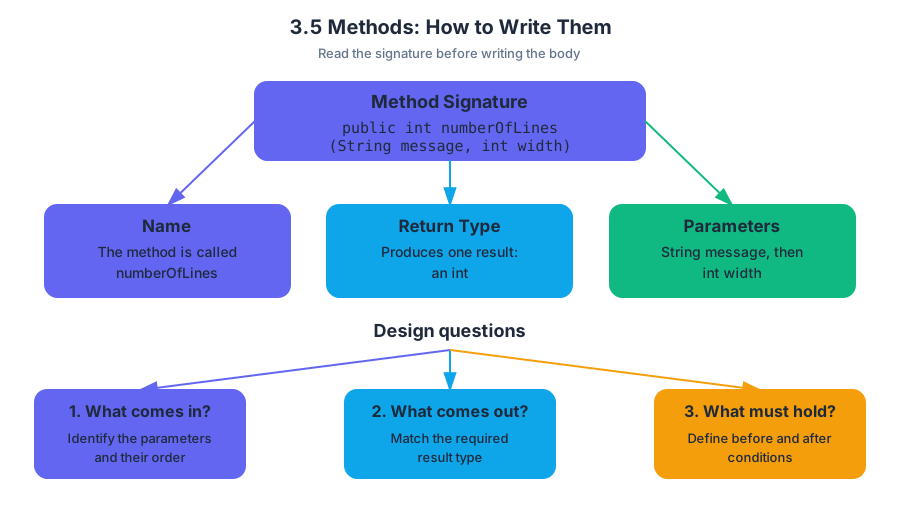
3.6 Methods: Passing and Returning References of an Object
Key concepts: Java uses pass-by-value for method arguments · Object references are values that can be copied when passed to methods · A copied reference can still refer to the same mutable object · Methods can modify the state of a mutable object through a reference parameter · Reassigning a reference parameter does not change the caller’s reference · Returning an object reference can give the caller access to the existing object rather than a new copy · A reference variable and the object it refers to are distinct · A reference may hold null · Private data and methods of a referenced parameter cannot be accessed directly outside its class · Enhanced for-loop variables do not change the corresponding values in the collection when reassigned
Java passes every method argument by value. For an object, that value is not the entire object—it is a reference, a value that identifies where the object can be found.
3.6 Methods: Passing and Returning References of an Object
Java passes every method argument by value. For an object, that value is not the entire object—it is a reference, a value that identifies where the object can be found. The result is a subtle but powerful rule: a method can change an object through a copied reference, but it cannot replace the caller’s reference variable.
Essential question: If Java copies a reference when calling a method, how can the method change the caller’s object—but not the caller’s variable?
Two things that must not be confused
A reference variable stores a connection to an object. The object stores the actual attributes and behavior. Copying a reference creates a second connection to the same object; it does not create a second object.
Consider a mutable Badge object. “Mutable” means that its state—the values of its attributes—can change after construction.
Badge visitor = new Badge("Visitor");
changeLabel(visitor);
During the call, Java initializes the parameter with a copy of visitor’s reference:
public static void changeLabel(Badge badge) {
    badge.setLabel("Staff");
}
Both visitor and badge refer to the same Badge object. Therefore, setLabel changes the object’s state, and the caller observes the change:
System.out.println(visitor.getLabel()); // Staff
This is the central rule in 3.6.A.1: when an argument is an object reference, the parameter receives a copy of that reference, not an independent copy of the object. If the object is mutable, the method can alter its state through the parameter. Good programming practice is to modify a mutable parameter only when the specification requires it.
Mutation is not reassignment
Changing the object and changing the parameter variable are different operations. Calling a method such as badge.setLabel(...) modifies the shared object. Assigning badge = ... changes only the local parameter.
public static void replaceBadge(Badge badge) {
    badge = new Badge("Temporary");
}
After replaceBadge(visitor), visitor still refers to the original object. The parameter was reassigned, but the caller’s reference variable was untouched.
The same result occurs when the parameter is assigned null:
public static void discard(Badge badge) {
    badge = null;
}
discard(visitor) does not make visitor equal to null; it only makes the local copy of the reference equal to null.
Named misconception — “Java passes objects by reference.”
Java always passes arguments by value. For objects, the copied value happens to be a reference. That copied reference can reach the same mutable object, which is why mutation is visible.
Returning an object reference
A method that returns an object returns a reference to an object. It does not automatically create a copy.
public static Badge getBadge(Badge badge) {
    return badge;
}

Badge secondName = getBadge(visitor);
After this call, secondName and visitor refer to the same Badge object. Mutating through either reference affects that one object. A new object exists only if the method explicitly constructs one, such as return new Badge("Visitor");.
null and access control
null means that a reference points to no object. Calling an instance method through a null reference causes a NullPointerException; the reference must identify an actual object first.
Access is also limited by the class’s access control. Code outside a class cannot directly access that class’s private attributes or methods through a reference. It must use accessible methods, such as public getters or setters. 3.6.A.3 specifies that a method cannot access the private data or methods of a parameter’s object unless the parameter is the same type as the method’s enclosing class.
Enhanced for loops copy values
An enhanced for loop variable also receives a copied value. With object references, the copied value still refers to the same object:
for (Badge badge : badges) {
    badge.setLabel("Checked");
}
This can mutate every referenced Badge. However, assigning a new object to the loop variable does not replace the collection element:
for (Badge badge : badges) {
    badge = new Badge("Replacement");
}
The collection remains unchanged because only the temporary loop variable was reassigned. To replace elements, use indexed assignment or an appropriate collection method.
Skill connection and retrieval check
This topic develops 3.6.A Develop code to define behaviors of objects and relies on 3.D Explain why a code segment will not compile or work as intended and modify the code to correct the error. On an exam, trace the reference and object separately before predicting output.
Retrieval check: A method receives Badge b, executes b = null, and returns. The caller’s variable originally referred to a valid badge. What does the caller’s variable refer to afterward—and what single change would make the caller’s reference become null?
Answer: It still refers to the original badge because the parameter was only a copied reference. The caller must assign the returned value, for example b = discardAndReturnNull(b);, or assign b = null directly.
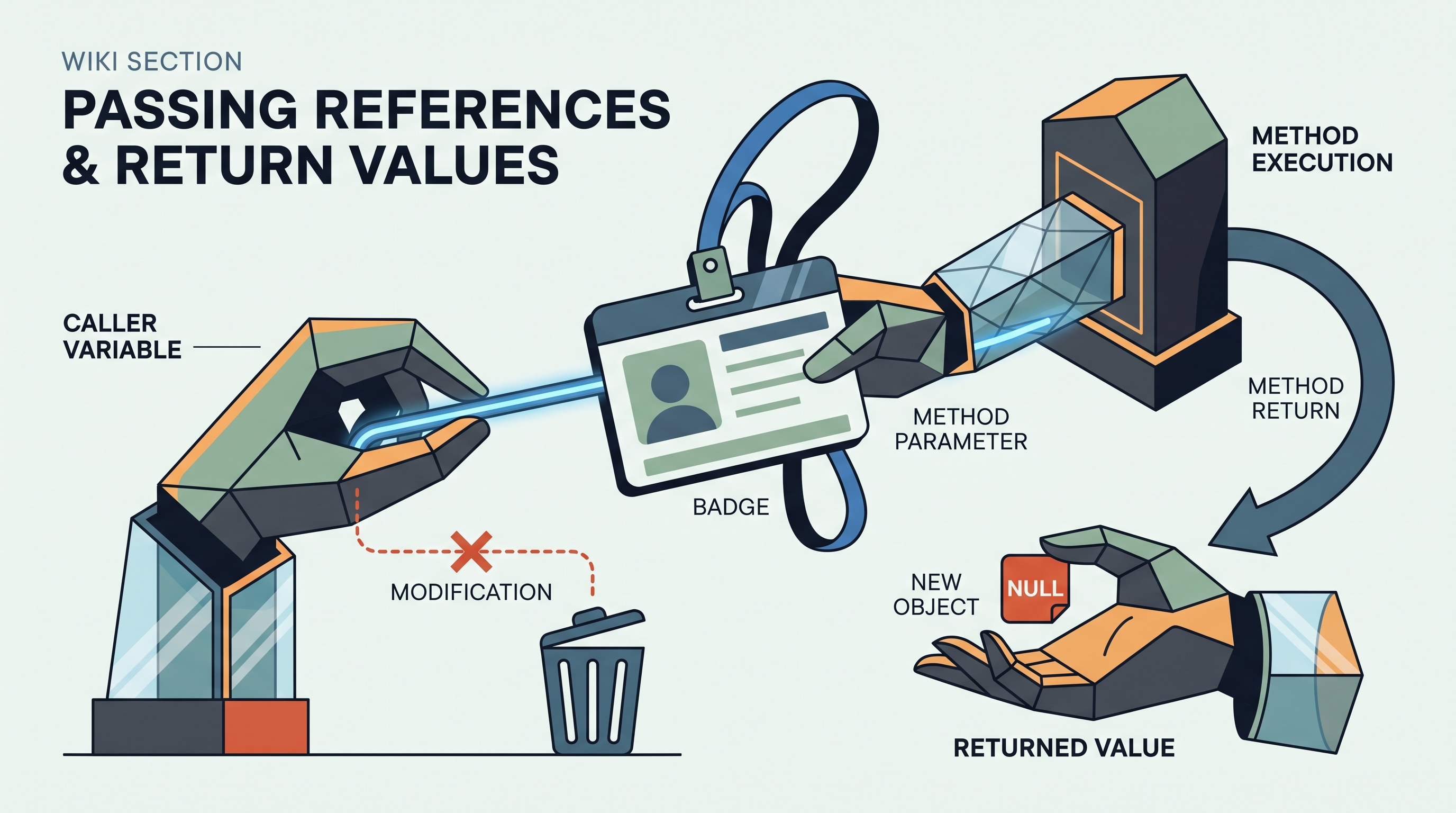
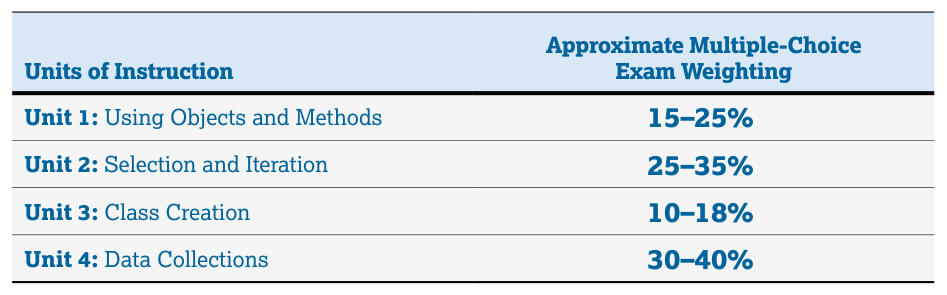
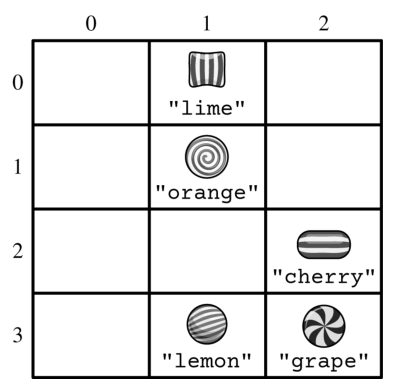
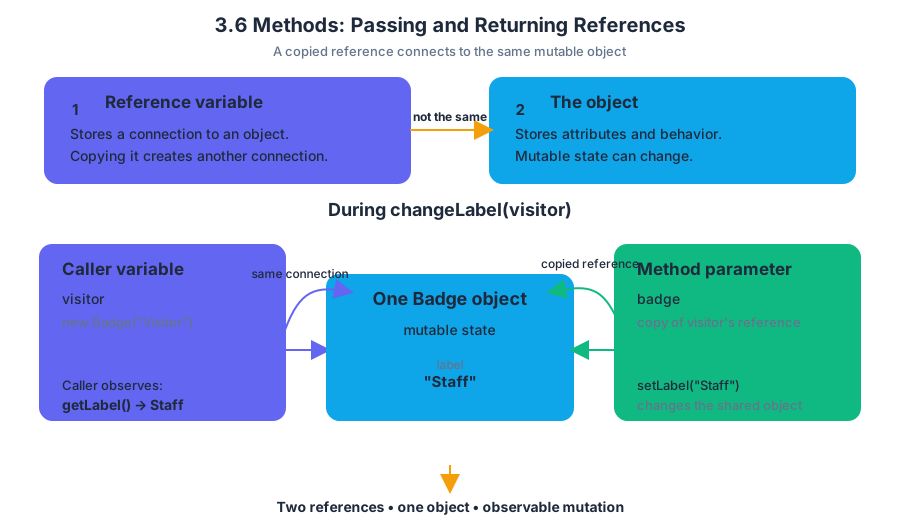
3.7 Class Variables and Methods
Key concepts: Class variables (static variables) · Class methods (static methods) · Accessing static members with the class name and dot operator · Difference between class members and instance members · Accessor methods · Mutator (modifier) methods · The final modifier · Methods as behaviors of a class · Variables storing object data · Class structure: header, instance variables, constructors, and methods
A class variable belongs to the class itself, so every object created from that class shares one stored value. An instance variable, by contrast, belongs to one particular object.
3.7 Class Variables and Methods
A class variable belongs to the class itself, so every object created from that class shares one stored value. An instance variable, by contrast, belongs to one particular object. That distinction answers a practical question: should this information describe each object separately, or should it describe the entire group?
Imagine a library. Each Book object can store its own title and author, but the library may also need one shared count of how many books have been registered. A title is instance data; the total count is class data.
Class variables: one shared value
A class variable is declared with the keyword static. Because it is associated with the class rather than with individual objects, all instances observe the same variable. It is commonly accessed with the class name, followed by the dot operator.
public class LibraryBook {
    private String title;                 // instance variable
    private static int totalBooks = 0;    // class variable
    private static final int MAX_SHELF = 500; // class constant

    public LibraryBook(String title) {
        this.title = title;
        totalBooks++;
    }

    public String getTitle() {
        return title;                    // accessor for instance data
    }

    public void rename(String newTitle) {
        title = newTitle;                // mutator for instance data
    }

    public static int getTotalBooks() {
        return totalBooks;               // accessor for class data
    }

    public static void resetCount() {
        totalBooks = 0;                  // mutator for class data
    }

    public static int shelfLimit() {
        return MAX_SHELF;
    }
}
If the program creates first and second, both objects contribute to the same totalBooks:
LibraryBook first = new LibraryBook("Dune");
LibraryBook second = new LibraryBook("Kindred");

System.out.println(LibraryBook.getTotalBooks()); // 2
The call uses LibraryBook.getTotalBooks(), not an object variable, because getTotalBooks is a class method. The method reads shared class data and does not need a particular book to perform its job.
Class methods and instance methods
A class method, also called a static method, is declared with static and belongs to the class. It can directly use class variables and call other class methods. It cannot directly use an instance variable such as title, because a static method has no particular object whose title it should choose.
An instance method belongs to an object and can work with that object’s instance variables. For example, first.getTitle() obtains the title stored in first, while LibraryBook.getTotalBooks() obtains the shared count.
| Member | Belongs to | Typical access | Can directly use |
|---|---|---|---|
| Instance variable | One object | objectName.member inside permitted access |
That object’s instance and class data |
| Class variable | The class | ClassName.member |
Shared class data |
| Instance method | One object | objectName.method() |
Instance and class data |
| Class method | The class | ClassName.method() |
Class data, not object-specific instance data |
Misconception check — “static means every object gets a starting copy.”
False. A static variable has one shared value for the class, not one separate value per object. Changing it through class code changes what every instance sees.
Accessors, mutators, and constants
An accessor method is a non-void method that returns information. getTitle accesses an object’s title, and getTotalBooks accesses shared class information. Returning the value through a method allows the class to control how its data is exposed.
A mutator, or modifier, method changes an object’s or class’s data. rename changes one book’s title; resetCount changes the class-wide count. A mutator is often void, although its essential feature is the change it makes, not merely its return type.
When a variable is declared final, its value cannot be modified after initialization. MAX_SHELF represents a class-level constant: every LibraryBook uses the same limit, and no method can assign it a new value.
The class as a design boundary
A Java class is organized around a class header, variables, constructors, and methods. Variables may store primitive values such as int, or reference values that refer to objects such as String. Methods define what instances can do and what other code can do with them.
Keeping variables private and exposing carefully designed accessors and mutators supports encapsulation: the class hides its internal representation while providing a controlled interface. This is the design reasoning assessed by 1.A: Determine an appropriate program design to solve a problem or accomplish a task, and the implementation of that design is assessed by 2.B: Write program code involving data abstractions.
Retrieval check: A class has three objects, but one shared static int activeCount. If the value changes from 3 to 4, how many separate copies changed? Why must a static method use class data rather than directly reading an instance variable?
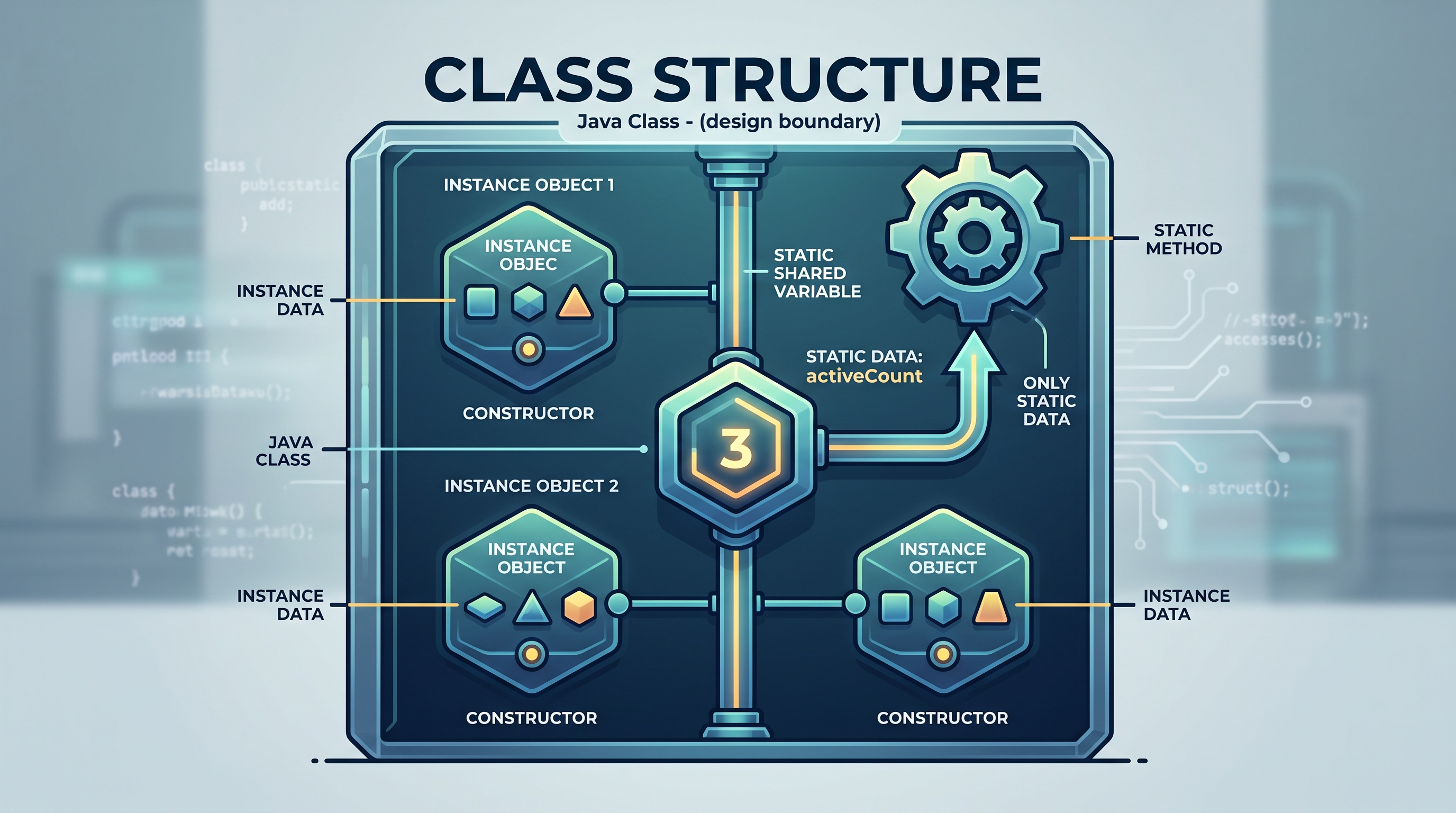
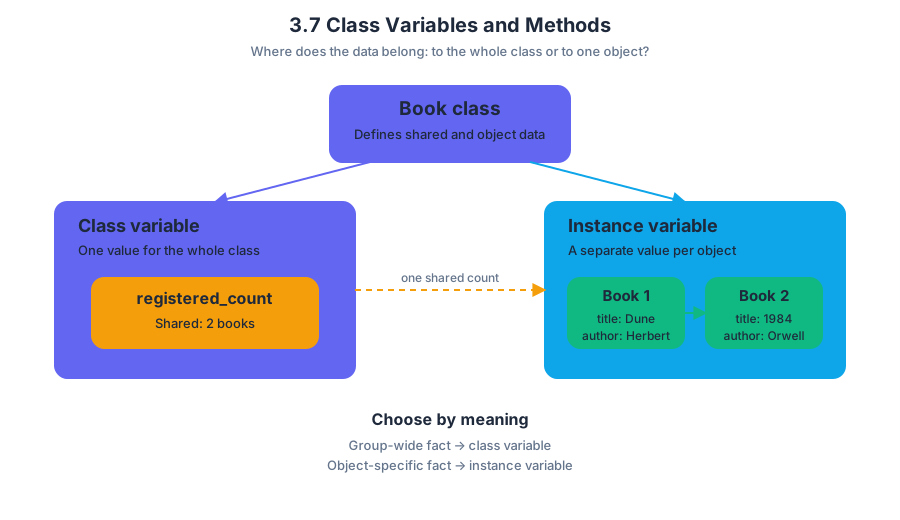
3.8 Scope and Access
Key concepts: Scope and access of variables · Variables declared in block headers or bodies · Local variables · Block-level visibility · Accessing variables only within their declaring block
A variable is usable only inside the region of code where its declaration is visible. That region is its scope: the part of a program in which a variable can be referred to by name.
3.8 Scope and Access
A variable is usable only inside the region of code where its declaration is visible. That region is its scope: the part of a program in which a variable can be referred to by name.
Imagine each pair of braces as a room. A variable declared inside a room can be used there, but code outside the room cannot see it. A variable can be declared in either the header or the body of a block of code, and the location of that declaration determines where the variable may be used.
Blocks create visibility boundaries
A block is a sequence of statements enclosed by braces, such as the body of a method, constructor, loop, or conditional statement. A variable declared inside a block is a local variable. Local variables can only be accessed within the block in which they are declared.
The boundary is lexical: Java determines visibility from where the declaration appears in the source code, not from which statement happens to run first.
public void displayTicket(int seatNumber) {
    int price = 12;

    if (seatNumber < 10) {
        int discount = 3;
        System.out.println(price - discount); // valid
    }

    System.out.println(price);    // valid
    // System.out.println(discount); // compilation error
}
Here, price is declared in the method block, so it can be used throughout that method. discount is declared in the if block, so its scope ends at the closing brace of that if statement.
Variables in block headers
A declaration in a block header follows the same rule. In a for loop, the loop-control variable is declared in the header and is available inside the loop block, but not after the loop.
int total = 0;

for (int count = 1; count <= 3; count++) {
    total += count;
    System.out.println(count); // valid
}

// System.out.println(count); // compilation error
The variable count belongs to the for statement’s scope. Once execution leaves the loop, the name count is no longer accessible. The variable total, however, was declared in the surrounding block and remains accessible after the loop.
Method parameters are local variables
A constructor or method is itself a block of code. Therefore, each parameter in its header is a local variable. A parameter may be used within that constructor or method, but not by unrelated methods.
public class Lamp {
    private int brightness;

    public Lamp(int startingBrightness) {
        brightness = startingBrightness;
    }

    public void setBrightness(int newBrightness) {
        brightness = newBrightness;
    }

    public void showBrightness() {
        // System.out.println(newBrightness); // compilation error
        System.out.println(brightness);
    }
}
startingBrightness is local to the constructor, and newBrightness is local to setBrightness. The instance variable brightness has a different scope because it belongs to each Lamp object and can be accessed by the appropriate instance methods. The parameter names do not persist after their method finishes.
Worked example: locating the legal uses
Consider this method:
public int calculateFare(int miles) {
    int baseFare = 4;

    if (miles > 10) {
        int extraFare = miles - 10;
        baseFare += extraFare;
    }

    return baseFare;
}
Trace the declarations from the outside inward:
| Variable | Declared in | Legal access |
|---|---|---|
miles |
Method header | Anywhere in calculateFare |
baseFare |
Method body | Anywhere in calculateFare after its declaration |
extraFare |
if block body |
Only inside that if block |
The final return baseFare; compiles because baseFare belongs to the method block. A statement such as return extraFare; would not compile because extraFare belongs only to the nested if block.
Common misconception: “If the code ran there, the variable still exists everywhere”
Misconception: A variable declared inside a conditional or loop can be used later because the conditional or loop has already executed.
Correction: Execution does not expand scope. Scope is determined by the declaration’s location. Even if the if condition was true, a variable declared inside its block remains inaccessible after the closing brace.
Misconception: A method parameter is available to every method in the class.
Correction: A parameter is a local variable. It belongs only to the constructor or method whose header declares it.
AP skill connections
This topic is assessed through 3.B: Determine the result or output based on code that contains data abstractions. You must identify which declarations are visible at each statement before tracing values.
It also develops 3.D: Explain why a code segment will not compile or work as intended and modify the code to correct the error. An out-of-scope variable is a compile-time error; a correction usually moves the declaration outward or passes the needed value as a parameter.
Finally, 4.A: Describe the behavior of a code segment or program requires explaining not only what executes, but also which names are legally accessible during execution.
Retrieval check
A variable x is declared inside the body of a while loop. Can a statement after the loop use x? No. Unless x was declared in an enclosing block, its scope ends at the loop’s closing brace. A variable’s declaration location—not the order in which statements execute—controls access.

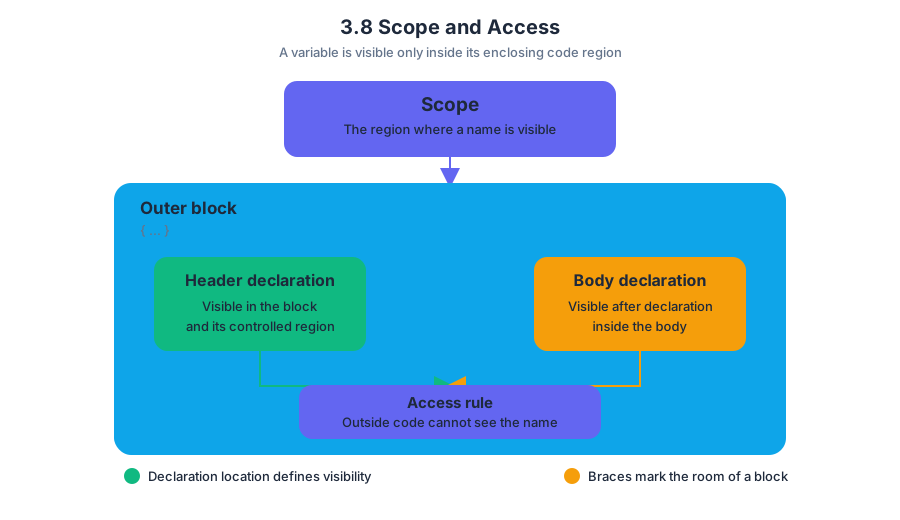
3.9 this Keyword
Key concepts: Java instance variables · private access modifier · static versus instance variables · constructors · constructor header syntax · block structure and indentation · return statements · grid and Location handling
Java uses the keyword this to identify the object whose instance method or constructor is currently running. That single reference becomes especially useful when a class contains fields and parameters with the same names.
3.9 this Keyword
Java uses the keyword this to identify the object whose instance method or constructor is currently running. That single reference becomes especially useful when a class contains fields and parameters with the same names.
One object, one set of instance fields
An instance variable is a field stored separately inside each object. A simulation might represent a feeder with its own food count and location, so two feeder objects can hold different values.
For Topic 3.9 this Keyword, the required declaration pattern uses private String and private int for instance variables. The keyword static must not appear: static creates one shared class variable rather than one variable per object.
public class Feeder
{
    private String name;
    private int foodAmount;

    public Feeder(String name, int foodAmount)
    {
        this.name = name;
        this.foodAmount = foodAmount;
    }
}
Here, name on the left side means the field belonging to the current object, while name on the right side means the constructor parameter. Writing this.name removes the ambiguity. The same pattern initializes foodAmount.
static changes the meaning
Compare the storage models:
| Declaration | Storage meaning | Example consequence |
|---|---|---|
private int foodAmount; |
Each Feeder object has its own value |
One feeder can contain $20$ units while another contains $5$ |
private static int foodAmount; |
All Feeder objects share one value |
Changing one feeder’s amount changes the shared field |
Misconception check — “static just makes a field easier to access.” It does more than that: it changes the field from object-specific state to class-wide state. On a scored class-writing task, using static where an instance variable is required can both change the program’s behavior and lose the instance-variable point.
Constructor headers and initialization
A constructor is the special method that initializes a newly created object. Its header uses the class name and includes no return type—not even void.
public Feeder(String name, int foodAmount)   // constructor
{
    this.name = name;
    this.foodAmount = foodAmount;
}

public void refill(int amount)                // ordinary method
{
    foodAmount += amount;
}
The constructor header is public Feeder(...), not public void Feeder(...). Adding void turns the apparent constructor into an ordinary method named Feeder; it will not serve as the required constructor. Constructor scoring may focus first on the exact header syntax, then on whether the parameters initialize the required fields.
Misconception check — “A constructor returns the object, so it needs a return type.” Java creates the object as part of new Feeder(...); the constructor itself has no declared return type and does not use return to return the object.
Block structure is determined by braces
Indentation makes Java readable, but curly braces determine the actual boundaries of constructors, methods, loops, and conditional blocks. Java does not require indentation for compilation, although poor indentation makes errors much harder to locate.
public int getFood()
{
    if (foodAmount > 0)
    {
        return foodAmount;
    }
    return 0;
}
A calculated integer may be returned directly to earn the relevant method point. For example, return foodAmount; returns the current field value; it is not necessary to store that value in an extra variable first.
Applying the pattern: finding food in a grid
A feeder simulation involving birds or a bear might ask for a Location representing the next grid element. A correct method must inspect the element to the right and the element below while preventing an invalid location from being returned.
public Location getNextLoc(int row, int col)
{
    if (row + 1 < grid.length && col + 1 < grid[0].length)
    {
        if (grid[row][col + 1] > grid[row + 1][col])
        {
            return new Location(row, col + 1);
        }
        return new Location(row + 1, col);
    }
    return null;
}
The guard condition checks both boundaries before creating a Location. Without it, a request involving the last row or last column could produce an out-of-bounds location. The exact strategy may vary, but the returned location must always be valid.
Skill connection
This topic exercises Computational Thinking Practice 1: Design Code when you decide what state belongs to each object, Computational Thinking Practice 2: Develop Code when you write the constructor and methods, and Computational Thinking Practice 3: Analyze Code when you trace this, shared state, braces, and boundary guards. Computational Thinking Practice 4: Document Code and Computing Systems supports clear comments and indentation, while Computational Thinking Practice 5: Use Computers Responsibly remains relevant when simulations model living organisms or collect data.
Retrieval check: correct the class
Identify four issues in this code: which declaration is an instance field, which name is a constructor parameter, what is wrong with the constructor, and which value is incorrectly shared?
public class Bird
{
    private static String species;
    private int count;

    public void Bird(String species, int count)
    {
        this.species = species;
        this.count = count;
    }
}
The intended correction is private String species;, because each Bird object should store its own species value; species in the constructor is the parameter; and public void Bird(...) must become public Bird(...). The count field is already instance-specific because it is not static.
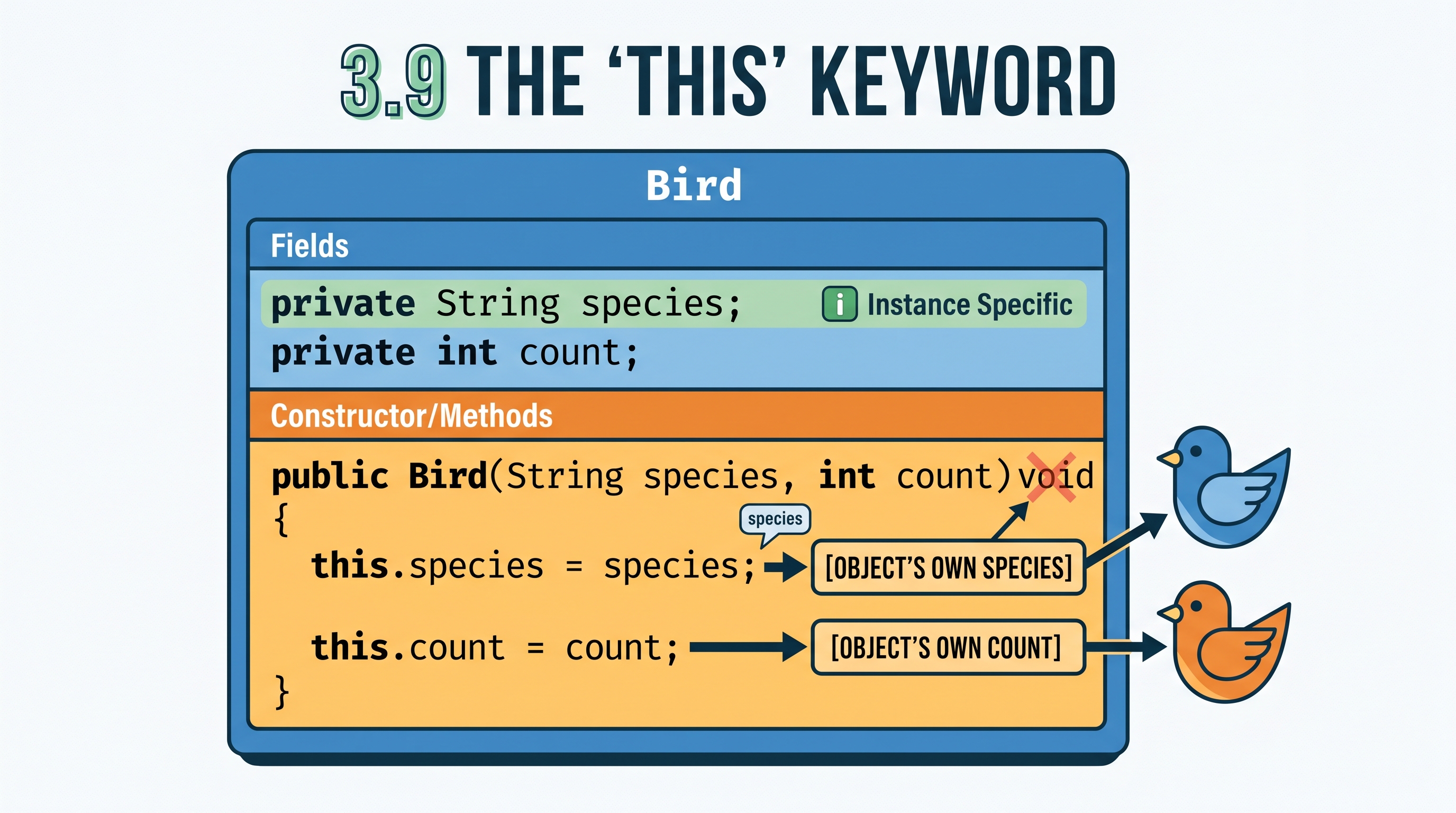
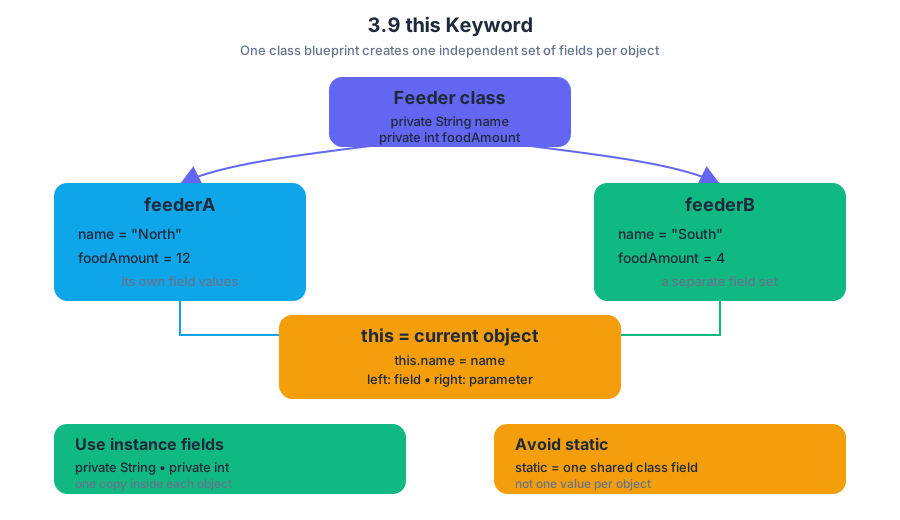
4.1 Ethical and Social Issues Around Data Collection
Key concepts: Personal privacy risks from collecting and storing data · Safeguarding user privacy in program development · Data quality · Algorithmic bias · Systemic and repeated errors that create unfair outcomes · Bias and fairness in data sets · Selecting an appropriate data set for a problem · Ethical and social implications of computer science · Responsible computing · Discussing ethical issues in groups
When a computer collects, stores, or uses personal information, privacy can be harmed even when no single programmer intends to cause harm. A fitness app, for example, might record a person’s location, sleep schedule, heart rate, and daily routines; together, these details can reveal far more than any one data point.
4.1 Ethical and Social Issues Around Data Collection
When a computer collects, stores, or uses personal information, privacy can be harmed even when no single programmer intends to cause harm. A fitness app, for example, might record a person’s location, sleep schedule, heart rate, and daily routines; together, these details can reveal far more than any one data point.
Learning Objective 4.1.A — Explain the risks to privacy from collecting and storing personal data on computer systems.
Essential Knowledge 4.1.A.1 — When using a computer, personal privacy is at risk. When developing new programs, programmers should attempt to safeguard the personal privacy of the user.
Privacy is a design responsibility
Personal privacy means a person should have meaningful control over information about them: what is collected, why it is collected, who can access it, how long it is stored, and whether it is shared. Risks arise when a system collects unnecessary information, stores it insecurely, combines it with other records, or uses it for a purpose the user did not expect.
A privacy-conscious developer therefore asks questions before writing the program: Do we need this information? Can the program work with less identifying data? Who truly needs access? What happens if the data is leaked or misused? Safeguarding privacy is not merely a setting added after development; it is part of responsible program design.
Misconception check — “If the data is digital, it is harmless.” Digital data is easy to copy, search, combine, and transmit. A database containing names, addresses, or activity records can create risks even if the original collection seemed harmless.
Data quality affects conclusions
Learning Objective 4.1.B — Explain the importance of recognizing data quality and potential issues when using a data set.
Essential Knowledge 4.1.B.3 — Some data sets are incomplete or contain inaccurate data. Using such data in the development or use of a program can cause the program to work incorrectly or inefficiently.
Data quality describes how complete, accurate, relevant, and consistently collected the data is. A program can execute perfectly and still produce unreliable results if its input data contains missing entries, recording errors, outdated information, or measurements collected in inconsistent ways.
Worked example: A city designs a program to predict demand for public buses. Its data comes only from passengers who use a mobile ticketing app. The program may accurately detect patterns in that data, but it could underestimate riders who pay with cash or lack smartphones. The problem is not necessarily the algorithm’s syntax; the data-collection method leaves part of the population out.
Essential Knowledge 4.1.B.2 — Programmers should be aware of the data set collection method and the potential for bias when using this method before using the data to extrapolate new information or drawing conclusions.
Before applying a data set to a new question, identify how it was collected and whether that process favors some users over others. A data set created to study one population, location, time period, or purpose may not support conclusions about a different population, location, time period, or purpose.
Algorithmic bias and fairness
Essential Knowledge 4.1.B.1 — Algorithmic bias describes systemic and repeated errors in a program that create unfair outcomes for a specific group of users.
Algorithmic bias is not simply one accidental wrong answer. It is a repeated, systematic pattern in which a program disadvantages a particular group. Bias can enter through the data, the way categories are defined, the objective selected by programmers, or assumptions built into the program.
Consider a screening program trained mostly on records from one demographic group. If the training data does not represent other groups, the program may perform less accurately for them. Repeating that error across thousands of decisions can produce unfair outcomes even when the program applies the same rule to every input.
Misconception check — “A computer cannot be biased because it follows rules.” A computer follows rules, but people choose the rules, measurements, categories, and data. Consistent execution can consistently reproduce an unfair assumption.
Choosing an appropriate data set
Learning Objective 4.1.C — Identify an appropriate data set to use in order to solve a problem or answer a specific question.
Essential Knowledge 4.1.C.1 — The contents of a data set might be related to a specific question or topic and might not be appropriate to give correct answers or extrapolate information for a different question or topic.
The right data set must match the question. A programmer should examine its relevance, completeness, accuracy, collection method, and representation of the people or situations being studied. Ethical analysis also includes discussing who benefits, who may be harmed, and which groups might be invisible in the data.
Retrieval check: A school uses survey responses from volunteers to predict the opinions of every student. Name one privacy concern, one data-quality concern, and one possible source of algorithmic bias. A strong answer identifies the handling of personal responses, volunteer data that may be incomplete or unrepresentative, and repeated errors caused by treating volunteers as representative of the entire school.
Suggested Skill — Determine what knowledge can be extracted from data; Explain how computing: Use the collection method and limitations of a data set to justify whether a conclusion is trustworthy, rather than accepting a program’s output merely because it is numerical or automated.
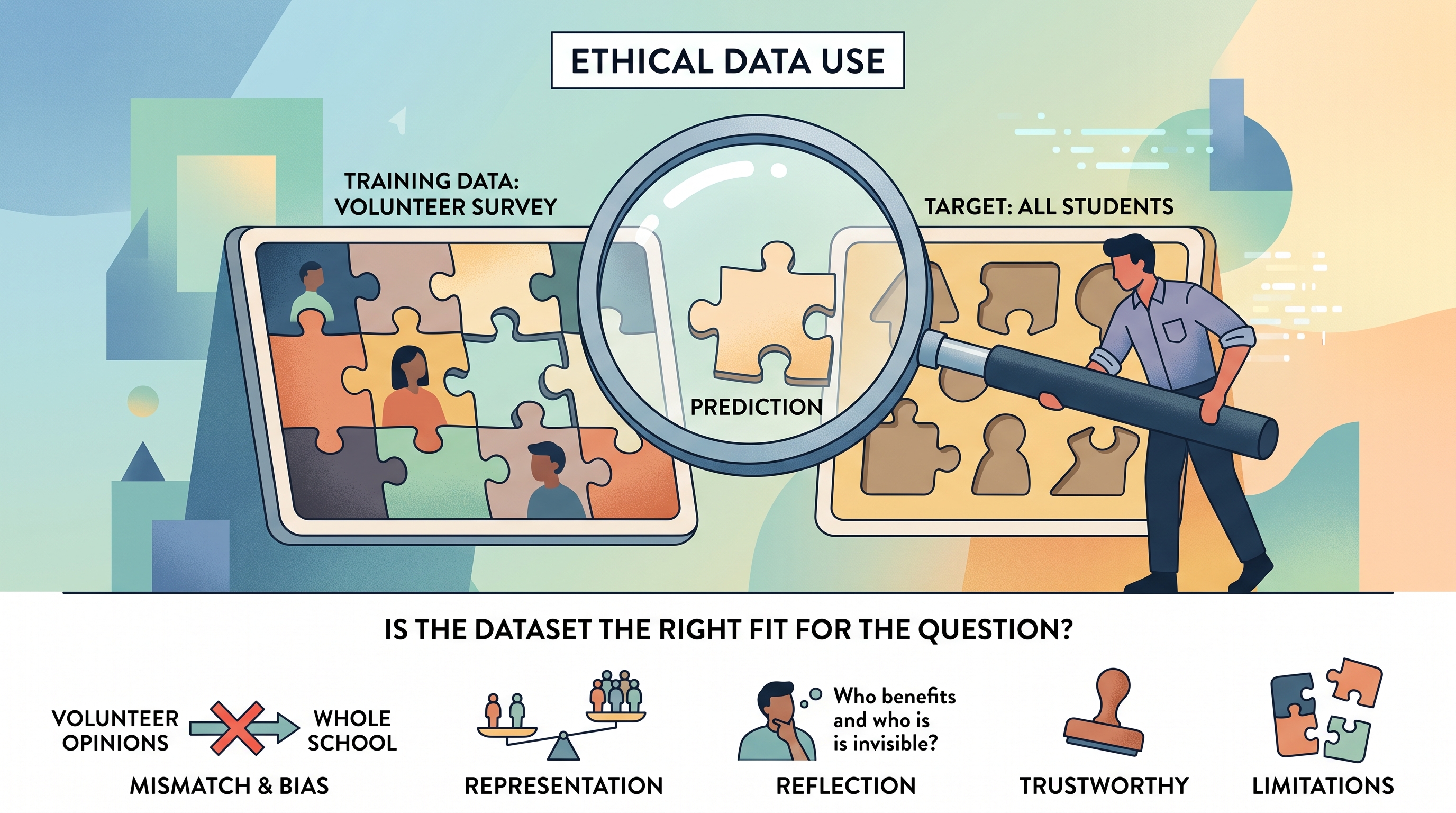
4.2 Introduction to Using Data Sets
Key concepts: Data sets can be manipulated and analyzed to solve problems or answer questions · Determining what knowledge can be extracted from data · Contextual relevance of data and the validity of data for a specific problem · Algorithmic bias and strategies to identify and mitigate it · Using arrays and 2D arrays to represent data · Traversing a list from both ends · Handling even- and odd-sized data sets with conditional logic · Creating objects from data and storing them in an ArrayList · Initializing accumulators before loops · Avoiding redundant method calls in loops
A data set is a collection of specific pieces of information that can be examined one value at a time to answer a question or solve a problem.
4.2 Introduction to Using Data Sets
A data set is a collection of specific pieces of information that can be examined one value at a time to answer a question or solve a problem. A weather app, for example, might analyze a data set of hourly temperatures to determine the hottest hour of the day.
From data values to knowledge
The learning objective for this topic is 4.2.A: Represent patterns and algorithms that involve data sets found in everyday life using written language or diagrams. Its essential knowledge begins with 4.2.A.1, the definition of a data set, and continues with 4.2.A.2: data sets can be manipulated and analyzed, with values accessed individually and processed according to a desired outcome.
Suppose temperatures contains the readings $18, 21, 24, 20$. The data itself does not automatically state “the maximum temperature was $24$.” An algorithm must inspect each value, compare it with the best value seen so far, and preserve the result.
A chart or table is also a computational tool, not merely decoration. Under 4.2.A.3, a visual representation can expose patterns and help plan the algorithm: rows might represent days, columns might represent measurements, and highlighted values might reveal which entries need to be counted, compared, or combined.
Data must fit the question
A data set is not universally valid. Its usefulness depends on the problem being solved: a list of classroom temperatures may help identify heating problems in that classroom, but it cannot support a reliable conclusion about the climate of an entire city. Before processing data, ask: What does each value represent, how was it collected, and does it actually answer this question?
Algorithmic bias occurs when a program systematically produces unfair or distorted results because the data, the algorithm, or the surrounding assumptions favor some cases over others. Useful mitigation strategies include checking whether important groups are missing, comparing error rates across groups, testing on varied data, examining which variables influence decisions, and revising the data or algorithm when the results are unjustifiably uneven.
Key distinction: Correctly processing inappropriate data still produces an inappropriate answer.
Worked example: pairing data from both ends
Consider an ArrayList of competitors that must be paired from opposite ends. For an even-sized list, index i pairs with index size - i - 1. For an odd-sized list, the first competitor can be treated as a special unpaired entry, so pairing begins at index 1.
The condition size % 2 == 0 detects whether the number of elements is even. The loop then performs roughly half as many iterations as the list has elements, simultaneously moving from the front and the back.
public ArrayList<Match> buildMatches()
{
    ArrayList<Match> matches = new ArrayList<Match>();

    if (competitorList.size() % 2 == 0)
    {
        for (int i = 0; i < competitorList.size() / 2; i++)
        {
            matches.add(new Match(
                competitorList.get(i),
                competitorList.get(competitorList.size() - i - 1)));
        }
    }
    else
    {
        for (int i = 1; i < competitorList.size() / 2 + 1; i++)
        {
            matches.add(new Match(
                competitorList.get(i),
                competitorList.get(competitorList.size() - i)));
        }
    }

    return matches;
}
For a list of six competitors, the pairings use indices $(0,5)$, $(1,4)$, and $(2,3)$. For a list of five, the odd-case logic uses $(1,4)$ and $(2,3)$, leaving index $0$ outside the pairing pattern. Each new Match(...) creates an object from existing data and adds that object to a new ArrayList.
Accumulating results safely
When an algorithm combines values, initialize an integer accumulator before the loop. For example, to total point values, begin with int total = 0; and then use total += value;. Without initialization, the accumulator has no defined starting total.
A two-dimensional array can represent a board whose cells contain objects. If each cell stores a String color and an integer pointValue, then board[row][column] identifies one cell; the cell’s methods or fields provide the information to analyze. Row and column indices are separate: board[2][1] means row $2$, column $1$, not a single flat position.
Misconception check
Misconception: “An odd-sized list can use exactly the same bounds as an even-sized list.” The center or special entry changes how many pairs exist, so the boundary and starting index must be chosen deliberately. Also, size() is a count, while the last valid index is size() - 1.
Retrieval check
A list contains seven values. Which expression identifies the element paired with index i when traversing from both ends? What must an accumulator contain before a loop uses +=? Finally, explain one reason a data set appropriate for measuring school attendance might be inappropriate for predicting regional health outcomes.


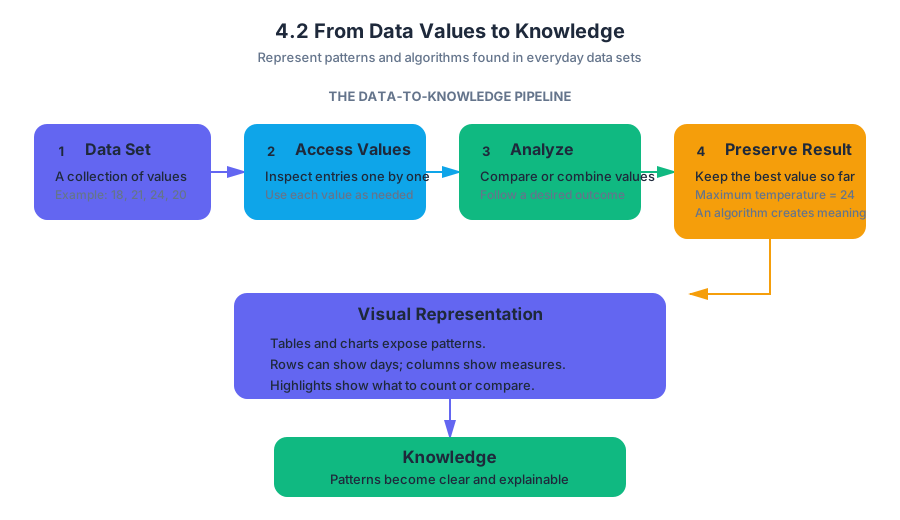
4.3 Array Creation and Access
Key concepts: One-dimensional and two-dimensional array creation · Two-dimensional array initializer lists · Array indexing and element access · Row-and-column indexing convention · Array element modification · Avoiding array out-of-bounds errors · Traversing arrays with loops · Accessing all elements of an array · Computing values from array elements · Method implementation using arrays
An array is a fixed-size sequence whose elements are accessed by position, and a two-dimensional array extends that idea by organizing elements into rows and columns.
4.3 Array Creation and Access
An array is a fixed-size sequence whose elements are accessed by position, and a two-dimensional array extends that idea by organizing elements into rows and columns.
One-dimensional arrays: one index, one position
A one-dimensional array stores elements in a single sequence. Java creates an array with the new keyword, followed by the element type and the number of elements:
int[] temperatures = new int[4];
This creates four integer locations. Because no values were supplied, each location initially contains Java’s default value for int, which is $0$. The valid indices are $0$, $1$, $2$, and $3$; the array’s length is temperatures.length, which is $4$.
temperatures[0] = 72;
temperatures[1] = 68;
temperatures[2] = 75;
temperatures[3] = 70;

int afternoon = temperatures[2];  // 75
An index identifies an element’s position. Java arrays begin indexing at $0$, not $1$.
Two-dimensional arrays: rows containing one-dimensional arrays
A two-dimensional array is accessed with two indices. Conceptually, each row is itself a one-dimensional array:
int[][] arr2D = {
    {1, 2, 3},
    {4, 5, 6}
};
The initializer is a list of one-dimensional array initializer lists. The outer braces contain two rows; each inner brace supplies the values in one row.
| Expression | Meaning | Value |
|---|---|---|
arr2D.length |
number of rows | $2$ |
arr2D[0].length |
number of columns in row $0$ | $3$ |
arr2D[1][0] |
row $1$, column $0$ | $4$ |
arr2D[0][2] |
row $0$, column $2$ | $3$ |
The exam convention is strict: in arr[first][second], the first index is the row and the second index is the column. Thus, arr2D[1][2] means “row $1$, column $2$,” producing $6$—not “row $2$, column `$1$].”
Creation, access, and modification
A two-dimensional array can also be created with dimensions rather than literal values:
int[][] seats = new int[3][4];
This creates $3$ rows and $4$ columns. Every element initially contains $0$. An element can then be read or replaced using row-and-column indexing:
seats[1][2] = 7;
int reserved = seats[1][2];  // 7
The assignment changes the element stored at row $1$, column $2$; it does not change the array’s size.
Accessing every valid element
To visit every element, a loop must include every valid row and column index. Since valid indices stop at one less than the corresponding length, use <, not <=:
for (int row = 0; row < arr2D.length; row++) {
    for (int col = 0; col < arr2D[row].length; col++) {
        System.out.println(arr2D[row][col]);
    }
}
The outer loop selects a row. The inner loop selects each column within that row. Using arr2D[row].length makes the column bound belong to the row currently being accessed.
Bounds: the guardrail that prevents failure
For an array named values, valid row indices range from $0$ through values.length - 1. For a particular row, valid column indices range from $0$ through values[row].length - 1$. An invalid index causes an ArrayIndexOutOfBoundsException`.
Named misconception — “length is the last index.” If values.length is $5$, the last valid index is $4$, not $5$. The expression values[values.length] is out of bounds.
Named misconception — swapping row and column. In arr[row][col], the first index is not the column. Drawing the grid and labeling the row first prevents this frequent error.
A specified getPointsForRow trace provides a compact access-and-calculation check: the selected row contributes 200 + 300 + 100 + 200 + 200 = 1000; because every space has the same color, the value is doubled, giving 1000 × 2 = 2000. The expected return value is 2000.
Retrieval check
For int[][] grid = new int[2][3];, identify the valid index ranges and the element accessed by grid[1][2]. Then state why grid[2][0] fails.
Answer: Rows range from $0$ through $1$; columns range from $0$ through $2$. grid[1][2] is the last element in the second row. grid[2][0] fails because row $2$ does not exist.
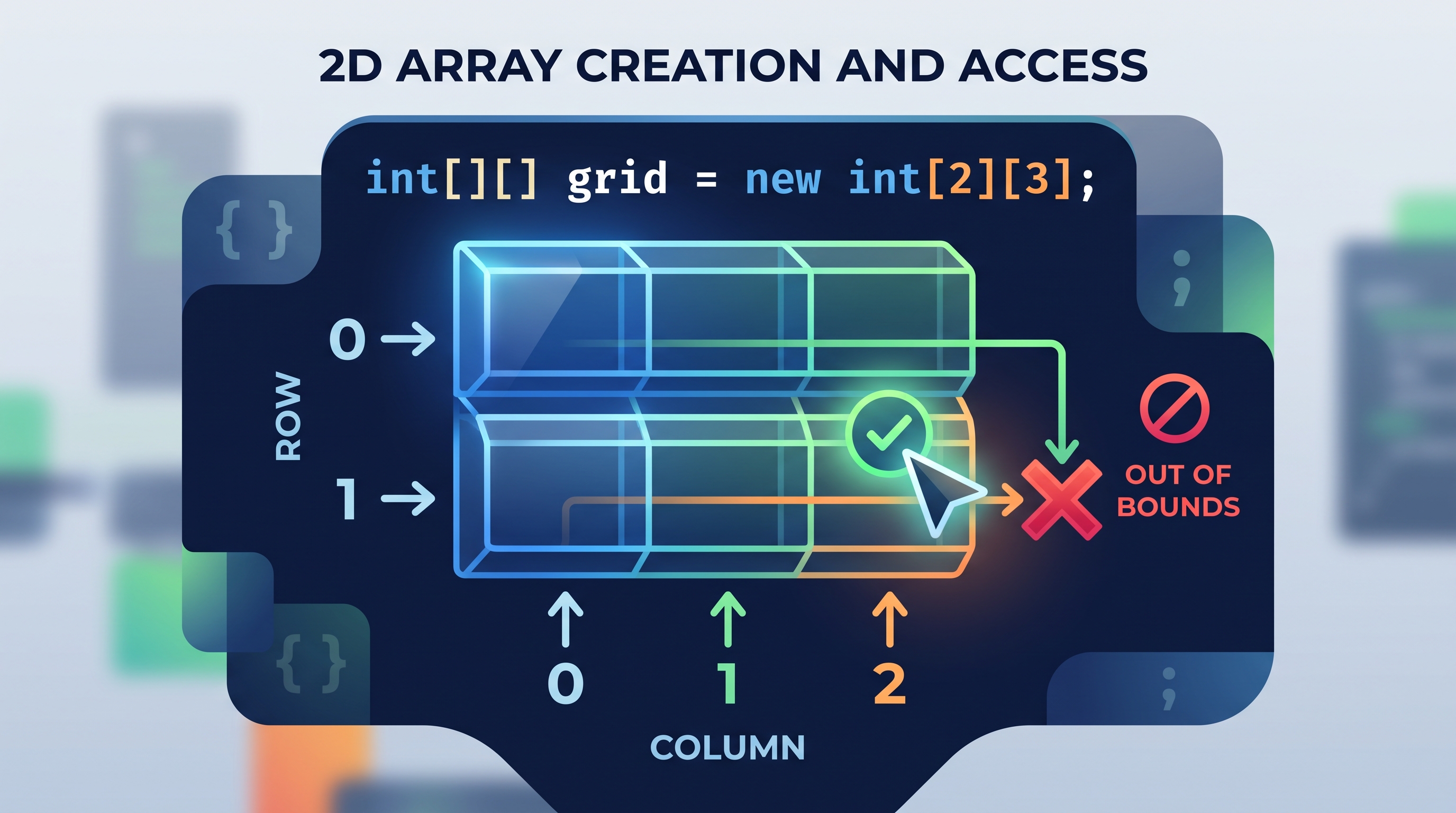
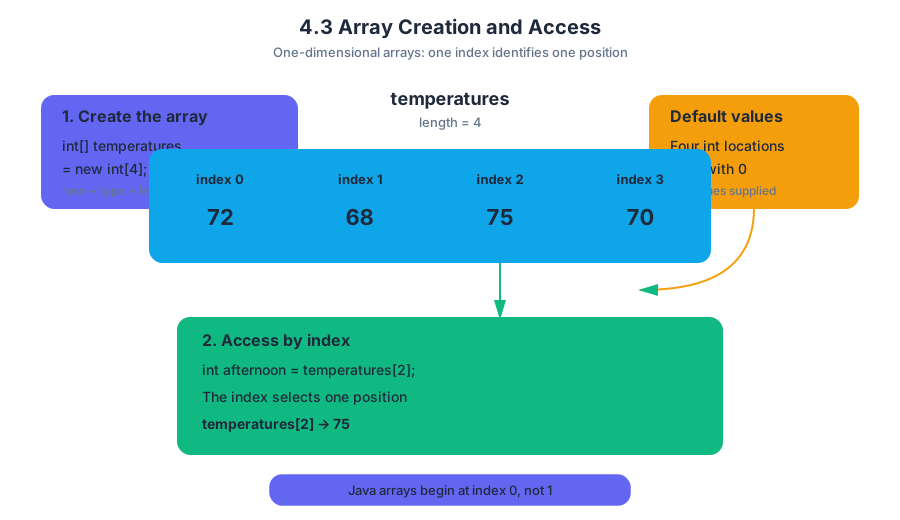
4.4 Array Traversals
Key concepts: Array traversals · For loops · Writing a for-loop header · Modifying code to correct errors
An array traversal visits array elements one at a time, usually by moving an index from the first valid position to the last. A for loop is the most compact Java tool for expressing that repeated movement.
4.4 Array Traversals
An array traversal visits array elements one at a time, usually by moving an index from the first valid position to the last. A for loop is the most compact Java tool for expressing that repeated movement.
Imagine checking every seat in a theater: start at seat 0, inspect it, move to seat 1, and stop after the final seat. For an array of length $n$, the valid indices are $0$ through $n - 1$, so a correct traversal must visit exactly those positions—no fewer and no more.
The traversal pattern
The standard index-based traversal has three parts:
- Initialization: begin with index $0$.
- Continuation condition: continue while the index is less than
array.length. - Update: increase the index by $1$ after each iteration.
In Java, the general header is:
for (int i = 0; i < values.length; i++) {
    // use values[i]
}
The expression values.length is the number of elements, not the final index. If values.length is $4$, the valid indices are $0, 1, 2, 3$. Therefore, i < values.length is correct, while i <= values.length eventually attempts to access values[4], producing an ArrayIndexOutOfBoundsException.
Worked example: counting qualifying values
Suppose a weather station stores four daily temperatures:
int[] temperatures = {18, 23, 27, 21};
int warmDays = 0;

for (int i = 0; i < temperatures.length; i++) {
    if (temperatures[i] >= 23) {
        warmDays++;
    }
}
The loop’s index values are $0, 1, 2, 3$. The corresponding array accesses and decisions are:
| Index $i$ | temperatures[i] |
At least $23$? | warmDays after iteration |
|---|---|---|---|
| $0$ | $18$ | No | $0$ |
| $1$ | $23$ | Yes | $1$ |
| $2$ | $27$ | Yes | $2$ |
| $3$ | $21$ | No | $2$ |
After the traversal, warmDays is $2$. The loop does not know what the values mean; it simply provides systematic access. The if statement supplies the context-specific decision.
Writing the for-loop header
When constructing a traversal, ask three questions:
- Where does the index start? Usually
0. - Which indices are valid? From
0througharray.length - 1. - How does the index move? Usually
i++.
For an array named scores, the appropriate header is:
for (int i = 0; i < scores.length; i++) {
    System.out.println(scores[i]);
}
An enhanced for loop can also visit every element when the algorithm needs only the element value:
for (int score : scores) {
    System.out.println(score);
}
However, an enhanced for loop does not directly provide the index. If the task must report positions, compare neighboring elements, or replace values at particular indices, use the index-based form.
Correcting traversal errors
Consider this faulty loop:
for (int i = 1; i <= values.length; i++) {
    System.out.println(values[i]);
}
It contains two errors:
- Starting at
1skips index0. - Using
<=allowsito becomevalues.length, which is outside the array.
The corrected version is:
for (int i = 0; i < values.length; i++) {
    System.out.println(values[i]);
}
This is an application of AP Skill 4.A, “Determine the result or output of code segments,” because tracing the index values predicts which elements are accessed. It also develops AP Skill 3.B, “Develop program code,” when you write the header or modify it to implement the intended traversal.
Misconception check: “The last index is
array.length.”
The length counts elements; indexing starts at $0$. The last index is alwaysarray.length - 1.
Retrieval check
An array named rainfall has length $6$. Write a for-loop header that visits every element exactly once. Then identify the error in i <= rainfall.length.
A correct header is:
for (int i = 0; i < rainfall.length; i++) {
    // process rainfall[i]
}
The faulty condition permits i == 6, but the valid indices stop at $5$; that final attempted access causes an out-of-bounds error.
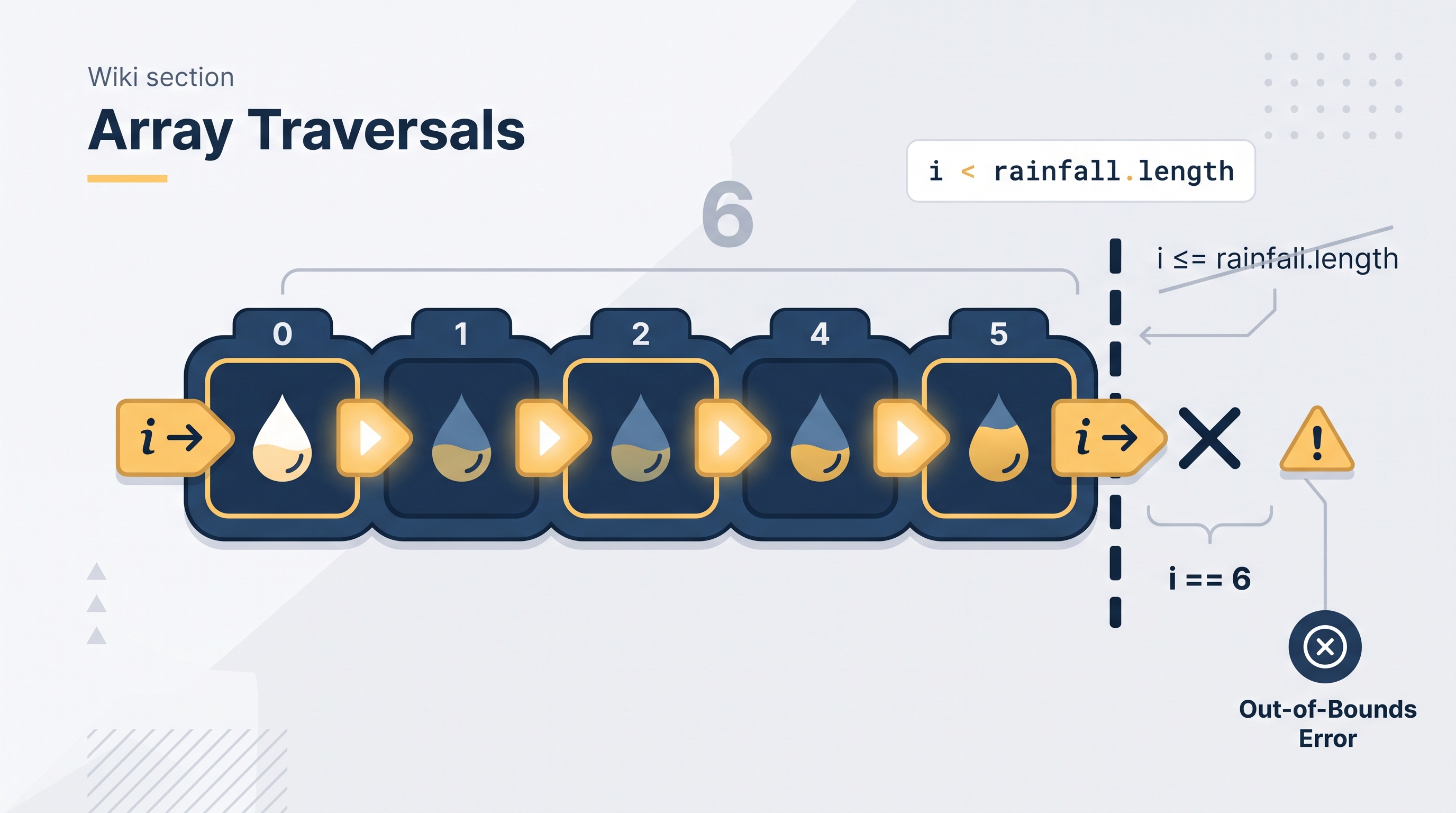
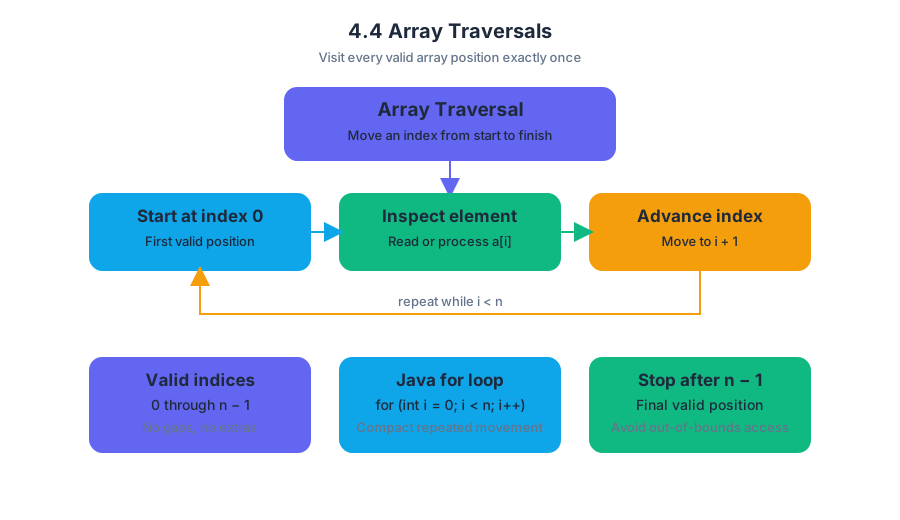
4.5 Implementing Array Algorithms
Key concepts: Implementing algorithms that operate on one-dimensional arrays · Traversing array elements with loops · Using array indices to access and update elements · Searching an array for a target value · Computing aggregate results such as sums, counts, minimums, and maximums · Modifying array elements in place · Using conditional logic while processing arrays · Checking loop bounds and avoiding invalid indices · Debugging array code that does not compile or behaves incorrectly
An array algorithm turns a one-dimensional array into an answer: a total, a count, an extreme value, a search result, or a changed collection of values.
4.5 Implementing Array Algorithms
An array algorithm turns a one-dimensional array into an answer: a total, a count, an extreme value, a search result, or a changed collection of values. The central question is simple but powerful: what must happen to each relevant element, and what information must be remembered while the loop runs?
Learning Objective 4.5.A: Implement algorithms that operate on one-dimensional arrays.
Essential Knowledge 4.5.A: Array algorithms use traversal, valid indices, accumulators, comparisons, and assignments to inspect or modify array elements.
Suggested Skills: 2.B Write program code involving data abstractions; 3.B Determine the result or output based on code that contains data abstractions; 3.D Explain why a code segment will not compile or work as intended and modify the code to correct the error; 4.A Describe the behavior of a code segment or program.
The array-algorithm pattern
Most one-dimensional array algorithms follow this pipeline:
- Choose the relevant indices. A complete traversal usually begins at index $0$ and ends at index
array.length - 1. - Initialize a result or accumulator. An accumulator is a variable that stores a partial answer, such as a running sum or count.
- Visit each element.
- Update the result during the loop.
- Use or return the final result.
The loop condition must be i < array.length, not i <= array.length. The largest valid index is array.length - 1; attempting array[array.length] causes an ArrayIndexOutOfBoundsException.
Worked example: weather-data analysis
Suppose a sensor records the temperatures $12, -3, 8, -7, 15$. The following method computes the sum, number of negative readings, maximum, and minimum in one traversal.
public static void analyzeTemperatures(int[] temperatures) {
    int sum = 0;
    int negativeCount = 0;
    int maximum = temperatures[0];
    int minimum = temperatures[0];

    for (int i = 0; i < temperatures.length; i++) {
        sum += temperatures[i];

        if (temperatures[i] < 0) {
            negativeCount++;
        }

        if (temperatures[i] > maximum) {
            maximum = temperatures[i];
        }

        if (temperatures[i] < minimum) {
            minimum = temperatures[i];
        }
    }

    System.out.println(sum);
    System.out.println(negativeCount);
    System.out.println(maximum);
    System.out.println(minimum);
}
The results are:
sum: $12 + (-3) + 8 + (-7) + 15 = 25$negativeCount: $2$maximum: $15$minimum: $-7$
Initializing both extremes from temperatures[0] is essential. If maximum or minimum began at $0$, the algorithm could fail for an all-negative array: $-8, -2, -11$ has a maximum of $-2$, not $0$. Starting with a real array element lets the comparisons work for positive, negative, and mixed data.
Common accumulator designs
| Goal | Initial value | Update inside the loop |
|---|---|---|
| Sum | 0 |
sum += array[i] |
| Count a property | 0 |
count++ when the property is true |
| Maximum | array[0] |
Replace when array[i] > maximum |
| Minimum | array[0] |
Replace when array[i] < minimum |
A named misconception is “the accumulator updates automatically because the loop visits the elements.” It does not. The loop only provides repeated execution; the programmer must explicitly update the result during every appropriate iteration.
Searching for a target
A linear search compares each element with a target value. A Boolean result can record whether any comparison succeeds.
public static boolean contains(int[] values, int target) {
    boolean found = false;

    for (int i = 0; i < values.length; i++) {
        if (values[i] == target) {
            found = true;
        }
    }

    return found;
}
For values = {4, 9, 2, 9} and target = 2, the method returns true; for target = 7, it returns false. Once found becomes true, the algorithm may stop early with return true, but it must never return false before all relevant elements have been checked.
Modifying elements in place
To change the original array, assign through an indexed reference such as array[i]. Changing only a temporary loop variable does not change the array.
public static void addBonus(int[] scores) {
    for (int i = 0; i < scores.length; i++) {
        scores[i] += 5;
    }
}
An enhanced for loop is convenient for reading primitive values, but this does not modify the array:
for (int score : scores) {
    score += 5;       // changes only score, not scores
}
Misconception check: score is not an alias for scores[i]; it receives a copy of the primitive value. Use an indexed for loop when the algorithm must update array elements.
Debugging loop bounds
Check three questions: Does the loop start at the required first index? Does it stop before the first invalid index? Does it process exactly the requested portion? For a range from index $1$ through index $3$, use i = 1; i <= 3; i++; for a range ending at the array’s final element, use i < array.length.
Retrieval check: An array contains {6, -4, -9}. What should initialize minimum, and what value should it have after the traversal? Why would initializing it to 0 be incorrect?

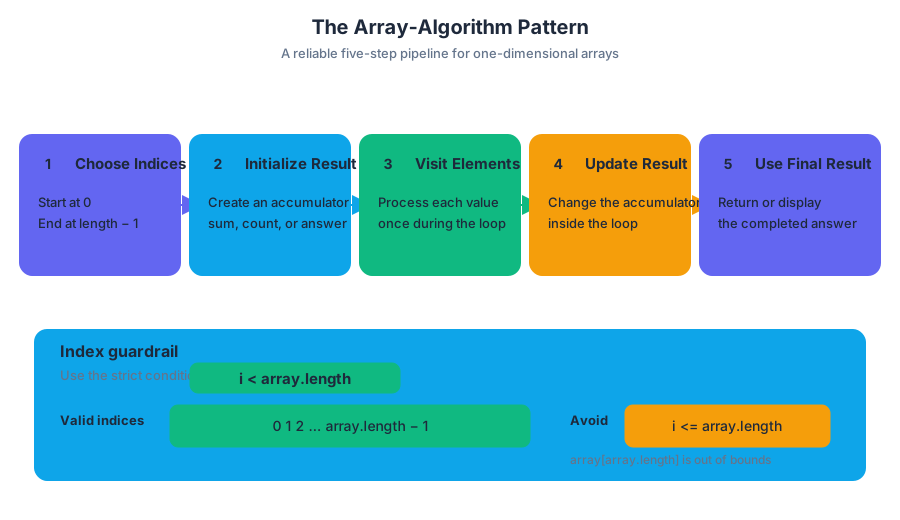
4.6 Using Text Files
Key concepts: Reading text files with Scanner · Using the File(String) constructor · Closing a Scanner after file input · Handling whitespace when mixing nextLine() with other Scanner methods · Splitting strings with String.split · Regular-expression restrictions for split delimiters · Understanding method specifications and preconditions · Using custom Location objects with 2D arrays · Navigating an int[][] grid with GridPath.getNextLoc · Checking adjacent strings with indexOf and returning boolean results
A text file is persistent data: unlike keyboard input, its contents remain available after the program stops. Java reads that stored data through a Scanner whose input source is a File object rather than System.in.
4.6 Using Text Files
A text file is persistent data: unlike keyboard input, its contents remain available after the program stops. Java reads that stored data through a Scanner whose input source is a File object rather than System.in.
Learning Objective 4.6.A: Read and process data from text files using Java library classes and methods.
The file-input pipeline
The standard pipeline is:
First, import File and IOException from java.io (Essential Knowledge 4.6.A.5). Then construct a File, pass it to Scanner, process the contents, and close the scanner when finished (Essential Knowledge 4.6.A.10).
import java.io.File;
import java.io.IOException;
import java.util.Scanner;

public class FileReaderDemo {
    public static void main(String[] args) throws IOException {
        File inputFile = new File("scores.txt");
        Scanner input = new Scanner(inputFile);

        while (input.hasNext()) {              // Essential Knowledge 4.6.A.9
            String line = input.nextLine();
            System.out.println(line);
        }

        input.close();
    }
}
new File("scores.txt") describes the file; it does not itself read the contents. The Scanner performs the reading. If the named file cannot be opened, the method may declare throws IOException; with an invalid file name, the program terminates rather than silently producing valid data.
Tokens, lines, and whitespace
Scanner methods do not all treat whitespace alike. Methods such as nextInt(), nextDouble(), next(), and hasNext() work with tokens separated by whitespace. nextLine() consumes the remainder of the current line, including the line-ending boundary.
A common trap appears when both styles read from the same source:
int quantity = input.nextInt();
String description = input.nextLine();
After nextInt() reads the number, the newline typed or stored after that number is still waiting. The following nextLine() may therefore return an empty string instead of the description.
int quantity = input.nextInt();
input.nextLine();              // consume the leftover newline
String description = input.nextLine();
The extra nextLine() is needed when a token-based method is immediately followed by a line-based method on the same input source. The same issue can follow nextDouble() or next(). Essential Knowledge 4.6.A.7 identifies this whitespace adjustment, although writing or analyzing mixed nextLine() and token-based input is explicitly outside the AP Computer Science A exam scope. For course-level file reading, choosing one consistent strategy—token-based or line-based—usually makes the code clearer.
Splitting a line into fields
String.split(String del) returns a String[]: each element is a substring formed by splitting the original string around matches of the delimiter del (Essential Knowledge 4.6.A.8).
String record = "Mina,82,Blue";
String[] fields = record.split(",");

String name = fields[0];       // "Mina"
int score = Integer.parseInt(fields[1]);
String team = fields[2];       // "Blue"
For AP Computer Science A, use ordinary delimiters such as "," or " ". Although the parameter is technically formatted as a regular expression, writing or analyzing special regular-expression properties—such as those involving \* or \.—is outside the required scope.
Misconception check: splitting is not trimming
If a line begins with a required signature, remove exactly that prefix—not an arbitrary character from the beginning or end.
String signature = "DATA:";
String line = "DATA:17,24";

if (line.indexOf(signature) == 0) {
    String body = line.substring(signature.length());
    String[] values = body.split(",");
}
The correct boundary is signature.length(). Do not accidentally remove the signature from the beginning, the end, or both ends unless the specification explicitly requires that behavior.
File input inside larger algorithms
File reading often supplies data to an object-based algorithm. For example, a Location object can represent a grid coordinate, while a GridPath object can use its int[][] grid field to navigate a two-dimensional structure in getNextLoc. The file-reading code supplies the values; the method’s precondition determines whether those values are legal.
Another common pattern checks adjacent text elements with String.indexOf:
boolean hasRequiredLinks(String[] names, String sig) {
    for (int i = 0; i < names.length - 1; i++) {
        if (names[i].indexOf(names[i + 1]) == -1) {
            return false;
        }
    }
    return true;
}
The method returns false immediately when one pair fails, and returns true only after every adjacent pair passes. This topic therefore exercises 2.C — Develop Code, especially writing code that uses library classes; 3.C — Analyze Code, by tracing scanner position and loop behavior; and 4.B — Document Code and Computing Systems, including interpreting method specifications and preconditions.
Retrieval check: If input.nextInt() reads 42 and the next operation must read the rest of that same line, what call usually belongs between them, and why?
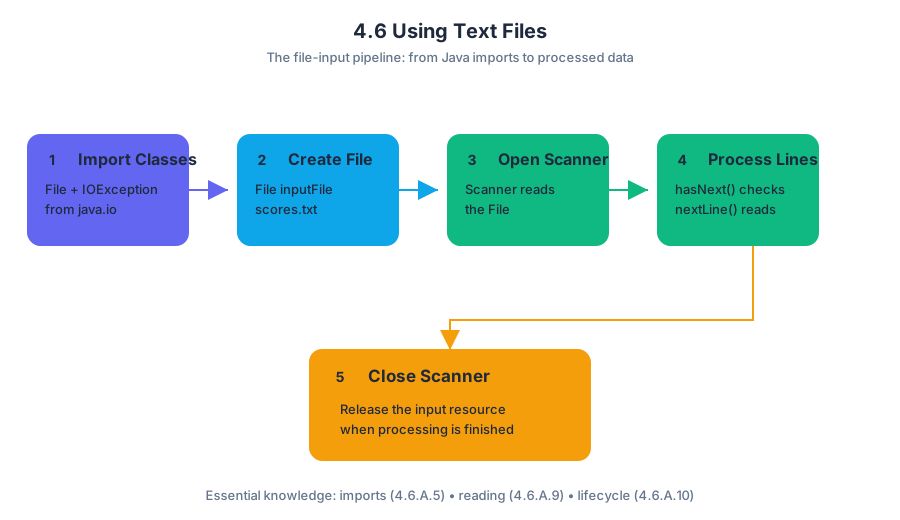
4.7 Wrapper Classes
A Java ArrayList cannot store a primitive such as int; it stores objects, so Java provides wrapper classes, object types that package primitive values for use wherever an object is required.
4.7 Wrapper Classes
A Java ArrayList cannot store a primitive such as int; it stores objects, so Java provides wrapper classes, object types that package primitive values for use wherever an object is required.
The primitive–object bridge
Primitive types are lightweight values:
intdoublebooleanchar
Their corresponding wrapper classes are objects:
IntegerDoubleBooleanCharacter
The relationship is a conversion between two forms of the same kind of data:
| Primitive value | Wrapper object |
|---|---|
int |
Integer |
double |
Double |
boolean |
Boolean |
char |
Character |
A primitive directly stores a value. A wrapper object stores that value inside an object, which means the value can participate in object-based structures and methods. This distinction matters especially when working with collections such as ArrayList<Integer>, which is developed immediately after this topic.
Boxing and unboxing
Boxing converts a primitive value into its wrapper object. Unboxing extracts the primitive value from a wrapper object.
Java often performs these conversions automatically. This feature is called autoboxing and auto-unboxing.
int points = 87;

// Autoboxing: int becomes Integer
Integer boxedPoints = points;

// Auto-unboxing: Integer becomes int
int recoveredPoints = boxedPoints;

System.out.println(recoveredPoints);  // 87
The variable boxedPoints refers to an Integer object containing the value $87$. The variable recoveredPoints contains the primitive value $87$. They hold related information, but they are not the same type.
A wrapper can also be created explicitly, although autoboxing is usually clearer:
Integer level = Integer.valueOf(4);
int nextLevel = level + 1;  // level is automatically unboxed
Worked example: recording game scores
Suppose a game records scores in an ArrayList. The list requires object references, so each int score is boxed as an Integer.
import java.util.ArrayList;

ArrayList<Integer> scores = new ArrayList<Integer>();

scores.add(12);  // autoboxes int 12 into Integer
scores.add(19);
scores.add(15);

int firstScore = scores.get(0);  // auto-unboxes Integer into int

System.out.println(firstScore + 5);  // 17
Step by step:
scoresis declared to holdIntegerobjects.scores.add(12)supplies anint, which Java boxes automatically.scores.get(0)returns anIntegerobject.- Assigning that result to
firstScoreautomatically unboxes it. - Arithmetic then operates on the primitive value $12$.
Wrapper methods
Wrapper classes provide useful class methods for interpreting and converting values. For example, Integer.parseInt converts a String into an int, while Double.parseDouble converts a String into a double.
String quantityText = "24";
String priceText = "3.50";

int quantity = Integer.parseInt(quantityText);
double price = Double.parseDouble(priceText);

double total = quantity * price;
System.out.println(total);  // 84.0
The result of Integer.parseInt is an int, not an Integer. The result of Double.parseDouble is a double. The methods perform conversion from text to numeric data; they do not merely change how the text is displayed.
A critical comparison: == and .equals
For primitive values, == compares the values directly. For objects, including wrapper objects, == compares references—whether two variables refer to the same object.
Integer a = new Integer(500);
Integer b = new Integer(500);

System.out.println(a == b);       // false
System.out.println(a.equals(b));  // true
Both objects contain $500$, so .equals reports true. They are separate objects, so == reports false.
Misconception check: “Wrapper objects can always be compared with
==because they contain numbers.”
Correction: Use==for primitive-value comparison and.equalsfor comparing the contents of wrapper objects. Autounboxing can sometimes make==appear to work, but relying on that obscures the types and can produce errors when a reference isnull.
Skills in action
This topic exercises Skill 1.B — Develop Code when a programmer uses wrapper types in an object-based collection; Skill 2.B — Determine Code Functionality when tracing boxing, unboxing, parsing, and wrapper methods; and Skill 2.C — Identify and Correct Errors when fixing type mismatches or an incorrect use of ==. These connect to Computational Thinking Practice 2—Develop Code and Computational Thinking Practice 3—Analyze Code.
Retrieval check: What type is returned by scores.get(0) in an ArrayList<Integer>, and what conversion occurs if it is assigned to an int variable? Answer: It returns an Integer; Java auto-unboxes it into an int.
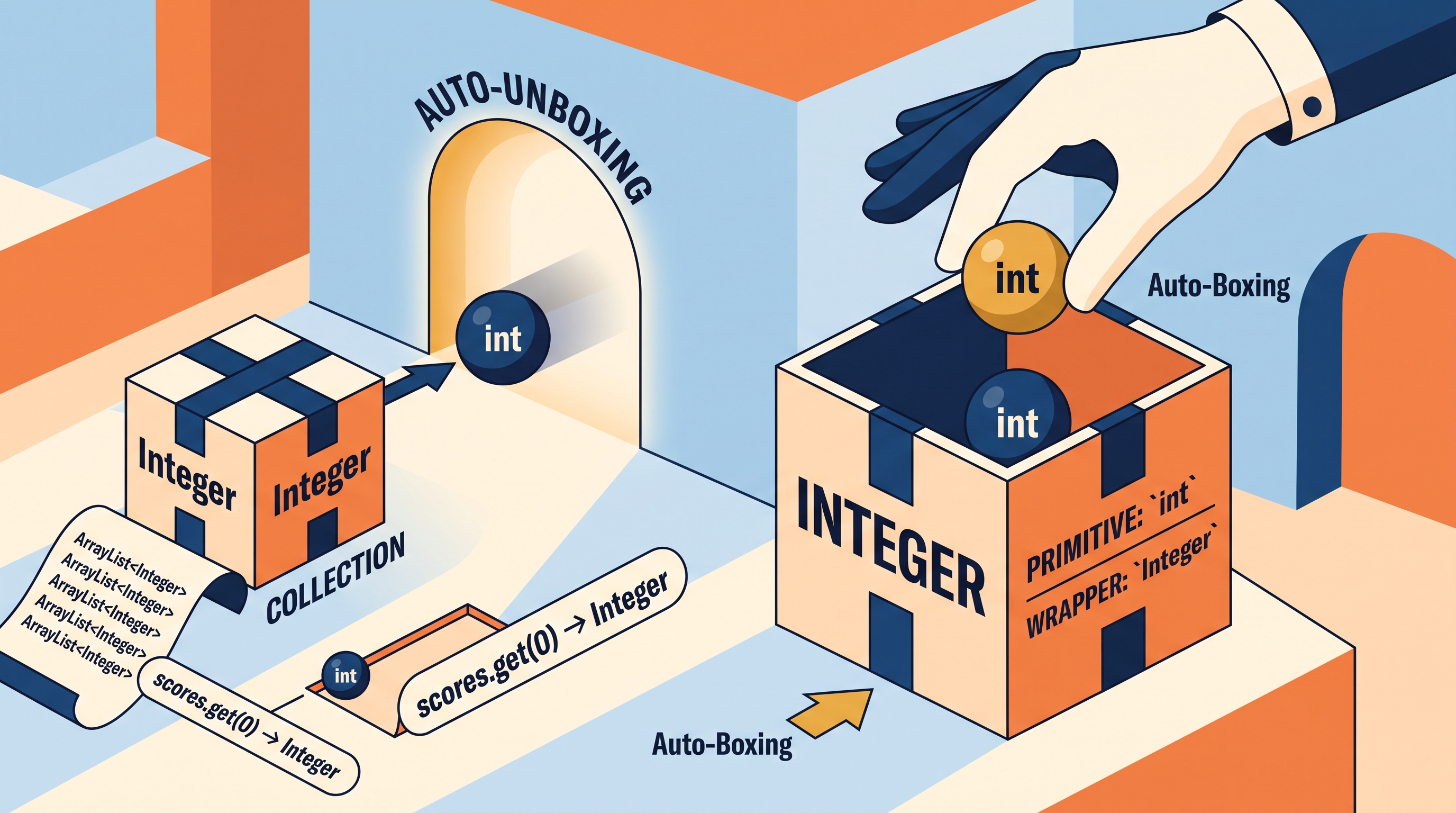
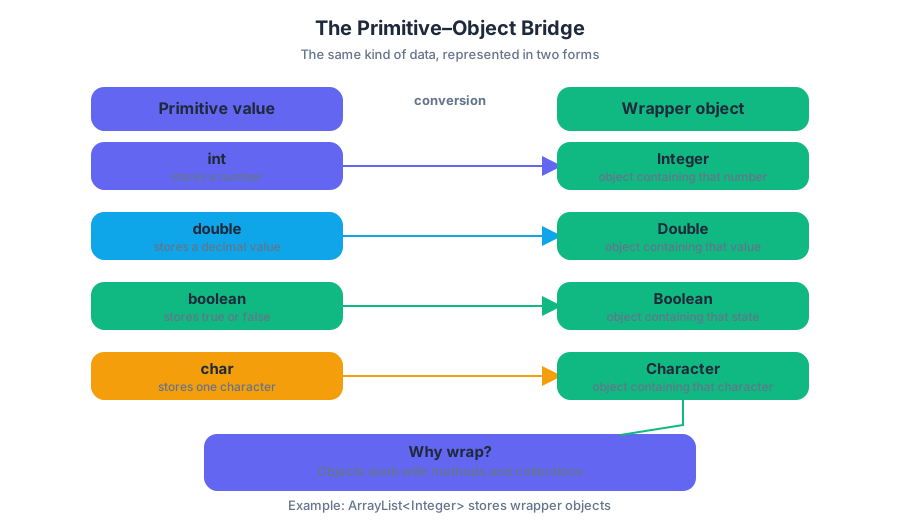
4.8 ArrayList Methods
Key concepts: Using ArrayList to store and manage objects · Adding objects to an ArrayList with add · Writing methods that return an ArrayList · Iterating through arrays or lists with a for loop · Constructing objects and adding them to a list · Building match pairings from competitors · Handling odd and even numbers of competitors · Preserving the required order of elements · Avoiding incorrect indices or extra elements in a returned list · Calling methods with syntactically correct syntax
An ArrayList is a resizable collection: unlike a fixed-length array, it can grow when new objects arrive and shrink when objects are removed. A tournament program, for example, can read competitor names, construct Competitor objects, store them in an ArrayList, and later create Match objects from those competitors.
4.8 ArrayList Methods
An ArrayList is a resizable collection: unlike a fixed-length array, it can grow when new objects arrive and shrink when objects are removed. A tournament program, for example, can read competitor names, construct Competitor objects, store them in an ArrayList, and later create Match objects from those competitors.
Storing objects with add
The add method places an object at the end of an ArrayList. The list stores references to objects, so the type parameter should identify the class of object the list is intended to contain.
ArrayList<Competitor> competitorList = new ArrayList<Competitor>();

for (int i = 0; i < names.length; i++) {
    Competitor c = new Competitor(names[i], i + 1);
    competitorList.add(c);
}
The loop processes every element of names. On each pass, names[i] supplies the competitor's name, while i + 1 supplies a one-based position. The newly constructed object is then added to competitorList.
| Statement | Effect |
|---|---|
new Competitor(names[i], i + 1) |
Constructs one Competitor object |
competitorList.add(c) |
Adds that object to the list |
competitorList.size() |
Reports how many competitors are currently stored |
competitorList.get(i) |
Retrieves the object at index i |
Misconception check — adding an index is not adding an object. competitorList.add(i) attempts to add an integer, not the Competitor at position i. When the list is declared as ArrayList<Competitor>, the correct argument must be a Competitor, such as c or competitorList.get(i).
Methods that return an ArrayList
A method that constructs and returns a list must declare the complete return type. For matches, the signature is:
public ArrayList<Match> buildMatches()
Inside the method, declare and initialize the result before adding anything:
ArrayList<Match> matches = new ArrayList<Match>();
The method must return the list itself, not merely print it and not return competitor indices. Printing may display information, but returning an ArrayList<Match> gives the calling code a usable collection of Match objects.
return matches;
Syntactic precision matters. A statement such as matches; return is not a valid Java return statement. The expression after return must be the value being returned, followed by a semicolon.
Building pairings without duplicate or missing matches
Suppose competitors are paired from the outside inward: the first with the last, the second with the second-to-last, and so on. The loop must stop at the middle; continuing farther creates duplicate pairings or attempts to reuse competitors.
public ArrayList<Match> buildMatches() {
    ArrayList<Match> matches = new ArrayList<Match>();

    if (competitorList.size() % 2 == 0) {
        for (int i = 0; i < competitorList.size() / 2; i++) {
            matches.add(new Match(
                competitorList.get(i),
                competitorList.get(competitorList.size() - i - 1)
            ));
        }
    } else {
        for (int i = 1; i < competitorList.size() / 2 + 1; i++) {
            matches.add(new Match(
                competitorList.get(i),
                competitorList.get(competitorList.size() - i)
            ));
        }
    }

    return matches;
}
For an even number of competitors, index 0 must participate. With six competitors, the pairs are (0,5), (1,4), and (2,3). For an odd number, the first competitor receives the special unmatched position, so with five competitors the pairs are (1,4) and (2,3).
Misconception check — odd and even cases are not interchangeable. Always starting at index 0 for an odd-sized list incorrectly includes the first competitor. Always starting at index 1 incorrectly omits the first competitor when the list size is even.
Preserving order in returned lists
When a method builds a result from wordList, elements in the returned ArrayList must appear in the same order as their corresponding elements in wordList. If wordList contains ["catch", "bobcat", "catchacat", "cat", "at"], a method that removes the initial occurrence of a target must retain the relative order of every remaining string.
This is different from sorting. Removing or selecting elements may shorten the result, but it should not rearrange the survivors unless the method explicitly requires rearrangement.
Skills in action
This topic exercises Skill 2.A — Representing and contrasting data, because the program must identify whether an element is an object, an index, or a returned collection. It exercises Skill 2.B — Determine the required code, because the programmer must choose the correct ArrayList method and loop bounds. It also exercises Skill 2.C — Develop program code, especially constructing objects, adding them to a list, and returning the completed list.
Retrieval check: If competitorList.size() is $7$, which competitor index is intentionally left out of the pairing loop in the odd case, and why? What value should the method return: matches, an index, or the original competitorList?
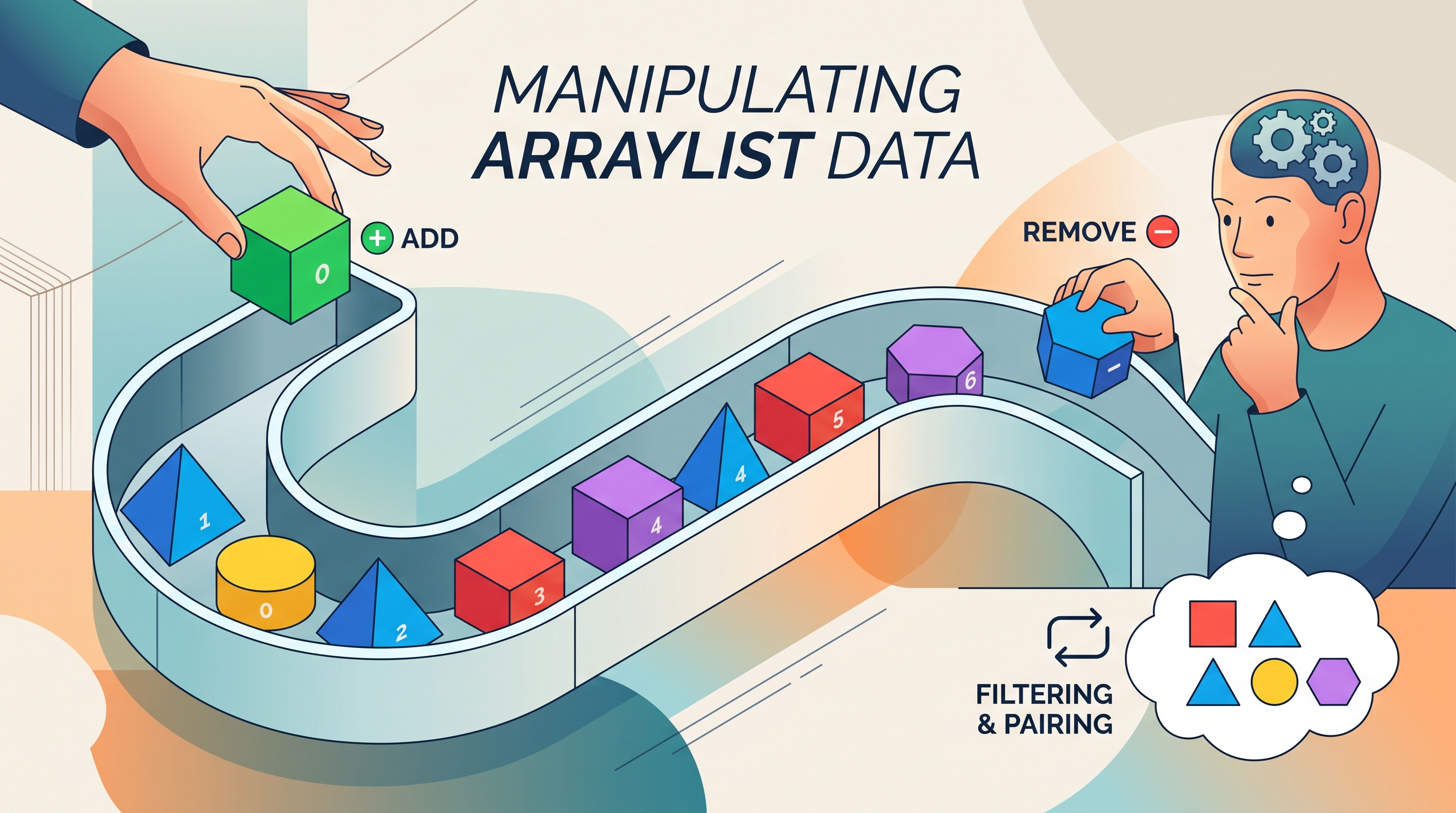
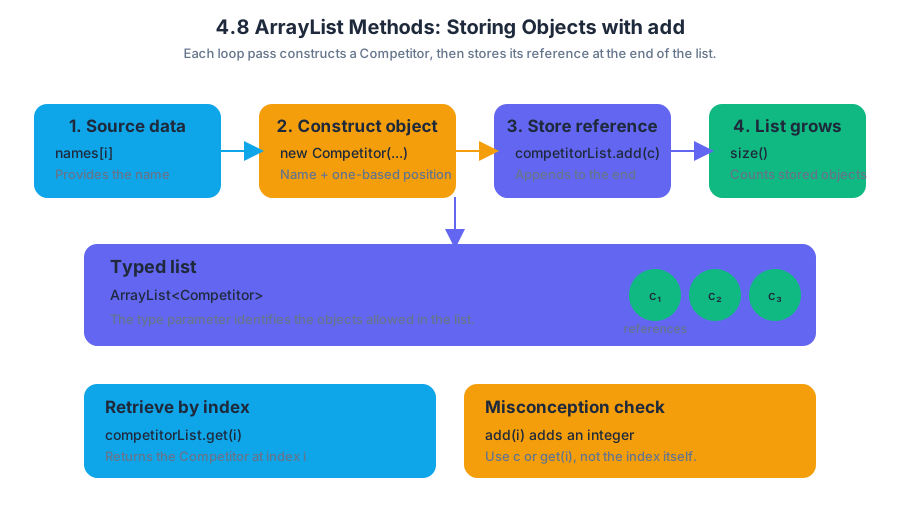
4.9 ArrayList Traversals
Key concepts: ArrayList traversals
An ArrayList traversal visits the elements of an ArrayList in sequence so that a program can inspect, display, compare, or process each stored object. The central question is simple: How can a program examine every element without knowing the list’s contents in advance?
4.9 ArrayList Traversals
An ArrayList traversal visits the elements of an ArrayList in sequence so that a program can inspect, display, compare, or process each stored object. The central question is simple: How can a program examine every element without knowing the list’s contents in advance?
The traversal pattern
An ArrayList stores elements at indexes beginning with $0$ and ending with `list.size() - 1$. A traversal therefore needs a reliable way to move from the first valid index to the last valid index.
A traditional for loop exposes the index, while an enhanced for loop directly provides each element:
for (int index = 0; index < names.size(); index++) {
    System.out.println(names.get(index));
}

for (String name : names) {
    System.out.println(name);
}
Both loops visit the elements in order. If names contains ["Ari", "Bea", "Chen"], each loop produces Ari, then Bea, then Chen. The first loop uses names.get(index); the enhanced for loop assigns each visited element to name.
CED alignment — 4.9.A: Traverse the elements of an
ArrayList.
Essential Knowledge 4.9.A.1: AnArrayListcan be traversed using an index-basedforloop or an enhancedforloop.
Choosing the right loop
Use an index-based loop when the position matters or when the program must replace an element. Use an enhanced for loop when the program only needs to read or process each element.
| Goal | Suitable traversal | Reason |
|---|---|---|
| Print every element | Enhanced for loop |
The index is unnecessary |
| Compare adjacent elements | Index-based for loop |
The current and neighboring indexes matter |
| Replace elements | Index-based for loop |
set(index, value) requires an index |
| Count elements meeting a condition | Either loop | Each element can be tested directly |
Worked example: finding a temperature threshold
Suppose a weather station stores daily temperatures in an ArrayList<Integer>. The program should count how many readings are at least $30$ degrees.
ArrayList<Integer> temperatures =
    new ArrayList<Integer>();

temperatures.add(27);
temperatures.add(31);
temperatures.add(30);
temperatures.add(24);

int hotDays = 0;

for (int temperature : temperatures) {
    if (temperature >= 30) {
        hotDays++;
    }
}

System.out.println(hotDays);
The traversal visits $27$, $31$, $30$, and $24$. The condition is true for $31$ and $30$, so hotDays becomes $2$. Notice that the loop does not alter the ArrayList; it only reads each element and updates a separate accumulator.
Index boundaries and mutation
The most common index-based pattern is:
for (int i = 0; i < values.size(); i++) {
    System.out.println(values.get(i));
}
The condition must use i < values.size(), not i <= values.size(). If the list has $4$ elements, its valid indexes are $0$, $1$, $2$, and $3$; index $4$ is outside the list and causes an IndexOutOfBoundsException`.
A traversal that changes list size is especially dangerous. Removing an element while moving forward causes later elements to shift left, so the next index may skip an element. A traversal may safely use set when the list size remains unchanged, but adding or removing elements requires a carefully designed algorithm.
Misconception check
Misconception: “The enhanced for loop variable is the list element’s permanent storage location.” The variable receives the current reference or value; assigning a new value to that variable does not replace the element in the list.
for (String item : items) {
    item = item.toUpperCase();   // does not update items
}
To replace elements, use an index:
for (int i = 0; i < items.size(); i++) {
    items.set(i, items.get(i).toUpperCase());
}
For object elements, changing the object through its reference can affect the object stored in the list, but reassigning the loop variable does not change which reference the list stores. This distinction is essential when tracing ArrayList code.
AP skill connections
ArrayList traversals develop Computational Thinking Practice 2 — Develop Code, because the programmer implements a loop that performs required functionality; Computational Thinking Practice 3 — Analyze Code, because the programmer traces indexes, conditions, and list contents; and Computational Thinking Practice 4 — Document Code and Computing Systems, because comments and method documentation can state traversal assumptions such as valid index ranges. In particular, tracing a traversal means tracking both the loop variable and the changing accumulator after every iteration.
Retrieval check
A list contains ["red", "blue", "green"]. What happens in this loop?
for (int i = 0; i <= colors.size(); i++) {
    System.out.println(colors.get(i));
}
It prints the three valid elements, then attempts colors.get(3) and throws an IndexOutOfBoundsException. Replace <= with < to visit every element exactly once.
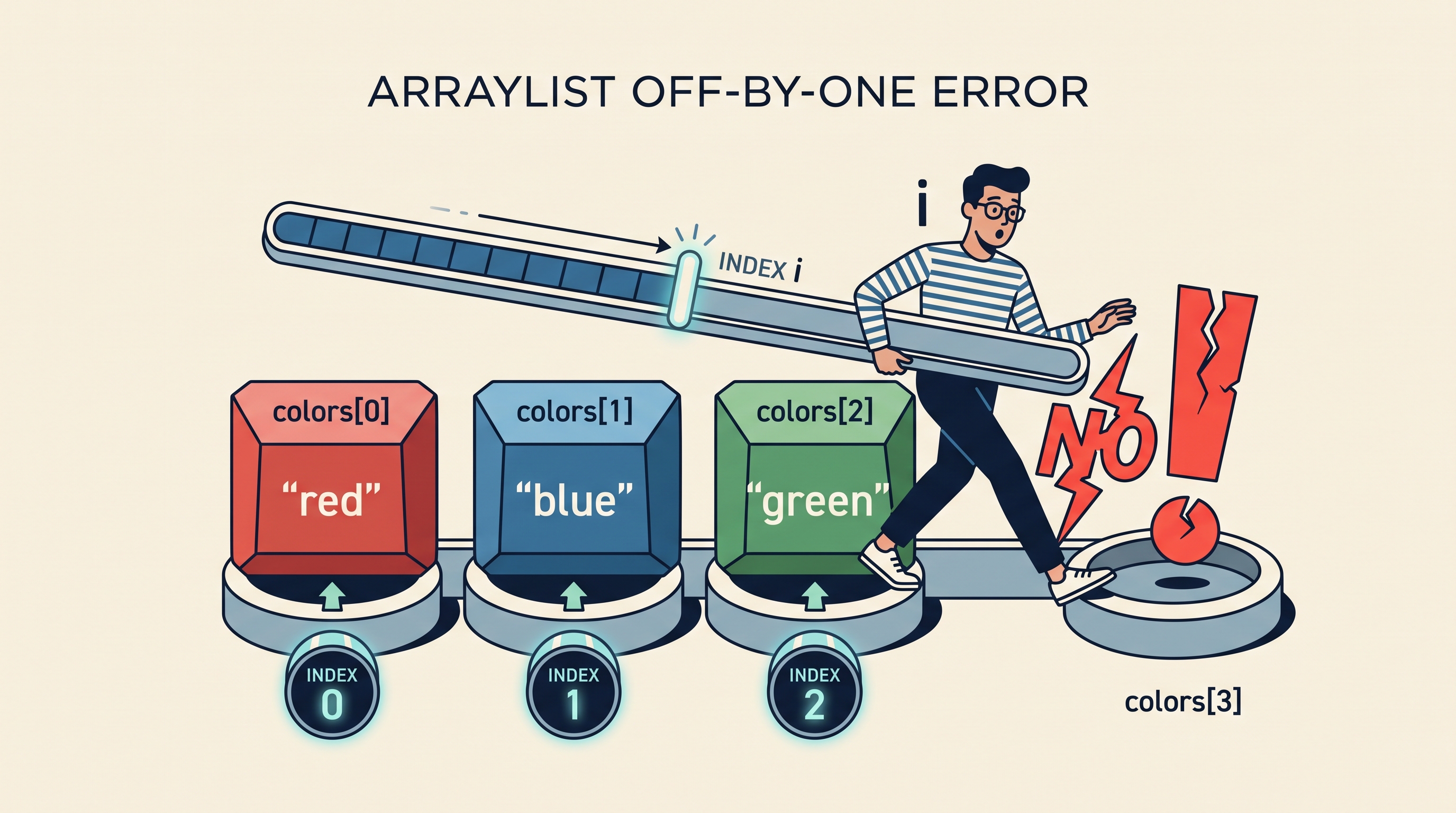
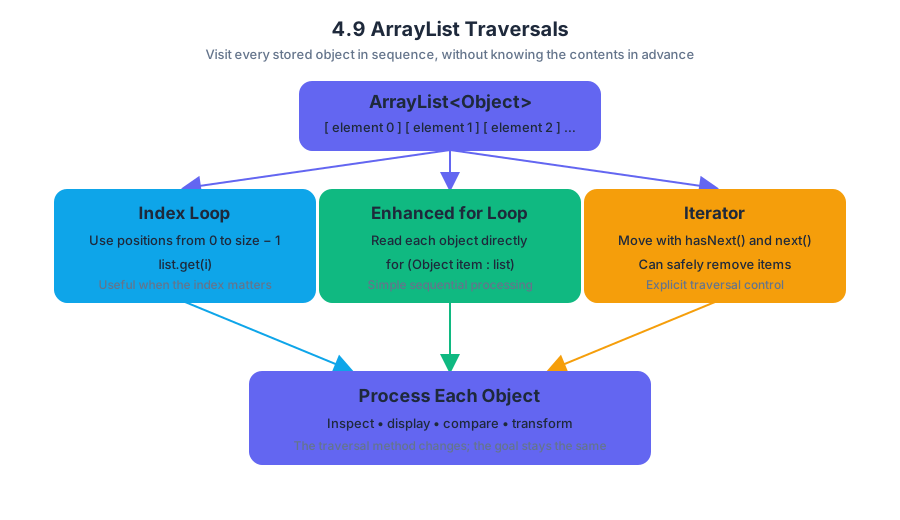
4.10 Implementing ArrayList Algorithms
Key concepts: ArrayList · User-made classes · Storing objects · Traversing data · Array algorithms · Word Search Creator Lab · The add() method · buildMatches() method · Match objects · Pairing competitors
An ArrayList algorithm turns a stored collection of objects into useful information: pair competitors, find the highest score, count qualifying entries, or identify a particular object.
4.10 Implementing ArrayList Algorithms
An ArrayList algorithm turns a stored collection of objects into useful information: pair competitors, find the highest score, count qualifying entries, or identify a particular object.
From stored objects to meaningful results
A user-made class defines the objects being stored. An ArrayList then acts like an expandable roster, inventory, or collection of records. The important design step is not merely putting objects into the list; it is writing methods that process those objects.
Topic 4.10 — Implementing ArrayList Algorithms: Design algorithms that operate on objects stored in an
ArrayList, usually by combining list access, traversal, selection, object construction, and return values.
A strong case study includes three connected layers:
- A user-made class, such as
Competitor,Book, orWord. - Methods that store objects in an
ArrayList. - Methods that traverse the list and perform algorithms such as searching, counting, finding an extreme value, or constructing a new collection.
The computational thinking practices are especially visible here:
- Computational Thinking Practice 1 — Design Code: Decide what each method should accomplish and what data it must inspect.
- Computational Thinking Practice 2 — Develop Code: Write the
ArrayListoperations and control structures. - Computational Thinking Practice 3 — Analyze Code: Trace indexes, list sizes, conditions, and returned objects.
- Computational Thinking Practice 4 — Document Code and Computing Systems: Explain the purpose and assumptions of each algorithm.
- Computational Thinking Practice 5 — Use Computers Responsibly: Consider whether the stored data and resulting decisions are appropriate and fair.
Worked case study: pairing competitors
Suppose competitorList stores Competitor objects. The method buildMatches() must create pairings and return them as an ArrayList<Match>. It does not modify the original competitor list; instead, it constructs a separate list of match objects.
public ArrayList<Match> buildMatches()
{
ArrayList<Match> matches = new ArrayList<Match>();
if (competitorList.size() % 2 == 0)
{
for (int i = 0; i < competitorList.size() / 2; i++)
{
matches.add(new Match(
competitorList.get(i),
competitorList.get(competitorList.size() - i - 1)
));
}
}
else
{
for (int i = 1; i < competitorList.size() / 2 + 1; i++)
{
matches.add(new Match(
competitorList.get(i),
competitorList.get(competitorList.size() - i)
));
}
}
return matches;
}
The first statement creates a new empty list:
ArrayList<Match> matches = new ArrayList<Match>();
Each successful pairing is then added with .add(). The expression new Match(...) creates a Match object from two Competitor objects, and .add() stores that object in matches.
Why the even and odd cases differ
The condition
competitorList.size() % 2 == 0
tests whether the number of competitors is even. The remainder operator % produces 0 when the size divides evenly by 2.
For an even-sized list, the algorithm pairs opposite ends:
| Iteration | First index | Second index |
|---|---|---|
i = 0 |
0 |
size - 1 |
i = 1 |
1 |
size - 2 |
i = 2 |
2 |
size - 3 |
If the list contains six competitors, the pairs are formed from indexes (0, 5), (1, 4), and (2, 3). The loop stops after size / 2 iterations because every competitor has been used exactly once.
For an odd-sized list, the code begins at i = 1, deliberately skipping index 0. With five competitors, it creates pairs using indexes (1, 4) and (2, 3), leaving the first competitor unpaired. This is a design decision built into the algorithm, not an accidental omission.
Combining several ArrayList algorithms
A complete case study should perform at least three algorithms from Topic 4.5, Implementing Array Algorithms, adapted for objects. For a list of Competitor objects, possible methods include:
- Find the competitor with the greatest score.
- Compute the total or average score.
- Count competitors satisfying a condition.
- Search for a competitor with a particular name.
- Create a new list containing only qualifying competitors.
Each algorithm follows the same engineering pattern: establish an initial result, traverse relevant elements, update the result when a condition is met, and return the final value or collection. When the result is an object, initialize carefully—for example, use the first list element as the current best rather than inventing a meaningless default object.
Word Search Creator Lab
The Word Search Creator Lab applies this design to words and placements. Its constructor or setup method uses .add() to populate an ArrayList, while later methods traverse the stored data and apply algorithms to create or inspect the word-search structure.
Misconception check: Calling
.add()does not replace an existing element. It appends an element and increases the list’ssize()by $1$. Replacement requires.set(index, value).
Another frequent error is confusing an object’s position with the object itself. competitorList.get(i) returns the object at index i; i alone is only an integer index. Similarly, competitorList.size() is a count, while the last valid index is competitorList.size() - 1.
Retrieval check
A list contains seven competitors. In the odd-size branch, which competitor is skipped, how many Match objects are created, and why does the loop begin with i = 1?
Answer: Index 0 is skipped, three Match objects are created, and starting at i = 1 pairs the remaining six competitors from opposite ends without using the skipped competitor.
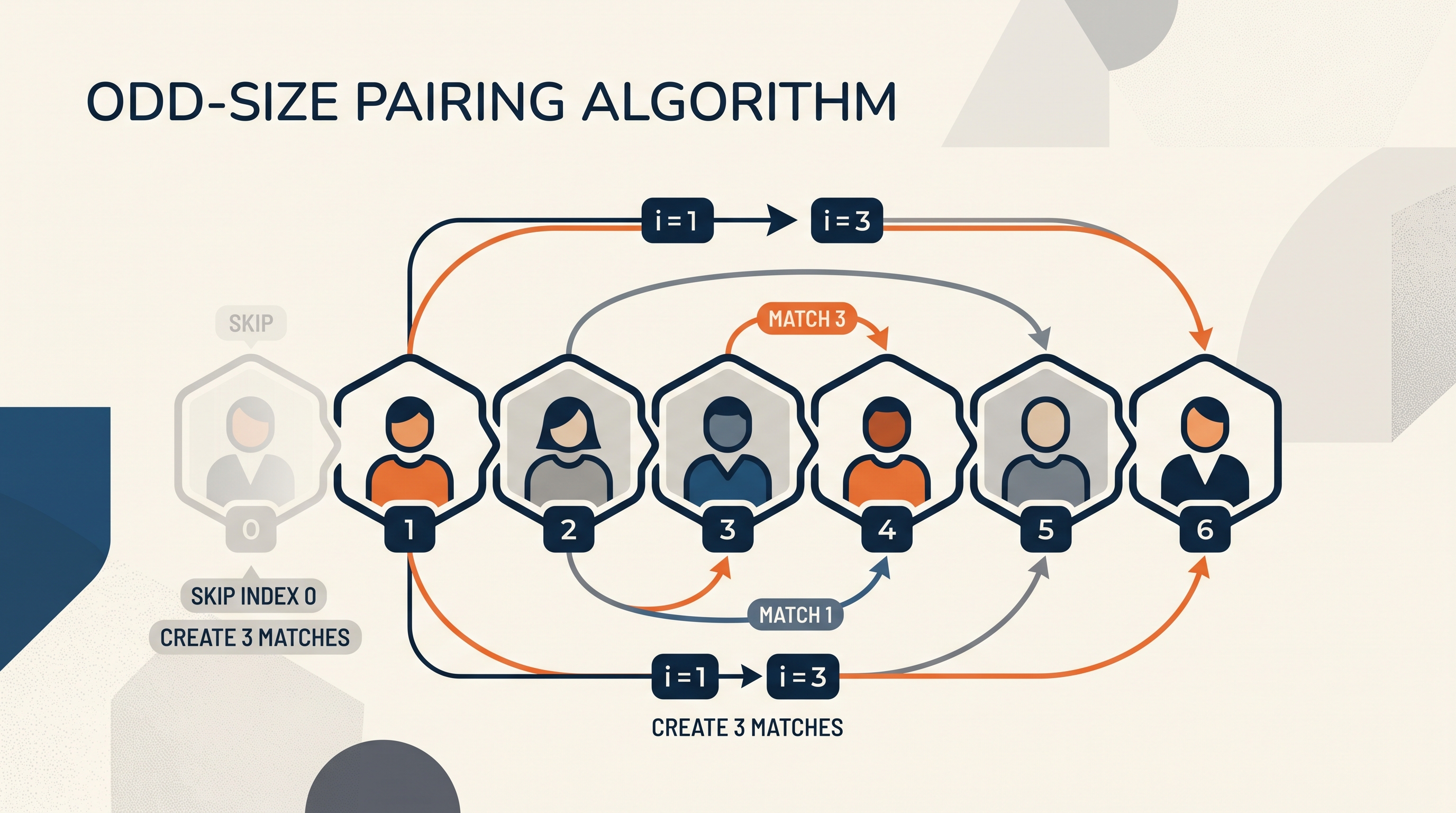
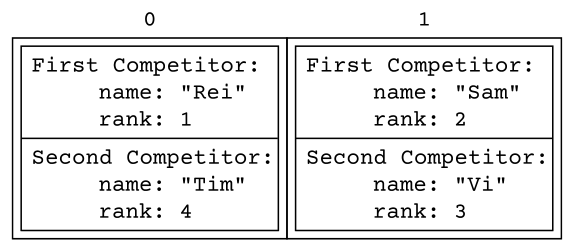
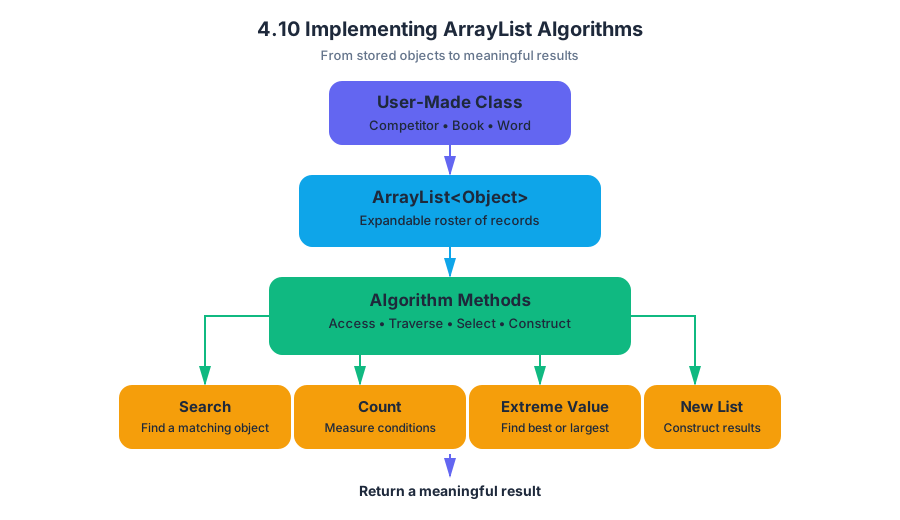
4.11 2D Array Creation and Access
Key concepts: Creating a correctly sized 2D array of integers · Assigning a 2D array to the instance variable `puzzle` · Traversing a 2D array with valid row and column bounds · Accessing individual 2D array elements · Generating uniform random integers in the range [1, 9] · Updating each visited 2D array element · Avoiding out-of-bounds errors · Handling neighboring row and column locations
A two-dimensional array is a grid in which every value is located by two indices: a row index and a column index. In Java, puzzle[row][col] means “go to row row, then select column col within that row.”
4.11 2D Array Creation and Access
A two-dimensional array is a grid in which every value is located by two indices: a row index and a column index. In Java, puzzle[row][col] means “go to row row, then select column col within that row.”
The grid model: rows first, columns second
Imagine a puzzle board with $3$ rows and $4$ columns:
Column 0 |
Column 1 |
Column 2 |
Column 3 |
|
|---|---|---|---|---|
Row 0 |
puzzle[0][0] |
puzzle[0][1] |
puzzle[0][2] |
puzzle[0][3] |
Row 1 |
puzzle[1][0] |
puzzle[1][1] |
puzzle[1][2] |
puzzle[1][3] |
Row 2 |
puzzle[2][0] |
puzzle[2][1] |
puzzle[2][2] |
puzzle[2][3] |
The array has puzzle.length rows. The number of columns in a rectangular array is puzzle[0].length. The highest valid index is always one less than the array’s length; an array with length n has n valid positions indexed from 0 through n - 1.
Constructing and assigning the array
To create a correctly sized two-dimensional int array, use new int[rows][columns]. If puzzle is an instance variable, the constructor must assign the new array to this.puzzle—or simply puzzle when no local variable has the same name.
public class SumOrSameGame {
private int[][] puzzle;
public SumOrSameGame(int rows, int columns) {
puzzle = new int[rows][columns];
}
}
This statement changes the object’s actual puzzle field. A common error is writing int[][] puzzle = new int[rows][columns]; inside the constructor. That declaration creates a new local variable, leaving the instance variable unchanged.
Misconception check: Creating an array and assigning it to a local variable is not the same as updating the object’s instance variable.
Filling every cell with a random integer
A nested loop visits each cell: the outer loop controls rows, and the inner loop controls columns. The expression 1 + (int)(Math.random() * 9) produces a uniform random integer from $1$ through $9$ inclusive.
for (int row = 0; row < puzzle.length; row++) {
for (int col = 0; col < puzzle[row].length; col++) {
puzzle[row][col] = 1 + (int)(Math.random() * 9);
}
}
Why does the random expression work? Math.random() is at least $0.0$ and less than $1.0$. Multiplying by $9$ gives a value in $[0, 9)$; casting produces one of the integers $0$ through $8$, and adding $1$ shifts the result to $1$ through $9$.
The assignment must target the visited element: puzzle[row][col] = .... Merely printing the generated value, returning it, or assigning one random value outside the loops does not update every cell. Likewise, generating one value before the loops and reusing it would give every visited element the same value when distinct assignments are required.
Bounds are a safety fence
Every access must use valid row and column indices. A loop that continues while row <= puzzle.length is incorrect because puzzle.length itself is not a valid row index; the condition must be row < puzzle.length.
When the number of columns can vary by row, use puzzle[row].length rather than assuming every row has the same width. This is especially important because Java two-dimensional arrays are arrays of row arrays.
Neighbor access requires an additional check before the access occurs:
if (row + 1 < grid.length &&
col + 1 < grid[row].length) {
int below = grid[row + 1][col];
int right = grid[row][col + 1];
// Both neighboring accesses are now valid.
}
The checks use <, not >: row + 1 is valid only when it is less than the number of rows. Checking after evaluating grid[row + 1][col] is too late—the exception has already occurred.
Boundary rule: Before accessing
grid[r][c], verify0 <= r < grid.lengthand0 <= c < grid[r].length.
Worked example: initialize puzzle
Suppose a constructor must build a puzzle with rows rows and columns columns, then fill every cell independently. The complete sequence is: construct the instance variable, visit valid coordinates, generate a value, and store that value in the current cell.
public SumOrSameGame(int rows, int columns) {
puzzle = new int[rows][columns];
for (int row = 0; row < puzzle.length; row++) {
for (int col = 0; col < puzzle[row].length; col++) {
puzzle[row][col] =
1 + (int)(Math.random() * 9);
}
}
}
For a $2 \times 3$ puzzle, the loops access exactly six coordinates: rows $0$ and $1`, and columns $0$, $1$, and $2$. Each coordinate is accessed once and receives its own generated value.
Retrieval check
A puzzle has puzzle.length == 5 and puzzle[0].length == 7. Is puzzle[5][6] valid? No: row index 5 is outside the valid range $0$ through $4$, even though column index 6 is valid. Which statement updates a cell rather than merely displaying a value? puzzle[row][col] = 1 + (int)(Math.random() * 9);.

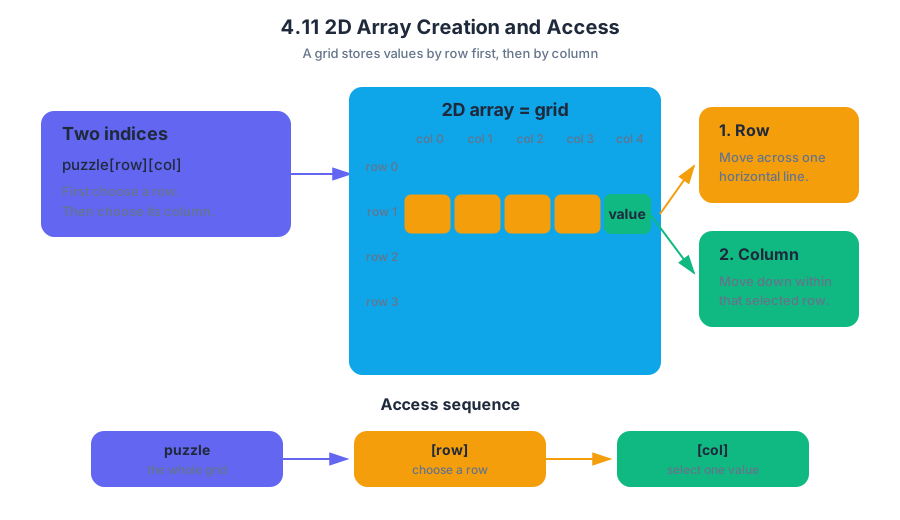
4.12 2D Array Traversals
A two-dimensional array traversal visits a grid systematically, usually one row at a time, so that every element is examined exactly as intended.
4.12 2D Array Traversals
A two-dimensional array traversal visits a grid systematically, usually one row at a time, so that every element is examined exactly as intended.
The grid-walking idea
Imagine a theater seating chart. The outer loop chooses a row; the inner loop walks across that row from the first seat to the last. If the chart has $3$ rows and $4$ columns, a row-major traversal visits positions in this order:
The row index is conventionally named r, and the column index c. For an array named scores, the element at row $r$ and column $c$ is written scores[r][c]. The outer loop must control rows, while the inner loop controls columns.
Row-major traversal with nested loops
The most common traversal uses two nested for loops. The expression scores.length gives the number of rows. Because each row is itself a one-dimensional array, scores[r].length gives the number of columns in the current row.
int[][] scores = {
{8, 6, 9},
{7, 10, 5},
{9, 8, 7}
};
int total = 0;
for (int r = 0; r < scores.length; r++) {
for (int c = 0; c < scores[r].length; c++) {
total += scores[r][c];
}
}
System.out.println(total);
To trace the code, the outer loop first sets r to 0. The inner loop adds 8, 6, and 9; then r becomes 1, and the inner loop adds 7, 10, and 5; finally, row 2 contributes 9, 8, and 7. The final value is $69$.
| Outer-loop value | Elements visited | Row total |
|---|---|---|
r = 0 |
8, 6, 9 |
$23$ |
r = 1 |
7, 10, 5 |
$22$ |
r = 2 |
9, 8, 7 |
$24$ |
Why the bounds matter
The correct bounds are usually r < scores.length and c < scores[r].length. Because indexes begin at $0$, the last valid row index is scores.length - 1, and the last valid column index in row r is scores[r].length - 1.
A frequent error is using scores.length for both loops. That works only when the number of rows happens to equal the number of columns. If scores has $4$ rows and $2$ columns, the inner loop would attempt to access columns 2 and 3, producing an ArrayIndexOutOfBoundsException.
Another error is using scores[0].length for every row. Java 2D arrays are arrays whose elements are rows, so rows can have different lengths. Using scores[r].length makes the traversal safe even for a ragged array.
Traversal patterns
Different tasks require different visit orders. The loop structure communicates the algorithm’s purpose:
A row-major traversal processes every element in row $0$, then every element in row $1$, and so on. A column-major traversal processes column $0$ across all rows, then column $1$, and so on; it is appropriate only when the rows provide the needed column.
for (int c = 0; c < scores[0].length; c++) {
for (int r = 0; r < scores.length; r++) {
System.out.println(scores[r][c]);
}
}
For a rectangular array, this column-major version is valid. For a ragged array, the inner loop must check whether row r actually contains column c before using scores[r][c].
Enhanced for loops
An enhanced for loop can make a row-major traversal easier to read when the code needs each value but does not need its indexes.
int total = 0;
for (int[] row : scores) {
for (int value : row) {
total += value;
}
}
Here, row refers to one one-dimensional row at a time, and value refers to each element in that row. The loop is excellent for calculating totals or finding a value, but ordinary indexed loops are required when the algorithm must modify a particular position or use the row and column indexes.
Misconception check
Misconception: “A 2D array has one universal column length.” In Java, array.length describes the number of row arrays. The expression array[r].length describes the length of one specific row. Confusing these two meanings is the main source of incorrect loop bounds.
Retrieval check
A 2D array has rows of lengths $4$, $2$, and $5$. Which expression should control the inner loop while processing row r, and why? The answer is array[r].length, because the valid column indexes depend on the particular row being visited. This row-and-column control is the foundation for the algorithms developed in CED Topic 4.13.
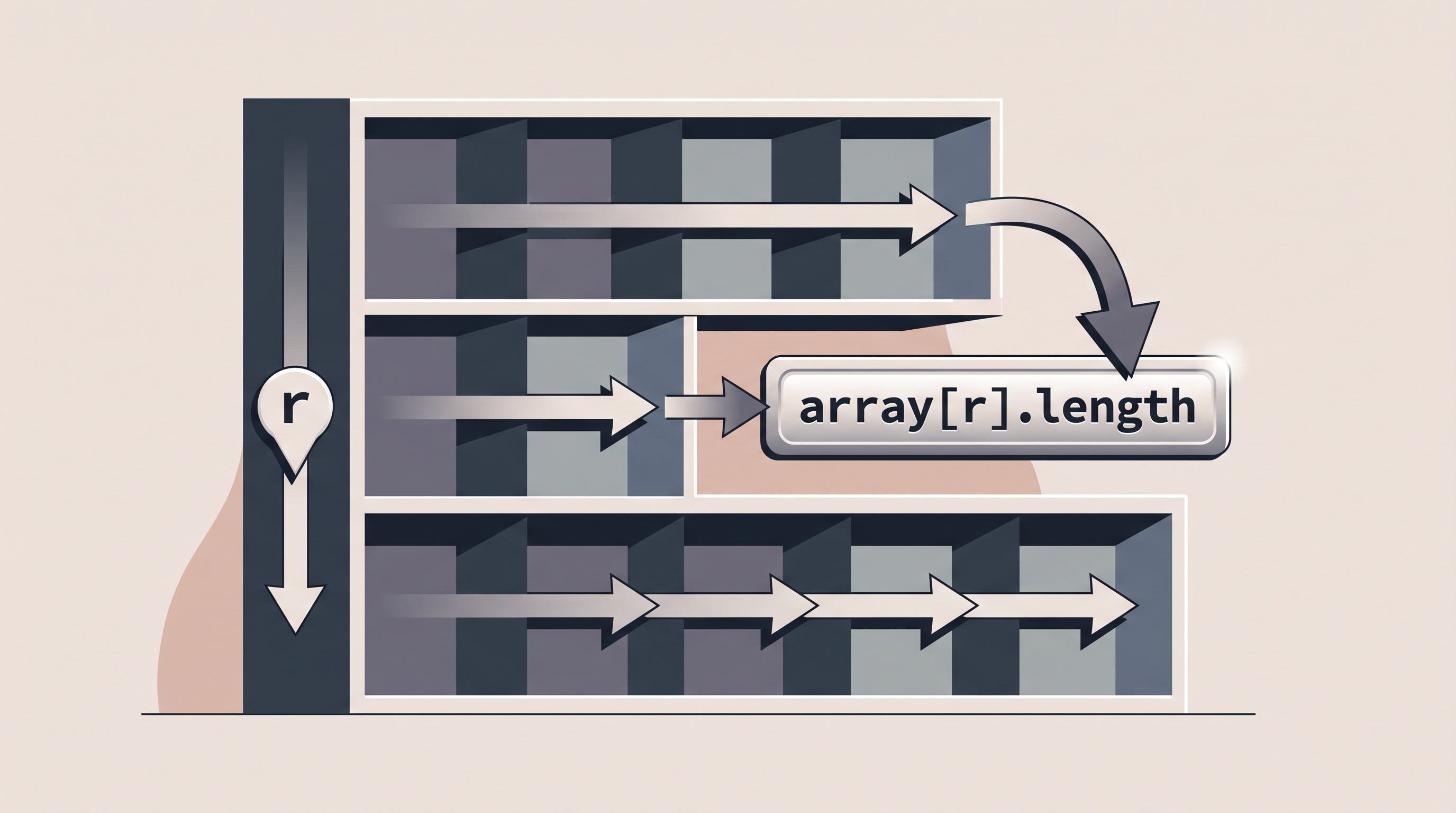
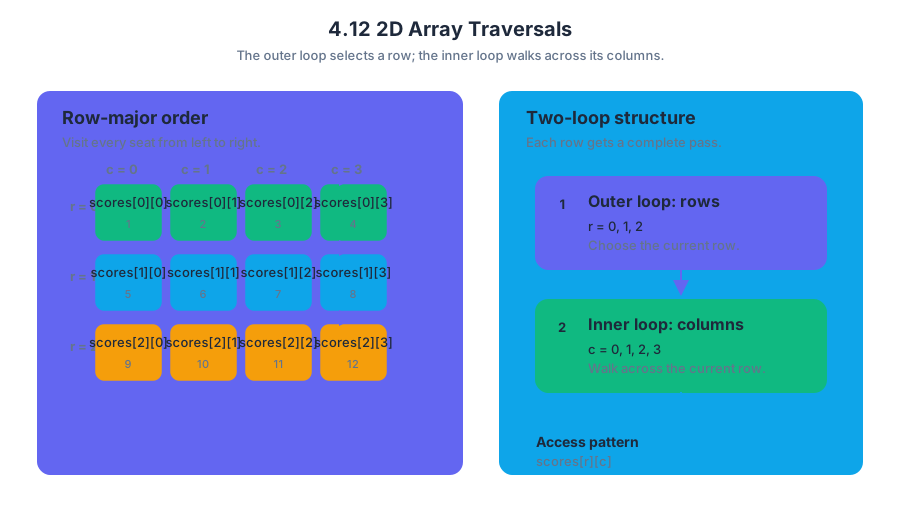
4.13 Implementing 2D Array Algorithms
A two-dimensional array algorithm turns a grid of values into a useful result: a seating chart becomes an occupancy report, a map becomes a terrain analysis, and a matrix of temperatures becomes a search for the hottest region.
4.13 Implementing 2D Array Algorithms
A two-dimensional array algorithm turns a grid of values into a useful result: a seating chart becomes an occupancy report, a map becomes a terrain analysis, and a matrix of temperatures becomes a search for the hottest region. The essential question is not merely how to visit every element, but what computation should happen at each position and how should neighboring positions be related?
Learning Objective 4.13.A: Develop and implement algorithms that use two-dimensional arrays to solve problems.
Essential Knowledge 4.13.A.1: Algorithms that process two-dimensional arrays commonly use nested iteration, with one loop controlling rows and another controlling columns.
Essential Knowledge 4.13.A.2: The algorithm must use the correct row and column bounds for the particular array; a two-dimensional array may be rectangular rather than square.
The grid-to-result pattern
Most 2D array algorithms follow a three-part pattern:
- Visit each required element.
- Process the current element, often using an accumulator, counter, or comparison.
- Return or report the result after the traversal finishes.
A useful mental model is a person reading a spreadsheet: move across every column in the first row, then return to the first column and move across the second row, continuing until all rows have been processed.
The outer loop normally selects a row, while the inner loop selects a column within that row. For an array named grid, the current element is grid[row][column].
for (int row = 0; row < grid.length; row++) {
for (int column = 0; column < grid[row].length; column++) {
// Process grid[row][column]
}
}
Worked example: total rainfall
Suppose rainfall stores daily rainfall measurements for several weather stations. Each row represents one station, and each column represents one day. To calculate the total rainfall, initialize an accumulator before the loops, add each element exactly once, and return the accumulator afterward.
public static double totalRainfall(double[][] rainfall) {
double total = 0.0;
for (int row = 0; row < rainfall.length; row++) {
for (int day = 0; day < rainfall[row].length; day++) {
total += rainfall[row][day];
}
}
return total;
}
For the grid below,
$$ \begin{bmatrix} 1.2 & 0.0 & 2.5 \ 3.1 & 1.4 & 0.8 \end{bmatrix} $$
the algorithm adds $1.2 + 0.0 + 2.5 + 3.1 + 1.4 + 0.8$, producing $9.0$. Notice that rainfall.length is the number of rows, while rainfall[row].length is the number of columns in the current row.
Algorithms beyond simple accumulation
The same traversal structure can support many operations:
| Goal | State to maintain | Update rule |
|---|---|---|
| Count values above a threshold | count |
Increment when the current value qualifies |
| Find the largest value | maximum |
Replace when the current value is larger |
| Compute a row total | rowTotal |
Reset for each row, then add across columns |
| Change every element | No accumulator required | Assign a transformed value to each position |
For example, counting seats marked "open" requires a comparison at each location:
public static int countOpenSeats(String[][] seats) {
int count = 0;
for (int row = 0; row < seats.length; row++) {
for (int column = 0; column < seats[row].length; column++) {
if (seats[row][column].equals("open")) {
count++;
}
}
}
return count;
}
Common misconception: every 2D array is square
A frequent error is using grid.length for both loop bounds. That works only when the number of rows happens to equal the number of columns. In Java, a 2D array is an array of row arrays, so different rows can even have different lengths; grid[row].length is therefore the safest column bound.
Another error is initializing a value at the wrong level. A total for the entire grid is initialized before the outer loop, but a total for each row must be reset inside the outer loop and before the inner loop begins.
AP skills in action
This topic most directly develops Computational Thinking Practice 1 — Design Code, when selecting the state and traversal needed; Computational Thinking Practice 2 — Develop Code, when implementing nested loops and updates; and Computational Thinking Practice 3 — Analyze Code, when tracing indices, testing boundary cases, and debugging incorrect results. Computational Thinking Practice 4 — Document Code and Computing Systems applies when comments clarify what each index represents, while Computational Thinking Practice 5 — Use Computers Responsibly matters when grid data represents people, locations, or other sensitive information.
Retrieval check
A rectangular array has $4$ rows, and row $2$ has $7$ elements. What expressions give the number of rows and the number of columns in row $2$? Why would using array[0].length be less robust than using array[2].length?
Answer: The number of rows is array.length, and the number of columns in row $2$ is array[2].length. The row-specific expression correctly handles arrays whose rows have different lengths.
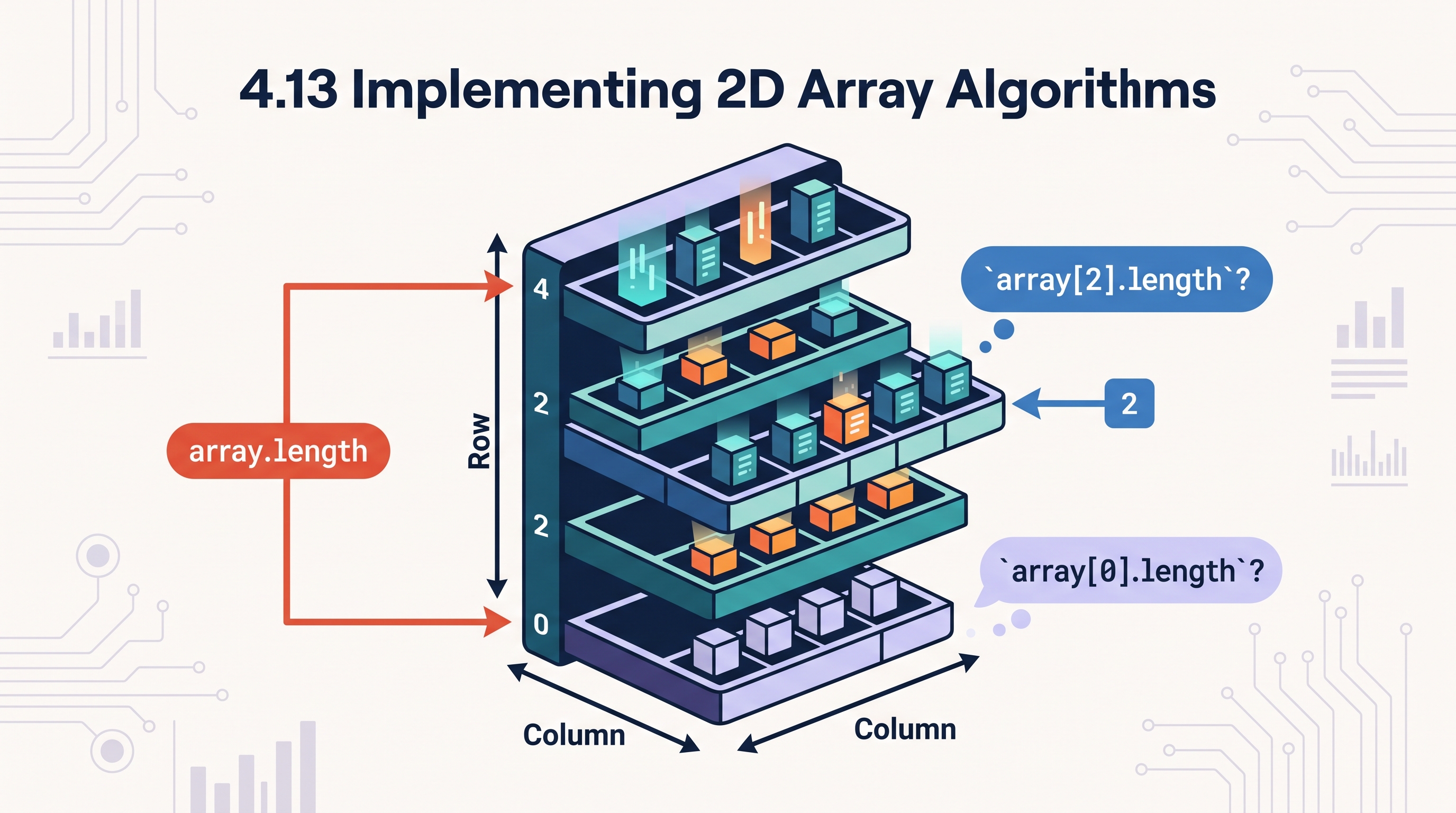
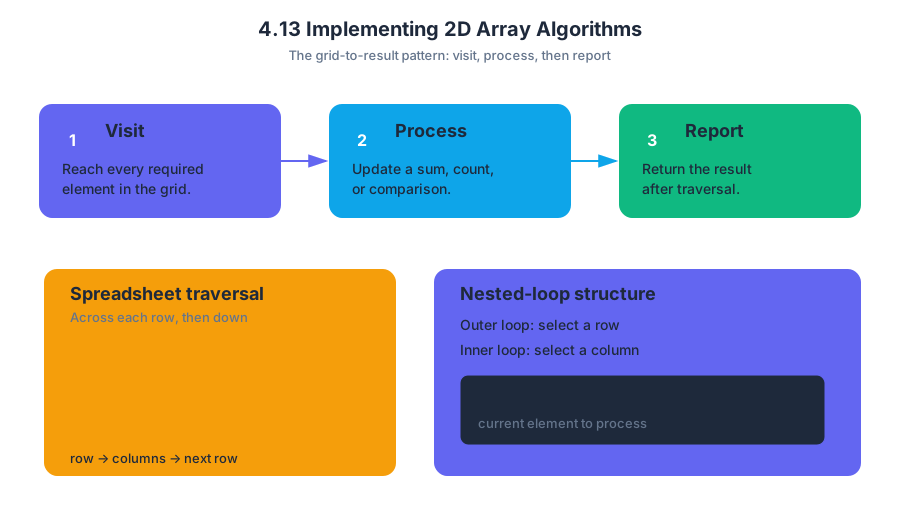
4.14 Searching Algorithms
A searching algorithm examines a collection of values to determine whether a target exists and, often, where it occurs. The simplest question is deceptively powerful: how much of the collection must the program inspect before it can safely answer?
4.14 Searching Algorithms
A searching algorithm examines a collection of values to determine whether a target exists and, often, where it occurs. The simplest question is deceptively powerful: how much of the collection must the program inspect before it can safely answer?
Linear search: check each element in order
A linear search—also called a sequential search—starts at the first element and examines values one at a time until it finds the target or reaches the end. It works on both sorted and unsorted data because it makes no assumption about how the elements are arranged.
For an array containing $n$ elements, a linear search may inspect only one element if the target is first, but it may inspect all $n$ elements if the target is last or absent. Its informal worst-case run time is therefore proportional to $n$, written as $O(n)$.
Worked example: finding a temperature
Suppose a weather station stores daily high temperatures:
$$ [72,\ 68,\ 75,\ 81,\ 69] $$
To search for $81$, the algorithm compares:
- $72$ with $81$ — not equal
- $68$ with $81$ — not equal
- $75$ with $81$ — not equal
- $81$ with $81$ — found at index $3$
A Java method can return the index where the target appears and return $-1$ when no match exists:
public static int linearSearch(int[] values, int target) {
for (int i = 0; i < values.length; i++) {
if (values[i] == target) {
return i;
}
}
return -1;
}
The return statement immediately ends the method when a match is found. If the loop finishes without returning, every element has been checked, so $-1$ communicates “not found.” If duplicate values occur, this implementation returns the index of the first occurrence encountered from left to right.
Key insight: Linear search needs no ordering, but it pays for that flexibility by potentially checking every element.
Binary search: eliminate half the possibilities
A binary search is faster, but it requires the data to be sorted. Instead of checking every element, it examines the middle value and discards the half that cannot contain the target.
For a sorted array, maintain two boundaries:
low: the first index still under considerationhigh: the last index still under consideration
Calculate the middle index:
$$ \text{mid} = \frac{\text{low}+\text{high}}{2} $$
Java integer division discards any fractional part. If the middle value is less than the target, move low to mid + 1. If it is greater, move high to mid - 1.
Worked example: searching an ordered inventory
Consider the sorted array:
$$ [12,\ 19,\ 27,\ 34,\ 46,\ 53,\ 61,\ 78] $$
Search for $53$:
| Step | low |
high |
mid |
Middle value | Decision |
|---|---|---|---|---|---|
| 1 | $0$ | $7$ | $3$ | $34$ | Target is larger; discard indices $0$–$3$ |
| 2 | $4$ | $7$ | $5$ | $53$ | Found at index $5$ |
The search examined only two values rather than scanning all eight. A binary search repeatedly halves the remaining search space, giving an informal run time of $O(\log n)$.
public static int binarySearch(int[] values, int target) {
int low = 0;
int high = values.length - 1;
while (low <= high) {
int mid = (low + high) / 2;
if (values[mid] == target) {
return mid;
} else if (values[mid] < target) {
low = mid + 1;
} else {
high = mid - 1;
}
}
return -1;
}
Comparing the algorithms
The choice depends on both the data and the operation being performed:
| Feature | Linear search | Binary search |
|---|---|---|
| Requires sorted data? | No | Yes |
| Basic strategy | Check from beginning to end | Repeatedly inspect the middle |
| Worst-case run time | $O(n)$ | $O(\log n)$ |
| Handles an unsorted collection? | Yes | No |
| Common risk | Forgetting the final unsuccessful case | Incorrect boundary updates |
Binary search is not “automatically better.” Sorting the data first has its own cost, and binary search is invalid if the order is not maintained. For a small or unsorted collection, linear search may be the clearer and more appropriate choice.
AP skill focus and misconception check
This topic develops Skill 2 — Develop Code when implementing search methods, Skill 3 — Analyze Code when tracing comparisons and boundary changes, and Skill 4 — Document Code and Computing Systems when explaining assumptions such as sorted input, return values, and run-time behavior.
Misconception check: “Binary search can search any array faster than linear search.”
Correction: Binary search depends on sorted data. On an unsorted array, discarding half the elements could discard the target, so the algorithm’s conclusion would be unreliable.
Retrieval check
An array contains $16$ sorted elements. A binary search looks at the middle element, finds that the target is larger, and continues. Which indices can still contain the target if the original indices are $0$ through $15$? Answer: indices $8$ through $15$, assuming the middle index was $7$. The lower half has been eliminated because every value there is too small.
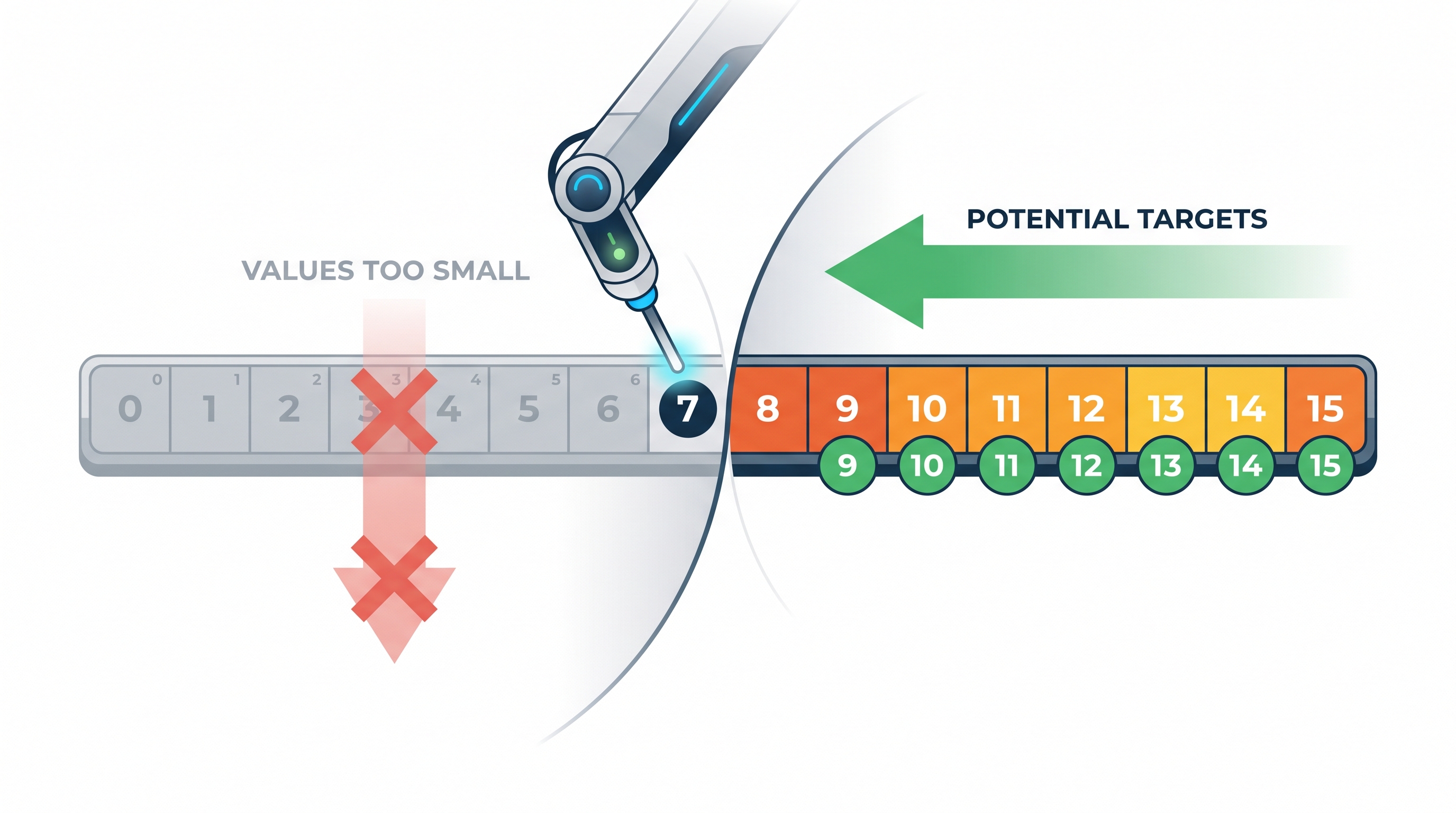
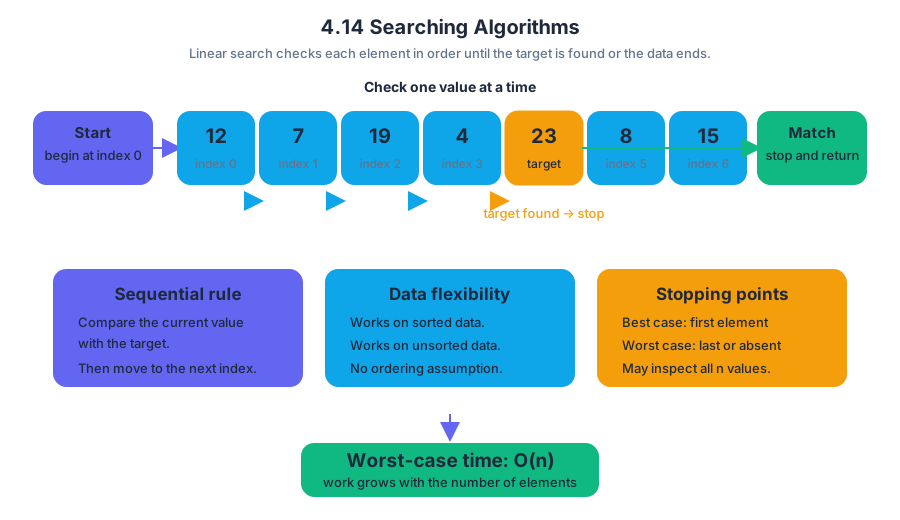
4.15 Sorting Algorithms
A sorting algorithm rearranges a collection into a chosen order, such as smallest to largest. The central question is not merely whether the values become ordered, but how the algorithm moves through the collection and what work it repeats.
4.15 Sorting Algorithms
A sorting algorithm rearranges a collection into a chosen order, such as smallest to largest. The central question is not merely whether the values become ordered, but how the algorithm moves through the collection and what work it repeats.
Two ways to build order
Imagine organizing library books by height. Selection sort repeatedly searches the unsorted portion for the smallest remaining book, then places it at the next open position. Insertion sort treats the left portion as already organized and inserts each new book into its correct location.
| Algorithm | Main idea | What becomes correct after one major step? |
|---|---|---|
| Selection sort | Find the smallest value in the unsorted region and swap it into position | One position at the front is permanently correct |
| Insertion sort | Remove the next value and shift larger values right until the value fits | A larger sorted prefix is created |
Both algorithms are comparison-based: they decide where values belong by comparing pairs of values. Their typical running time is $O(n^2)$ because an array of $n$ values may require a number of comparisons proportional to $n \times n$.
Selection sort: choose, then swap
For each position start, selection sort searches from start through the end of the array. It records the index of the smallest value found, then swaps that value with the value currently at start.
public static void selectionSort(int[] values) {
for (int start = 0; start < values.length - 1; start++) {
int minIndex = start;
for (int index = start + 1; index < values.length; index++) {
if (values[index] < values[minIndex]) {
minIndex = index;
}
}
int temporary = values[start];
values[start] = values[minIndex];
values[minIndex] = temporary;
}
}
Worked trace. Start with [7, 2, 6, 4].
- At
start = 0, the smallest value is2; swap it with7:[2, 7, 6, 4]. - At
start = 1, the smallest value in[7, 6, 4]is4:[2, 4, 6, 7]. - At
start = 2, the smallest value in[6, 7]is already6.
After each outer-loop iteration, one additional position is permanently sorted.
Insertion sort: shift, then insert
Insertion sort begins with the assumption that the first value is sorted. Each later value is called the key. Values in the sorted prefix that are larger than the key shift one position to the right, leaving an opening for the key.
public static void insertionSort(int[] values) {
for (int start = 1; start < values.length; start++) {
int key = values[start];
int position = start - 1;
while (position >= 0 && values[position] > key) {
values[position + 1] = values[position];
position--;
}
values[position + 1] = key;
}
}
Worked trace. Consider [1, 4, 5, 3, 8] while processing the key 3.
- The sorted prefix is
[1, 4, 5]. - Since
5 > 3, shift5right:[1, 4, 5, 5, 8]. - Since
4 > 3, shift4right:[1, 4, 4, 5, 8]. - Since
1is not greater than3, stop shifting. - Insert
3at index1:[1, 3, 4, 5, 8].
The key is not copied into its final position until the shifting loop ends.
Correctness, efficiency, and edge cases
A sorting algorithm must preserve every original value while changing only the order. A useful correctness invariant is:
After selection sort finishes iteration
start, every position from0throughstartcontains the correct smallest values in sorted order.
Insertion sort can be faster than selection sort on an array that is already nearly sorted, because few shifts are needed. However, both algorithms can take $O(n^2)$ time on a reverse-ordered array. A nearly sorted input does not change selection sort's need to search the remaining region, so selection sort still performs many comparisons.
Misconception check — “A sorted prefix means the whole array is sorted.” In insertion sort, only the prefix before the current key is guaranteed to be sorted. The unprocessed suffix may still be in any order.
Misconception check — “Swapping and shifting are interchangeable.” Selection sort generally performs a swap after locating a minimum. Insertion sort shifts larger values to preserve their relative order and creates one opening for the key.
AP skills and retrieval check
Sorting problems assess Computational Thinking Practice 1 — Design Code, when selecting or adapting an algorithm; Computational Thinking Practice 2 — Develop Code, when implementing loop logic and swaps or shifts; and Computational Thinking Practice 3 — Analyze Code, when tracing iterations, identifying invariants, counting operations, and debugging boundary conditions. Computational Thinking Practice 4 — Document Code and Computing Systems applies when comments explain the sorted region or algorithm purpose.
Retrieval check. In insertion sort, process key 3 in [1, 4, 5, 3, 8]. Which values shift, and what is the resulting array?
Answer: 5 shifts right, then 4 shifts right. The result is [1, 3, 4, 5, 8]. No value shifts past 1 because 1 > 3 is false.

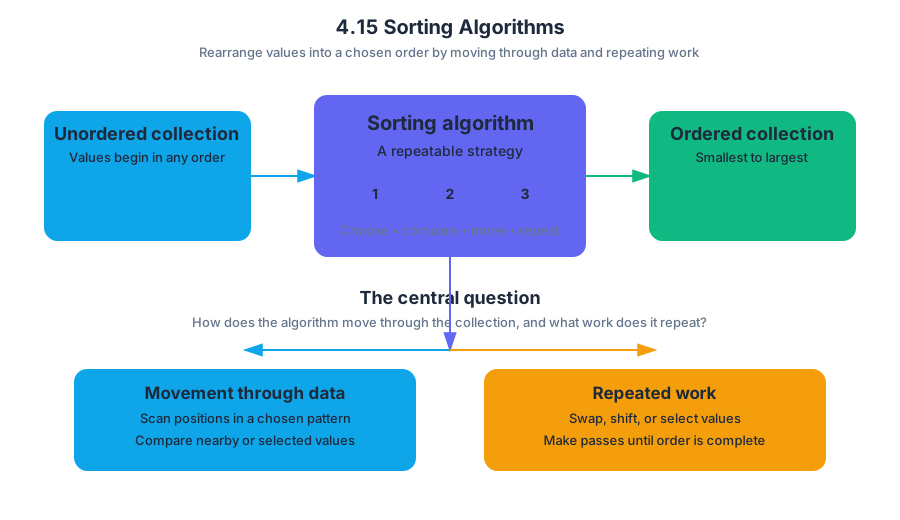
4.16 Recursion
Recursion is a technique in which a method solves a problem by calling itself on a smaller version of that problem. The method must eventually stop calling itself; otherwise, the calls continue until the program runs out of stack space.
4.16 Recursion
Recursion is a technique in which a method solves a problem by calling itself on a smaller version of that problem. The method must eventually stop calling itself; otherwise, the calls continue until the program runs out of stack space.
A useful everyday analogy is opening nested boxes: open the largest box, find a smaller box inside, open that one, and continue until the innermost box contains the answer. Then you work back outward, completing each waiting task in reverse order.
The two essential parts
Every correct recursive method has two logically distinct parts:
- A base case directly solves the smallest version of the problem.
- A recursive case calls the same method with an input that moves closer to the base case.
A recursive call is safe only when each call makes measurable progress toward a base case.
The Java runtime stores each active method call in a call stack, a last-in, first-out structure. When a method calls itself, the current call pauses while the new call runs; after the smaller call returns, the paused call resumes with the returned value.
Worked example: adding the integers from $1$ to $n$
Suppose sumTo(n) should compute $1 + 2 + \dots + n$. This method has the precondition $n \geq 1$:
public static int sumTo(int n) {
if (n == 1) {
return 1; // base case
}
return n + sumTo(n - 1); // recursive case
}
The base case is n == 1, because the answer for $1$ is known immediately. The recursive case replaces the original problem with a smaller one: the sum through $n$ is $n$ plus the sum through $n - 1$.
For sumTo(4), the calls expand first and return afterward:
| Stage | What happens |
|---|---|
| Expand | sumTo(4) waits for sumTo(3) |
| Expand | sumTo(3) waits for sumTo(2) |
| Expand | sumTo(2) waits for sumTo(1) |
| Base case | sumTo(1) returns $1$ |
| Return | sumTo(2) returns $2 + 1 = 3$ |
| Return | sumTo(3) returns $3 + 3 = 6$ |
| Return | sumTo(4) returns $4 + 6 = 10$ |
The important detail is that n + sumTo(n - 1) cannot finish immediately: it must preserve the current value of n while waiting for the recursive call. The final result is therefore assembled during the return phase, not during the initial downward sequence of calls.
Tracing recursion precisely
To analyze a recursive method, trace it in two passes:
- Follow calls downward. Record the argument passed to each recursive call.
- Follow returns upward. Substitute each returned value into the waiting expression.
For sumTo(4), the argument sequence is $4, 3, 2, 1$. Because each argument decreases by $1$, and because the precondition guarantees the starting argument is at least $1$, the base case is eventually reached.
A second pattern: repeated self-calls
Some recursive methods make more than one recursive call. For example, a method that counts the ways to move through a staircase might split the problem into “take one step” and “take two steps.” Such methods create a branching call tree, so the number of calls can grow rapidly even when the input grows only a little.
This is why recursion should be judged not only by whether it produces the correct answer, but also by how many calls it creates and how much stack space it uses. A recursive solution can be elegant while still being inefficient.
Misconception check: recursion is not automatically infinite
Misconception — “A method that calls itself can never terminate.” Recursion terminates when every recursive path eventually reaches a base case. The real danger is a missing base case, a recursive call that never gets closer to it, or an input that violates the method’s precondition.
For example, sumTo(0) is not a valid call for the version above. It does not satisfy $n \geq 1$, so the method never reaches n == 1: it calls sumTo(-1), then sumTo(-2), and so on. A different contract could instead use if (n <= 0) return 0;, but the method’s behavior and documented input requirement must agree.
AP skills and reasoning processes
Topic 4.16 Recursion is associated with Skills 3, 4:
- Skill 3 — Analyze Code: trace recursive calls, identify the base case, determine returned values, and detect nonterminating recursion.
- Skill 4 — Document Code and Computing Systems: explain the method’s precondition, base case, recursive progress, and effect on the call stack.
A strong analysis does more than state the final number. It names the stopping condition, shows how the argument changes, and explains how the pending operations are completed as calls return.
Retrieval check
Consider sumTo(5). What argument sequence appears while calls are being made, what value does the base case return, and what final value is returned? Also state why sumTo(0) is invalid for the displayed implementation.
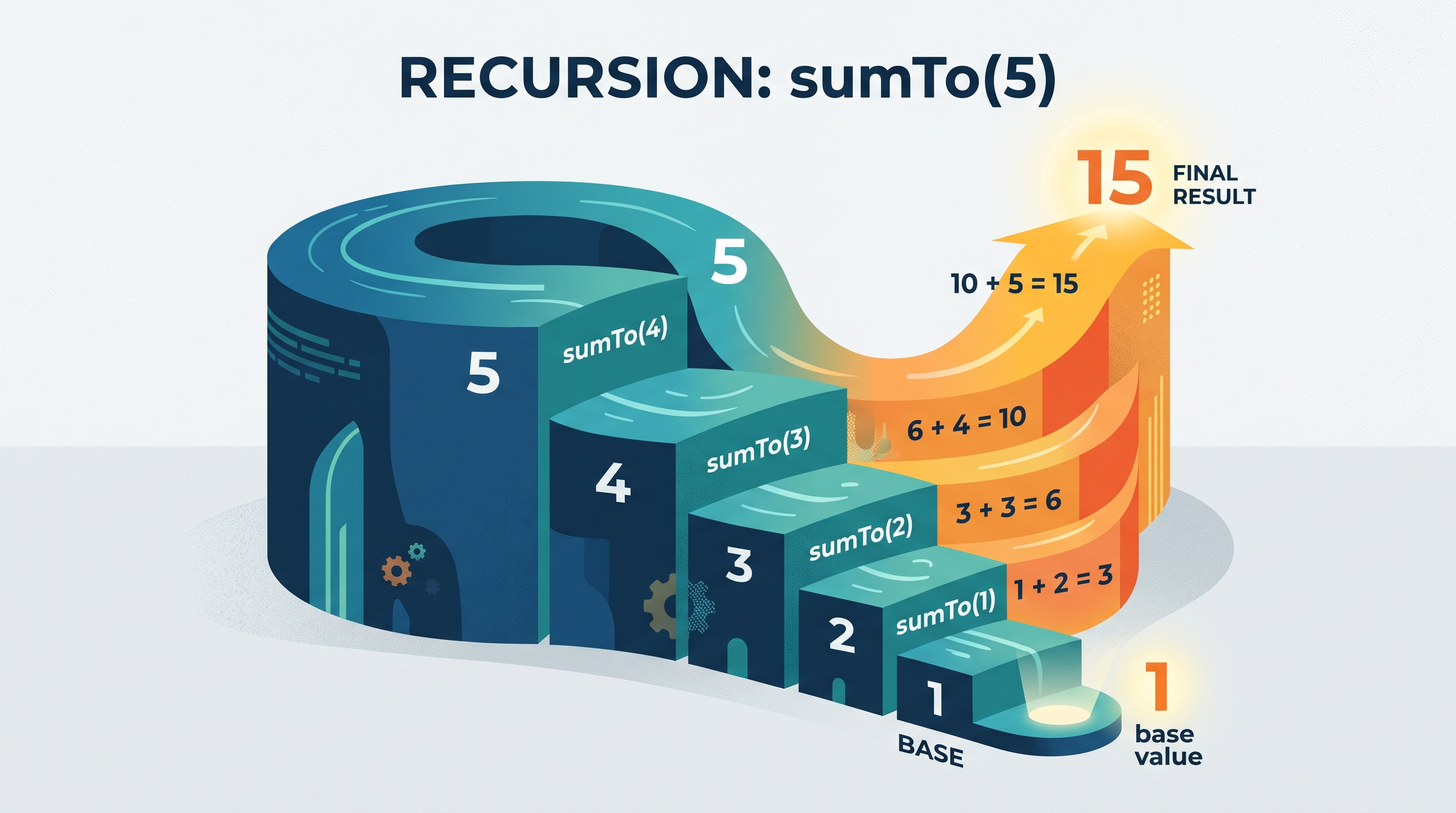
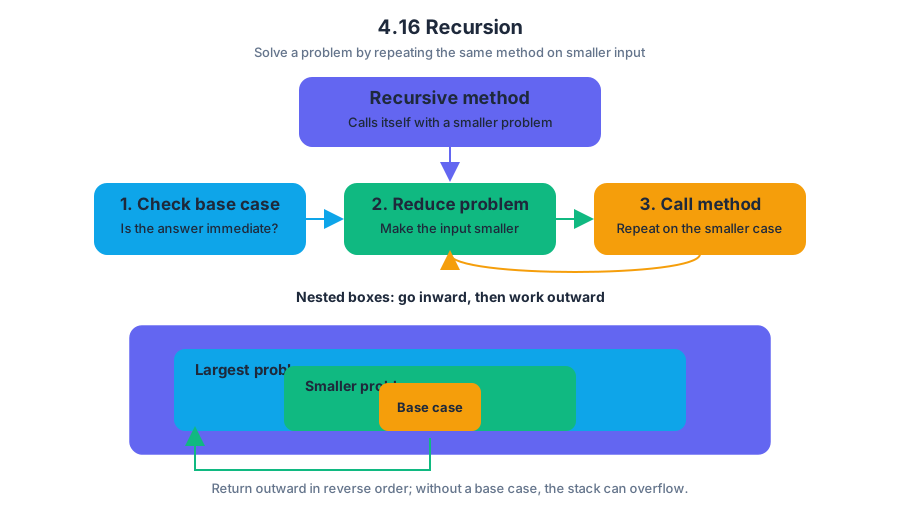
4.17 Recursive Searching and Sorting
Key concepts: Recursive searching · Recursive sorting · Searching algorithms · Sorting algorithms · Recursion · Structural requirements of recursion · Memory and variable behavior during recursive calls · Tracing recursive calls · Recursion compared with iteration · Practice 4 computational thinking
A recursive search or sort solves a large data problem by applying the same algorithm to a smaller portion of the data, then combining the result with the suspended work of the earlier calls.
4.17 Recursive Searching and Sorting
A recursive search or sort solves a large data problem by applying the same algorithm to a smaller portion of the data, then combining the result with the suspended work of the earlier calls.
4.17.A — Recursive searching and sorting algorithms use repeated calls on smaller sections of an array or
ArrayList; students analyze and trace provided code rather than write original recursive code.
The key connection is structural: 4.14 Searching Algorithms supplies the search goal, 4.15 Sorting Algorithms supplies the ordering goal, and 4.16 Recursion supplies the rules that make repeated smaller calls safe. A recursive algorithm must still have a base case, a recursive case, and progress toward the base case.
Recursive binary search
Binary search works only when the data is sorted. Instead of checking every item, it examines the middle item and discards the half that cannot contain the target. A recursive version repeats that decision on a smaller interval.
Suppose the sorted array is:
$$ [4,\ 9,\ 15,\ 22,\ 31,\ 38,\ 47] $$
To search for $31$, the algorithm first examines index $3$, containing $22$. Because $31 > 22$, only indexes $4$ through $6$ remain. The next midpoint is index $5$, containing $38$. Because $31 < 38$, the search continues with indexes $4$ through $4$, where it finds $31$.
The following is provided code to analyze, not a prompt to write recursive code:
public static int binarySearch(int[] values, int target,
int low, int high) {
if (low > high) {
return -1;
}
int middle = (low + high) / 2;
if (values[middle] == target) {
return middle;
} else if (target < values[middle]) {
return binarySearch(values, target, low, middle - 1);
} else {
return binarySearch(values, target, middle + 1, high);
}
}
What memory does during the calls
Each invocation receives its own stack frame, a reserved memory area containing that call’s parameter values, local variables, and the location to which it must return. A caller does not disappear when it makes a recursive call: it pauses, preserving its state while it waits for the smaller problem to finish.
For binarySearch(values, 31, 0, 6), the call stack develops like this:
| Frame | Parameters | Local middle |
Decision | Status |
|---|---|---|---|---|
| 1 | low = 0, high = 6 |
$3$ | $31 > 22$ | waiting for indexes $4$–$6$ |
| 2 | low = 4, high = 6 |
$5$ | $31 < 38$ | waiting for index $4$ |
| 3 | low = 4, high = 4 |
$4$ | found $31$ | returns $4$ |
The return path is just as important as the descent. Frame 3 returns $4$ to frame 2; frame 2 returns that same value to frame 1; frame 1 finally returns $4$ to the original caller.
Notice the separate variables: frame 1 keeps low = 0, high = 6, and middle = 3; frame 2 has a different set of variables; frame 3 has another. The name middle is reused, but the variables are not shared.
Recursive sorting
Recursive sorting algorithms repeatedly divide an unordered collection into smaller collections. Merge sort, for example, divides a list until each sublist has one item, then merges neighboring sorted sublists into larger sorted lists. A one-item list is already sorted, so it is a natural base case.
For eight values, the structure resembles a tree:
$$ 8 \rightarrow 4+4 \rightarrow 2+2+2+2 \rightarrow 1+1+1+1+1+1+1+1 $$
The recursive descent creates the small pieces. During unwinding, the merge operations rebuild the result in sorted order. This differs from binary search: binary search follows one branch, while merge sort eventually processes both branches.
Recursion versus iteration
An iterative algorithm repeats with a loop and updates variables in one active method call. A recursive algorithm repeats by creating new method calls, so its suspended states occupy additional stack frames. Both can express the same logical process, but their tracing evidence differs.
| Feature | Iteration | Recursion |
|---|---|---|
| Repetition mechanism | Loop | Method calls |
| Active local state | Usually one set of locals | One set per active frame |
| Termination evidence | Loop condition eventually changes | Base case eventually becomes true |
| Main tracing risk | Infinite loop | Missing progress or too many frames |
Misconception check — “A recursive call replaces the old call.” It does not. The old call waits. If the recursive call returns a value, that value travels back to the waiting caller, which may return it again or use it in further computation.
Structural requirements check: For a recursive search, identify the base case, show that low and high move toward it, and trace each frame’s parameters. For recursive sorting, identify how the data becomes smaller and how sorted results are combined.
Retrieval check: In the binary-search trace above, what value does the original call return, and why does frame 1 still remember its original middle after frame 2 finishes? The answer is $4$ because frame 3 finds the target at index $4$; frame 1’s separate stack frame preserved its own parameters and local variables while frame 2 ran.
Topic 4.17 is associated with Practice 4 — Analyze Code, especially tracing recursive calls, determining returned values, and comparing recursive behavior with iterative alternatives. Practice 4 applies these same tracing habits in the broader Unit 4 formative multiple-choice and free-response assessments.

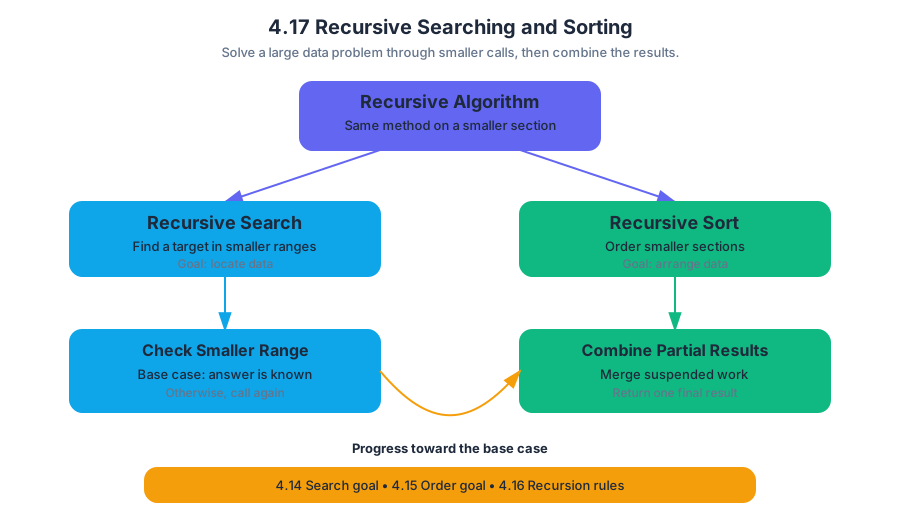
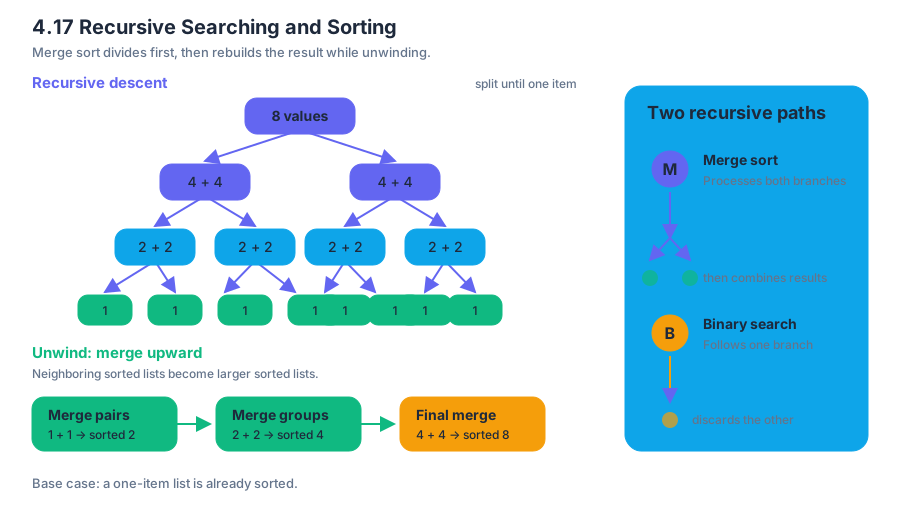
AP Practice 1
Key concepts: AP Computer Science A course and exam framework (effective Fall 2025) · Computational thinking practices and learning objectives · Program design and implementing a design or specification · Debugging programs · Data abstractions and data types · Determining initial conditions for code · Libraries in programming · Program documentation · Variables and primitive values · Assessing evidence and sources in AP courses
A correct Java program is not merely one that compiles: it must begin with appropriate conditions, use data abstractions correctly, and implement a clearly described design.
AP Practice 1
A correct Java program is not merely one that compiles: it must begin with appropriate conditions, use data abstractions correctly, and implement a clearly described design. The AP Computer Science A Course and Exam Description is effective Fall 2025, and its exam questions connect required content to named computational thinking skills.
For this practice set, the task type is multiple choice. The AP Exam includes 42 multiple-choice questions in 90 minutes, worth 55% of the exam score, followed by 4 free-response questions in 90 minutes, worth 45%. Multiple-choice questions may ask you to trace code, identify a design or precondition, recognize a data abstraction, or diagnose why code fails.
The reasoning pipeline
A reliable way to approach these questions is to move through the program like an engineer inspecting a machine:
- Specification: What is the code supposed to accomplish?
- Initial conditions: What must already be true before execution begins?
- Data model: What variables, objects, or collections represent the information?
- Execution: What does each statement do, in order?
- Debugging: If the result is wrong, does the problem involve syntax, state, logic, or an incorrect assumption?
These steps activate Practice 1: Design Code, Practice 2: Develop Code, Practice 3: Analyze Code, and Practice 4: Document Code and Computing Systems. In particular, the relevant skills are 2.B: Write program code involving data abstractions, 3.B: Determine the result or output based on code that contains data abstractions, 3.D: Explain why a code segment will not compile or work as intended and modify the code to correct the error, 4.A: Describe the behavior of a code segment or program, and 4.B: Describe the initial conditions that must be met for a code segment to work as intended or described.
Worked multiple-choice set: a library inventory
A community library stores the titles of books currently available for checkout. The program uses ArrayList, a class supplied by the Java Collections Library. A library class is prewritten code that programmers can use through its documented application programming interface (API)—the set of available constructors and methods. The programmer does not implement size() or get(); the library provides them.
import java.util.ArrayList;
ArrayList<String> titles = new ArrayList<String>();
titles.add("Orbit");
titles.add("Lantern");
titles.add("River");
int lastIndex = titles.size() - 1;
System.out.println(titles.get(lastIndex));
Question 1. What is printed?
- A.
Orbit - B.
Lantern - C.
River - D. Nothing, because
lastIndexis invalid
Answer: C. size() returns $3$, so lastIndex becomes $3 - 1 = 2$. ArrayList positions begin at index $0$, making index $2$ the third element, "River".
Examiner-rewarded reasoning: identify the collection’s size, convert the last position to size() - 1, and apply zero-based indexing. This tests 3.B: Determine the result or output based on code that contains data abstractions.
Data abstractions and library use
A data abstraction represents information while hiding unnecessary implementation details. Here, ArrayList<String> represents an ordered, resizable sequence of strings. The program calls add, size, and get without knowing how the collection stores its elements internally.
Question 2. Which change correctly prints every title in titles?
- A.
for (int i = 0; i < titles.size(); i++) System.out.println(titles.get(i)); - B.
for (int i = 0; i <= titles.size(); i++) System.out.println(titles.get(i)); - C.
for (int i = 1; i < titles.size(); i++) System.out.println(titles.get(i)); - D.
for (int i = 0; i < titles.size() - 1; i++) System.out.println(titles.get(i));
Answer: A. Valid indexes run from $0$ through size() - 1, so the loop condition must be i < titles.size(). Option B eventually requests index $3$, which is outside the valid range.
Misconception check — “The collection’s size is its final index.” size() counts elements; it does not identify the final index. For $n$ elements, the final valid index is $n - 1$.
Specifications and initial conditions
Suppose a method is intended to return the first title alphabetically:
public static String firstTitle(ArrayList<String> titles)
A useful specification states what the method does, what it returns, and what must be true before it runs. One necessary precondition is that titles is not null and contains at least one element; otherwise titles.get(0) cannot safely produce a first title.
Question 3. Which initial condition is sufficient for firstTitle(titles) to work as intended?
- A.
titleshas exactly one element - B.
titlesis not empty and contains nonullreference - C.
titlesis sorted in reverse alphabetical order - D.
titles.size()is equal to the first valid index
Answer: B. The method needs a usable first element and must be able to call collection methods on a valid reference. The condition does not require exactly one element or a particular ordering unless the specification says so.
This tests 4.B: Describe the initial conditions that must be met for a code segment to work as intended or described. A precondition is not the result of the method; it is a condition established before execution.
Debugging and documentation
Question 4. A programmer writes:
for (int i = 0; i <= titles.size(); i++) {
System.out.println(titles.get(i));
}
What is the best correction?
- A. Replace
<=with< - B. Replace
iwithi - 1 - C. Start
iat1 - D. Replace
size()withget()
Answer: A. The loop must stop before i reaches titles.size(). This is a boundary error: the final iteration attempts an invalid index. Explaining the cause and correcting the code demonstrates 3.D: Explain why a code segment will not compile or work as intended and modify the code to correct the error.
Documentation makes the design visible to other programmers. A concise comment could state: // Requires titles to contain at least one non-null title. Documentation should explain purpose, assumptions, and library behavior—not repeat obvious syntax.
Timing and error review
For a short multiple-choice set, spend about 2 minutes per question: read the specification, trace only the relevant state, and eliminate answers that violate indexing or type rules. After checking your answers, label each error as a trace error, data-abstraction error, precondition error, or debugging error; then rewrite the rule that would have prevented it.
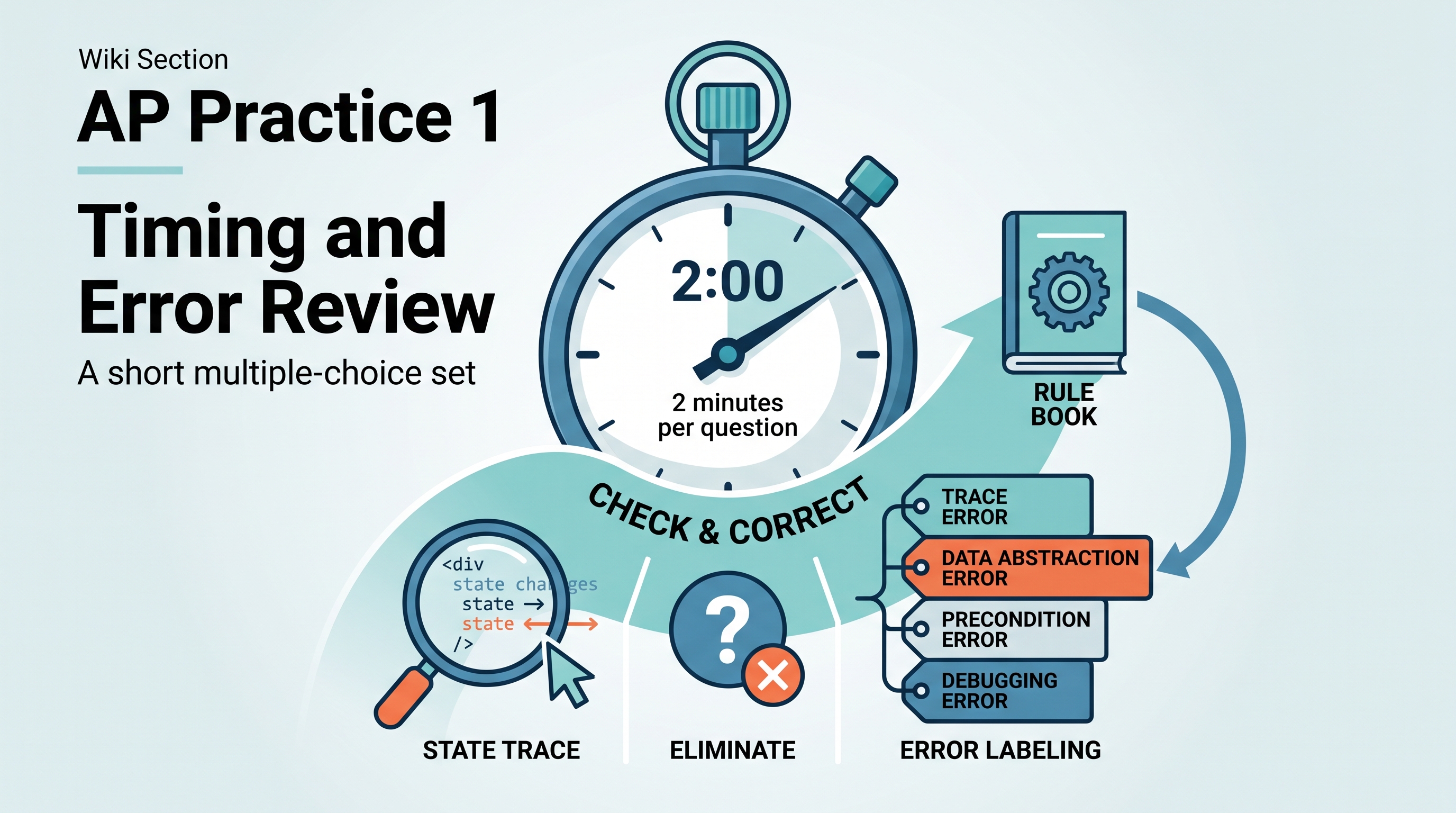
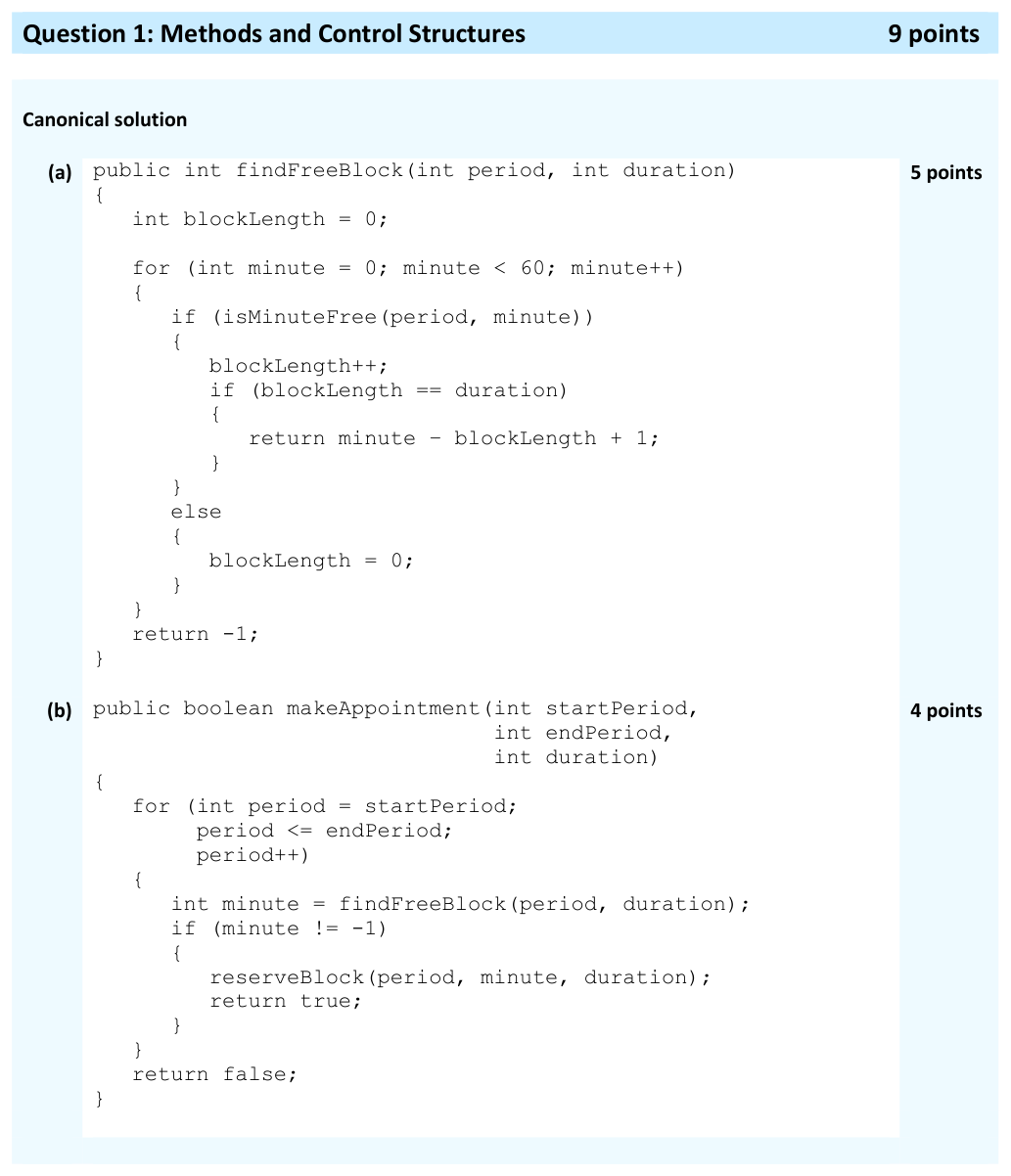
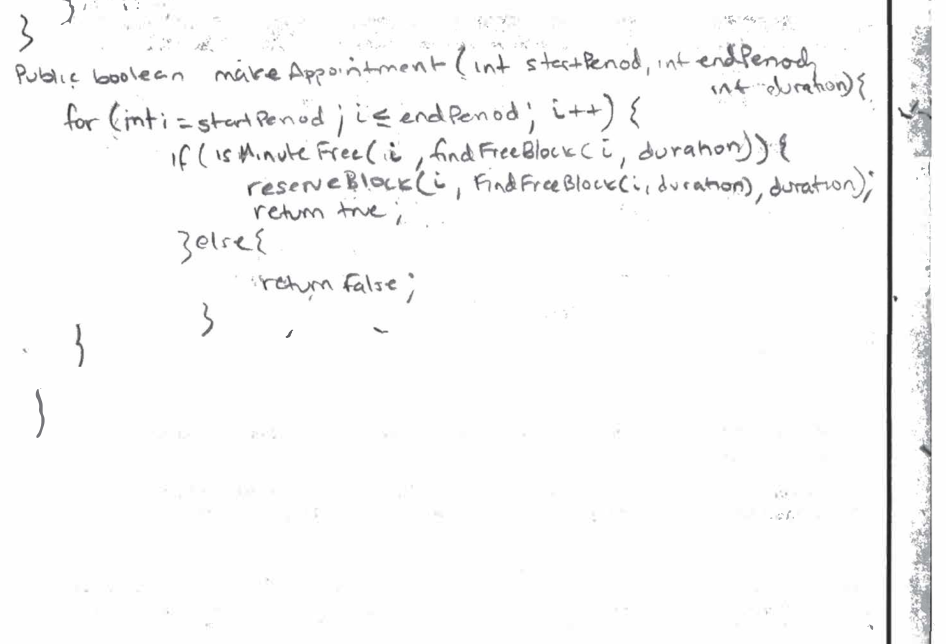

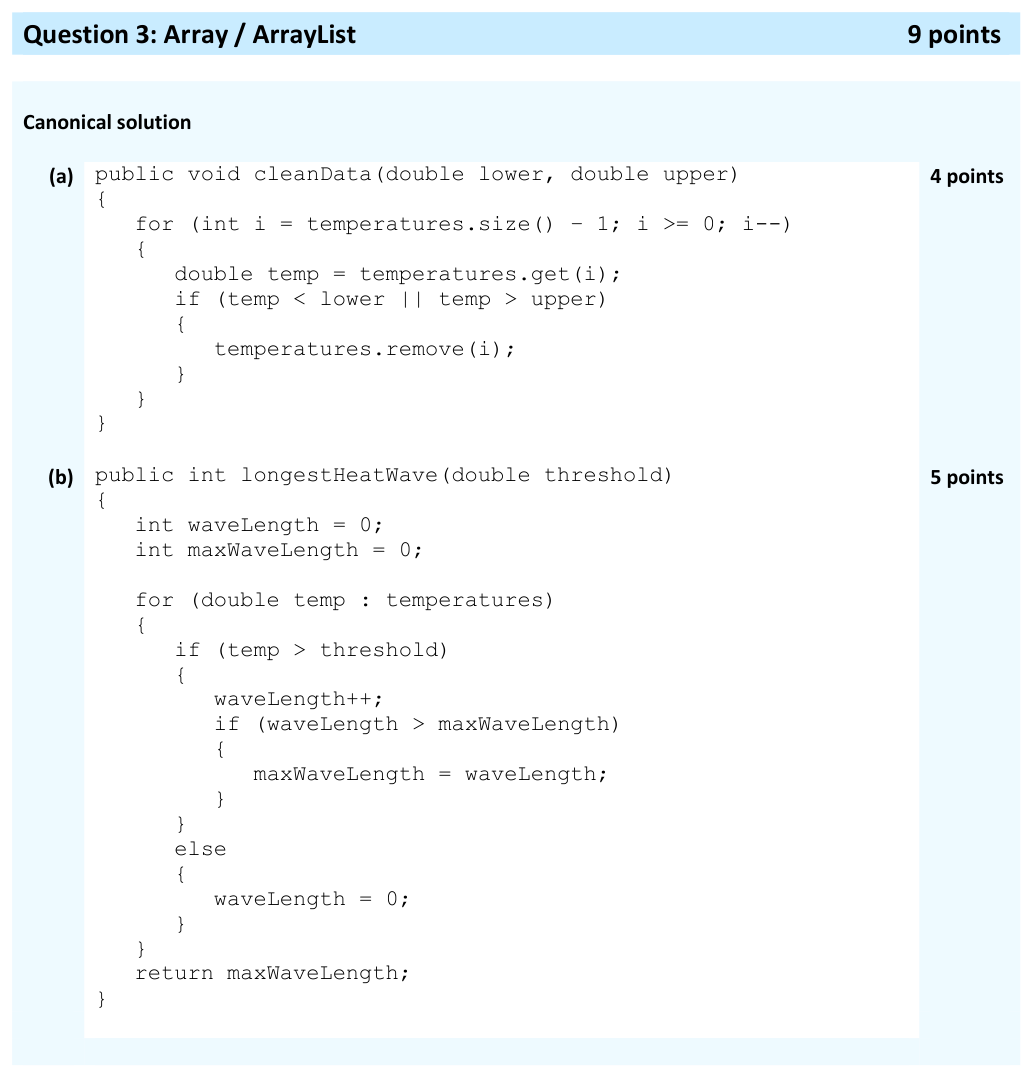
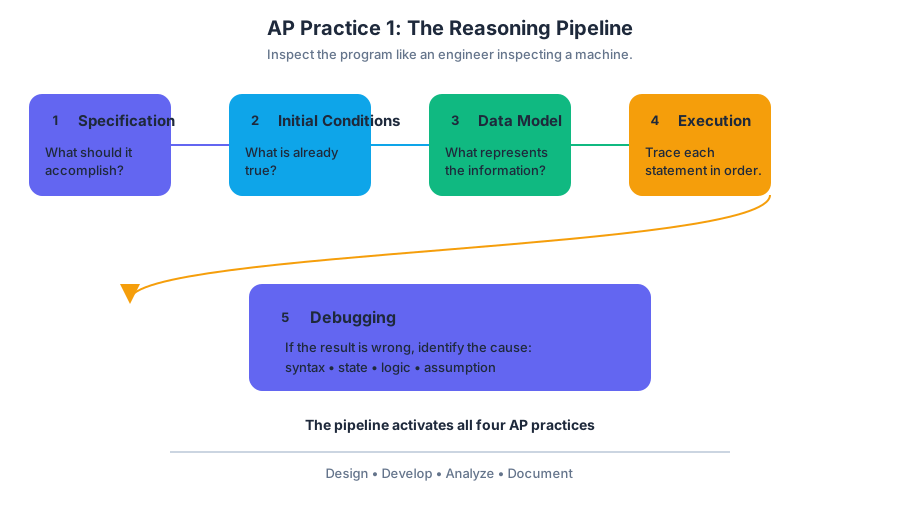
AP Practice 2
Key concepts: Java data types, including int, double, Boolean values, and reference types · Casting and the range of variables · Boolean expressions and compound operators such as && and || · Methods and control structures · Writing, tracing, and analyzing Java program code · Debugging code by identifying and correcting errors · Initial conditions required for code to work as intended · Classes, objects, and encapsulation · Using the Java Quick Reference · AP Computer Science A assessment format
A debugging task is not solved by guessing what the programmer intended; it is solved by tracing the actual values, identifying the violated condition, and changing only what prevents the program from meeting its specification.
AP Practice 2
A debugging task is not solved by guessing what the programmer intended; it is solved by tracing the actual values, identifying the violated condition, and changing only what prevents the program from meeting its specification. The most reliable workflow combines Java data types, Boolean logic, control structures, casting, and boundary testing.
The debugging workflow
| Step | Question to ask | Typical evidence |
|---|---|---|
| 1. Identify the specification | What must the method return or accomplish? | Valid score range, required output |
| 2. Identify types | What are the types of every variable and expression? | int, double, boolean, or reference type |
| 3. Trace representative inputs | What happens for ordinary, boundary, and invalid values? | Variable table or handwritten trace |
| 4. Test Boolean logic | Must both conditions hold, or is either sufficient? | && versus ` |
| 5. Correct the smallest error | What single change restores the intended behavior? | Revised expression or statement |
| 6. Retest | Does the correction work at every boundary? | Input-output checks |
Worked debugging task: validating a score
A school stores each test score as an int. A valid score is any integer from $0$ through $100$, inclusive. The method below is intended to return true exactly when the score is valid.
public static boolean isValidScore(int score)
{
return score >= 0 || score <= 100;
}
The error is the compound Boolean operator. The && operator evaluates to true only when both operands are true; otherwise it evaluates to false. The || operator evaluates to true when at least one operand is true.
The corrected Boolean expression is:
return score >= 0 && score <= 100;
Now trace boundary and outside-range values:
score |
score >= 0 |
score <= 100 |
Combined result |
|---|---|---|---|
| $0$ | true |
true |
true |
| $100$ | true |
true |
true |
| $-1$ | false |
true |
false |
| $101$ | true |
false |
false |
Misconception check — “Either valid condition is enough.”
For a range, both limits must hold. With ||, a score of $-1$ passes because it is less than or equal to $100$; a score of $101$ passes because it is greater than or equal to $0$. That expression accepts almost every integer, not just scores in the intended interval.
Types, casting, and range
An integer value in Java uses the primitive type int. A double stores a number that may contain a fractional part. A reference type is used to define objects, such as String, Integer, or Double; the variable holds a reference to an object rather than the object’s primitive value directly.
Casting changes how Java treats a primitive value in an expression. Casting a double to an int truncates the digits to the right of the decimal point:
int whole = (int) 8.9; // 8
double quotient = 7 / 2; // 3.0
double precise = 7 / 2.0; // 3.5
The second expression performs integer division before widening the result to double. Because the expression contains a double in the third line, Java widens the int value to double before division.
For non-negative $x$, rounding to the nearest integer can be written as (int)(x + 0.5); for negative $x$, use (int)(x - 0.5). Casting does not remove the finite range of an int: an integer expression that exceeds the permitted range can produce an out-of-range result through overflow.
Classes and encapsulation
A well-designed class uses encapsulation: its data is protected inside the object, while methods control how that data is read or changed.
public class Thermostat
{
private double temperature;
public Thermostat(double initialTemperature)
{
temperature = initialTemperature;
}
public void increase(double amount)
{
temperature += amount;
}
public double getTemperature()
{
return temperature;
}
}
The field is private, so outside code cannot directly assign an invalid value. The public methods form a controlled interface. On an exam, distinguish a compile-time error, such as using an undeclared variable, from a logic error, such as using || where && is required.
Exam execution and retrieval check
For a short debugging or code-analysis task, spend roughly one-third of the available time tracing, one-third correcting, and one-third retesting. Use the Java Quick Reference for unfamiliar accessible methods such as Integer.parseInt(String s), but do not use it as a substitute for tracing variable values.
Retrieval check: What does this return for value = 100.5?
return value >= 0 && value <= 100;
The result is false: both comparisons must be true, and $100.5 \le 100$ is false. This demonstrates 3.C Determine the result or output based on code that contains procedural abstractions, 4.A Describe the behavior of a code segment or program, and 4.B Describe the initial conditions that must be met for a code segment to work as intended or described. A strong error review records the incorrect assumption, the input that exposed it, and the smallest correction that fixes it.
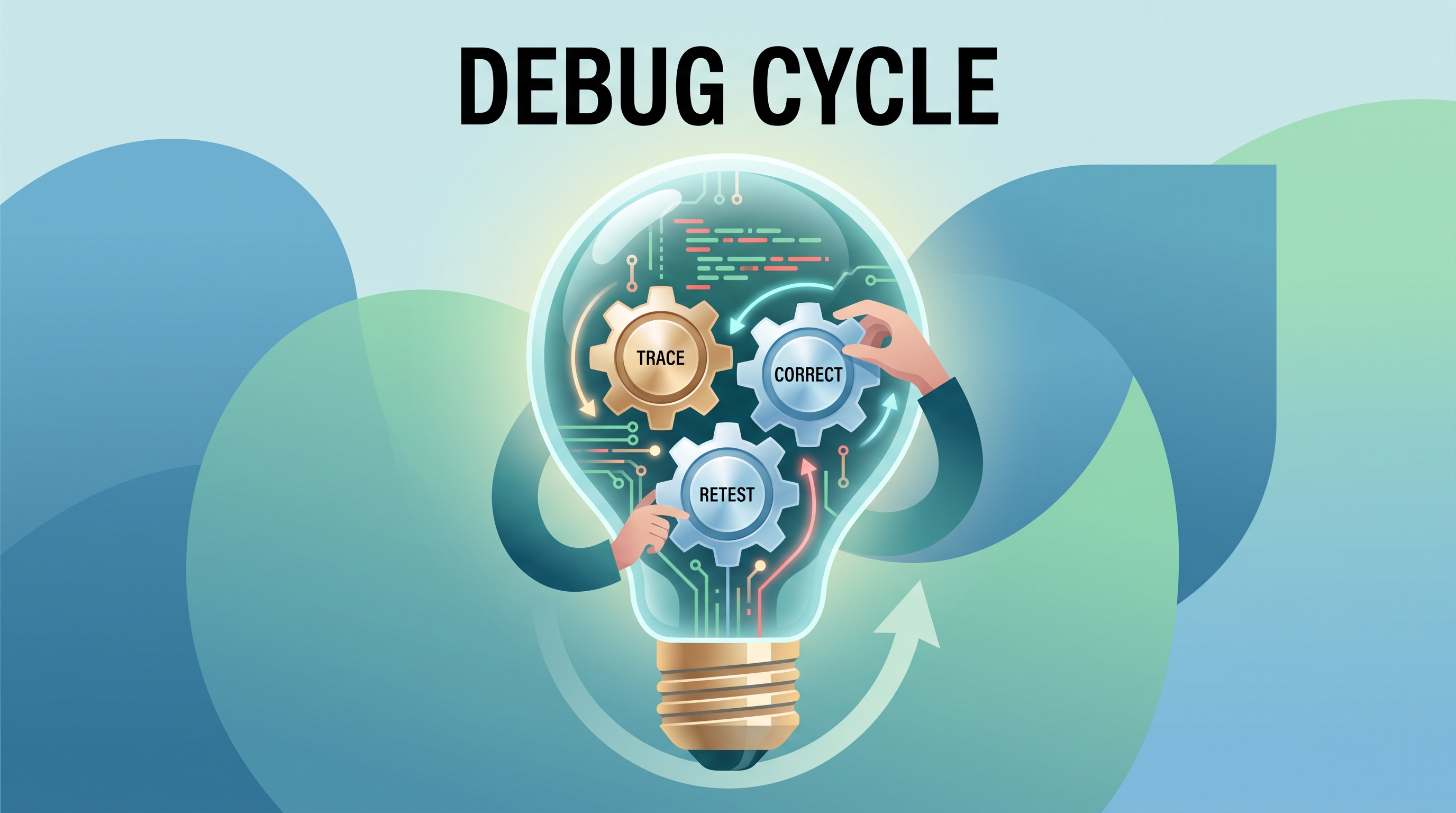
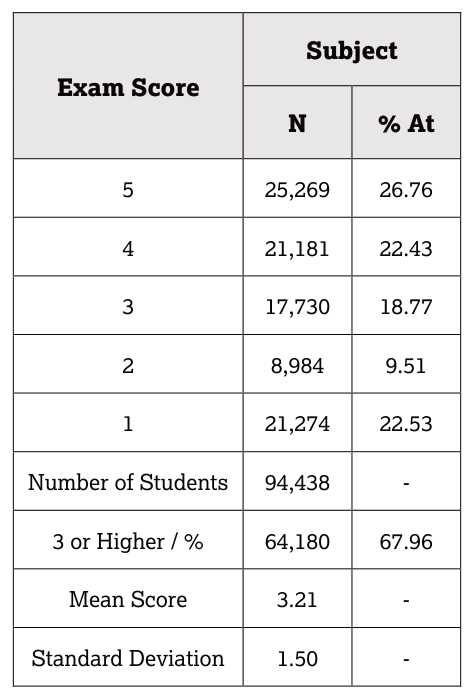
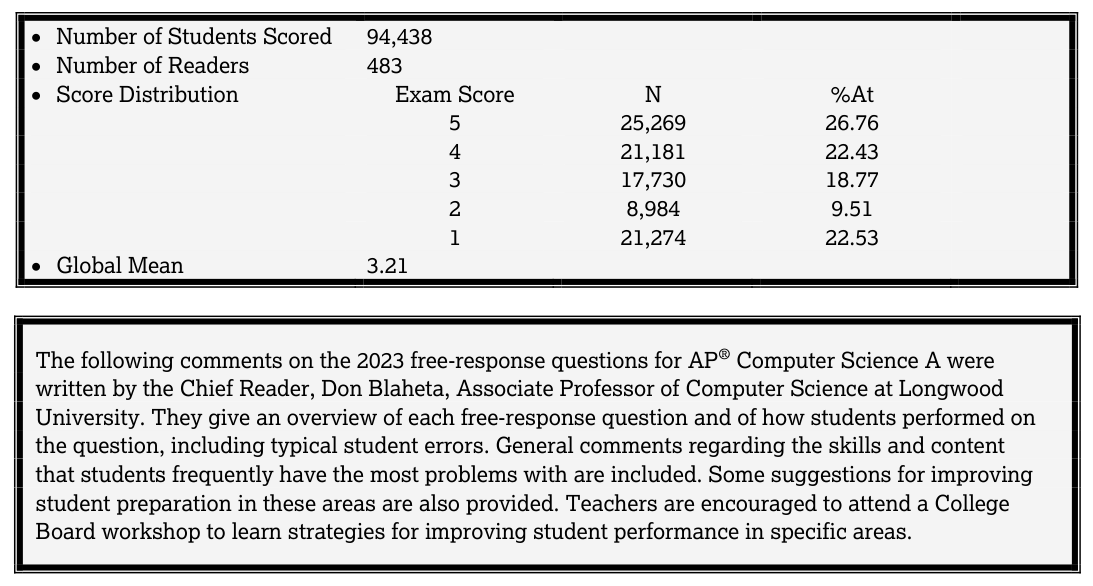
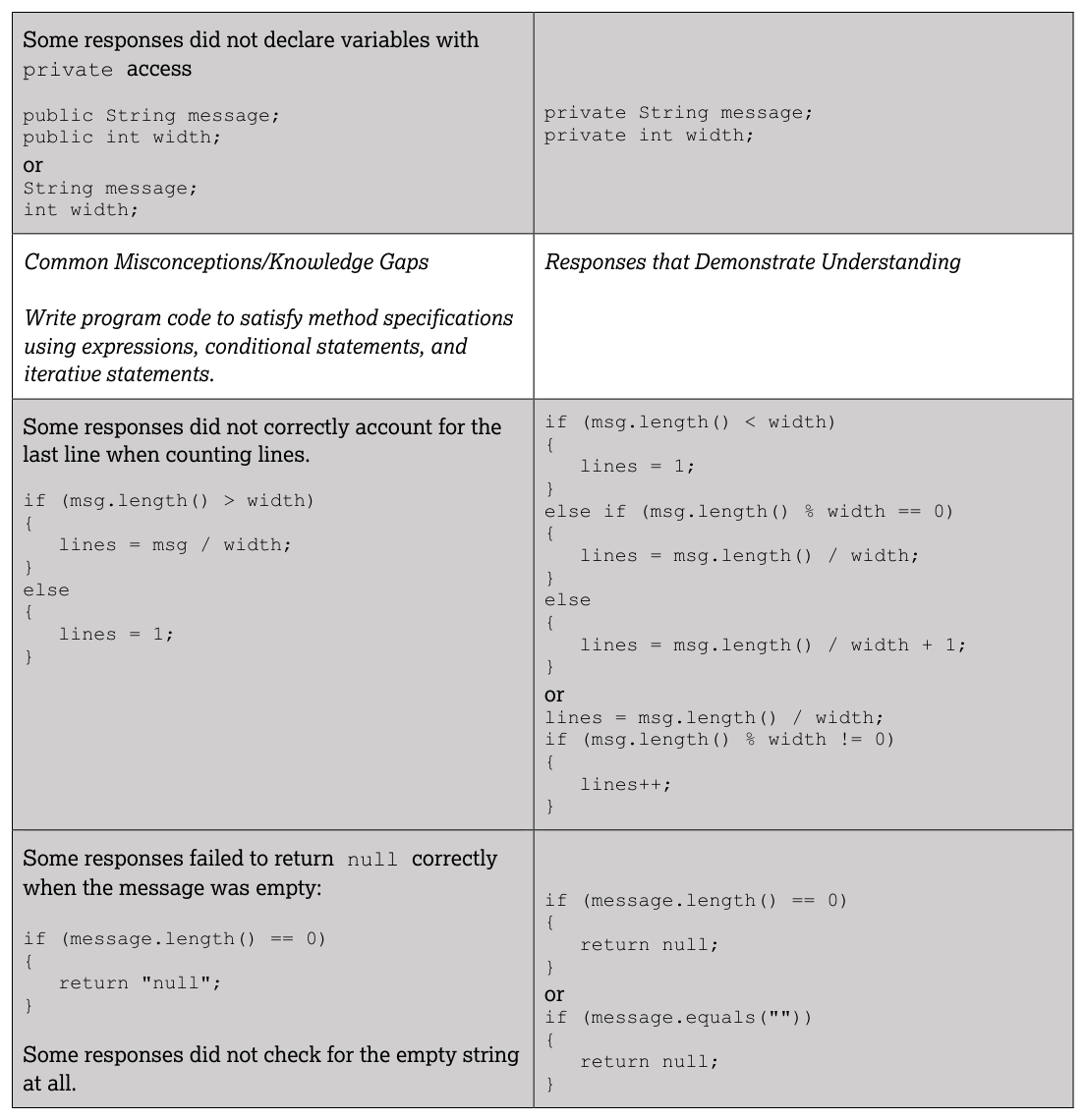
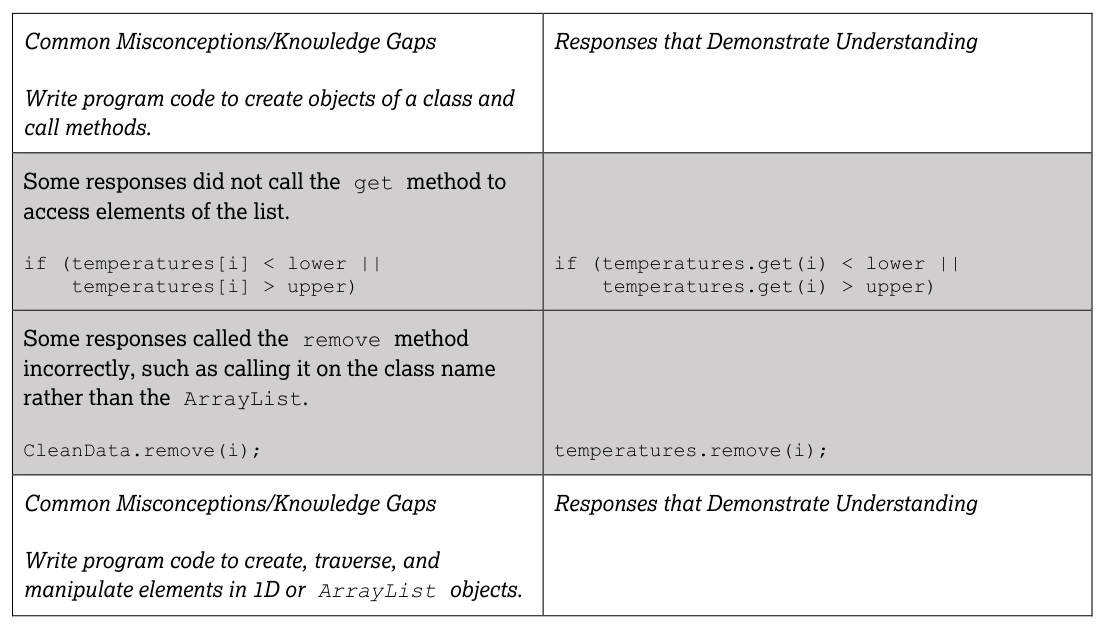
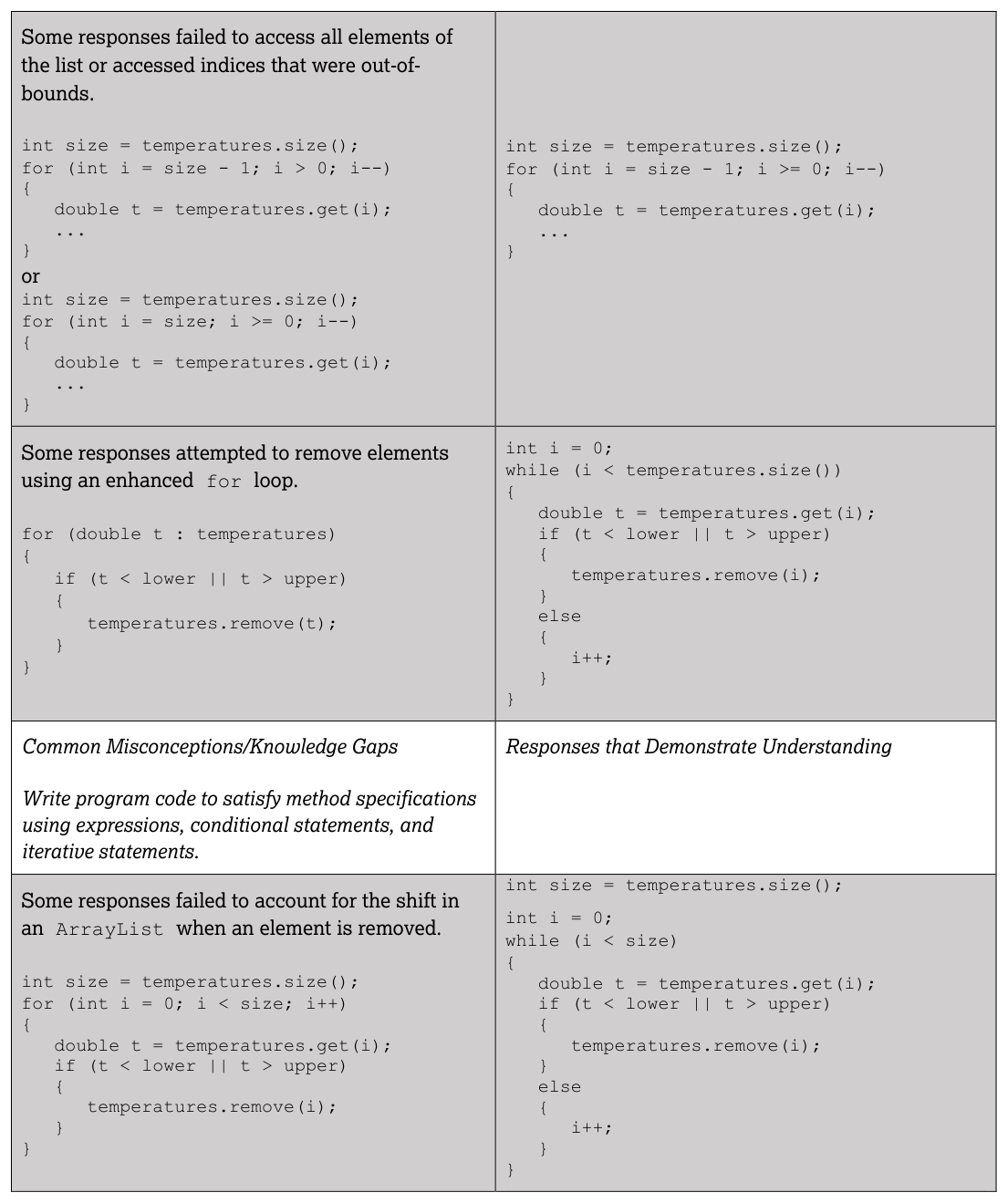
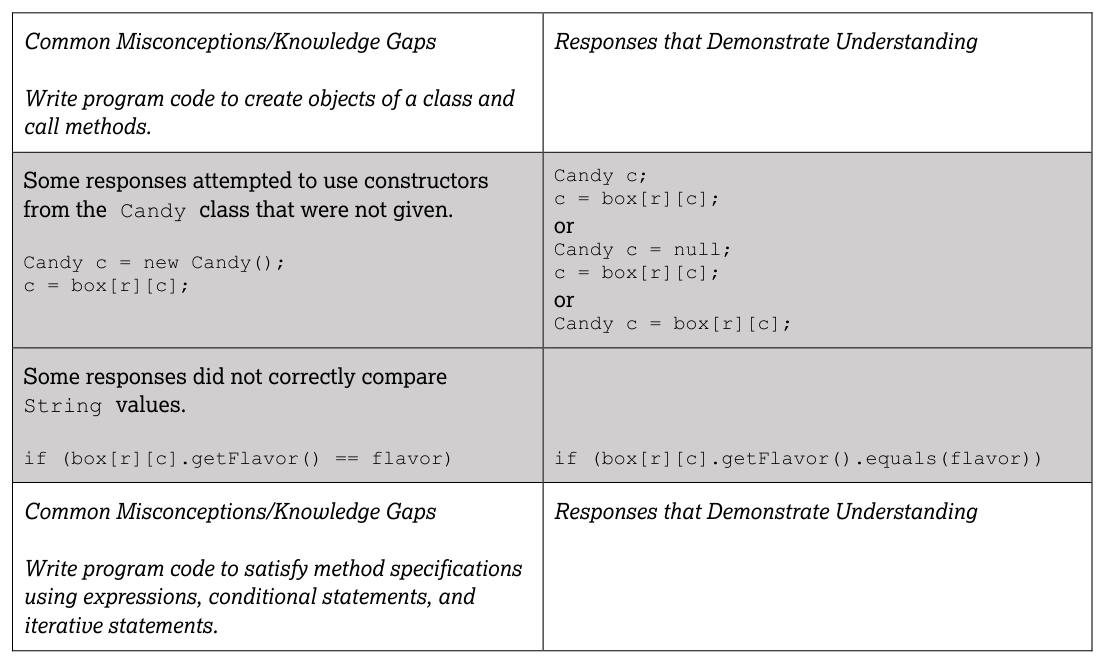
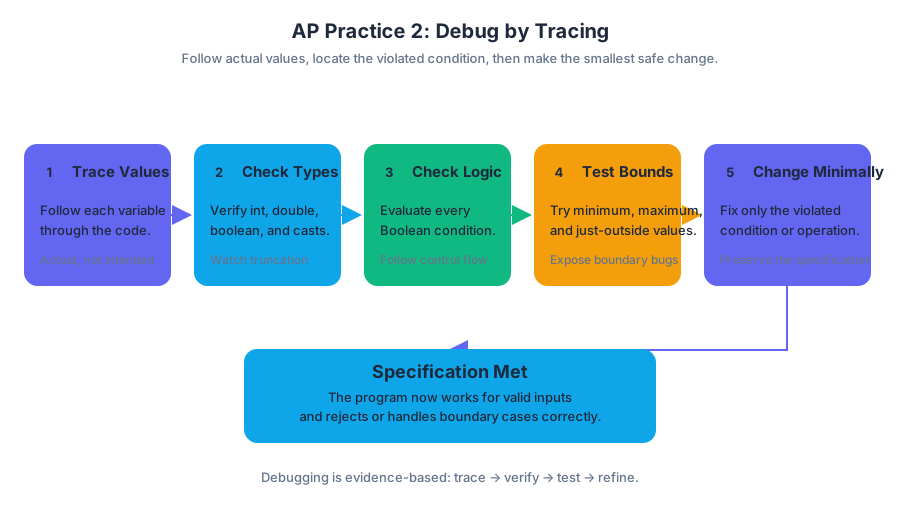
AP Practice 3
A class-design response earns credit by turning a precise specification into a usable Java class: private data, a constructor that establishes a valid object, and methods whose behavior matches the stated contract.
AP Practice 3
A class-design response earns credit by turning a precise specification into a usable Java class: private data, a constructor that establishes a valid object, and methods whose behavior matches the stated contract.
Task type: Class Design
In this original, unofficial practice task, a community center records reservations for study rooms. Each reservation stores a room name, a starting hour, and a duration. The class does not store a student name; all required fields and methods refer only to the reservation itself.
Prompt
Write a Java class named RoomReservation with the following requirements:
- It has three
privateinstance variables:room, aStringstartHour, anintduration, anint
- Its constructor accepts a room name, a starting hour, and a duration, storing those values in the corresponding instance variables.
getEndHour()returns the hour at which the reservation ends. The ending hour is calculated as $startHour + duration$.isInRoom(String roomName)returnstrueif the reservation is for the specified room andfalseotherwise.overlaps(RoomReservation other)returnstruewhen the two reservations are for the same room and share at least one hour. Otherwise, it returnsfalse.move(int newStartHour)changes the reservation’s starting hour tonewStartHour.- You may assume that all durations are positive and that all hour values are valid.
Timing strategy
Allow approximately 25 minutes for a class-design response. Spend the first few minutes extracting the required state and behavior. Then write the constructor and simplest methods first, test boundary cases mentally, and reserve time to check access modifiers, parameter types, and return types.
A useful contract map is:
| Requirement | Code location | Main risk |
|---|---|---|
| Store room, start, duration | Private instance variables | Accidentally using static |
| Initialize one reservation | Constructor | Forgetting this |
| Compute ending time | getEndHour() |
Using subtraction |
| Compare room names | isInRoom and overlaps |
Using == for String objects |
| Detect shared time | overlaps |
Treating touching reservations as overlapping |
| Change start time | move |
Creating a new object instead of updating this one |
Worked solution
public class RoomReservation
{
private String room;
private int startHour;
private int duration;
public RoomReservation(String roomName, int startingHour, int length)
{
room = roomName;
startHour = startingHour;
duration = length;
}
public int getEndHour()
{
return startHour + duration;
}
public boolean isInRoom(String roomName)
{
return room.equals(roomName);
}
public boolean overlaps(RoomReservation other)
{
boolean sameRoom = room.equals(other.room);
boolean thisStartsBeforeOtherEnds =
startHour < other.getEndHour();
boolean otherStartsBeforeThisEnds =
other.startHour < getEndHour();
return sameRoom
&& thisStartsBeforeOtherEnds
&& otherStartsBeforeThisEnds;
}
public void move(int newStartHour)
{
startHour = newStartHour;
}
}
Why the solution works
The constructor creates a complete reservation. For example:
RoomReservation first =
new RoomReservation("Blue", 9, 2);
The object represents room Blue from hour $9$ through, but not including, hour $11$. Therefore, first.getEndHour() returns $11$.
The overlap test uses the half-open intervals $[startHour, endHour)$. Two reservations overlap exactly when:
$$ start_1 < end_2 \quad \text{and} \quad start_2 < end_1 $$
They must also have the same room. The strict < comparisons matter: a reservation from $9$ to $11$ does not overlap one from $11$ to $13$, because the first reservation has already ended when the second begins.
For example:
RoomReservation a = new RoomReservation("Blue", 9, 2);
RoomReservation b = new RoomReservation("Blue", 10, 1);
RoomReservation c = new RoomReservation("Blue", 11, 2);
RoomReservation d = new RoomReservation("Red", 10, 3);
a.overlaps(b) returns true: both use Blue, and hour $10$ is shared. a.overlaps(c) returns false: the intervals only touch at hour $11$. a.overlaps(d) returns false: their times intersect, but their rooms differ.
Rubric-aligned reasoning
A strong response should visibly satisfy these scoring targets:
- Class and state: The class is named correctly, and all three required variables are instance variables with the
privatemodifier. - Constructor: The constructor has the required parameter types and assigns every parameter to the correct field.
- Accessor behavior:
getEndHour()returns the sum of the starting hour and duration. - String comparison: Room names are compared with
.equals, not==. - Overlap logic: The method requires both equal room names and intersecting time intervals.
- Mutation:
moveupdates the existing object’sstartHour. - Java correctness: Method headers, braces, types, and return statements are syntactically valid.
Common misconception: == compares String contents
In Java, == compares whether two object references point to the same object, not whether two String objects contain the same characters. Use:
room.equals(roomName)
rather than:
room == roomName
Common misconception: touching intervals overlap
If one reservation ends at hour $11$ and another begins at hour $11$, they do not share an hour. Replacing < with <= would incorrectly classify adjacent reservations as overlapping.
Error-review routine
After writing your response, trace these three cases:
- Same room, overlapping times: expected
true - Same room, adjacent times: expected
false - Different rooms, overlapping times: expected
false
Then label every missed point as a specification error—you misunderstood a requirement—or an implementation error—you understood it but wrote incorrect Java. Fix the category, not only the line of code.
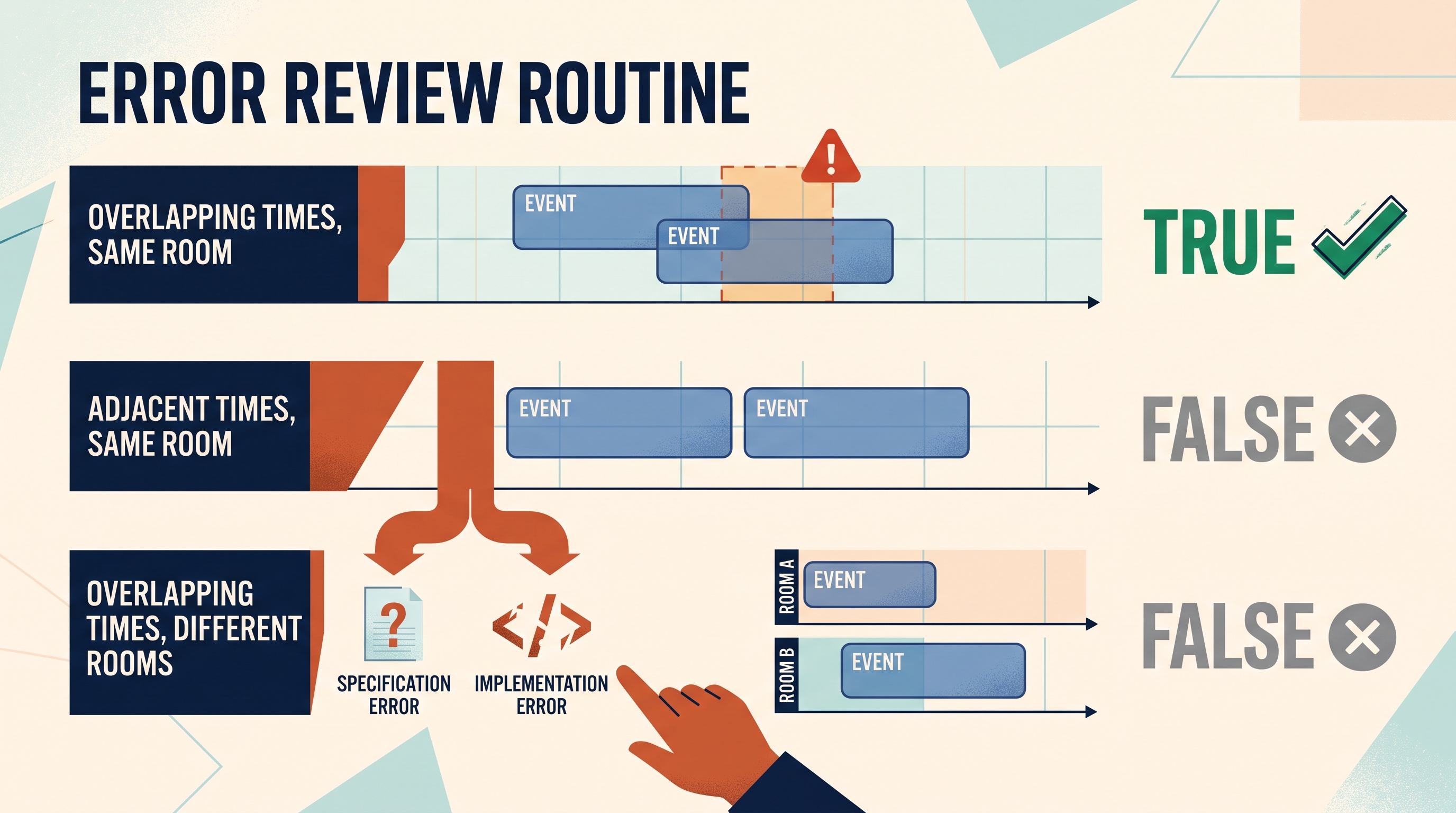
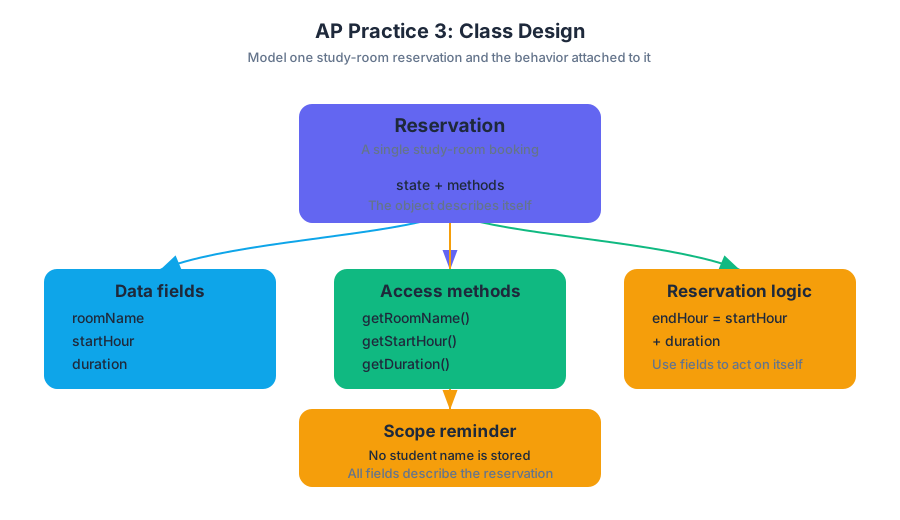
AP Practice 4
A two-dimensional array is best understood as a grid: one index chooses a row, and another chooses a position within that row. On an AP Computer Science A free-response question, success depends less on writing a clever algorithm than on translating the grid’s meaning into precise traversal, selection, and return…
AP Practice 4
A two-dimensional array is best understood as a grid: one index chooses a row, and another chooses a position within that row. On an AP Computer Science A free-response question, success depends less on writing a clever algorithm than on translating the grid’s meaning into precise traversal, selection, and return logic.
Task type: 2D-array method implementation
This original, unofficial practice task targets the 2D-array free-response task type. It primarily assesses Computational Thinking Practice 2: Develop Code, while also requiring Computational Thinking Practice 1: Design Code, Computational Thinking Practice 3: Analyze Code, and Computational Thinking Practice 4: Document Code and Computing Systems.
Original prompt
A wildlife station records the number of animals observed in several habitat zones during several observation periods. The observations are stored in a rectangular two-dimensional array, where observations[r][c] represents the count recorded for habitat row r during period column c.
Write a method countActiveZones that returns the number of rows containing at least one observation greater than threshold.
public static int countActiveZones(int[][] observations, int threshold)
For example, given the following array and a threshold of 10:
int[][] observations = {
{4, 7, 9},
{12, 3, 5},
{2, 11, 14},
{6, 8, 10}
};
the method should return 2, because the second row contains 12, and the third row contains 11 and 14. The value 10 does not count because the requirement is greater than the threshold.
Design before coding
The phrase “number of rows containing at least one qualifying value” determines the algorithm. The outer loop examines one row at a time; the inner loop searches that row. Once a qualifying value is found, the row should be counted once and the inner loop can stop.
| Requirement | Implementation decision |
|---|---|
| Examine every row | Outer loop from 0 through observations.length - 1 |
| Examine values in the current row | Inner loop through observations[r].length |
| Qualifying observation | observations[r][c] > threshold |
| Count a row only once | Boolean flag or immediate break |
| Return the total | Return the row counter |
The critical distinction is between counting qualifying values and counting qualifying rows. If one row contains three values above the threshold, it still contributes only 1 to the result.
Worked solution
public static int countActiveZones(int[][] observations, int threshold)
{
int activeZones = 0;
for (int r = 0; r < observations.length; r++)
{
boolean hasQualifyingObservation = false;
for (int c = 0; c < observations[r].length; c++)
{
if (observations[r][c] > threshold)
{
hasQualifyingObservation = true;
break;
}
}
if (hasQualifyingObservation)
{
activeZones++;
}
}
return activeZones;
}
Trace the example row by row:
| Row | Values above $10$? | Adds to activeZones? |
|---|---|---|
| $0$ | No | No |
| $1$ | $12$ | Yes; total $1$ |
| $2$ | $11$, $14$ | Yes; total $2$ |
| $3$ | No; $10$ is not greater than $10$ | No |
The final return value is $2$. The break is safe because the method cares only whether the current row has at least one qualifying value. Continuing through the rest of that row cannot change the answer for that row.
What earns credit
A strong response should visibly satisfy these scoring ideas:
- Use the parameter representing the two-dimensional array rather than replacing it with unrelated data.
- Traverse rows and columns with valid bounds.
- Access an individual element using both indices:
observations[r][c]. - Apply the required strict comparison:
> threshold. - Ensure that each qualifying row contributes exactly one count.
- Return the computed integer.
These criteria reward Develop Code because the method must be implemented, Analyze Code because the result must be traced against the data, and Document Code and Computing Systems because the code’s behavior should be explainable from its conditions and structure.
Misconception check: rectangular arrays
A common error is writing the inner-loop bound as observations.length. That expression gives the number of rows, not the number of values in the current row. The safer bound is observations[r].length, because Java represents a two-dimensional array as an array whose elements are themselves arrays.
Another common error is incrementing activeZones inside the inner loop. That would count qualifying observations rather than qualifying rows. The flag-and-break pattern separates the two questions: “Did this row qualify?” and “How many rows qualified?”
Timing and error review
For a timed 2D-array method, reserve approximately $2$ minutes to identify the counted object, $6$–8$ minutes to write and trace the method, and $2$ minutes to test boundary cases. Check an empty array, a row with no qualifying values, a row with several qualifying values, and a value exactly equal to the threshold.
Afterward, classify every mistake: index error, boundary error, condition error, wrong quantity counted, or return-value error. Then write one corrected sentence—for example, “I must count rows, so I increment only after the inner search establishes that the row qualifies.”
Retrieval check
If a row contains five values greater than the threshold, how much should it increase the result? Why must the comparison use > rather than >= when the requirement says “greater than”?

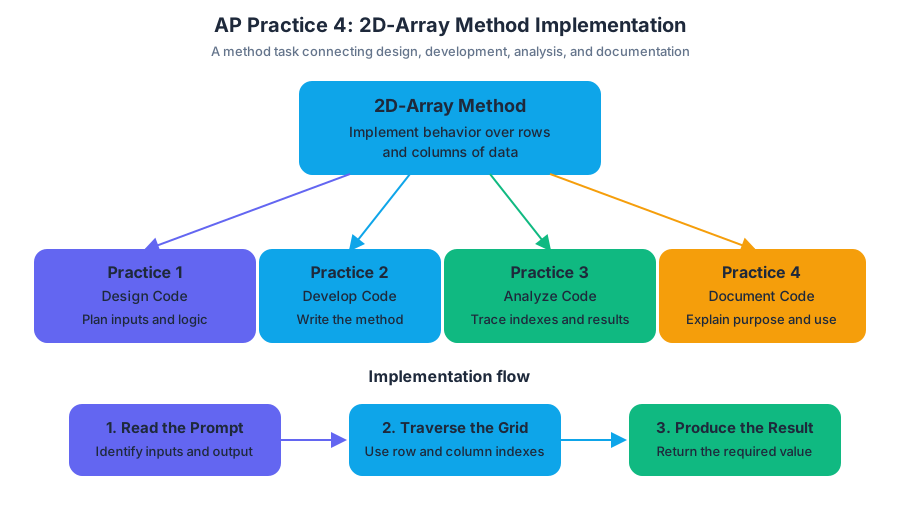
AP Practice 5
A two-dimensional array stores data in a rectangular grid, but an AP Computer Science A free-response task rewards more than producing the right final number: it rewards correct traversal, valid indexing, appropriate updates, and code that matches the requested behavior.
AP Practice 5
A two-dimensional array stores data in a rectangular grid, but an AP Computer Science A free-response task rewards more than producing the right final number: it rewards correct traversal, valid indexing, appropriate updates, and code that matches the requested behavior.
This original practice task targets the two-dimensional array free-response task type. It emphasizes Computational Thinking Practice 2: Develop Code, because you must implement Java code; Computational Thinking Practice 3: Analyze Code, because you must reason about rows, columns, and boundary conditions; and Computational Thinking Practice 4: Document Code and Computing Systems, because clear explanations of behavior and assumptions matter.
Exam target: the grid-analysis method
Imagine a greenhouse divided into plots. Each row represents one greenhouse aisle, and each column represents one plot within that aisle. The value at readings[row][col] is the temperature recorded in that plot.
Your task is to complete a method that finds the number of plots whose temperature is at least a specified threshold.
public static int countWarmPlots(double[][] readings,
double threshold)
The method must:
- return the number of elements in
readingswhose value is greater than or equal tothreshold; - examine every element exactly as needed;
- work for a rectangular two-dimensional array;
- return
0ifreadingshas no rows; - not modify
readings.
Original practice prompt
Complete the method countWarmPlots.
public static int countWarmPlots(double[][] readings,
double threshold)
{
// Write your code here
}
For example, if readings contains the following values and threshold is $20.0$:
double[][] readings = {
{18.5, 21.0, 20.0},
{24.5, 19.0, 22.0}
};
the method should return $4$, because $21.0$, $20.0$, $24.5$, and $22.0$ meet the threshold.
Work it out under timed conditions
Allow approximately 15 minutes: $3$ minutes to identify the data structure and required result, $8$ minutes to write and mentally trace the method, and $4$ minutes to test edge cases. Do not begin by typing nested loops mechanically. First identify what one counter represents: here, count represents the number of qualifying plots encountered so far.
Worked solution
The outer loop visits each row. The inner loop visits each element in that row. Using readings[row].length is safer than assuming every row has the same length, because Java two-dimensional arrays are arrays whose elements are themselves arrays.
public static int countWarmPlots(double[][] readings,
double threshold)
{
int count = 0;
for (int row = 0; row < readings.length; row++)
{
for (int col = 0; col < readings[row].length; col++)
{
if (readings[row][col] >= threshold)
{
count++;
}
}
}
return count;
}
For the sample data, the trace is:
| Element examined | Comparison | count after comparison |
|---|---|---|
| $18.5$ | $18.5 \ge 20.0$ is false | $0$ |
| $21.0$ | true | $1$ |
| $20.0$ | true | $2$ |
| $24.5$ | true | $3$ |
| $19.0$ | false | $3$ |
| $22.0$ | true | $4$ |
The returned value is therefore $4$.
What earns credit
A strong response provides evidence for the rubric’s core implementation requirements:
- Correct traversal: the code reaches every relevant row and every element within each row.
- Correct access: each value is accessed with the two-dimensional expression
readings[row][col]. - Correct selection condition: values equal to the threshold count, so the comparison must use
>=, not>. - Correct accumulation: the counter increases exactly when the condition is satisfied.
- Correct return value: the completed count is returned after traversal.
- No unintended mutation: the method reads the array but never assigns a new value to an array element.
These are the reasoning behaviors an examiner can verify directly from the code. A solution that produces $4$ only for the sample but skips rows, uses the wrong comparison, or returns the threshold itself does not demonstrate the required algorithm.
Boundary checks and common misconceptions
Misconception: a two-dimensional array is always a perfect rectangle. In Java, double[][] may contain rows of different lengths. The expression readings[row].length describes the current row; readings.length describes the number of rows.
Misconception: “at least” means strictly greater. The value $20.0$ must be counted when the threshold is $20.0$, so >= is essential.
Misconception: the inner loop should use readings.length. That would confuse the number of rows with the number of columns and can cause an index-out-of-bounds error. The inner loop must use the current row’s length.
Test these cases mentally:
double[][] a = {};
double[][] b = {{20.0}};
double[][] c = {{19.0, 21.0}, {20.0}};
For threshold $20.0$, the expected results are $0$, $1$, and $2$. Notice that a has no rows, while b confirms that equality counts and c confirms that rows may have different lengths.
Error-review routine
After attempting the task, classify every error rather than merely correcting it:
- Traversal error: a row or column was skipped.
- Indexing error: the wrong dimension or index expression was used.
- Condition error: equality or inequality was mishandled.
- State error: the counter was initialized or updated incorrectly.
- Contract error: the method returned the wrong quantity or changed the input array.
Then rewrite the method once without looking at the solution and explain, in one sentence, what count means before and after each loop iteration. That invariant—“count equals the number of qualifying elements already examined”—is the compact reasoning an examiner rewards because it connects traversal, condition, and result.
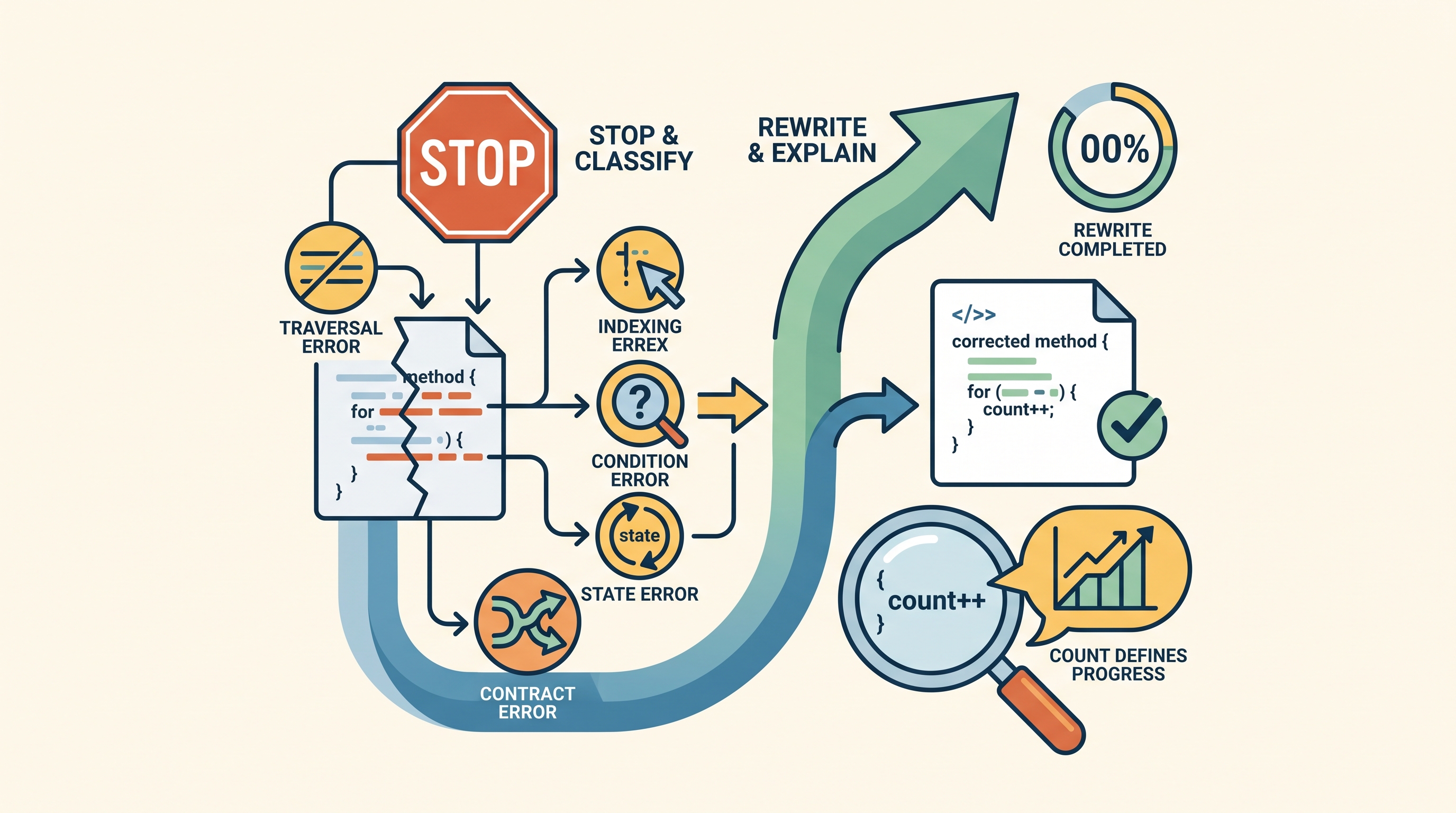
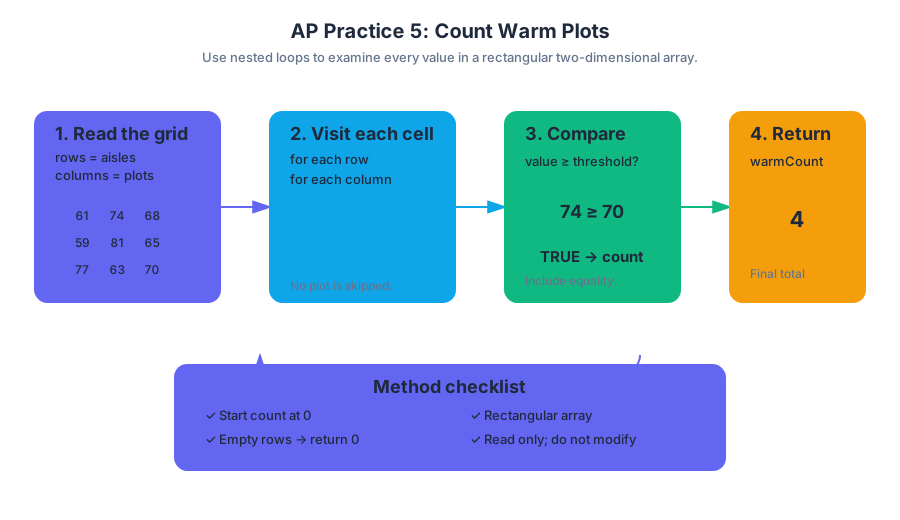
AP Practice 6
A useful computer program can still cause harm when it collects more data than necessary, hides important conditions, or produces results that people cannot reasonably question.
AP Practice 6
A useful computer program can still cause harm when it collects more data than necessary, hides important conditions, or produces results that people cannot reasonably question. This original practice task combines two exam-relevant demands: Analyze Code and Use Computers Responsibly.
Task profile: responsible analysis of a data-collection program
| Feature | Practice target |
|---|---|
| Task type | Original multiple-choice-style questions |
| Primary computational practices | 3. Analyze Code; 5. Use Computers Responsibly |
| Supporting practice | 4. Document Code and Computing Systems |
| Suggested timing | About $12$ minutes for four questions |
| Scoring approach | Select the best answer; justify it with code behavior or an ethical principle |
| Course context | Java, objects, methods, arrays, selection, iteration, and data collection |
The goal is not merely to identify whether the program runs. Strong reasoning must connect what the code does with what the system should be allowed to do. An answer that describes an ethical concern but misreads the code is incomplete; an answer that traces the code perfectly but ignores privacy, fairness, or transparency misses the computing-system issue.
Shared scenario
A school uses the following class to record students’ study-session information. The system is intended to recommend optional review materials.
public class StudyRecord
{
private String studentName;
private int minutes;
private boolean completedSurvey;
public StudyRecord(String name, int time, boolean survey)
{
studentName = name;
minutes = time;
completedSurvey = survey;
}
public boolean shouldRecommend()
{
if (minutes < 20)
{
return true;
}
else if (completedSurvey && minutes < 45)
{
return true;
}
return false;
}
public String getStudentName()
{
return studentName;
}
}
The recommendation rule is a form of selection: different Boolean conditions lead to different results. Notice also that the object stores an identifying value, studentName, even though the recommendation decision depends only on minutes and completedSurvey.
Question 1 — Analyze Code
For a record constructed as follows, what value does shouldRecommend() return?
StudyRecord record =
new StudyRecord("Mina", 30, false);
- A.
true, because $30$ is greater than $20$ - B.
true, because the student has a recorded study session - C.
false, because neither condition in the method is satisfied - D. A compilation error, because
falsecannot be passed to a constructor
Answer: C. The first condition, minutes < 20, is 30 < 20, which is false. The second condition requires both completedSurvey and minutes < 45; although $30 < 45$ is true, completedSurvey is false. The method reaches return false.
Rewarded reasoning — Computational Thinking Practice 3: Analyze Code: trace each condition using the actual stored values. Computational Thinking Practice 4: Document Code and Computing Systems: explain the specific condition that produces the result rather than reporting only the final Boolean value.
Question 2 — Data minimization
Which change best reduces the collection of unnecessary personal information while preserving the behavior of shouldRecommend()?
- A. Replace
studentNamewith a shorter name - B. Remove
studentNameandgetStudentName() - C. Change
studentNamefromprivatetopublic - D. Store both the student’s name and identification number
Answer: B. The recommendation method never uses studentName. Removing it follows data minimization: collect and retain only information needed for the stated purpose. Making the field public increases access; collecting an additional identifier makes the unnecessary-data problem worse.
Rewarded reasoning — Computational Thinking Practice 5: Use Computers Responsibly: identify the privacy consequence and connect it to the program’s purpose. The key distinction is between information available to the system and information required by the algorithm.
Question 3 — Hidden assumptions
Suppose a teacher says, “Every student who studies fewer than $20$ minutes should receive a recommendation.” Which observation is most important?
- A. The program uses a constructor.
- B. The method returns a Boolean value.
- C. Students who study between $20$ and $44$ minutes receive recommendations only if they complete the survey.
- D. The class contains three instance variables.
Answer: C. The program embeds an additional condition that may not be visible in the teacher’s informal statement. A student with $30$ minutes receives different results depending on completedSurvey. This is a transparency issue: people affected by an automated decision need a clear explanation of the conditions that influence it.
Rewarded reasoning — Computational Thinking Practice 4: Document Code and Computing Systems: describe the behavior and the condition producing it. Computational Thinking Practice 5: Use Computers Responsibly: recognize that an unexplained eligibility requirement can create unequal access to recommendations.
Question 4 — Fairness and testing
Which test set would best investigate whether the survey requirement affects students with similar study times?
- A. Records with minutes $= 5$, $10$, and $15$
- B. Records with minutes $= 50$, $60$, and $70$
- C. Pairs of records with the same minutes from $20$ through $44$, differing only in
completedSurvey - D. Records with different names but identical values for all other fields
Answer: C. A controlled comparison changes one relevant input while holding the other relevant input constant. For example, compare (30, true) with (30, false), then repeat for other values in the interval. This reveals whether survey completion changes the recommendation.
Timing and error review
Use approximately $3$ minutes to trace the shared code, $6$ minutes for the four questions, and $3$ minutes to review errors. For every missed question, record three facts: the input values, the exact executed condition, and the computational or ethical principle involved.
A strong review distinguishes code-tracing errors from system-reasoning errors. If you chose A for Question 1, revisit relational operators and Boolean conjunction. If you chose A, C, or D for Question 2, revisit data minimization. If you chose D for Question 4, revisit controlled testing: changing a value that the algorithm does not use cannot reveal the survey requirement.
Retrieval check
Why is removing studentName a design improvement even though the program can run correctly with it? Because correct execution is not the only standard for a computing system: unnecessary personal data increases privacy risk without contributing to the stated recommendation decision.

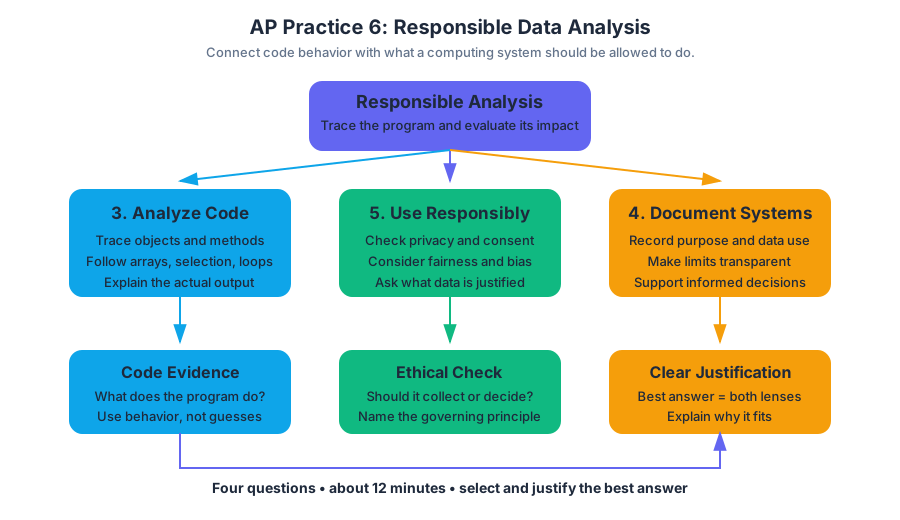
Source Materials
- AP Computer Science A Course and Exam Description
- AP Computer Science A Course and Exam Description Clarifications and Corrections
- AP Computer Science A Course Overview
- AP Computer Science A Course at a Glance
- AP Computer Science A Course at a Glance Poster
- Adopt AP Computer Science A
- AP Computer Science A
- AP Computer Science A
- Figure — AP Computer Science A Brochure for Teachers and Administrators (p. 1)
- Figure — AP Computer Science A Brochure for Teachers and Administrators (p. 2)
- Across Careers. Across Industries. Across the World.
- Figure — AP Computer Science A Course and Exam Description (p. 1)
Study AP Computer Science A with AI — Free on Lykke
Sign up for free to generate personalized flashcards, quizzes, and study guides from this course. Chat with an AI tutor that knows the material.
Get Started FreeView this course wiki on Lykke · Browse all public course wikis