Interactive Demo
Rust CLI Parser Visualizer
Rust CLI Parser Visualizer is a free, interactive learning demo from the Learn Rust course on Lykke. It helps you build intuition for CLI Tools, WebAssembly (WASM), Embedded Rust, Networking. Play with it directly in your browser — it features 4 buttons. This demo lives in the “Domain-Specific Development” section of the course.
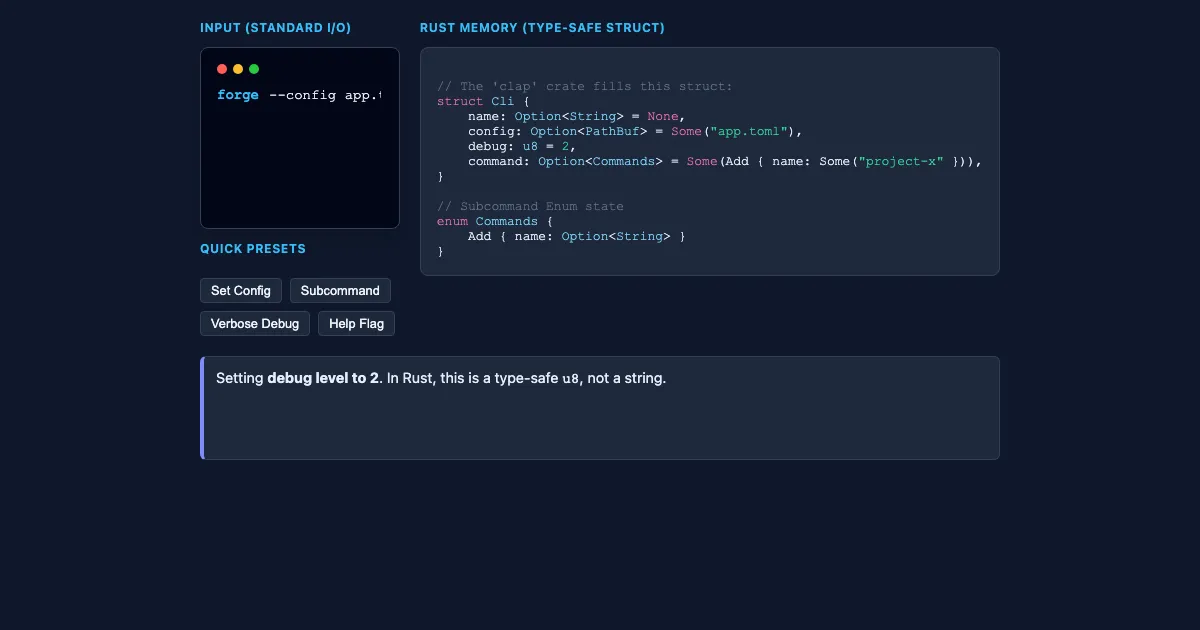
How to use this demo
- Use the “Set Config”, “Subcommand”, “Verbose Debug”, “Help Flag” buttons to trigger actions or reset the demo.
- Experiment freely — there's nothing to break, and every change is reversible.
What you'll explore
- CLI Tools
- WebAssembly (WASM)
- Embedded Rust
- Networking
Frequently asked questions
What does the Rust CLI Parser Visualizer demo do?
Applying Rust to specialized fields like CLI, WebAssembly, and Embedded systems. Rust CLI Parser Visualizer turns that idea into something you can manipulate directly and watch respond.
What Learn Rust concept does Rust CLI Parser Visualizer teach?
Applying Rust to specialized fields like CLI, WebAssembly, and Embedded systems. It focuses on CLI Tools, WebAssembly (WASM), Embedded Rust, Networking from the “Domain-Specific Development” section.
What can I control in Rust CLI Parser Visualizer?
The “Set Config”, “Subcommand”, “Verbose Debug”, “Help Flag” buttons run actions or reset the demo. Every change updates the visualization in real time, so you can see exactly how each variable affects the outcome.
How does Rust CLI Parser Visualizer fit into the Learn Rust course?
Rust is a modern systems programming language designed for safety, speed, and concurrency. This course provides a structured path through the official Rust learning ecosystem, covering everything from fundamental concep… This demo is the interactive piece for the “Domain-Specific Development” section. Open the full Learn Rust course wiki at https://www.getlykke.com/explore/public/learn-rust-152ba9ad-70c8-41a8-a090-c49df688e82d for notes, flashcards, quizzes and the other demos.
What will I understand better after using Rust CLI Parser Visualizer?
You'll build intuition for CLI Tools, WebAssembly (WASM), Embedded Rust, Networking — and, crucially, see how they behave when you change the inputs, which is hard to get from a textbook or lecture on Learn Rust alone.
From the Learn Rust course
This interactive demo is part of the Domain-Specific Development section. Explore the full Learn Rust course wiki on Lykke — with notes, flashcards, quizzes and more interactive demos.
Open the Learn Rust course →