Interactive Demo
Interactive pd.read_csv Demo
Interactive pd.read_csv Demo is a free, interactive learning demo from the pandas documentation course on Lykke. It helps you build intuition for Data I/O (read_csv, to_excel), Subsetting & Filtering (loc, iloc), Column Creation & Renaming, Grouping & Aggregation (groupby). Play with it directly in your browser — it features 2 numeric inputs and 1 toggle. This demo lives in the “Core Data Wrangling: A Hands-On Guide” section of the course.
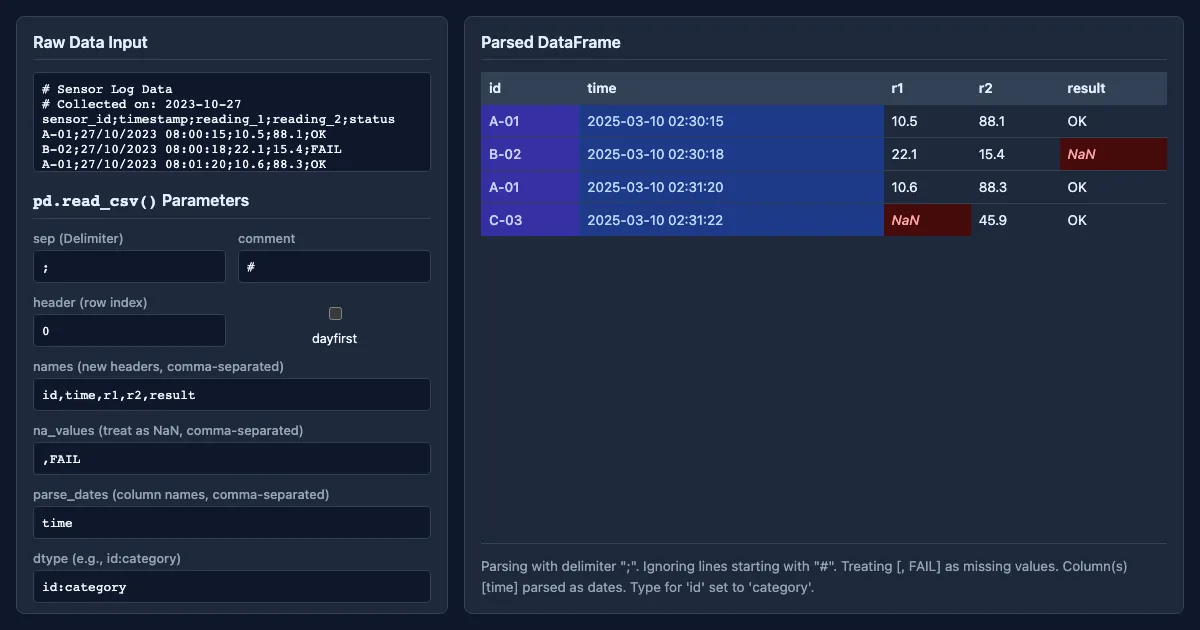
How to use this demo
- Toggle the checkboxes to show or hide layers and compare cases.
- Experiment freely — there's nothing to break, and every change is reversible.
What you'll explore
- Data I/O (read_csv, to_excel)
- Subsetting & Filtering (loc, iloc)
- Column Creation & Renaming
- Grouping & Aggregation (groupby)
- Combining & Merging Data (concat, merge)
- Reshaping Data (pivot, melt)
- Data Visualization (plot)
Frequently asked questions
What does the Interactive pd.read_csv Demo demo do?
A practical, hands-on guide covering the most essential data manipulation tasks. This section walks through reading/writing data, selecting subsets, creating new columns, calculating statistics, reshaping tables, and co… Interactive pd.read_csv Demo turns that idea into something you can manipulate directly and watch respond.
What pandas documentation concept does Interactive pd.read_csv Demo teach?
A practical, hands-on guide covering the most essential data manipulation tasks. This section walks through reading/writing data, selecting subsets, creating new columns, calculating statistics, reshaping tables, and co… It focuses on Data I/O (read_csv, to_excel), Subsetting & Filtering (loc, iloc), Column Creation & Renaming, Grouping & Aggregation (groupby), Combining & Merging Data (concat, merge), Reshaping Data (pivot, melt) from the “Core Data Wrangling: A Hands-On Guide” section.
What can I control in Interactive pd.read_csv Demo?
Toggles show or hide layers so you can compare cases. Every change updates the visualization in real time, so you can see exactly how each variable affects the outcome.
How does Interactive pd.read_csv Demo fit into the pandas documentation course?
This DeepWiki provides a comprehensive guide to the pandas library, version 3.0.2, based on its official documentation. It is designed to take learners from installation and foundational concepts, such as the DataFrame… This demo is the interactive piece for the “Core Data Wrangling: A Hands-On Guide” section. Open the full pandas documentation course wiki at https://www.getlykke.com/explore/public/pandas-documentation-2798b47b-c651-4715-bcbd-a9e8e81bda1d for notes, flashcards, quizzes and the other demos.
What will I understand better after using Interactive pd.read_csv Demo?
You'll build intuition for Data I/O (read_csv, to_excel), Subsetting & Filtering (loc, iloc), Column Creation & Renaming, Grouping & Aggregation (groupby), Combining & Merging Data (concat, merge), Reshaping Data (pivot, melt) — and, crucially, see how they behave when you change the inputs, which is hard to get from a textbook or lecture on pandas documentation alone.
From the pandas documentation course
This interactive demo is part of the Core Data Wrangling: A Hands-On Guide section. Explore the full pandas documentation course wiki on Lykke — with notes, flashcards, quizzes and more interactive demos.
Open the pandas documentation course →