Interactive Demo
Glass Box Testing & Path Coverage
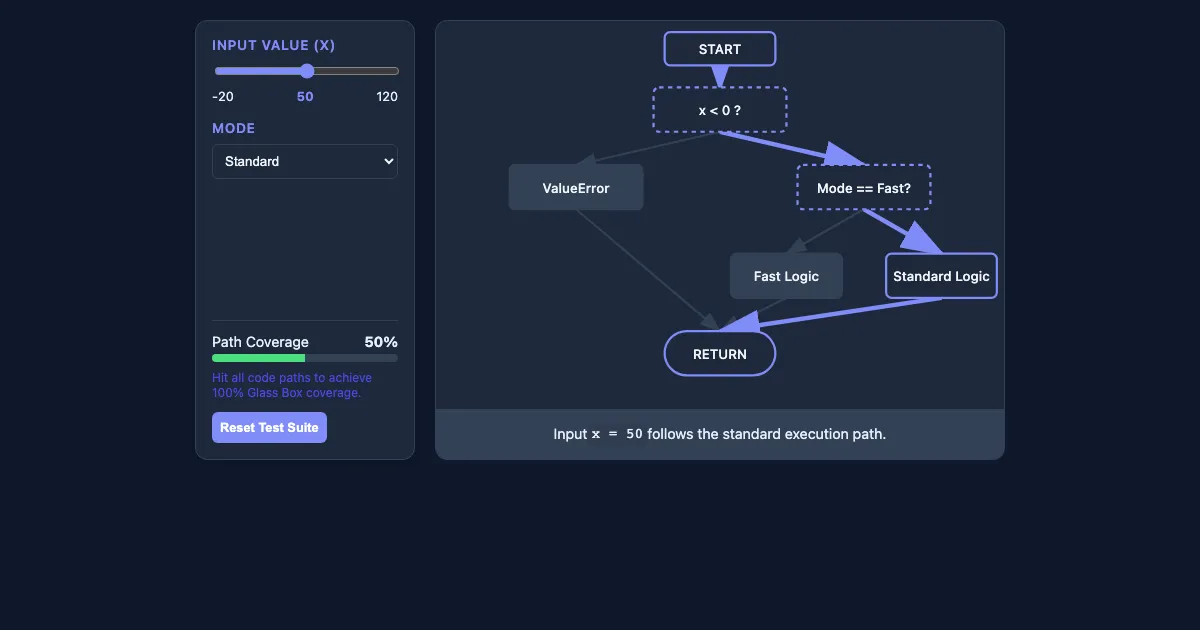
Glass Box Testing & Path Coverage is a free, interactive learning demo from the Introduction to Computer Science and Programming in Python course on Lykke. It helps you build intuition for Black Box Testing, Glass Box Testing, Path Completeness, Boundary Conditions. Play with it directly in your browser — it features 2 sliders, 1 dropdown and 1 button. This demo lives in the “Testing and Debugging” section of the course.
How to use this demo
- Drag the “Input Value (x)”, “Mode” sliders to change the inputs and watch the result update live.
- Use the “Reset Test Suite” button to trigger actions or reset the demo.
- Pick an option from the dropdown to switch between scenarios.
- Experiment freely — there's nothing to break, and every change is reversible.
What you'll explore
- Black Box Testing
- Glass Box Testing
- Path Completeness
- Boundary Conditions
Frequently asked questions
What does the Glass Box Testing & Path Coverage demo do?
Fast Logic Standard Logic RETURN Adjust the inputs to see how the program executes different code paths. Glass Box Testing & Path Coverage lets you explore this hands-on instead of only reading about it.
What Introduction to Computer Science and Programming in Python concept does Glass Box Testing & Path Coverage teach?
Covers strategies for ensuring code correctness and identifying logical errors. It focuses on Black Box Testing, Glass Box Testing, Path Completeness, Boundary Conditions from the “Testing and Debugging” section.
What can I control in Glass Box Testing & Path Coverage?
The “Input Value (x)”, “Mode” sliders change the key inputs; a dropdown switches between scenarios; the “Reset Test Suite” button run actions or reset the demo. Every change updates the visualization in real time, so you can see exactly how each variable affects the outcome.
How does Glass Box Testing & Path Coverage fit into the Introduction to Computer Science and Programming in Python course?
MIT's 6.0001 Introduction to Computer Science and Programming in Python is a foundational course designed for students with little to no prior programming experience. The course focuses on using Python 3.5 to develop co… This demo is the interactive piece for the “Testing and Debugging” section. Open the full Introduction to Computer Science and Programming in Python course wiki at https://www.getlykke.com/explore/public/introduction-to-computer-science-and-programming-3c4dc7ee-937e-431e-9ad1-29e6d93fcbff for notes, flashcards, quizzes and the other demos.
What will I understand better after using Glass Box Testing & Path Coverage?
You'll build intuition for Black Box Testing, Glass Box Testing, Path Completeness, Boundary Conditions — and, crucially, see how they behave when you change the inputs, which is hard to get from a textbook or lecture on Introduction to Computer Science and Programming in Python alone.
From the Introduction to Computer Science and Programming in Python course
This interactive demo is part of the Testing and Debugging section. Explore the full Introduction to Computer Science and Programming in Python course wiki on Lykke — with notes, flashcards, quizzes and more interactive demos.
Open the Introduction to Computer Science and Programming in Python course →