Interactive Demo
File System & Path Logic Demo
File System & Path Logic Demo is a free, interactive learning demo from the Computer Applications and Information Technology course on Lykke. It helps you build intuition for Microsoft Office Suite, Google Suite, Windows Desktop Management, File Hierarchy. Play with it directly in your browser — it features 2 buttons. This demo lives in the “Workplace Software and Digital Literacy” section of the course.
How to use this demo
- Use the “Set Current Directory”, “Run Recursive Traversal” buttons to trigger actions or reset the demo.
- Experiment freely — there's nothing to break, and every change is reversible.
What you'll explore
- Microsoft Office Suite
- Google Suite
- Windows Desktop Management
- File Hierarchy
- Internet Security
Frequently asked questions
What does the File System & Path Logic Demo demo do?
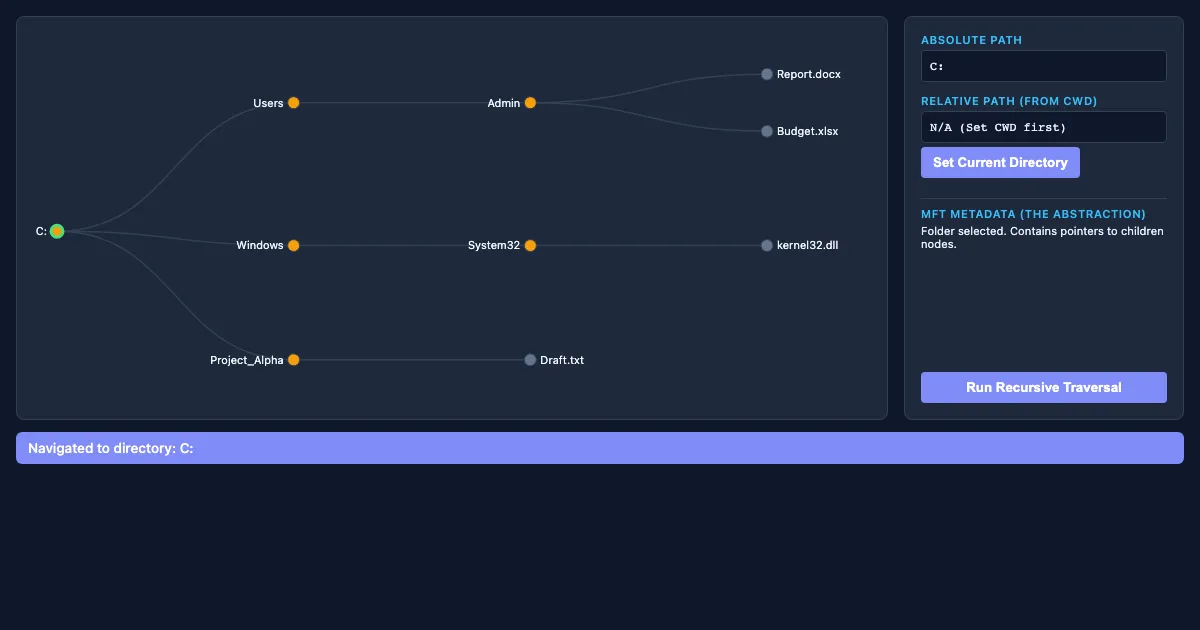
Run Recursive Traversal Click a folder or file to explore the directory tree. File System & Path Logic Demo lets you explore this hands-on instead of only reading about it.
What Computer Applications and Information Technology concept does File System & Path Logic Demo teach?
Developing proficiency in essential workplace tools, including Microsoft Office, Google Suite, and operating system management. It focuses on Microsoft Office Suite, Google Suite, Windows Desktop Management, File Hierarchy, Internet Security from the “Workplace Software and Digital Literacy” section.
What can I control in File System & Path Logic Demo?
The “Set Current Directory”, “Run Recursive Traversal” buttons run actions or reset the demo. Every change updates the visualization in real time, so you can see exactly how each variable affects the outcome.
How does File System & Path Logic Demo fit into the Computer Applications and Information Technology course?
This course provides a comprehensive exploration of Information Technology (IT) and Computer Applications, focusing on their role in modern business operations. Students will develop practical skills in workplace softwa… This demo is the interactive piece for the “Workplace Software and Digital Literacy” section. Open the full Computer Applications and Information Technology course wiki at https://www.getlykke.com/explore/public/computer-applications-and-information-technology-8801a9a0-e9a4-4ec2-abcd-b3432597c013 for notes, flashcards, quizzes and the other demos.
What will I understand better after using File System & Path Logic Demo?
You'll build intuition for Microsoft Office Suite, Google Suite, Windows Desktop Management, File Hierarchy, Internet Security — and, crucially, see how they behave when you change the inputs, which is hard to get from a textbook or lecture on Computer Applications and Information Technology alone.
From the Computer Applications and Information Technology course
This interactive demo is part of the Workplace Software and Digital Literacy section. Explore the full Computer Applications and Information Technology course wiki on Lykke — with notes, flashcards, quizzes and more interactive demos.
Open the Computer Applications and Information Technology course →