Interactive Demo
Natural Selection Simulator
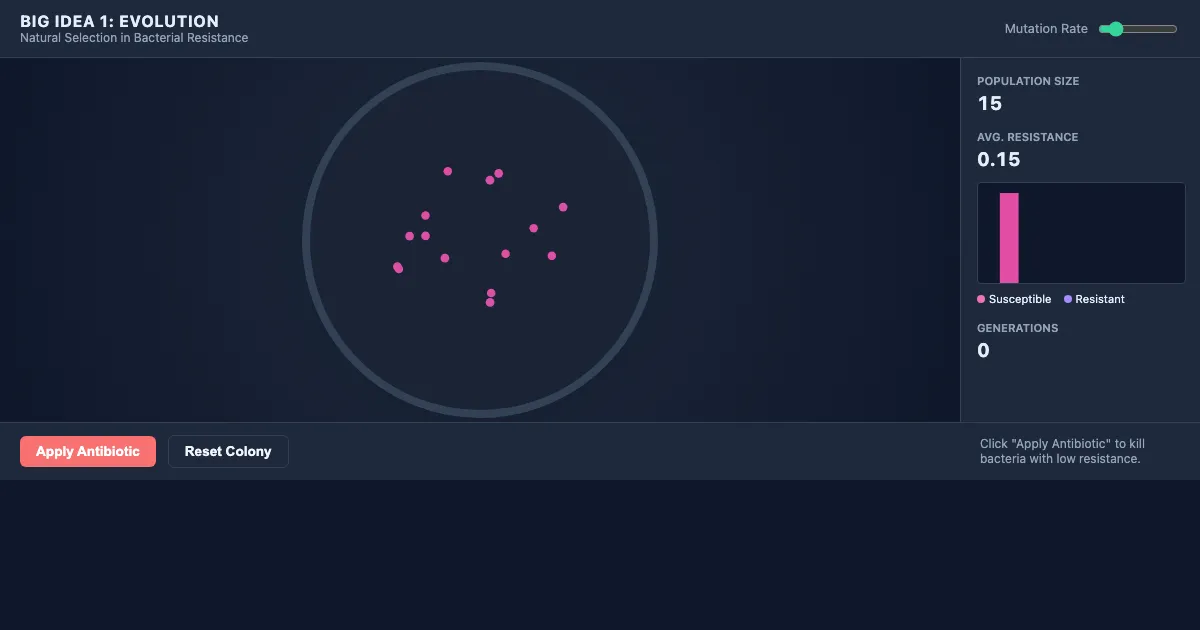
Natural Selection Simulator is a free, interactive learning demo from the AP Biology course on Lykke. It helps you build intuition for Big Idea 1: Evolution, Big Idea 2: Energetics, Big Idea 3: Information Storage and Transmission, Big Idea 4: Systems Interactions. Play with it directly in your browser — it features 2 sliders, 2 buttons and a live visual canvas. This demo lives in the “Course Framework and Big Ideas” section of the course.
How to use this demo
- Drag the sliders to change the inputs and watch the visualization update in real time.
- Use the “Apply Antibiotic”, “Reset Colony” buttons to trigger actions or reset the demo.
- Experiment freely — there's nothing to break, and every change is reversible.
What you'll explore
- Big Idea 1: Evolution
- Big Idea 2: Energetics
- Big Idea 3: Information Storage and Transmission
- Big Idea 4: Systems Interactions
- Science Practices (Concept Explanation, Visual Representations, Questions and Methods, Representing and Describing Data, Statistical Tests and Data Analysis, Argumentation)
- Quantitative Modeling and Formula Application
Frequently asked questions
What does the Natural Selection Simulator demo do?
This section introduces the foundational principles of the AP Biology course, including the four Big Ideas and the six essential science practices. It outlines the roadmap for evidence-based learning and the mathematica… Natural Selection Simulator turns that idea into something you can manipulate directly and watch respond.
What AP Biology concept does Natural Selection Simulator teach?
This section introduces the foundational principles of the AP Biology course, including the four Big Ideas and the six essential science practices. It outlines the roadmap for evidence-based learning and the mathematica… It focuses on Big Idea 1: Evolution, Big Idea 2: Energetics, Big Idea 3: Information Storage and Transmission, Big Idea 4: Systems Interactions, Science Practices (Concept Explanation, Visual Representations, Questions and Methods, Representing and Describing Data, Statistical Tests and Data Analysis, Argumentation), Quantitative Modeling and Formula Application from the “Course Framework and Big Ideas” section.
What can I control in Natural Selection Simulator?
The sliders change the key inputs; the “Apply Antibiotic”, “Reset Colony” buttons run actions or reset the demo. Every change updates the visualization in real time, so you can see exactly how each variable affects the outcome.
How does Natural Selection Simulator fit into the AP Biology course?
AP Biology is an introductory college-level course that explores the complexity of living organisms through inquiry-based investigations and hands-on laboratory work. The curriculum is organized around four Big Ideas: E… This demo is the interactive piece for the “Course Framework and Big Ideas” section. Open the full AP Biology course wiki at https://www.getlykke.com/explore/public/ap-biology-a0d91331-c38b-490d-a302-894c6bcc3c53 for notes, flashcards, quizzes and the other demos.
What will I understand better after using Natural Selection Simulator?
You'll build intuition for Big Idea 1: Evolution, Big Idea 2: Energetics, Big Idea 3: Information Storage and Transmission, Big Idea 4: Systems Interactions, Science Practices (Concept Explanation, Visual Representations, Questions and Methods, Representing and Describing Data, Statistical Tests and Data Analysis, Argumentation), Quantitative Modeling and Formula Application — and, crucially, see how they behave when you change the inputs, which is hard to get from a textbook or lecture on AP Biology alone.
From the AP Biology course
This interactive demo is part of the Course Framework and Big Ideas section. Explore the full AP Biology course wiki on Lykke — with notes, flashcards, quizzes and more interactive demos.
Open the AP Biology course →